
1. Impostazione
This section guides you through the initial setup of your iRobot Roomba 105X Robot Vacuum. Proper setup ensures optimal performance and connectivity.
1.1 Disimballaggio e posizionamento
Carefully remove all components from the packaging. Select a suitable location for the Home Base charging station. Ensure it is placed against a wall, on a level surface, with at least 1.5 feet (0.5 meters) of clear space on either side and 4 feet (1.2 meters) in front. This allows the robot to easily dock and undock.
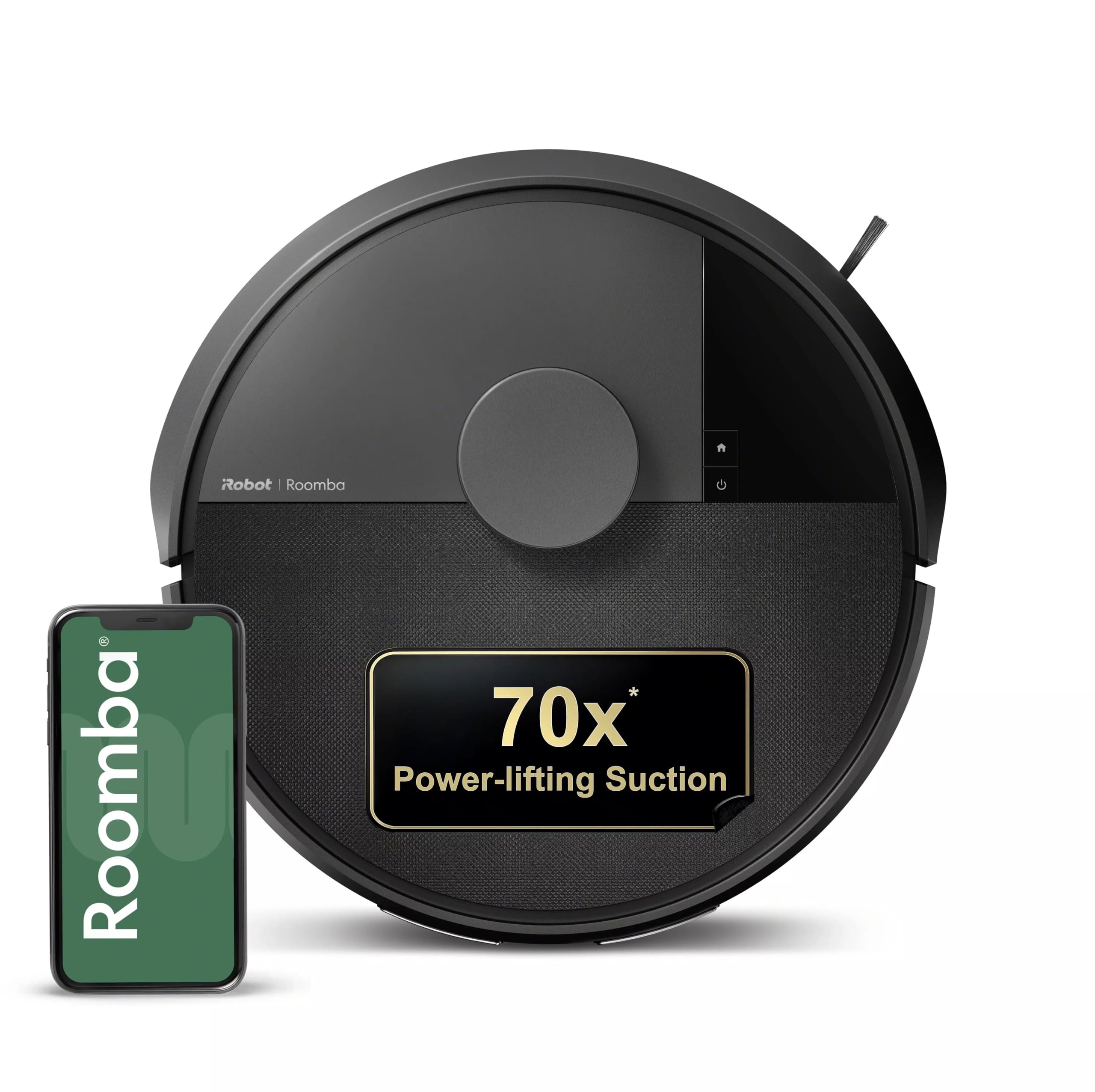
Image: The iRobot Roomba 105X Robot Vacuum, ready for setup.
1.2 Carica iniziale
Before first use, fully charge your Roomba. Place the robot on the Home Base, ensuring the metal charging contacts on the robot align with those on the Home Base. The light indicator on the robot will show charging status. A full charge typically takes approximately 3 hours.

Image: The Roomba 105X robot vacuum automatically returns to its Home Base for recharging.
1.3 Connessione all'app iRobot Home
For full functionality, download the iRobot Home App on your smartphone or tablet. Follow the in-app instructions to connect your Roomba 105X to your home's 2.4GHz Wi-Fi network. This enables smart features like scheduling, custom cleaning, and voice control.

Image: The iRobot Home App interface displaying options for scheduling and customization.
1.4 Prodotto finitoview Video
Video: An official iRobot overview of the Roomba 105X Robot Vacuum, detailing its features and initial setup.
2. Operating Your Roomba 105X
The Roomba 105X offers intelligent cleaning with various control options and advanced navigation features.
2.1 Avvio di un ciclo di pulizia
You can initiate a cleaning cycle in three ways:
- App iRobot Home: Use the app to start, stop, or schedule cleaning from anywhere.
- Controllo vocale: Connect your Roomba to a compatible voice assistant (e.g., Alexa) and use voice commands.
- Pulsanti integrati: Press the CLEAN button on the robot itself to start or pause a cleaning job.

Image: Illustration of the three control methods for the Roomba 105X: voice assistant, physical buttons, and the iRobot Home App.
2.2 Smart LiDAR Mapping and Navigation
The Roomba 105X utilizes ClearView™ LiDAR technology to map your home's layout. This allows it to clean efficiently in organized rows, avoiding furniture, cords, and other obstacles. The robot can navigate effectively even in low-light conditions.

Image: The Roomba 105X robot vacuum employing LiDAR technology to map and navigate a room, avoiding obstacles.
2.3-Stage Sistema di pulizia
The robot employs a 3-Stage Cleaning System for thorough dirt removal:
- Pennello per la pulizia dei bordi: Spazza via i detriti dai bordi e dagli angoli, indirizzandoli sul percorso del robot.
- Multi-Surface Brushes: Two main brushes work together to agitate and lift dirt from floors.
- Power-Lifting Suction: Provides 70X more suction power compared to Roomba 600 series robots, pulling in embedded dust, crumbs, and pet hair.

Image: A visual breakdown of the Roomba's 3-stage cleaning system, highlighting the edge-sweeping brush, multi-surface brush, and intense suction.
2.4 Custom Cleaning and Spot Clean
Through the iRobot Home App, you can customize cleaning preferences, including scheduling cleans, targeting specific high-traffic rooms, adjusting suction levels for different floor types, and adding extra passes for heavily soiled areas. For concentrated messes, use the Spot Clean feature to direct the robot to repeatedly clean a small area for up to five minutes.

Image: The iRobot Home App interface allowing users to select their preferred suction strength for cleaning.
3. Manutenzione
Regular maintenance is crucial for keeping your Roomba 105X operating at peak performance. Follow these steps to clean and care for your robot.
3.1 Svuotamento del contenitore della polvere
The dust bin should be emptied after each cleaning cycle, especially in homes with pets. Press the bin release button and pull out the bin. Open the bin door and discard debris. Tap the bin against a trash can to remove loose dirt.
3.2 Pulizia del filtro
Remove the filter from the dust bin. Tap the filter against a trash can to dislodge dirt. Do not wash the filter with water. Replace the filter every 2-3 months, or as indicated by the iRobot Home App.

Image: The iRobot Home App provides maintenance alerts, including tracking the filter's lifespan.
3.3 Pulizia di spazzole e ruote
Periodically remove the Multi-Surface Brushes and the Edge-Sweeping Brush. Use the cleaning tool provided to remove hair and debris wrapped around the brushes and axles. Wipe the charging contacts on the robot and Home Base with a clean, dry cloth. Clean the front caster wheel by pulling it out and removing any trapped hair or debris.

Image: A cutaway diagram illustrating the internal components of the robot vacuum, including the brushes and suction mechanism, which require regular cleaning.
4. Risoluzione Dei Problemi
If your Roomba 105X encounters an issue, consult this section for common solutions.
4.1 Robot Gets Stuck
- Cords and Obstacles: Ensure all loose cords, small toys, and other obstacles are cleared from the floor before cleaning.
- Rugs and Transitions: Some thick rugs or high floor transitions may cause the robot to get stuck. Consider using Keep Out Zones in the app or physically blocking these areas.
- Floor Vents/Mats: The robot may struggle with certain floor vents or lightweight mats. Adjust their placement or use virtual barriers if available.
4.2 Battery and Charging Issues
- Not Returning to Home Base: Ensure the Home Base is in an accessible location with clear space around it. Clean the charging contacts on both the robot and the Home Base.
- Durata breve della batteria: Ensure the robot is fully charged before starting a cleaning cycle. If battery life significantly degrades, contact customer support for potential battery replacement.
4.3 Problemi di connettività delle app
- Connessione Wi-Fi: Verify your home Wi-Fi is a 2.4GHz network. Restart your router and try reconnecting the robot through the iRobot Home App.
- L'app non risponde: Close and reopen the iRobot Home App. Ensure your app is updated to the latest version.
5. Specifiche
Detailed technical specifications for the iRobot Roomba 105X Robot Vacuum.
| Caratteristica | Dettaglio |
|---|---|
| Marca | iRobot |
| Nome del modello | 105X Robot Vacuum |
| Numero di modello | Q314020 |
| Codice UPC | 885155059758 |
| Raccomandazione di superficie | Carpet & Hard Floor |
| Caratteristiche speciali | Anti-Fall, App Or Voice Control, Bagless, Dirt Detection Sensor, Eco Mode, LiDAR Navigation, Low Noise, Scheduling |
| Tipo di controllore | Controllo app, controllo pulsanti, controllo vocale |
| Tipo di filtro | Cartuccia |
| Durata della batteria | 200 minuti |
| Tipo di batteria | Ioni di litio |
| Fonte di alimentazione | Alimentato a batteria |
| Dimensioni articolo (L x P x A) | 13.2 cm L x 13.2 cm P x 4.1 cm A |
| Fattore di forma | Girare |
| Componenti inclusi | Docking Station, Filter |
6. Garanzia e supporto
Your iRobot Roomba 105X Robot Vacuum is covered by a manufacturer's warranty. For specific warranty details, please refer to the warranty card included in your product packaging or visit the official iRobot website. For technical support, troubleshooting assistance, or to order replacement parts, please contact iRobot Customer Care.
You can find additional resources and contact information on the official iRobot support page: www.irobot.com/support