
1. Introduzione
Thank you for choosing the Oilsky M502 MP3 Player. This device combines a powerful Android 13.0 operating system with extensive media capabilities, including Bluetooth, Wi-Fi, a high-definition touchscreen, and dual cameras. It is designed for versatile entertainment and communication. This manual provides essential information for setting up, operating, and maintaining your device.

Immagine 1.1: anteriore view of the Oilsky M502 MP3 Player, showcasing its sleek design and large touchscreen.
2. Cosa c'è nella scatola
Si prega di controllare il contenuto della confezione dopo averla disimballata:
- 1 x Oilsky M502 MP3 Player
- 1 x Manuale utente
- 1 x pellicola protettiva
- 1 cavo USB
- 1 auricolari

Image 2.1: The Oilsky M502 MP3 Player and its included accessories: USB cable, earphones, protective film, and user manual.
3. Prodotto finitoview
Caratteristiche principali:
- Sistema operativo: Androide 13.0
- Processore: MTK 6762 Octa-core processor
- Memoria: 4GB RAM + 128GB Internal Storage (expandable up to 1TB via MicroSD card)
- Display: 5.5-inch HD Touchscreen (1440x720 resolution, IPS wider viewangolo)
- Connettività: Bluetooth 5.0, Dual-band Wi-Fi (2.4GHz/5GHz), USB
- Telecamere: Fotocamera posteriore da 13 MP, fotocamera anteriore da 5 MP
- Batteria: 2500mAh Lithium-ion (approx. 30 hours music playback, 5 hours video playback)
- App preinstallate: Spotify, Pandora, Amazon Music, Audible, Tidal, Deezer, etc.
- Formati musicali supportati: MP3, WAV, APE, FLAC, AAC
- Formati video supportati: AVI, MKV, RMVB, MP4, MPG, MOV
Visiva finitaview:

Image 3.1: Device powered by Android 13.0 and MTK 6762 octa-core chip for smooth performance.

Image 3.2: Bluetooth 5.0 for stable wireless connections to speakers, headsets, mobile phones, and computers.

Image 3.3: Capture moments with the 13MP rear camera and 5MP front camera.

Image 3.4: Large storage capacity with 128GB built-in and up to 1TB expandable storage.

Image 3.5: 1440P HD full-format video player with a 5.5-inch full touch screen and IPS display.

Image 3.6: Powerful music app (HiByMusic player) supporting various formats and features.
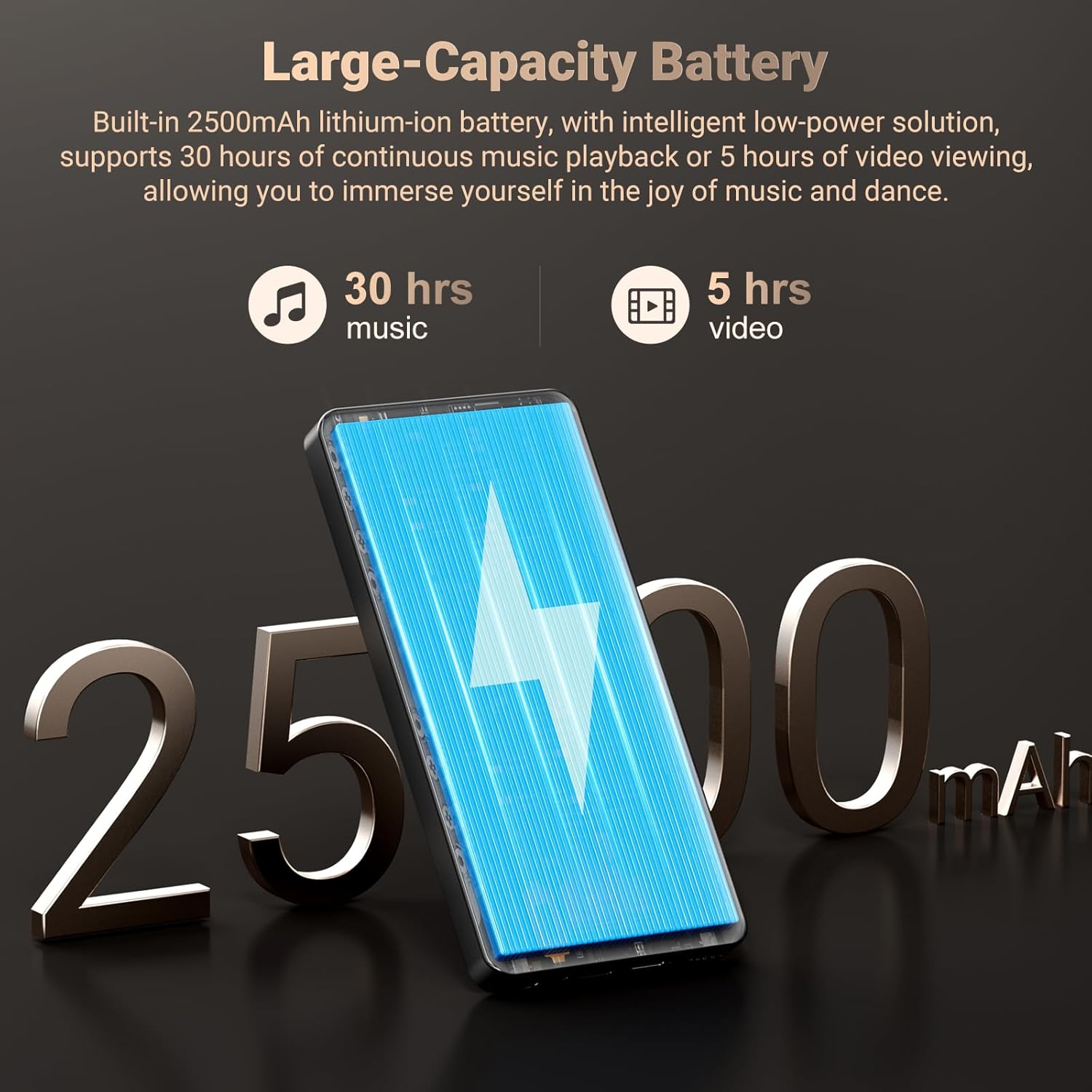
Image 3.7: Long-lasting 2500mAh battery for extended music and video playback.

Image 3.8: Access to streaming apps and local music playback for a rich audio experience.
Video del prodotto finitoview
Video 3.1: Un funzionario sopraview of the Oilsky 128GB MP3 Player, highlighting its key features and functionalities.
4. Impostazione
4.1 Ricarica del dispositivo
Before first use, fully charge the MP3 player. Connect the provided USB cable to the device's charging port and the other end to a USB power adapter (not included) or a computer's USB port. The charging indicator will show the charging status.
4.2 Accensione/Spegnimento
- Per accendere: Tieni premuto il pulsante di accensione sul lato del dispositivo finché lo schermo non si illumina.
- Per spegnere: Tenere premuto il pulsante di accensione, quindi selezionare "Spegni" tra le opzioni visualizzate sullo schermo.
4.3 Configurazione iniziale
Upon first power-on, follow the on-screen prompts to complete the initial setup, which includes selecting your language, connecting to a Wi-Fi network, and setting up your Google account (optional, but recommended for app downloads).
4.4 Inserimento di una scheda MicroSD
To expand storage, locate the MicroSD card slot on the device. Gently insert a MicroSD card (up to 1TB, not included) into the slot until it clicks into place. Ensure the card is inserted in the correct orientation.
5. Istruzioni per l'uso
5.1 Riproduzione di musica
The device features a professional-grade music player. You can play local music fileo eseguire lo streaming da app preinstallate.
- Musica locale: Transfer MP3, WAV, APE, FLAC, AAC files to the device's internal storage or MicroSD card. Use the built-in music app to scan folders, create playlists, and search for tracks.
- Streaming: Connect to Wi-Fi and open pre-installed apps like Spotify, Pandora, Amazon Music, etc., to stream music online.
- Audio Bluetooth: Pair with Bluetooth headphones or speakers via Settings > Connected devices > Bluetooth.
5.2 Riproduzione video
The 5.5-inch HD screen supports 720P/1440P video playback.
- Transfer AVI, MKV, RMVB, MP4, MPG, MOV video files al dispositivo.
- Open the video player app to browse and play your videos.
Funzionalità della fotocamera 5.3
The device includes a 13MP rear camera and a 5MP front camera.
- Aprire l'app Fotocamera dalla schermata iniziale.
- Passa dalla fotocamera anteriore a quella posteriore a seconda delle tue esigenze.
- Tocca il pulsante di scatto per scattare foto o registrare video.
5.4 Gestione delle app
As an Android device, you can install and manage applications.
- Installazione di app: Open the Google Play Store app, search for desired applications, and tap 'Install'.
- Disinstallazione delle app: Go to Settings > Apps > See all apps, select the app, and tap 'Uninstall'. Pre-installed apps can also be uninstalled if not needed.
5.5 Connettività
- Wifi: Vai su Impostazioni > Rete e Internet > Wi-Fi per connetterti alle reti disponibili.
- Bluetooth: Go to Settings > Connected devices > Bluetooth to pair with other Bluetooth devices for audio or file trasferimento.
- USB: Collegare il dispositivo a un computer utilizzando il cavo USB per file transfer. Select the 'File transfer' option on the device when prompted.
6. Controllo genitori
The Oilsky M502 includes parental control features to manage content access and screen time, making it suitable for children.
- Access parental control settings through the device's system settings.
- Set restrictions on app usage, screen time limits, and content filtering to ensure age-appropriate access.
- Google Chrome can be disabled if desired.

Immagine 6.1: Es.ample of parental control settings, allowing for screen time limits and app restrictions.
7. Manutenzione
- Pulizia: Utilizzare un panno morbido e asciutto per pulire il dispositivo. Evitare detergenti liquidi o materiali abrasivi.
- Cura della batteria: To prolong battery life, avoid extreme temperatures and do not let the battery fully discharge frequently. Charge the device regularly.
- Aggiornamenti software: Controlla periodicamente la presenza di aggiornamenti di sistema in Impostazioni > Sistema > Aggiornamento di sistema per garantire prestazioni e sicurezza ottimali.
- Gestione della memoria: Pulire regolarmente ciò che non è necessario filee disinstallare le app non utilizzate per liberare spazio di archiviazione e mantenere le prestazioni.
8. Risoluzione Dei Problemi
| Problema | Possibile soluzione |
|---|---|
| Il dispositivo non si accende | Ensure the device is charged. Connect to a charger for at least 30 minutes. If unresponsive, perform a forced restart by holding the power button for 10-15 seconds. |
| Impossibile connettersi al Wi-Fi | Check if Wi-Fi is enabled in settings. Ensure the password is correct. Restart the device and the Wi-Fi router. |
| L'associazione Bluetooth non riesce | Ensure Bluetooth is enabled on both devices. Place devices close to each other. Restart both devices and try pairing again. |
| Le app sono lente o si bloccano | Close background apps. Clear app cache (Settings > Apps > [App Name] > Storage & cache > Clear cache). Ensure sufficient storage space is available. Restart the device. |
| Scheda MicroSD non rilevata | Ensure the card is inserted correctly. Try reinserting the card. Test with another MicroSD card if possible. |
| Scarsa qualità della fotocamera | Ensure the camera lens is clean. Take photos in well-lit environments. |
9. Specifiche
| Caratteristica | Dettaglio |
|---|---|
| Marca | Oilsky |
| Nome del modello | Numero di modello: M502 |
| Sistema operativo | Androide 13.0 |
| Capacità di archiviazione della memoria | 128 GB (espandibile fino a 1 TB) |
| Dimensioni dello schermo | 5.5 pollici |
| Tecnologia di visualizzazione | IPS or TFT |
| Tecnologia di connettività | Bluetooth, USB, Wi-Fi (2.4GHz/5GHz) |
| Caratteristiche speciali | 1440P Full Formats, App Installation, Equalizer, FM Radio, WIFI, Dual Cameras (13MP Rear, 5MP Front) |
| Tipo di supporto supportato | MP3, WAV, APE, FLAC, AAC (Audio); AVI, MKV, RMVB, MP4, MPG, MOV (Video) |
| Dispositivi compatibili | Cuffie, Altoparlanti |
| Batteria | 2500mAh Ioni di litio |
| Colore | Nero |
10. Garanzia e supporto
The Oilsky M502 MP3 Player comes with a Garanzia di 1 anno dalla data di acquisto, a copertura dei difetti di fabbricazione. Si prega di conservare la prova d'acquisto per eventuali reclami in garanzia.
For technical support, troubleshooting assistance, or warranty inquiries, please contact Oilsky customer service through the retailer's platform or the official Oilsky website. Refer to the contact information provided with your purchase or on the product packaging.
Always refer to the latest information available on the official Oilsky support channels for the most up-to-date assistance.