
1. Introduzione
Grazie per l'acquistoasing the TOPPING E50II Compact Desktop DAC. This device is designed to provide high-fidelity audio decoding for various digital sources. It features an AK4497S DAC chip, supports high-resolution audio formats up to PCM768kHz and DSD512, and offers versatile connectivity options including USB, optical, coaxial, RCA, and TRS balanced outputs. This manual provides essential information for proper setup, operation, and maintenance of your E50II.
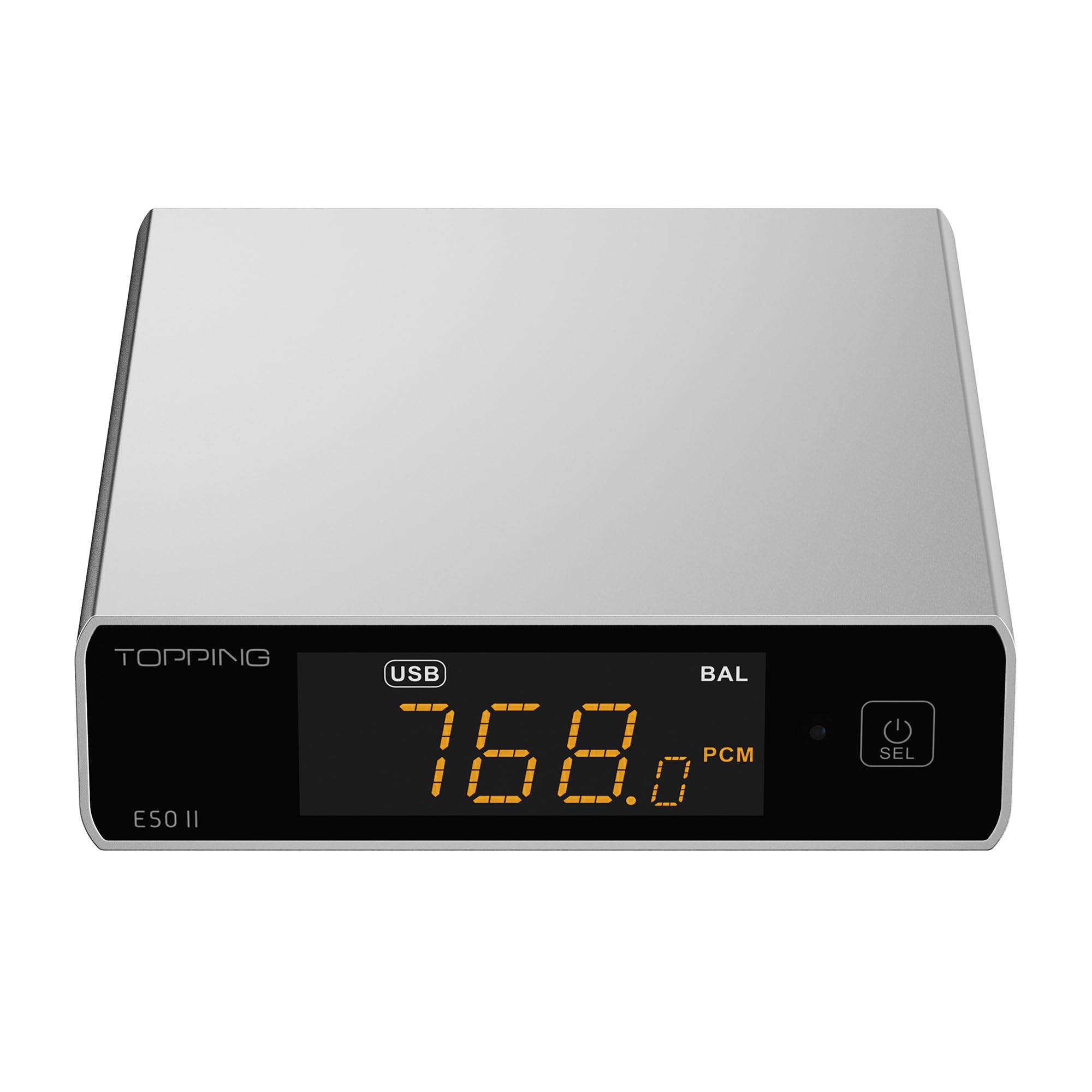
Image 1.1: The TOPPING E50II Compact Desktop DAC in silver finish.
2. Informazioni sulla sicurezza
- Non smontare o modificare il dispositivo. Modifiche non autorizzate potrebbero invalidare la garanzia e comportare rischi per la sicurezza.
- Tenere il dispositivo lontano da acqua, umidità e temperature elevate.
- Use only the provided power adapter or a compatible 5V power supply.
- Garantire un'adeguata ventilazione attorno al dispositivo per evitare il surriscaldamento.
- Evitare di posizionare oggetti pesanti sul dispositivo.
- Scollegare il cavo di alimentazione durante i temporali o quando non viene utilizzato per lunghi periodi.
3. Contenuto della confezione
Si prega di verificare che tutti gli articoli siano presenti nel pacco:
- TOPPING E50II Unit
- Telecomando
- Cavo USB (da tipo A a tipo C)
- USB Power Cable (Type-A to Type-C)
- Antenna Bluetooth
- Manuale dell'utente (questo documento)
- Scheda di garanzia

Image 3.1: Included accessories: remote control, USB cables, and Bluetooth antenna.
4. Prodotto finitoview
4.1 Pannello frontale

Image 4.1: Front panel of the E50II, showing the display and control button.
- Schermo di visualizzazione: Mostra l'input corrente, sample rate, volume, and other status information.
- Pulsante multifunzione: Press to power on/off, select input, or adjust settings.
4.2 Pannello posteriore

Image 4.2: Rear panel of the E50II, illustrating various input and output ports.
- Uscite RCA (L/R): Uscita audio analogica sbilanciata.
- TRS Balanced Outputs (L/R): Uscita audio analogica bilanciata.
- Ingresso coassiale: Ingresso audio digitale.
- Ingresso ottico: Ingresso audio digitale.
- Ingresso USB-C: For connecting to a computer or other digital source.
- Ingresso alimentazione USB-C: Per il collegamento a una rete elettrica da 5 V.
- Connettore antenna Bluetooth: Per collegare l'antenna Bluetooth.
5. Impostazione
5.1 Collegamento di alimentazione
Connect the provided USB power cable to the E50II's "POWER" USB-C port and then to a 5V power adapter (not included) or a USB port on your computer. The E50II requires a stable 5V power supply for optimal performance.
5.2 Collegamenti audio
Choose the appropriate input and output connections based on your audio system:
- Ingresso USB: Connect the E50II's "USB" port to your computer or other USB audio source using the provided USB data cable.
- Ingresso ottico/coassiale: Connect your digital audio source (e.g., CD player, TV) to the E50II's "OPTICAL" or "COAXIAL" input.
- Uscita RCA: Connect the E50II's "SE" RCA outputs to your ampdiffusori acustici o attivi che utilizzano cavi RCA.
- TRS Balanced Output: Connect the E50II's "BAL" TRS outputs to your balanced amplifier or active speakers using 6.35mm TRS cables. The E50II supports simultaneous output from both RCA and TRS ports.

Image 5.1: Close-up of the balanced TRS and unbalanced RCA output connections.
5.3 Installazione dell'antenna Bluetooth
Screw the provided Bluetooth antenna onto the antenna connector on the rear panel of the E50II.
5.4 Driver Installation (for Windows)
For Windows operating systems, a dedicated driver is required for USB audio playback up to PCM768kHz and DSD512. The driver can be downloaded from the official TOPPING website. Follow the on-screen instructions for installation. macOS and Linux typically do not require a separate driver.
6. Istruzioni per l'uso
6.1 Funzionamento di base

Image 6.1: A hand interacting with the multi-function button on the E50II's front panel.
- Accensione/spegnimento: Per accendere o spegnere, tenere premuto il pulsante multifunzione per 3 secondi.
- Selezione input: Briefly press the multi-function button to cycle through available inputs (USB, Optical, Coaxial, Bluetooth).
- Controllo del volume: Rotate the multi-function button to adjust the volume.
6.2 Utilizzo del telecomando
Il telecomando incluso consente un comodo accesso a diverse funzioni:
- Pulsante di accensione: Accende/spegne l'unità.
- Pulsanti di selezione dell'input: Dedicated buttons for USB, Optical, Coaxial, and Bluetooth inputs.
- Volume su/giù: Regola il volume di uscita.
- Disattiva audio: Mutes/unmutes the audio output.
- Pulsante EQ: Cycles through PEQ presets.
- Pulsante Filtro: Cycles through digital filter modes.
- Gain Button: Switches between Low and High gain modes.
6.3 TOPPING Home App Control
The E50II is compatible with the "TOPPING Home" app, allowing control from your smartphone or tablet via Bluetooth. This app enables input switching, EQ settings, and volume adjustment remotely.

Image 6.2: Smartphone displaying the TOPPING Home app interface for controlling the E50II.
6.4 Funzionamento Bluetooth
Per connettersi tramite Bluetooth:
- Switch the E50II input to Bluetooth mode. The display will show "BT".
- On your mobile device, search for "TOPPING E50II" in the Bluetooth settings and pair.
- Once connected, audio from your device will be streamed to the E50II. The E50II supports LDAC, aptX-Adaptive, aptX HD, aptX, AAC, and SBC codecs.
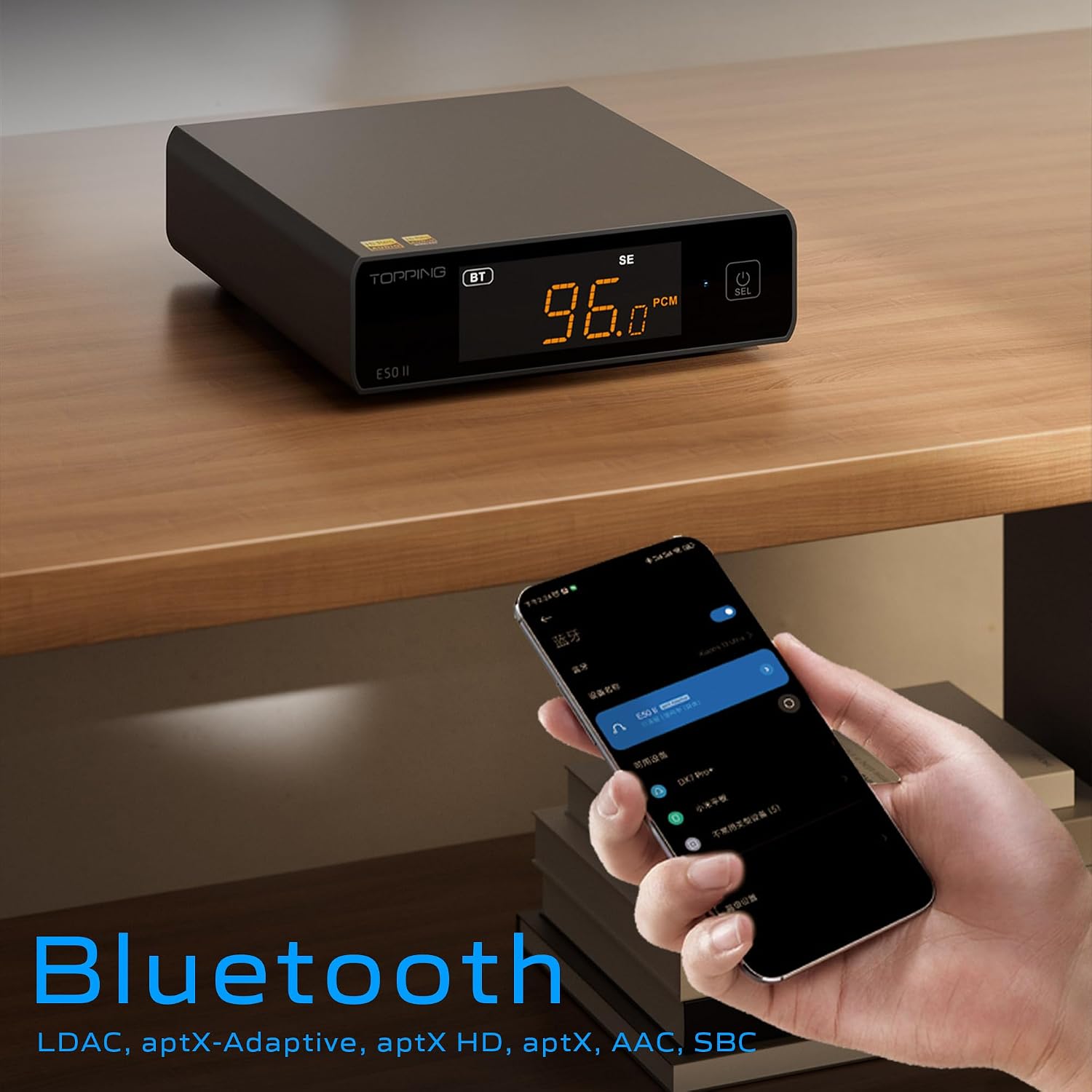
Image 6.3: A black E50II unit with a smartphone showing Bluetooth connection status.
6.5 PEQ (Parametric Equalizer) Function
The E50II features a 10-band Parametric Equalizer (PEQ) for precise sound customization. You can adjust frequency, gain, and bandwidth for each band. This function is accessible via the TOPPING Home app or dedicated PC software.

Image 6.4: Screenshot of the TOPPING TUNE FOR PC software interface, showing the 10-band PEQ settings.
6.6 preamp Funzione
The E50II can function as a preamplifier, allowing direct connection to a power amplifier or active speakers. In this mode, the volume can be controlled via the remote or the TOPPING Home app, providing precise output level control to prevent overload or under-driving of connected equipment.
7. Manutenzione
- Pulire il dispositivo con un panno morbido e asciutto. Non utilizzare detergenti liquidi o spray.
- Mantenere le aperture di ventilazione libere da polvere e detriti.
- Conservare il dispositivo in un luogo fresco e asciutto quando non viene utilizzato.
8. Risoluzione Dei Problemi
| Problema | Possibile causa | Soluzione |
|---|---|---|
| Nessuna uscita audio | Incorrect input/output selection, loose cables, muted volume. | Check input source, ensure cables are securely connected, unmute or increase volume. |
| Il dispositivo non si accende | Power cable not connected, faulty power adapter. | Ensure power cable is connected to a working 5V source. Try a different power adapter. |
| Problemi di connessione Bluetooth | E50II not in Bluetooth mode, device not paired, interference. | Switch E50II to Bluetooth input. Re-pair the device. Ensure no strong interference sources nearby. |
| Audio distorto | Input signal too high, incorrect gain setting, faulty cables. | Reduce source volume. Adjust E50II gain setting. Try different audio cables. |
| Windows USB driver not working | Incorrect driver installation, driver conflict. | Reinstall the latest driver from the TOPPING website. Check for other conflicting audio drivers. |
9. Specifiche
- Marca: GUARNIZIONE
- Modello: E50II
- Chip DAC: Modello AK4497S
- Interfaccia USB: Modello XMOS XU316
- Max USB Decoding: PCM 768kHz / DSD512
- Optical/Coaxial Decoding: Fino a 192 kHz
- Codec Bluetooth: LDAC, aptX-Adaptive, aptX HD, aptX, AAC, SBC
- Modalità di uscita audio: Stereo
- Interfacce di uscita: RCA (unbalanced), 6.35mm TRS (balanced)
- Interfacce di ingresso: USB, ottico, coassiale, Bluetooth
- Caratteristiche: 10-band PEQ, Preamp function, TOPPING Home App control, Top Sync circuit for low jitter.
10. Garanzia e supporto
The TOPPING E50II is covered by the manufacturer's or authorized agent's warranty regulations. Please refer to the warranty card included in your package for specific terms and conditions. For technical support, driver downloads, or service inquiries, please visit the official TOPPING websito o contattare il rivenditore autorizzato locale.
Official TOPPING Websito: www.toppingaudio.com