
1. Introduzione
This manual provides detailed instructions for the installation, operation, and maintenance of your LongPlus CLK2-W1X8 4K 8MP UHD Wireless Outdoor Security Camera. Please read this manual thoroughly before using the product to ensure proper function and safety. Keep this manual for future reference.
2. Cosa c'è nella scatola
Verificare che tutti i componenti siano presenti nella confezione:
- Telecamera
- Montaggio a parete
- Manuale d'uso
- Viti
3. Prodotto finitoview e Caratteristiche
The LongPlus CLK2-W1X8 is a 4K 8MP UHD wireless outdoor security camera designed for home surveillance. It offers advanced features for comprehensive monitoring.
3.1 Caratteristiche principali
- 4K (8MP) UHD Resolution: Delivers ultra-clear video and image details.
- Visione notturna a colori: Advanced starlight sensor and large aperture lens provide vivid full-color night vision in low-light conditions.
- Registrazione 24 ore su 7, XNUMX giorni su XNUMX: Supports continuous recording in Always-On Power Mode.
- Wi-Fi dual-band: Compatibile con reti Wi-Fi sia a 2.4 GHz che a 5 GHz per una connettività stabile.
- Audio bidirezionale: Microfono e altoparlante integrati per comunicazioni in tempo reale.
- Rilevamento del movimento tramite IA: PIR detection with adjustable sensitivity, triggering recording, flashing white lights, and a siren.
- Archiviazione flessibile: Supports local SD card storage (up to 512GB, not included) and cloud storage options.
- Alimentato a batteria: 5200mAh battery provides extended operation.
3.2 Caratteristiche visive
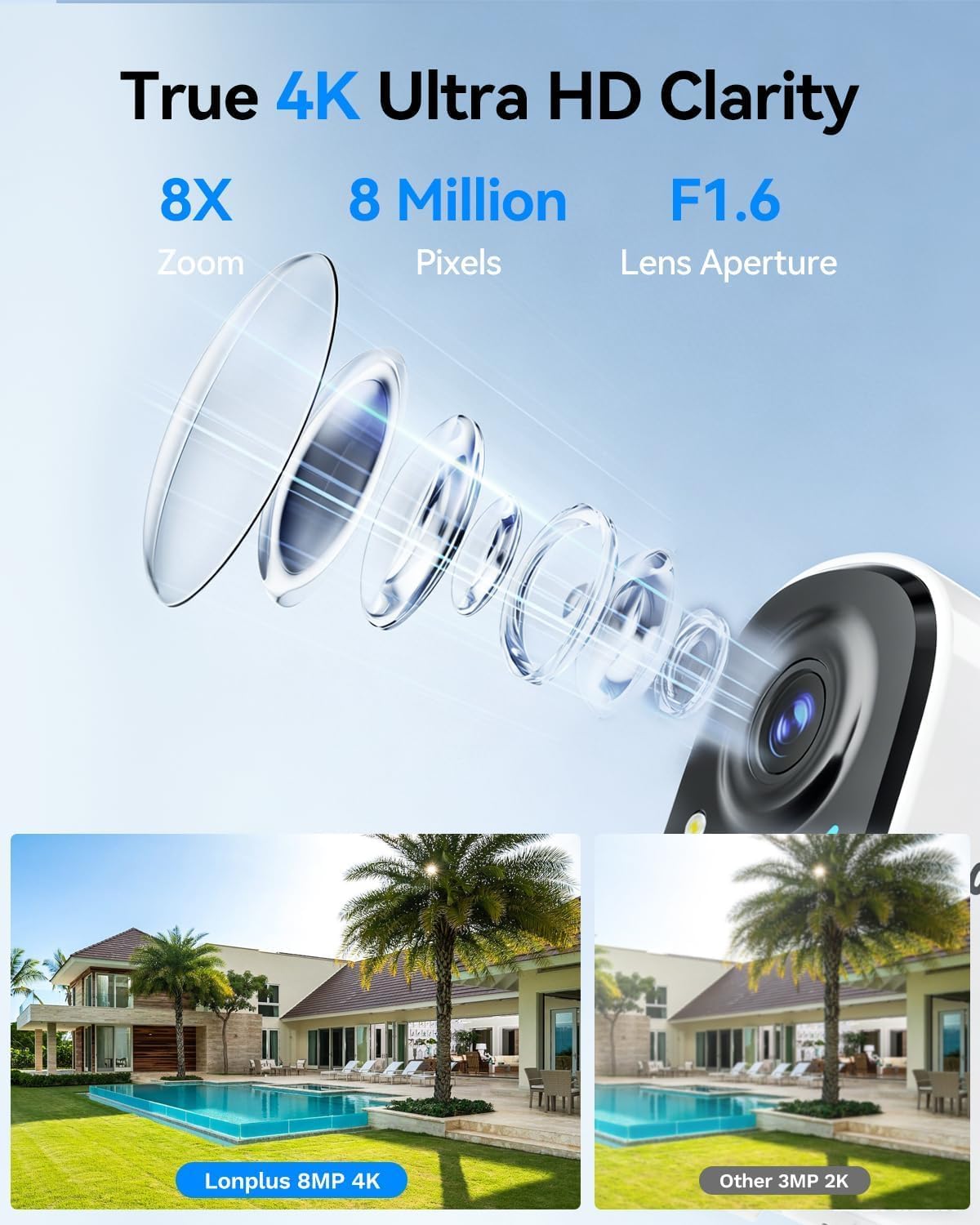
Immagine 1: Illustrates the 4K 8MP UHD clarity of the LongPlus camera, showing a detailed lens diagram and a comparison of 8MP 4K footage versus 3MP 2K footage of a house with a pool.

Immagine 2: Shows the LongPlus 4K 8MP wireless outdoor camera mounted on a wall, highlighting features such as 4K 8MP HD, 5200mAh battery, multi-user share, 2-way talk, human/car detection, SD/cloud storage, sound/light alarm, and color/infrared night vision.

Immagine 3: Depicts PIR motion detection in action, showing a man near a garage door and a notification indicating a person detected by the outdoor camera. It mentions 3 levels of detection, automatic 20-second recording, and a motion detection distance of up to 24 feet.

Immagine 4: Compares different night vision capabilities, showing a house at night with Color Night Vision, what is visible to the Naked Eyes, and the view from an IR Light Camera, demonstrating enhanced clarity with color night vision.

Immagine 5: Illustrates the two-way talk feature, with a delivery person at a door and a smartphone screen showing a video feed and a text message exchange, demonstrating voice and call functionality.
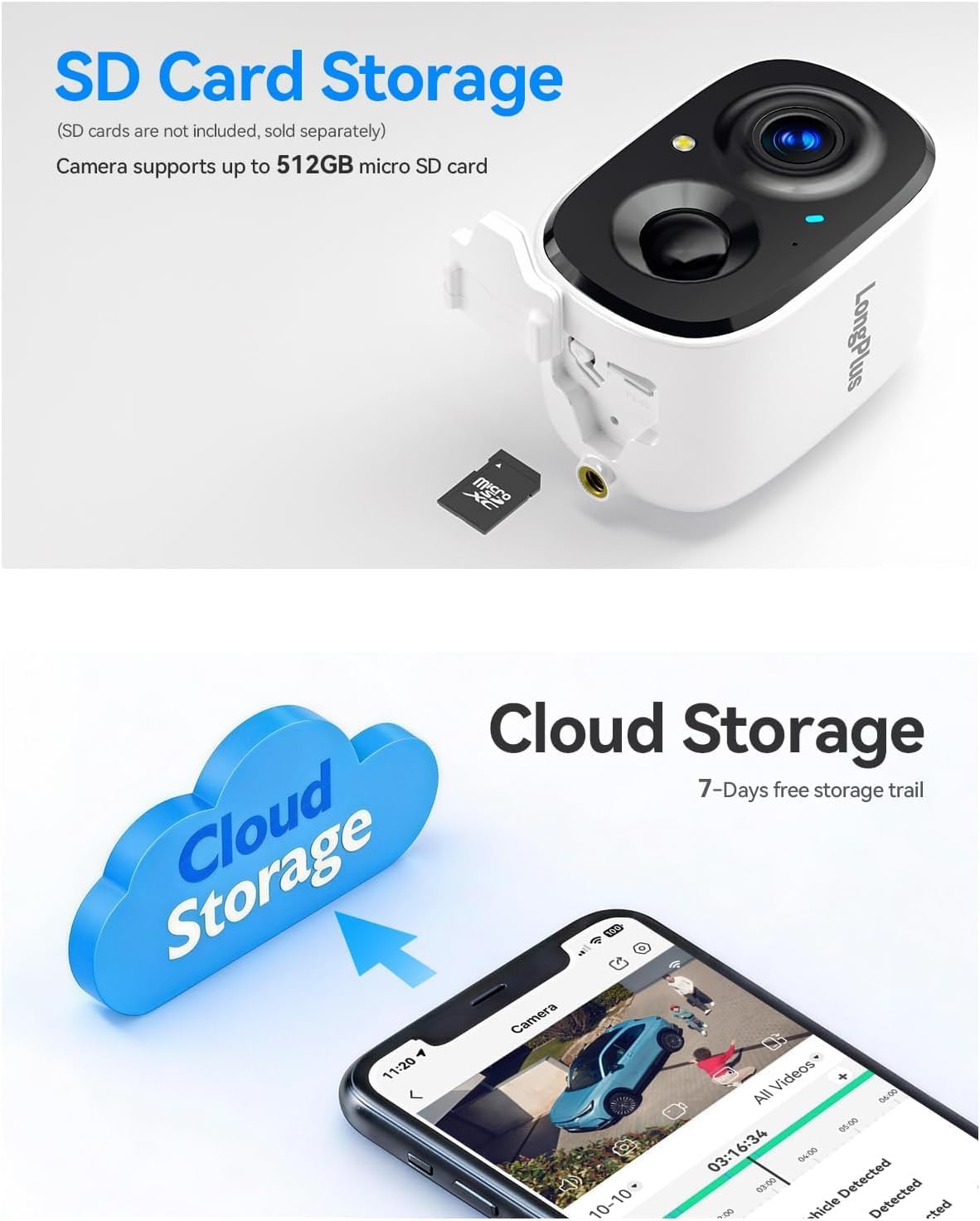
Immagine 6: Details the storage options, showing the camera with an inserted micro SD card (up to 512GB supported) and a cloud storage graphic with a smartphone displaying recorded video, indicating both local and cloud storage availability.

Immagine 7: Provides an exploded view of the camera, highlighting its 5200mAh battery and internal components, emphasizing its 100% wire-free battery-powered design and extended battery life.
4. Guida all'installazione
4.1 Carica iniziale
Before first use, fully charge the camera battery using a standard 5V USB charger (not included). The charging indicator light will change color when charging is complete.
4.2 Download dell'app e creazione dell'account
- Download the 'SV360' app from your smartphone's app store (iOS or Android).
- Open the app and create a new user account, following the on-screen instructions.
4.3 Accoppiamento della fotocamera con Wi-Fi
- Accendere la fotocamera.
- In the SV360 app, tap 'Add Device' or the '+' icon.
- Select your camera model and follow the in-app prompts to connect to your Wi-Fi network. The camera supports both 2.4GHz and 5GHz Wi-Fi bands. Ensure your phone is connected to the same Wi-Fi network during setup.
- Quando richiesto, scansiona il codice QR visualizzato sul tuo telefono con l'obiettivo della fotocamera.
- Una volta effettuata la connessione, assegna un nome alla tua telecamera e completa la configurazione.
4.4 Installazione
- Scegli una posizione all'aperto con una vista libera view of the area you wish to monitor. Ensure good Wi-Fi signal strength at the chosen location.
- Use the provided wall mount and screws to securely attach the camera to a wall or suitable surface.
- Regolare l'angolazione della telecamera per coprire l'area di sorveglianza desiderata.
5. Istruzioni per l'uso
5.1 Vivere View e Registrazione
- Open the SV360 app and select your camera to view il feed dal vivo.
- 24/7 Recording (Always-On Power Mode): This mode enables continuous recording. Be aware that this consumes more battery.
- Power Saving Mode (Event-Triggered Recording): The camera records only when motion is detected, conserving battery life. You can switch between these modes in the app settings.
5.2 Audio bidirezionale
Dal vivo view in the app, tap the microphone icon to speak through the camera's speaker. Tap the speaker icon to listen to audio from the camera's microphone.
5.3 Rilevamento del movimento e allarmi
- The camera uses PIR detection to identify motion. Adjust sensitivity levels in the app settings.
- Upon detection, the camera will automatically begin recording for 20 seconds.
- You can configure the camera to activate flashing white lights and a loud siren as a deterrent when motion is detected.
- Receive push notifications on your smartphone when motion events occur.
5.4 Riproduzione e archiviazione
- Archiviazione su scheda SD: Insert a micro SD card (up to 512GB) into the camera's slot for local storage of recordings. Access recorded footage tramite la funzione di riproduzione dell'app.
- Archiviazione cloud: The camera supports cloud storage. A 7-day free trial is typically offered, after which subscription plans are available for continuous video history and enhanced data protection. Access cloud recordings through the app.
6. Manutenzione
6.1 Gestione della batteria
- Monitor the battery level through the SV360 app.
- Recharge the camera when the battery is low to ensure continuous operation.
- Battery life varies based on usage, recording mode, and environmental factors.
6.2 Pulizia
Periodically clean the camera lens and housing with a soft, dry cloth to remove dust and smudges. Do not use harsh chemicals or abrasive materials.
6.3 Aggiornamenti firmware
Check the SV360 app regularly for available firmware updates. Keeping your camera's firmware updated ensures optimal performance and access to new features.
6.4 Gestione scheda SD
If using an SD card, ensure it is formatted correctly within the app. Regularly back up important footage and consider replacing the SD card if it shows signs of degradation.
7. Risoluzione Dei Problemi
- La fotocamera non si connette al Wi-Fi:
Ensure your Wi-Fi network is 2.4GHz or 5GHz and has a strong signal. Verify the Wi-Fi password. Try resetting the camera and repeating the pairing process. - Scarsa qualità video:
Check your Wi-Fi signal strength. Ensure the camera lens is clean and free from obstructions. Adjust video quality settings in the app if available. - Rilevamento del movimento non funzionante:
Verify that motion detection is enabled in the app settings. Adjust PIR sensitivity. Ensure there are no physical obstructions blocking the sensor. - La batteria si scarica rapidamente:
Frequent motion events, continuous recording (Always-On Power Mode), and low temperatures can reduce battery life. Consider switching to Power Saving Mode. - Problemi audio bidirezionali:
Controlla le impostazioni del volume sul telefono e nell'app. Assicurati che non ci siano ostacoli che blocchino il microfono o l'altoparlante della fotocamera.
For further assistance, refer to the FAQ section within the SV360 app or contact customer support.
8. Specifiche
| Nome del modello | CLK2-W1X8 |
| Risoluzione | 4K (8MP) UHD |
| Tecnologia di connettività | Wireless (Wi-Fi a 2.4 GHz e 5 GHz) |
| Caratteristiche speciali | 2-Way Audio, Color Night Vision, AI Motion Sensor, Siren, Flashing Lights |
| Uso interno/esterno | All'aperto |
| Dispositivi compatibili | Smartphone (iOS, Android) |
| Metodo di controllo | App (SV360) |
| Fonte di alimentazione | Alimentato a batteria (5200 mAh) |
| Viewangolo di ing | 110 gradi |
| Gamma di visione notturna | 33 piedi |
| Memoria flash massima supportata | 512 GB (scheda Micro SD) |
| Dimensioni dell'articolo | 2.3 x 2.3 x 3.5 pollici |
9. Garanzia e supporto
Your LongPlus CLK2-W1X8 camera is covered by a manufacturer's warranty. Please refer to the warranty card included in your package or the official LongPlus websito per termini e condizioni specifici.
For technical support, troubleshooting assistance, or warranty claims, please contact LongPlus customer service through the SV360 app or visit the official LongPlus support website. Have your product model number (CLK2-W1X8) and purchase information ready when contacting support.