
1. Introduzione
Thank you for choosing the Generic LP V57 Wireless Bluetooth Speaker. This portable speaker offers versatile audio playback options including Bluetooth, FM radio, TF card, and USB. It features a removable battery, strong bass, and an LED display, making it suitable for various indoor and outdoor activities. Please read this manual carefully before using the product to ensure proper operation and to maximize its lifespan.
2. Contenuto della confezione
- LP V57 Wireless Bluetooth Speaker
- Cavo di ricarica USB
- Manuale del proprietario
3. Prodotto finitoview
Familiarize yourself with the various components and features of your LP V57 speaker.
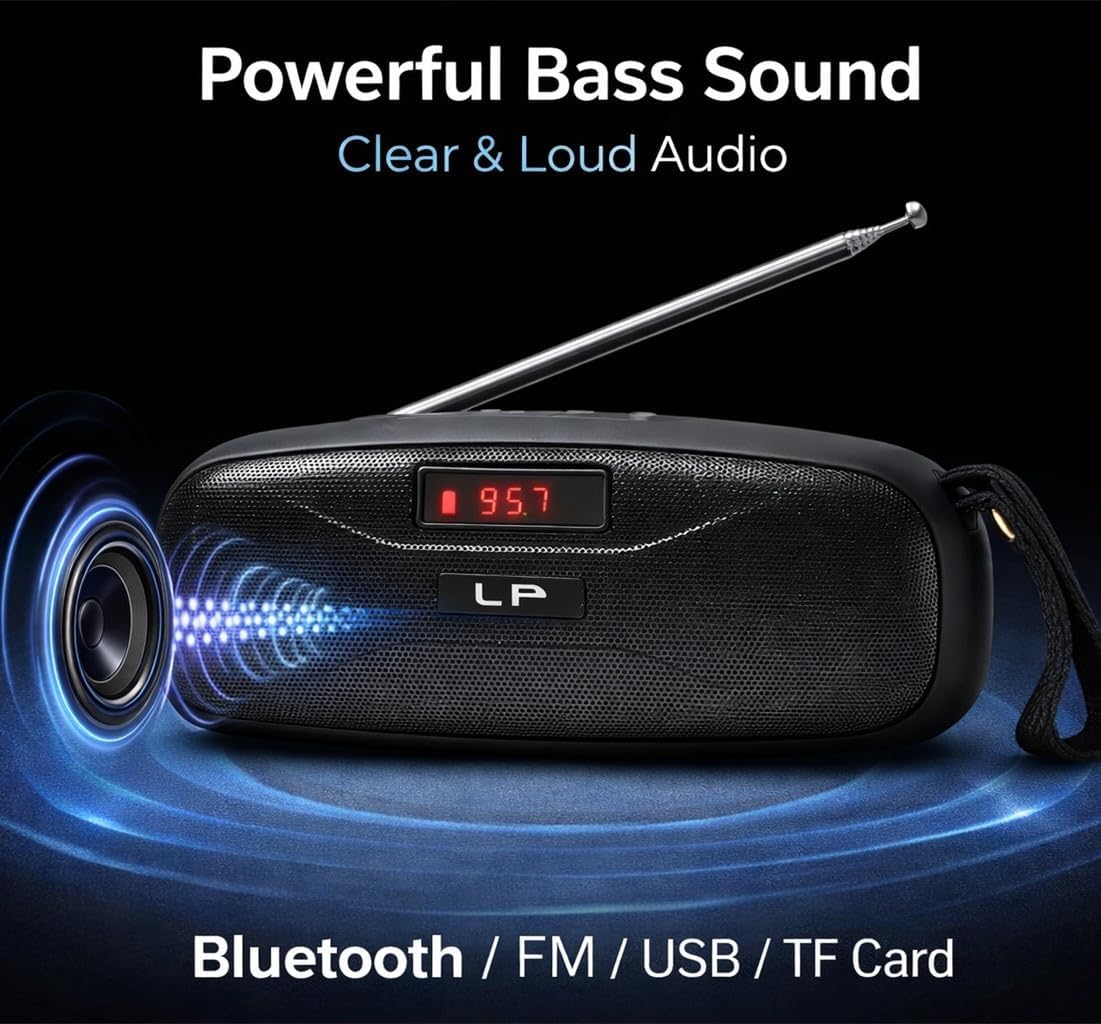
Image: The LP V57 speaker showcasing its powerful bass sound and multiple connectivity options including Bluetooth, FM, USB, and TF Card. The LED display shows '95.7'.

Image: An illustration of the LP V57 speaker highlighting its 'All-in-One' functionality with distinct icons for Bluetooth, FM radio, USB, and TF card playback.

Image: The LP V57 speaker with its back panel open, revealing the removable 1500mAh Li-ion battery compartment. An illustration of a charged battery is shown next to it.
4. Impostazione
4.1 Caricamento della batteria
- Collegare il cavo di ricarica USB in dotazione alla porta di ricarica dell'altoparlante.
- Collegare l'altra estremità del cavo USB a un adattatore di alimentazione USB standard (non incluso) o alla porta USB di un computer.
- L'indicatore LED mostrerà lo stato di carica. Una volta completata la carica, l'indicatore cambierà stato o si spegnerà.
- Una ricarica completa richiede in genere 2-3 ore.
4.2 Inserting TF Card / USB Drive
- Locate the TF card slot or USB port on the speaker.
- Insert your TF card (microSD) or USB flash drive with the metal contacts facing the correct direction until it clicks into place.
- The speaker will automatically switch to TF card or USB mode and begin playing music if filesono presenti.
5. Istruzioni per l'uso
5.1 Accensione/spegnimento
- To power on, slide the power switch to the 'ON' position. The LED display will light up.
- Per spegnere, portare l'interruttore di alimentazione in posizione "OFF".
5.2 Selezione della modalità
Press the 'M' (Mode) button to cycle through available modes: Bluetooth, FM Radio, TF Card, and USB.
5.3 Modalità Bluetooth
- Turn on the speaker and switch to Bluetooth mode. The LED display will show 'BLUE' or a similar indicator, and you will hear an audible prompt.
- Abilita il Bluetooth sul tuo dispositivo mobile (smartphone, tablet, ecc.).
- Cercare Bluetooth devices and select 'LP V57' from the list.
- Once paired, you will hear a confirmation sound, and you can now play audio from your device through the speaker.
5.4 Modalità radio FM
- Estendere l'antenna per una migliore ricezione del segnale.
- Switch the speaker to FM Radio mode. The LED display will show the frequency.
- Tieni premuto il pulsante "Riproduci/Pausa" per eseguire automaticamente la scansione e salvare le stazioni FM disponibili.
- Utilizzare i pulsanti "Precedente" e "Successivo" per navigare tra le stazioni salvate.
5.5 TF Card / USB Playback Mode
- Inserire una scheda TF o un'unità USB contenente audio MP3 files. The speaker will automatically detect and switch to the corresponding mode.
- Utilizzare il pulsante "Riproduci/Pausa" per mettere in pausa o riprendere la riproduzione.
- Utilizzare i pulsanti "Precedente" e "Successivo" per saltare le tracce.
5.6 Controllo del volume
Press and hold the 'Previous' button to decrease volume. Press and hold the 'Next' button to increase volume.
6. Informazioni sulla batteria
The LP V57 speaker is equipped with a removable 1500mAh Li-ion battery. This design allows for extended usage time and easy replacement if needed.
- Durata della batteria: A fully charged battery provides several hours of playback, depending on volume level and usage mode.
- Sostituzione: To replace the battery, carefully open the battery compartment cover on the back of the speaker, remove the old battery, and insert a new compatible 1500mAh Li-ion battery. Ensure correct polarity.
- Disposizione: Dispose of used batteries responsibly according to local regulations. Do not dispose of batteries in general household waste.
7. Manutenzione
- Pulizia: Utilizzare un panno morbido e asciutto per pulire l'esterno dell'altoparlante. Non utilizzare detergenti abrasivi o solventi.
- Magazzinaggio: Conservare l'altoparlante in un luogo fresco e asciutto, lontano dalla luce solare diretta e da temperature estreme.
- Esposizione all'acqua: Questo altoparlante non è impermeabile. Evitare di esporlo all'acqua o a umidità elevata.
8. Risoluzione Dei Problemi
| Problema | Possibile causa | Soluzione |
|---|---|---|
| L'altoparlante non si accende | La batteria è scarica | Caricare l'altoparlante per almeno 30 minuti. |
| Nessun suono | Il volume è troppo basso; Modalità selezionata non corretta; Dispositivo non associato (Bluetooth) | Increase volume; Switch to correct mode (Bluetooth, FM, TF, USB); Re-pair Bluetooth device. |
| Scarsa ricezione della radio FM | Antenna non estesa; area con segnale debole | Estendere completamente l'antenna; provare a spostare l'altoparlante in una posizione diversa. |
| La scheda TF/USB non funziona | Scheda/unità non inserita correttamente; Incompatibile file formato; danneggiato files | Reinserire la scheda/unità; Assicurarsi filesono in formato MP3; prova una scheda/unità diversa. |
9. Specifiche
- Marca: Generico
- Modello: V57
- Connettività: Bluetooth, FM Radio, TF Card, USB
- Batteria: Removable 1500mAh Li-ion
- Dimensioni (L x P x A): 18L x 7W x 7H centimetri
- Caratteristica speciale: Display LED leggero
- Colore: Nero
10. Garanzia e supporto
Please note that this product is provided with Nessuna garanzia secondo le specifiche del produttore.
For any operational questions or issues not covered in this manual, please refer to the retailer where the product was purchased for further assistance.