
ATOTO S8
ATOTO S8 Gen4 11.5-inch 2K QLED Android Car Navigation System User Manual
Modello: S8
Introduzione
This manual provides comprehensive instructions for the ATOTO S8 Gen4 11.5-inch 2K QLED Android Car Navigation System. Please read this manual thoroughly before installation and operation to ensure proper use and to maximize the product's capabilities. Keep this manual for future reference.
Caratteristiche principali
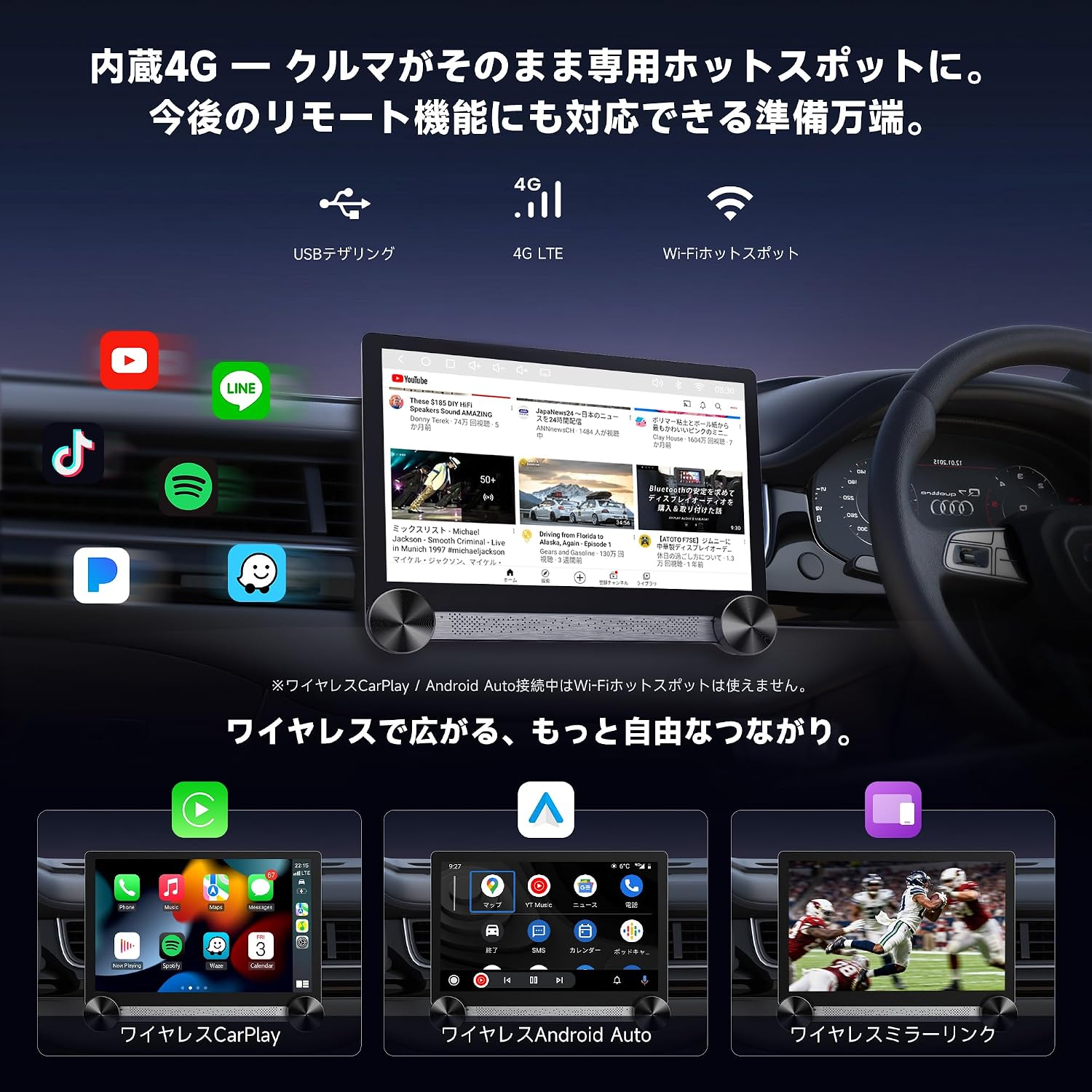
- Always-On Online Connectivity: Supports 4G LTE (SIM card required), USB tethering, and Bluetooth tethering for continuous internet access, even when Wireless CarPlay or Android Auto is active.
- High-Performance MTK MT8768 Chip: Equipped with a premium Octa-Core SoC (up to 2.2GHz) and 4GB RAM + 64GB ROM for ultra-fast response and smooth multitasking, handling demanding applications like recording, AI, navigation, and streaming simultaneously.
- 11.5-inch 2K QLED Display & Intuitive UI: Features a 2000x1200 resolution QLED display for vivid and immersive visuals. The customizable main screen with widgets and large dual physical knobs allows for intuitive control and information checking without diverting attention from driving.
- All-Round Driving Protection: Supports front and rear dashcam recording, accident lock storage, real-time rear view, 24-hour parking surveillance, and TrackHU vehicle tracking. (Dedicated cameras like AC-HD30FHU are required for dashcam functionality).
- DriveChat & Agentic AI: An AI driving assistant powered by ChatGPT 5.2 and Gemini 3.0, offering natural language interaction for route guidance, real-time information, and reminders via voice commands, minimizing manual operation while driving.
- High-Quality Audio & Clear Calls: Powerful DSP for customizable sound tuning with a 32-band EQ. Dual microphones enhance hands-free call clarity. The built-in amplifier drives factory speakers effectively, and 4V pre-outs deliver a strong, clear signal to external amplificatori.
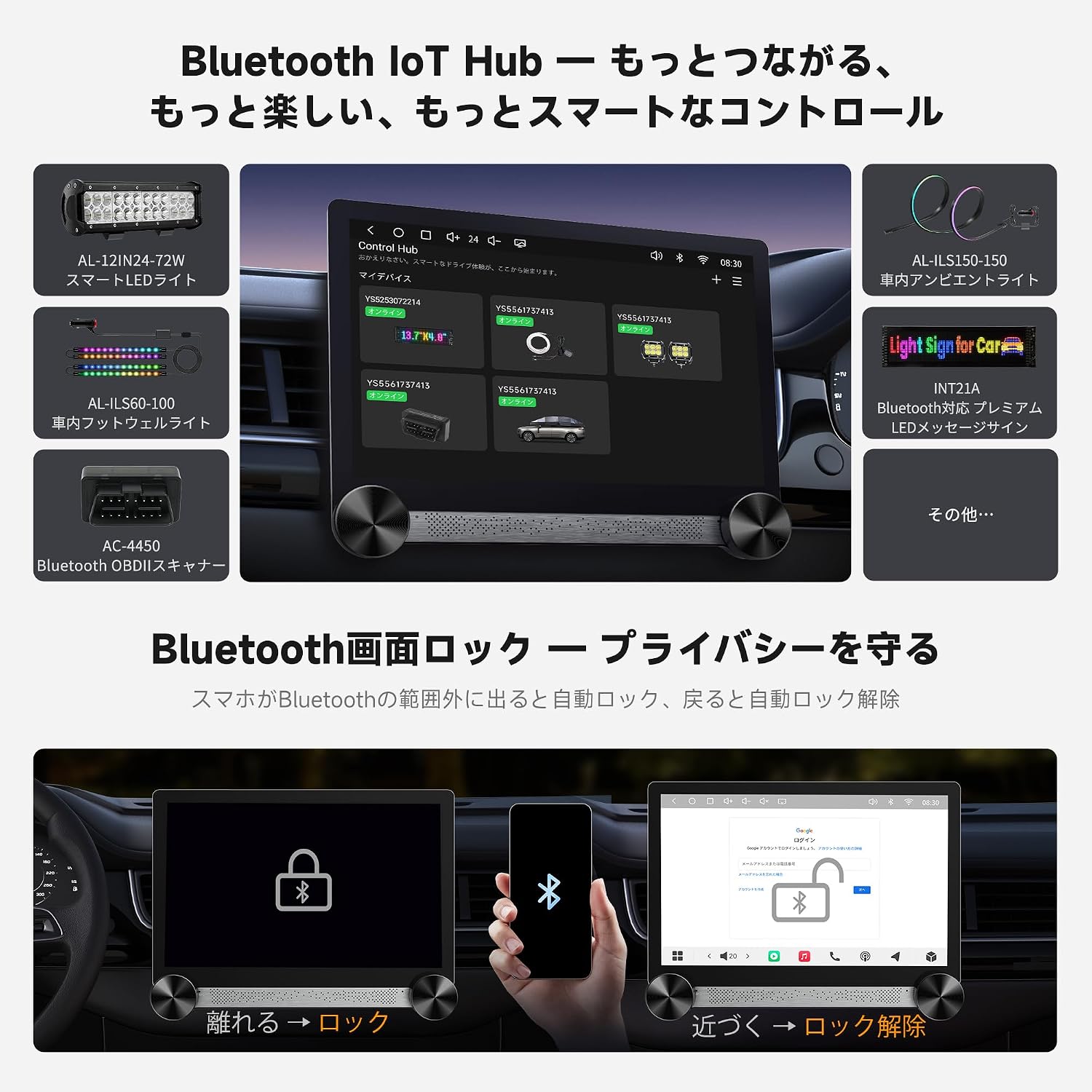
- Bluetooth IoT Hub & Privacy Protection: Expands in-car entertainment by connecting various Bluetooth IoT devices like ambient lights and LED displays. Automatic lock/unlock features protect account information when leaving or returning to the vehicle.
- Reliable System & Long-Term Support: ATOTO has over 10 years of experience in car electronics. The product supports OTA (Over-The-Air) updates for continuous feature improvements and optimization. Includes a 12+6 month warranty and dedicated support.
Impostare
1. Contenuto della confezione
Verificare che tutti i componenti siano presenti nella confezione:
- ATOTO S8 Gen4 Head Unit
- 16-pin Power Harness
- Antenna GPS
- Backup Camera Connection Cable
- USB to 4-pin Conversion Cable (x2)
- Staffa di fissaggio
- Viti di montaggio
- Antenna 4G
- RCA
- External Noise-Cancelling Microphone
- Non-Glare LCD Film (x2)
- Rear L/R Audio Output Cable
- Guida rapida online
- Online Support Information

2. Considerazioni sull'installazione
Before installation, ensure the unit's dimensions are compatible with your vehicle's dashboard. Confirm that the screen does not obstruct air vents, buttons, or other controls, and that sufficient operating space is available. Some vehicles may require modifications for proper fitment.

3. Schema elettrico
Refer to the following diagram for correct wiring connections. Ensure all connections are secure before powering on the device. Incorrect wiring can cause damage to the unit or vehicle.

- Pin 1 (White): Anteriore Sinistro (+)
- Pin 2 (White/Black): Anteriore sinistro (-)
- Pin 3 (Gray): Anteriore Destro (+)
- Pin 4 (Gray/Black): Anteriore destro (-)
- Pin 5 (Orange/Black): Controllo del volante (SWC)
- Pin 6 (Pink): Rear Camera (+)
- Pin 7 (Red): Accessory / Ignition (+)
- Pin 8 (Black): Massa del telaio (-)
- Pin 9 (Purple): Posteriore Destro (+)
- Pin 10 (Purple/Black): Posteriore destro (-)
- Pin 11 (Green): Posteriore sinistro (+)
- Pin 12 (Green/Black): Posteriore sinistro (-)
- Pin 13 (Blue): Power Antenna (+)
- Pin 14 (Brown/Black): Steering Wheel Control (SWC) #
- Pin 15 (Orange): Dimmer / Illumination (+)
- Pin 16 (Yellow): Constant Power / Battery (+)
Istruzioni per l'uso
1. Accensione/spegnimento
The unit powers on automatically when the vehicle's ignition is turned on. To manually turn off the display, press and hold the left physical knob. A short press on the left knob will mute/unmute audio.
2. Operazione di visualizzazione
The 11.5-inch 2K QLED display offers touch control and features dual physical knobs for common functions. The left knob controls volume (rotate) and mute/power off (press). The right knob is assigned for track selection or other customizable functions (rotate) and can be pressed for specific actions.

3. Connettività
- 4G LTE (SIM Card): Insert a nano SIM card into the designated slot for direct 4G internet access. This enables online features and acts as a Wi-Fi hotspot for other devices.
- Wifi: Connect to external Wi-Fi networks or use the unit's built-in 4G as a hotspot.
- Bluetooth: Pair your smartphone for hands-free calling, audio streaming, and Bluetooth tethering.
- CarPlay wireless / Android Auto: Connect compatible smartphones wirelessly for seamless integration of navigation, music, and communication apps.
4. Impostazioni audio
The integrated Digital Sound Processor (DSP) allows for extensive audio customization. Access the audio settings to adjust the 32-band Equalizer (EQ), time alignment, high/low-pass filters, and subwoofer controls to optimize your listening experience.

5. AI Features (DriveChat & Agentic AI)
Utilize the DriveChat and Agentic AI features for an enhanced driving experience. These AI assistants respond to natural language voice commands for navigation, information retrieval, and controlling connected accessories, reducing the need for manual interaction.

Agentic AI functions include OBD fault diagnosis, GeoSense for location-based information, RoadSense for analyzing road conditions, and fuel guides. Note that some AI features may require specific camera accessories.

6. Funzioni della fotocamera
- Dashcam Recording: Connect a compatible front dashcam (e.g., AC-HD30FHU, sold separately) for continuous loop recording and emergency recording triggered by impact detection.
- Sorveglianza del parcheggio: With a connected dashcam, the unit can monitor your vehicle for 24 hours while parked, recording events and providing voltage protezione contro il taglio.
- Posteriore View Telecamera: Connect a rear camera (e.g., AC-HD02LR, sold separately) for real-time rear view display and adjustable guidelines when reversing.


7. Bluetooth IoT Hub & Privacy Protection
The Bluetooth IoT Hub allows the S8 Gen4 to manage and control various compatible Bluetooth Low Energy (BLE) devices within your vehicle, such as ambient lighting or LED displays. The privacy protection feature automatically locks the unit's account information when your smartphone moves out of Bluetooth range and unlocks it upon return.
Manutenzione
- Aggiornamenti software: The ATOTO S8 Gen4 supports OTA (Over-The-Air) updates. Regularly check for and install available updates to ensure optimal performance, new features, and security enhancements. Updates can be found via the FindApps platform.
- Pulizia dello schermo: Utilizzare un panno morbido e privo di lanugine per pulire delicatamente il display. Per macchie ostinate, leggermente dampPulisci il panno con acqua o un detergente per schermi. Evita prodotti chimici aggressivi o materiali abrasivi.
- Cura generale: Tenere l'unità al riparo dalla polvere e dalle temperature estreme. Assicurare un'adeguata ventilazione attorno all'unità per evitare il surriscaldamento.
Risoluzione dei problemi
If you encounter issues, refer to the following common troubleshooting steps. For more detailed assistance, consult the online support resources or contact ATOTO customer service.
- Nessun potere: Check all power connections (ACC, B+, Ground). Ensure the vehicle's ignition is on. Verify fuses are intact.
- Nessun suono: Check speaker wiring. Ensure volume is not muted or set too low. Verify audio output settings in the system.
- Segnale GPS scarso: Assicurarsi che l'antenna GPS sia montata in una posizione libera e senza ostacoli view del cielo. Controllare il collegamento dell'antenna.
- Problemi di connettività (Wi-Fi/Bluetooth/4G): Ensure antennas are properly connected. Check network settings and credentials. For 4G, verify SIM card insertion and activation.
- CarPlay/Android Auto non si connette: Ensure your phone is compatible and the feature is enabled on both the phone and the head unit. Try restarting both devices.
- Prestazioni lente: Close unnecessary background applications. Clear cache if available in system settings. Ensure sufficient storage space.
For further assistance, please refer to the online manual or contact ATOTO support.
Specifiche
| Marca | ATOTO |
| Numero di modello | S8 |
| Dimensioni dello schermo | 11.5 pollici |
| Tipo di visualizzazione | Schermo LCD 2K |
| Risoluzione | 2000x1200 |
| Processore | MTK MT8768 Octa-Core (up to 2.2GHz) |
| Memoria RAM | 4 GB |
| Memoria interna (ROM) | 64 GB |
| Sistema operativo | Android |
| Connettività | 4G LTE (SIM), Wi-Fi, Bluetooth, USB, AUX |
| Metodi di controllo | Touch, Push Button, Remote, Voice |
| Modalità di uscita audio | Stereo |
| Dispositivi compatibili | Amplifiers, Speakers, Smartphones |
| Servizi Internet supportati | Google Maps, Hulu, LINE, Netflix, Spotify, Yahoo, YouTube |
Garanzia e supporto
ATOTO provides a 12-month warranty, extendable by an additional 6 months upon product registration within 30 days of purchase. This ensures a total of 18 months of coverage.
- Aggiornamenti OTA: The system receives regular Over-The-Air updates to improve stability and functionality.
- Supporto online: A dedicated 24-hour product support team is available. Scan the QR code in the packaging or visit the Eproductcare platform for detailed online manuals and support.

Ask a question about this manual
Ask about setup, troubleshooting, compatibility, parts, safety, or missing instructions. Manuals+ will review the question and use this page’s manual context to help answer it.