
1. Finitaview
This manual provides essential information for setting up, operating, maintaining, and troubleshooting your OPPO F33 Pro 5G Smartphone. Please read this guide thoroughly to ensure optimal performance and longevity of your device.

Image: OPPO F33 Pro 5G highlighting key features including 50MP selfie camera, smooth performance, IP69K durability, and 7000 mAh battery.
2. Guida all'installazione
2.1 Disimballaggio e ispezione iniziale
All'apertura della confezione, verificare che tutto il contenuto sia presente e integro. La scatola deve contenere:
- Smartphone OPPO F33 Pro 5G
- Adattatore di alimentazione (80W SUPERVOOC)
- Cavo USB di tipo C.
- Custodia per telefono
- Espulsore del vassoio SIM
- Pellicola protettiva per lo schermo (pre-applicata o nella confezione)
- Guida rapida
2.2 Installazione della scheda SIM
- Individua il vassoio della scheda SIM sul lato del dispositivo.
- Inserire lo strumento di espulsione del vassoio SIM nel piccolo foro accanto al vassoio e premere con decisione finché il vassoio non fuoriesce.
- Place your Nano-SIM cards (up to two) into the designated slots on the tray. Ensure the gold contacts face downwards.
- Reinserire con cautela il vassoio della SIM nel telefono finché non scatta in posizione.
2.3 Accensione iniziale e ricarica
Press and hold the Power button until the OPPO logo appears. Follow the on-screen instructions to complete the initial setup, including language selection, Wi-Fi connection, and Google account setup. It is recommended to fully charge your device before first use.
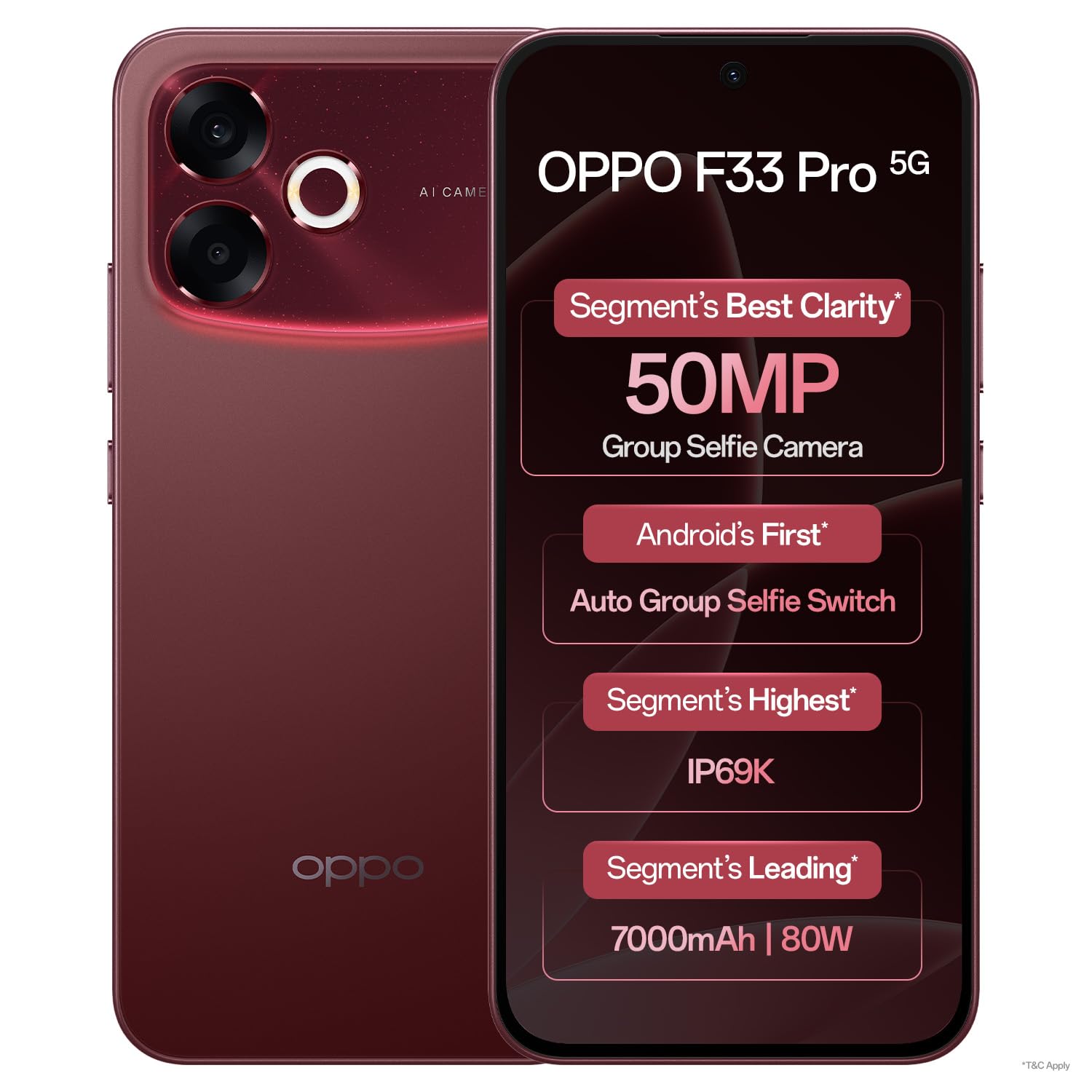
Immagine: Frontale view of the OPPO F33 Pro 5G Smartphone, showcasing il display e la fotocamera frontale.
3. Istruzioni per l'uso
3.1 Navigazione di base
The OPPO F33 Pro 5G features an intuitive Android 15 operating system with ColorOS 16. Use touch gestures such as tap, swipe, pinch-to-zoom, and long-press to navigate the interface, open apps, and access menus.
3.2 Utilizzo della fotocamera
Your device is equipped with a 50MP rear camera and a 50MP ultrawide front camera. Open the Camera app to access various modes including Photo, Video, Portrait, and Night. The front camera features a 100° Field of View and an automatic wide-angle switch for group selfies.

Image: Specifications of the 50MP Ultra-Wide Selfie Camera, including 100° FOV and f/2.0 aperture.

Image: The phone's camera automatically adjusts to wide-angle when multiple faces are detected in the frame.
3.3 Gestione e ricarica della batteria
The device is powered by a 7000 mAh battery. Utilize the included 80W SUPERVOOC charger for rapid charging. A 5-minute charge can provide significant usage time. The phone also supports reverse wired charging, allowing it to act as a power bank for other devices using an OTG cable.

Image: Information on the 7000 mAh battery and 80W Flash Charge capabilities, showing usage times for a 5-minute charge.
3.4 Prestazioni e raffreddamento
The Dual-Engine Smoothness System, powered by ColorOS 16, is designed to provide a lag-free experience. A high-performance 4289mm² VC Cooling System helps maintain optimal device temperature even under heavy usage.

Image: Diagram illustrating the Dual-Engine Smoothness System and its benefits for a fluid user experience.

Image: Visual representation of the cooling system designed for high temperatures, ensuring smooth operation with multiple applications.
3.5 Connettività
The OPPO F33 Pro 5G supports 5G cellular technology, Wi-Fi, and Bluetooth for seamless connectivity. The device is designed to maintain strong signal reception in various environments.

Image: The smartphone maintaining strong network signal in challenging environments like elevators, hilly areas, and narrow city lanes.
4. Manutenzione
4.1 Pulizia del dispositivo
To clean your smartphone, power it off and disconnect any cables. Use a soft, lint-free cloth slightly dampened with water or a screen cleaner. Avoid harsh chemicals or abrasive materials. Do not spray cleaners directly onto the device.
4.2 Durata e protezione
The OPPO F33 Pro 5G features an IP69K rating for water and dust resistance, and MIL-STD-810H certified durability with a 360° Armour Body. While designed to withstand splashes, dust, and everyday rough usage, it is not indestructible. Avoid intentional submersion or exposure to extreme conditions beyond its rated capabilities.

Image: The smartphone being used in rainy conditions, illustrating its IP69K water and dust resistance.

Image: The phone's 360° Armour Body and MIL-STD-810H certification for enhanced damage resistance.
4.3 Aggiornamenti software
Regularly check for and install software updates to ensure your device has the latest features, security patches, and performance improvements. You can usually find this option in the device's Settings menu under 'About Phone' or 'Software Update'.
5. Risoluzione Dei Problemi
5.1 Problemi comuni e soluzioni
- Il dispositivo non si accende: Assicurati che la batteria sia carica. Collega il caricabatterie e attendi qualche minuto prima di riprovare ad accendere il dispositivo. Se il dispositivo non risponde, esegui un riavvio forzato tenendo premuti contemporaneamente il pulsante di accensione e il pulsante di riduzione del volume per circa 10-15 secondi.
- Problemi di ricarica: Check the charging cable and adapter for damage. Ensure they are securely connected. Try a different outlet or charger.
- Problemi di connettività di rete: Verify that Airplane Mode is off. Restart the device. Check your SIM card installation. If issues persist, contact your network provider.
- Le app si bloccano o si bloccano: Close and reopen the app. Clear the app's cache and data in Settings > Apps. Ensure the app is updated to its latest version.
- Prestazioni lente: Chiudi le app in background non necessarie. Svuota regolarmente la cache. Valuta di liberare spazio di archiviazione.
5.2 Ripristino delle impostazioni di fabbrica
Se si verificano problemi software persistenti, potrebbe essere necessario un ripristino delle impostazioni di fabbrica. Avvertimento: This will erase all data on your device. Back up important data before proceeding. Navigate to Settings > System > Reset options > Erase all data (factory reset).
6. Specifiche
| Caratteristica | Dettaglio |
|---|---|
| Marca | OPPO |
| Modello | F33 Pro 5G |
| Sistema operativo | Android 15 (ColorOS 16) |
| Memoria RAM | 8 GB |
| Capacità di archiviazione | 256 GB |
| Modello CPU | Dimensioni Mediatek 6300 |
| Velocità della CPU | 2.4 GHz |
| Fotocamera principale | 50MP |
| Fotocamera frontale | 50MP Ultrawide |
| Potenza della batteria | 7000 mAh |
| Ricarica | Ricarica rapida SUPERVOOC da 80 W |
| Tipo di visualizzazione | AMOLED |
| Dimensioni | 16.3 x 7.8 x 0.8 centimetri |
| Peso | 204 grammi |
| Durata | IP69K Water & Dust Resistance, MIL-STD-810H |
| Slot per scheda SIM | Doppia SIM |
7. Garanzia e supporto
7.1 Informazioni sulla garanzia
Your OPPO F33 Pro 5G Smartphone comes with a 12-month warranty on the handset and a 6-month warranty on the adapter and cable from the date of purchase. Please retain your proof of purchase for warranty claims.
7.2 Assistenza clienti
For any queries, technical assistance, or service requests, please contact OPPO customer support:
- Numero verde: 18001032777 (Available 9:00 - 22:00, Monday - Sunday, including holidays)
- Supporto WhatsApp: +91-9871502777
You can also visit one of the 580+ authorized service centers for in-person assistance, software updates, or device diagnosis.

Immagine: Oltreview of OPPO's customer support services, including contact numbers and service center information.