
Introduzione
Thank you for choosing the Gamrombo Wired Controller. This manual provides detailed instructions for setting up, operating, and maintaining your controller. This controller is designed for use with Xbox Series X/S, Xbox One, and PC, offering a stable and responsive gaming experience with features like programmable macro functions, turbo mode, and a 3.5mm headphone jack.
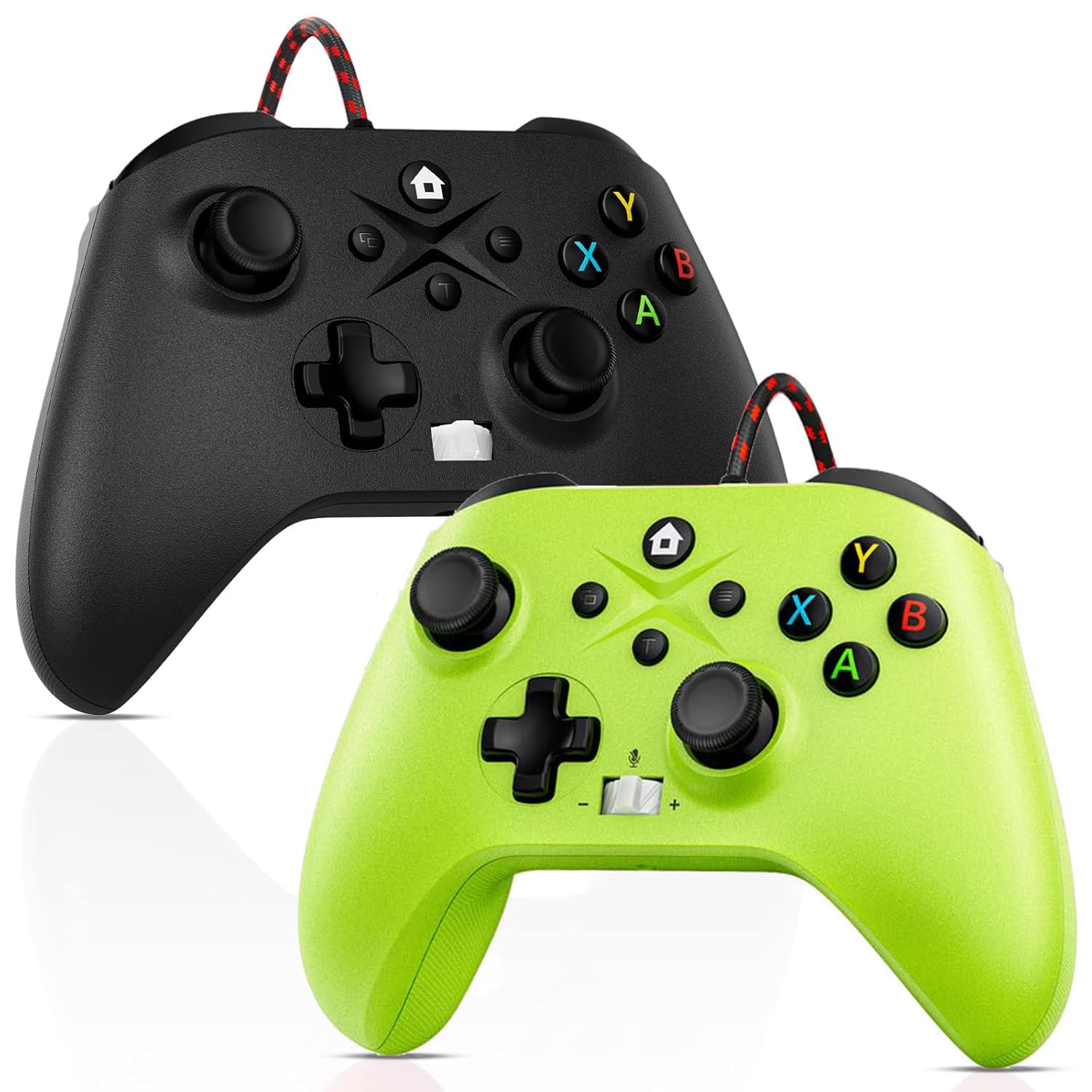
Image: Gamrombo Wired Controller in Black and Green.
Caratteristiche del prodotto
- Compatibilità versatile: Compatible with Xbox Series X/S, Xbox One (including One S/One X), and PC.
- Connessione cablata: Provides a stable, low-latency gaming experience with a 10-foot (3-meter) durable, tangle-free cable. No batteries required.
- Funzione macro programmabile: Two back mappable buttons (PR/PL) allow programming up to 16 button inputs for complex actions.
- Funzione Turbo: Abilita il fuoco rapido per i pulsanti selezionati.
- Jack per cuffie da 3.5 mm: Supports audio output and microphone input for clear in-game communication.
- One-Touch Mic Mute: Disattiva rapidamente il microfono direttamente dal controller.
- Asymmetric Vibration Motors: Built-in motors provide varied vibration feedback for an immersive gaming experience.
- Precise 3D Gaming Joysticks: Offers 360-degree response with zero delay for accurate control.
- Design ergonomico: Impugnatura comoda per sessioni di gioco prolungate.

Image: Diagram illustrating the wide compatibility of the Gamrombo Wired Controller with Xbox consoles and PC.
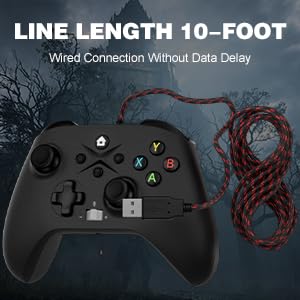
Image: The Gamrombo Wired Controller showcasing its 10-foot long braided cable for extended reach.
Contenuto della confezione
Il pacchetto tipicamente include:
- 2 x Gamrombo Wired Controllers
- 1 x Manuale utente
Impostare
- Connect to Xbox Console: Plug the USB connector of the controller into an available USB port on your Xbox Series X/S or Xbox One console. The controller will automatically be recognized and ready for use.
- Connetti al PC: Plug the USB connector of the controller into an available USB port on your PC. The operating system (Windows 10/11 recommended) will typically install the necessary drivers automatically. The controller will be recognized as an Xbox controller.
- Connessione iniziale: Once connected, the controller's indicator light will illuminate, signifying a successful connection.
Istruzioni per l'uso
Layout del controller

Image: Detailed diagram of the Gamrombo Wired Controller showing all buttons and their labels, including Home, View, Menu, A/B/X/Y, D-pad, Joysticks (L3/R3), Bumpers (L1/R1), Triggers (L2/R2), Turbo, Programming Function Keys (PR/PL, Set), Adjustable Volume, and Headphone Jack.
Controlli di base
- Pulsante Home: Powers on/off the console (Xbox) or opens the Xbox Game Bar (PC).
- View Pulsante: Provides additional context-sensitive options in games or apps.
- Pulsante Menu: Opens in-game menus or system settings.
- Pulsanti A/B/X/Y: Pulsanti di azione standard.
- Tasto direzionale: Input direzionale.
- Joystick sinistro/destro (L3/R3): Analog movement and camera control. Pressing them down activates L3/R3 buttons.
- L1/R1 (Paraurti): Pulsanti dorsali per varie azioni di gioco.
- L2/R2 (Trigger): Analog triggers for precise control, often used for acceleration/braking or aiming/firing.
Funzione Turbo
The Turbo function allows a button to be pressed repeatedly as long as it is held down.
- Attiva Turbo: Premere e tenere premuto il tasto Turbo button, then press the desired action button (e.g., A, B, X, Y, L1, R1, L2, R2, D-pad directions). The button will now have Turbo functionality.
- Disattiva Turbo: To remove Turbo from a specific button, press and hold the Turbo button again, then press the button with active Turbo.
Macro Function (Programmable Back Buttons)
The two back buttons (PR and PL) can be programmed to execute a sequence of up to 16 button presses.
- Entra in modalità di programmazione: Premere il tasto IMPOSTATO button. The indicator light will start blinking.
- Select Macro Button: Premere uno dei due PR or PL pulsante.
- Registra macro: Input the desired sequence of up to 16 button presses (e.g., A, B, X, Y, L1, R1, D-pad, etc.).
- Salva macro: Premere il tasto IMPOSTATO nuovamente il pulsante per salvare la macro. La spia luminosa smetterà di lampeggiare.
- Use Macro: Premere il programmato PR or PL button to execute the recorded sequence.
- Cancella macro: To clear a macro, enter programming mode (press IMPOSTATO), quindi premere il tasto PR or PL button you wish to clear, and then press IMPOSTATO again without inputting any sequence.
3.5mm Headphone Jack and Mic Mute
- Connetti l'auricolare: Plug any standard 3.5mm gaming headset into the headphone jack located at the bottom of the controller.
- Regola volume: Use the volume control buttons (+/-) on the controller to adjust headset audio levels.
- Disattiva microfono: Press the dedicated mic mute button to toggle your microphone on or off. An indicator light may show the mute status.
Vibration feedback
The controller features asymmetric vibration motors in the grips, providing varied haptic feedback based on in-game events for enhanced immersion.

Image: Illustration of the asymmetric vibration motors within the grips of the Gamrombo Wired Controller.

Image: Depiction of the adjustable vibration feature and 6-axis gyro sensor in the Gamrombo Wired Controller.
3D Gaming Joysticks and Linear Triggers
The controller is equipped with high-precision 3D joysticks for accurate 360-degree movement and Hall Effect linear triggers that offer responsive and immersive control.

Immagine: Primo piano view of the 3D gaming joystick on the Gamrombo Wired Controller, highlighting its precision.

Image: Visual representation of the precise 360-degree joystick and E-Sports level linear triggers with vibration function.
Manutenzione
- Pulizia: Utilizzare un panno morbido e asciutto per pulire il controller. Per lo sporco ostinato, leggermente dampLavare il panno con acqua. Evitare l'uso di prodotti chimici aggressivi o materiali abrasivi.
- Magazzinaggio: Conservare il controller in un luogo fresco e asciutto, lontano dalla luce solare diretta e da temperature estreme.
- Cura del cavo: Avoid sharply bending or twisting the cable. Do not pull the controller by its cable.
- Evitare i liquidi: Keep the controller away from liquids to prevent damage to internal components.
Risoluzione dei problemi
- Il controller non risponde:
- Assicurarsi che il cavo USB sia collegato saldamente sia al controller che alla console/PC.
- Prova a collegare il controller a una porta USB diversa.
- Riavvia la console o il PC.
- L'audio delle cuffie non funziona:
- Check if the headset is fully plugged into the 3.5mm jack.
- Verify that the volume is not muted or set too low using the controller's volume controls and system settings.
- Test the headset with another device to ensure it is functioning correctly.
- Macro/Turbo Function Not Working:
- Review the programming steps in the 'Operating Instructions' section to ensure correct setup.
- Ensure no other conflicting software or settings are interfering.
- Vibrazione non funzionante:
- Controlla le impostazioni di gioco per assicurarti che il feedback tramite vibrazione sia abilitato.
- Ensure the game supports vibration functionality.
Specifiche
| Caratteristica | Descrizione |
|---|---|
| Dispositivi compatibili | Xbox Series X, Xbox Series S, Xbox One, Xbox One S, Xbox One X, PC (Windows) |
| Tipo di controllore | Cablato |
| Tecnologia di connettività | USB cablato |
| Lunghezza del cavo | 10 piedi (circa 3 metri) |
| Caratteristiche aggiuntive | 3.5mm Headphone Jack, Turbo Function, Macro Function, Vibration Feedback, 6-Axis Gyro Sensor |
| Quantità del pulsante | 21 |
| Piattaforma hardware | Xbox, PC |
Informazioni sulla garanzia
Gamrombo products are manufactured to high-quality standards. For specific warranty details, please refer to the warranty card included with your purchase or contact Gamrombo customer support. Keep your proof of purchase for warranty claims.
Supporto
If you encounter any issues or have questions not covered in this manual, please contact Gamrombo customer support through the retailer's platform or the official Gamrombo websito per assistenza.