
1. Prodotto finitoview
The Soundcore Liberty 5 Pro Max are advanced wireless earbuds designed for superior audio experiences, crystal-clear communication, and smart productivity features. They integrate cutting-edge AI technology for noise cancellation, voice recording, and personalized sound.
Caratteristiche principali:
- Guinness World Records Certified Call Quality: The Liberty 5 Pro Max offers exceptional call performance, certified by Guinness World Records for its speech quality.
- AI Voice Recorder & Transcription: The smart charging case features an integrated microphone to record in-person meetings and interviews, providing AI-generated transcriptions and summaries. (Note: Does not record online meetings or calls.)
- Intuitive AMOLED Smart Case: A 1.78" AMOLED display on the charging case allows direct control over AI recording, ANC settings, and earbud configurations, with customizable wallpapers.
- Chiamate cristalline: Equipped with 10 sensors and a Thus AI Chip, ensuring your voice is heard clearly in any environment, even in noisy conditions exceeding 100 dB.
- Instant Absolute Silence (ANC): Features 100% more effective Active Noise Cancellation than previous models, utilizing 8 sensors and a Thus AI Chip to process over 384K noise signals per second for immediate quiet.
- Personalized Audio with HearID 5.0: Tailor your sound experience with custom EQ and an AI audio optimizer, ensuring optimal sound quality.
- Lag-Free Voice Control: Access 20 integrated commands for music playback and volume adjustment with zero delay, thanks to offline processing.
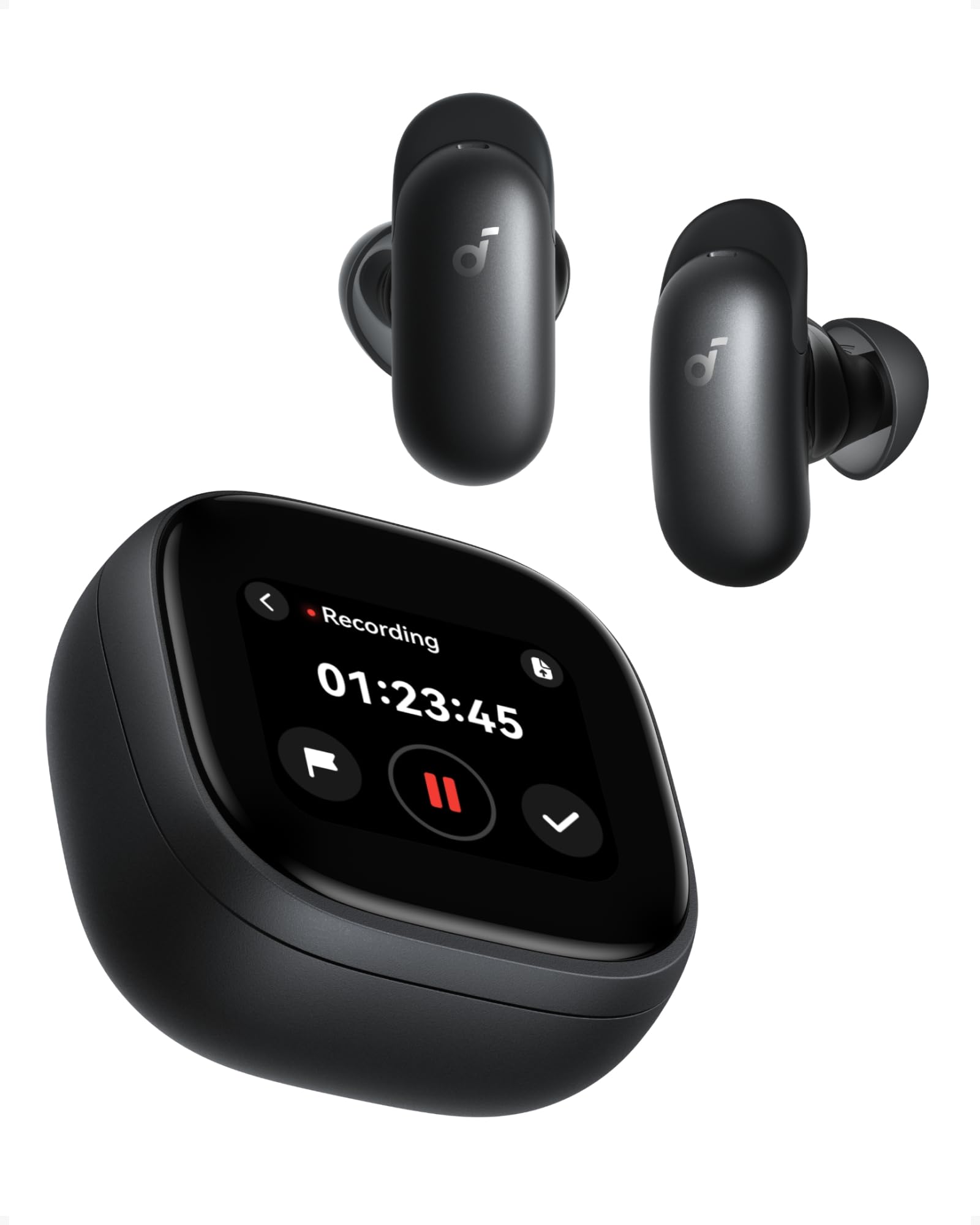
Image: Soundcore Liberty 5 Pro Max earbuds in their smart charging case.
2. Contenuto della confezione
Assicurarsi che tutti gli articoli siano presenti nella scatola:
- Soundcore Liberty 5 Pro Max Earbuds
- Custodia di ricarica intelligente
- Ear Tips: XXS, XS, S, M, L (Medium pre-installed)
- Ear Wings: 0, 1, 2 (Size 1 pre-installed)
- Cavo di ricarica USB-C

Image: All components included in the Soundcore Liberty 5 Pro Max package.
3. Configurazione e primo utilizzo
3.1 Ricarica degli auricolari e della custodia
- Riporre gli auricolari nella custodia di ricarica.
- Connect the charging case to a power source using the provided USB-C cable. The LED indicators on the case will show charging status.
- Per la ricarica wireless, posizionare la custodia su un tappetino di ricarica wireless compatibile.
- A full charge for the earbuds takes approximately 50 minutes. The case provides multiple charges for extended use.
3.2 Montaggio degli auricolari
For optimal sound quality and noise cancellation, it is crucial to choose the correct ear tips and ear wings that provide a secure and comfortable seal.
- Experiment with different sizes of ear tips (XXS, XS, S, M, L) and ear wings (0, 1, 2).
- Insert the earbuds into your ears and rotate them until they fit snugly and comfortably.
- Use the Soundcore app's "Tip Fit Test" feature to verify the seal.

Image: Earbud correctly positioned in the ear for a secure fit.
3.3 Associazione con il dispositivo
- Open the charging case. The earbuds will automatically enter Bluetooth pairing mode (LEDs will flash).
- On your device (smartphone, tablet, PC), go to Bluetooth settings and select "Soundcore Liberty 5 Pro Max" from the list of available devices.
- Una volta connessi, gli auricolari si connetteranno automaticamente all'ultimo dispositivo associato quando vengono rimossi dalla custodia.
- The Liberty 5 Pro Max supports simultaneous connection to up to 3 devices. Manage connections via the Soundcore app or the smart case display.

Image: Illustration of connecting the earbuds to multiple devices simultaneously.
3.4 Soundcore App Installation
Download the Soundcore app from the App Store (iOS) or Google Play Store (Android) to unlock full features, customize settings, and manage your earbuds.
4. Istruzioni per l'uso
4.1 Earbud Controls (Touch/Slide)
The earbuds feature touch and slide controls. Customize these controls via the Soundcore app.
- Riproduci/Pausa: Un solo tocco su uno degli auricolari.
- Traccia successiva: Tocca due volte l'auricolare destro.
- Traccia precedente: Tocca due volte l'auricolare sinistro.
- Aumenta volume: Slide up on right earbud.
- Volume basso: Slide down on left earbud.
- Rispondi/Termina chiamata: Un solo tocco su uno degli auricolari.
- Rifiuta chiamata: Tieni premuto uno degli auricolari per 2 secondi.
- Cambia modalità ANC: Press and hold left earbud for 2 seconds (cycles through ANC, Transparency, Normal).
4.2 Smart Charging Case Display
The 1.78" AMOLED display on the charging case provides direct access to various functions:
- Registratore vocale AI: Start, pause, and stop recordings. View tempo di registrazione.
- Controllo ANC: Adjust Active Noise Cancellation modes (ANC, Transparency, Normal).
- Earbud Settings: Manage equalizer presets, customize controls, and perform firmware updates.
- Stato della batteria: View battery levels for both earbuds and the charging case.
- Sfondi personalizzati: Personalize the display background.

Image: Hand interacting with the smart charging case display, showing various control options.
4.3 Cancellazione attiva del rumore (ANC) e modalità Trasparenza
The Liberty 5 Pro Max offers advanced noise control:
- Modalità ANC: Riduce il rumore ambientale per un'esperienza di ascolto immersiva. Ideale per viaggi o ambienti rumorosi.
- Modalità trasparenza: Allows you to hear your surroundings while listening to audio. Useful for awareness in urban areas or conversations.
- Modalità normale: Riproduzione audio standard senza controllo attivo del rumore.

Image: A man on a boat, illustrating the effectiveness of instant absolute silence with ANC.
4.4 Registratore vocale AI
Utilize the AI Voice Recorder for in-person meetings and interviews:
- Access the recorder via the smart case display or the Soundcore app.
- Start recording. The integrated microphone in the case will capture audio.
- After recording, the system will transcribe and generate AI summaries.
- Manage recordings, transcriptions, and summaries through the Soundcore app or the "Ask Anka" web portale.

Image: Individuals in a meeting, demonstrating the use of the AI voice recorder.
4.5 Personalized Audio Settings
The Soundcore app allows you to customize your audio experience:
- HearID 5.0: Perform a hearing test to create a personalized EQ profile su misura per il tuo udito unico.
- EQ personalizzato: Manually adjust equalizer settings to your preference.
- AI Audio Optimizer: Enhances sound quality based on AI analysis.

Image: A woman relaxing, enjoying personalized audio settings.
5. Manutenzione
- Pulizia: Regularly clean the earbuds, ear tips, and charging case with a soft, dry, lint-free cloth. Avoid using harsh chemicals.
- Resistenza all'acqua: The earbuds have an IPX4 water resistance rating, meaning they are resistant to splashes and sweat. Do not submerge them in water. Ensure earbuds are dry before placing them back in the charging case.
- Magazzinaggio: Conserva gli auricolari nella custodia di ricarica quando non vengono utilizzati per proteggerli e mantenerli carichi.
6. Risoluzione Dei Problemi
| Problema | Soluzione |
|---|---|
| Gli auricolari non si accoppiano |
|
| Nessun suono o volume basso |
|
| L'ANC non è efficace |
|
| Problemi di ricarica |
|
7. Specifiche
| Caratteristica | Dettaglio |
|---|---|
| Marca | Suonocore |
| Nome del modello | Liberty 5 Pro Max |
| Numero di modello | D1204 |
| Colore | Nero |
| Fattore di forma | In-ear |
| Controllo del rumore | Active Noise Cancellation (ANC) |
| Impedenza | 17 Ohm |
| Risposta in frequenza | 20KHz |
| Sensibilità | 123 dB |
| Tecnologia di connettività | Senza fili |
| Tecnologia senza fili | Bluetooth |
| Versione Bluetooth | 6.1 |
| Tipo di controllo | Touch and Slide Control |
| Metodo di controllo | App, voce |
| Casing Materiale | Plastica |
| Livello di resistenza all'acqua | IPX4 (resistente agli schizzi e al sudore) |
| Durata media della batteria (auricolari) | 12 ore |
| Tempo di carica della batteria | 50 minuti |
| Caratteristiche speciali | AI Note-Taker, AI Noise Cancellation, AMOLED Smart Case |
| Dispositivi compatibili | iPhone, Android, PC, Mac |
| Codice GTIN (UPC) | 194644331047 |
8. Garanzia e supporto
The Soundcore Liberty 5 Pro Max comes with a Garanzia di 24 mesi dalla data di acquisto. Conservare la prova d'acquisto per eventuali reclami in garanzia.
For technical support, troubleshooting assistance, or warranty inquiries, please visit the official Soundcore support websito o contattare il servizio clienti. Puoi trovare maggiori informazioni sul Negozio Soundcore su Amazon or the Soundcore app.
9. Informazioni importanti sulla sicurezza
- Non esporre a temperature estreme.
- Evitare di far cadere o sottoporre il dispositivo a forti impatti.
- Tenere fuori dalla portata dei bambini e degli animali domestici.
- Non smontare né tentare di riparare da soli il dispositivo.
- Utilizzare solo cavi di ricarica e adattatori originali o certificati.
- Avoid using earbuds at high volume for extended periods to prevent hearing damage.
10. Risorse video
Nessun video ufficiale del prodotto URLs were provided in the product data. Please refer to the official Soundcore website or YouTube channel for video tutorials and demonstrations.