
Introduzione
Thank you for choosing the Monster Open Ear BC300 Swimming Headphones. These bone conduction headphones are designed for comfort and versatility, offering both Bluetooth connectivity and an integrated MP3 player with 32GB storage. With an IPX8 waterproof rating, they are suitable for various activities, including swimming, running, and cycling, allowing you to stay aware of your surroundings while enjoying your audio.
Contenuto della confezione
- Monster Open Ear BC300 Swimming Headphones
- Cavo di ricarica magnetico
- Manuale d'uso
Prodotto finitoview
Familiarize yourself with the components and controls of your BC300 headphones.
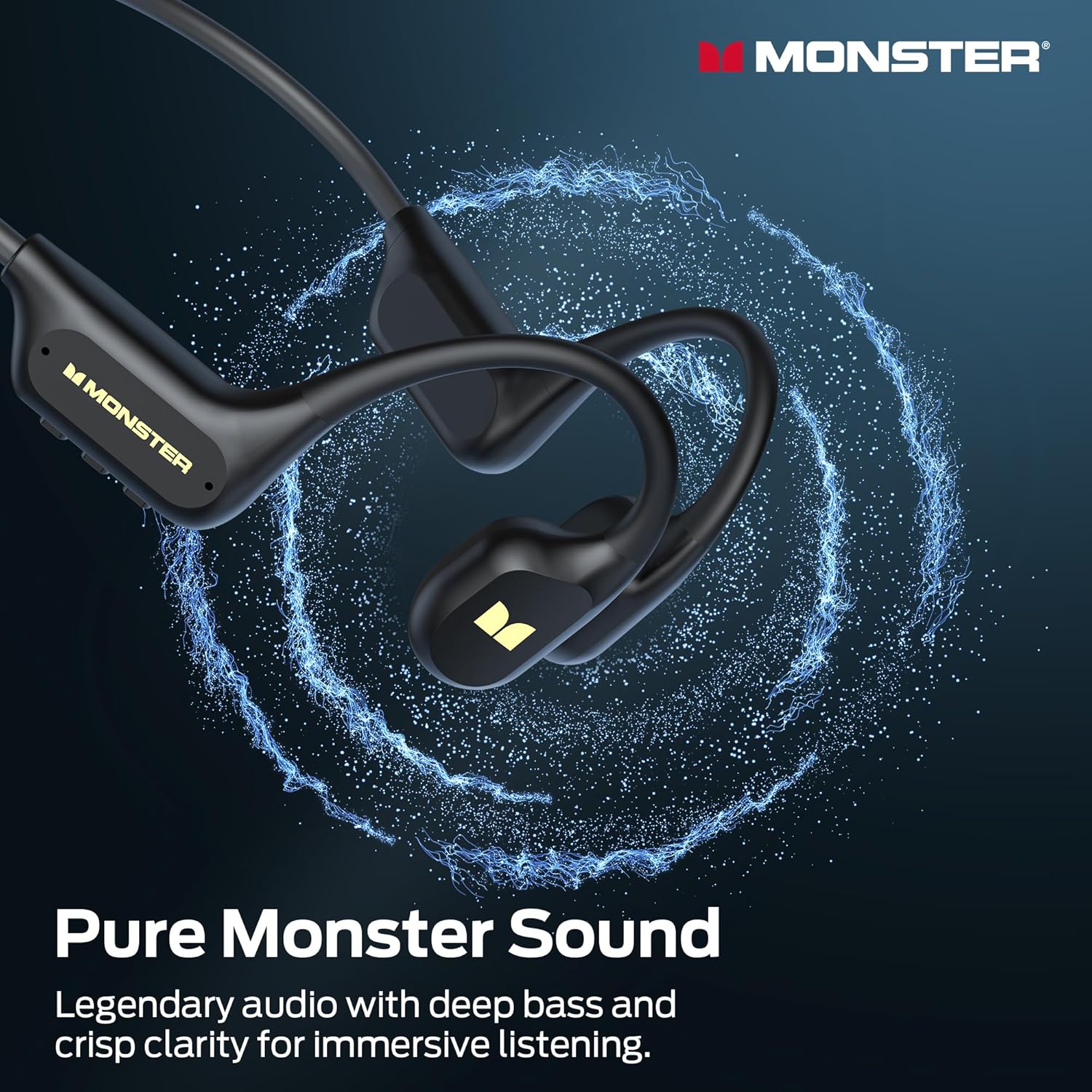
Image: The Monster BC300 headphones, showcasing their open-ear design and flexible neckband.
Comandi e indicatori:
- Pulsante di accensione/multifunzione: Power on/off, Play/Pause, Answer/End calls.
- Volume su (+): Aumenta il volume, Traccia successiva (pressione lunga).
- Volume basso (-): Diminuisci il volume, Traccia precedente (pressione lunga).
- Pulsante di cambio modalità: Toggle between Bluetooth mode and MP3 mode.
- Porta di ricarica magnetica: Per la ricarica e il trasferimento dei dati.
- Indicatore LED: Visualizza lo stato di alimentazione, carica e connessione.
Impostare
1. Carica delle cuffie
Prima del primo utilizzo, caricare completamente le cuffie.
- Collegare il cavo di ricarica magnetico alla porta di ricarica delle cuffie.
- Collegare l'altra estremità del cavo a un adattatore di alimentazione USB (non incluso) o alla porta USB di un computer.
- L'indicatore LED mostrerà lo stato di carica (ad esempio, rosso durante la carica, blu quando la carica è completa).
- Una carica completa richiede circa 2 ore e garantisce fino a 10 ore di riproduzione.

Image: The Monster BC300 headphones connected to a laptop via its magnetic charging cable, illustrating the charging process and data transfer capability.
2. Accensione/Spegnimento
- Accensione: Tenere premuto il pulsante di accensione/multifunzione per 3 secondi finché l'indicatore LED non lampeggia in blu.
- Spegni: Tenere premuto il pulsante di accensione/multifunzione per 5 secondi finché l'indicatore LED non lampeggia in rosso e poi si spegne.
3. Accoppiamento Bluetooth
Associa le cuffie a un dispositivo abilitato Bluetooth.
- Assicurati che le cuffie siano spente.
- Tenere premuto il pulsante di accensione/multifunzione per 5-7 secondi finché l'indicatore LED non lampeggia alternativamente in rosso e blu, indicando la modalità di associazione.
- Sul tuo dispositivo (smartphone, tablet, computer), attiva il Bluetooth e cerca i dispositivi disponibili.
- Select "Monster BC300" from the list.
- Una volta effettuato l'accoppiamento, l'indicatore LED lampeggerà lentamente in blu.
4. Using MP3 Mode (Internal Storage)
The headphones have 32GB of internal storage for music playback without a connected device.
Trasferimento di musica Files:
- Collega le cuffie al computer tramite il cavo di ricarica magnetico.
- Le cuffie appariranno come un'unità disco rimovibile sul tuo computer.
- Trascina e rilascia l'audio desiderato files (e.g., MP3 format) into the headphone's storage folder.
- Prima di scollegare il cavo, espellere in modo sicuro il dispositivo dal computer.
Passaggio alla modalità MP3:
- While the headphones are powered on, press the Mode Switch button to toggle between Bluetooth and MP3 modes.
- A voice prompt will indicate the current mode.
- Nota: MP3 mode is recommended for underwater use as Bluetooth signals do not transmit effectively through water.
Istruzioni per l'uso
Controlli di base:
| Funzione | Azione |
|---|---|
| Accensione/spegnimento | Press and hold Power button (3s for On, 5s for Off) |
| Riproduci/Pausa | Premere brevemente il pulsante di accensione |
| Alza il volume | Premere brevemente il pulsante '+' |
| Abbassa il volume | Premere brevemente il pulsante '-' |
| Traccia successiva | Long press '+' button |
| Traccia precedente | Long press '-' button |
| Rispondi/Termina chiamata | Premere brevemente il pulsante di accensione |
| Rifiuta chiamata | Premere a lungo il pulsante di accensione |
| Switch Mode (Bluetooth/MP3) | Short press Mode Switch button |
Indossare le cuffie
Place the headphones with the transducers resting on your cheekbones, just in front of your ears. The neckband should rest comfortably behind your head.

Image: A person wearing the Monster BC300 headphones during a basketball game, demonstrating the secure and comfortable fit during physical activity.

Image: A person wearing the Monster BC300 headphones while cycling, showing how they fit comfortably with a helmet, maintaining open awareness of surroundings.
Underwater Use (IPX8 Waterproof)
The BC300 headphones are IPX8 rated, suitable for submersion up to 2 meters for 2 hours.
- Passare sempre a Modalità MP3 before entering water. Bluetooth signals do not transmit effectively underwater.
- Ensure the magnetic charging port is clean and dry before and after use to prevent corrosion.
- Rinse the headphones with fresh water after swimming in chlorinated or saltwater, then dry thoroughly.

Image: A person swimming underwater while wearing the Monster BC300 headphones and goggles, demonstrating their IPX8 waterproof capability for aquatic activities.
Manutenzione
- Pulizia: Pulisci le cuffie con un panno morbido, damp stoffa. Non utilizzare prodotti chimici aggressivi o detergenti abrasivi.
- Essiccazione: After exposure to water, especially after swimming, ensure the headphones are completely dry before charging or connecting to a computer. Gently shake off excess water and wipe with a dry cloth.
- Magazzinaggio: Conservare le cuffie in un luogo fresco e asciutto, lontano dalla luce solare diretta e da temperature estreme.
- Porta di ricarica: Keep the magnetic charging contacts clean and free of debris to ensure proper charging and data transfer.
Risoluzione dei problemi
| Problema | Possibile soluzione |
|---|---|
| Le cuffie non si accendono. | Charge the headphones fully. Ensure the Power button is pressed and held for 3 seconds. |
| Impossibile effettuare l'associazione tramite Bluetooth. | Ensure headphones are in pairing mode (flashing red/blue). Turn off and on Bluetooth on your device. Move closer to the device. |
| Nessun suono in modalità Bluetooth. | Controlla i livelli del volume sia sulle cuffie che sul dispositivo collegato. Assicurati che le cuffie siano correttamente associate. Prova a ripetere l'associazione. |
| Nessun suono in modalità MP3. | Ensure headphones are switched to MP3 mode. Check if music files are properly loaded onto the internal storage. Adjust volume. |
| Cuffie non riconosciute dal computer. | Ensure the magnetic charging cable is securely connected. Try a different USB port or cable. Ensure headphones are powered on. |
| Scarsa qualità del suono sott'acqua. | Ensure you are using MP3 mode for underwater listening. Bluetooth is not effective underwater. |
Specifiche
- Modello: E129
- Marca: Mostro
- Connettività: Bluetooth 6.0
- Gamma Bluetooth: 10 metri
- Memoria interna: 32GB (up to 8,000 songs)
- Resistenza all'acqua: IPX8 (submersible up to 2 meters for 2 hours)
- Durata della batteria: Fino a 10 ore di riproduzione
- Tempo di ricarica: Circa 2 ore
- Tipo di ricarica: Ricarica magnetica
- Posizionamento dell'orecchio: Over Ear (Open Ear design)
- Tipo di driver audio: Driver a conduzione ossea
- Dimensioni del driver audio: 13 millimetri
- Tipo di controllo: Controllo dei pulsanti
- Dimensioni del pacco: Dimensioni: 15.7 x 11.99 x 5.69 cm
- Peso: 191 grammi
Informazioni sulla garanzia
The Monster Open Ear BC300 Swimming Headphones come with a Garanzia di 1 anno dalla data di acquisto. La presente garanzia copre difetti di fabbricazione e di lavorazione in condizioni di normale utilizzo. Non copre danni causati da uso improprio, incidenti, modifiche non autorizzate o normale usura. Si prega di conservare la prova d'acquisto per eventuali reclami in garanzia.
Supporto
For further assistance, technical support, or warranty inquiries, please contact Monster customer service through their official website or the retailer where you purchased the product. Please have your model number (E129) and proof of purchase ready.
Per maggiori informazioni puoi visitare il negozio ufficiale Monster: Negozio ufficiale Monster