
1. Introduzione e oltreview
The Google Pixel Watch 5 (41mm) Wi-Fi is an advanced Android smartwatch designed to enhance your health, fitness, and daily connectivity. Featuring Gemini Intelligence, it provides proactive assistance and personalized insights from Google Health. This manual provides essential information for setting up, operating, maintaining, and troubleshooting your device.
Caratteristiche principali:
- Domed Actua 360 display with scratch-resistant Gorilla Glass.
- Fino a 40 ore di durata della batteria.
- Comprehensive health and wellness tracking, including accurate heart rate and sleep monitoring.
- Loss of Pulse Detection for emergency assistance.
- Integration with Gemini Intelligence for timely information and smart replies.
- Resistenza all'acqua fino a 50 metri.

The Google Pixel Watch 5 (41mm) Wi-Fi in Obsidian, showcasing its domed display and sleek design.
2. Impostazione
2.1 Cosa c'è nella scatola
Verifica che tutti i componenti siano presenti nella confezione del prodotto:
- Google Pixel Watch 5 (41mm) - Obsidian - Wi-Fi
- Active Bands (Small & Large Size)
- USB-C Quick Charge Dock
- Guida rapida

Included items: Google Pixel Watch 5, active bands, USB-C quick charge dock, and quick start guide.
2.2 Carica iniziale
- Connect the USB-C Quick Charge Dock to a compatible USB-C power adapter (sold separately).
- Place your Google Pixel Watch 5 onto the charging dock. The watch will magnetically align.
- Ensure the watch screen indicates charging. Allow the watch to charge fully before first use.
2.3 Pairing with Your Android Phone
The Google Pixel Watch 5 is compatible with Android devices only (Android 11+). It is not compatible with iOS devices.
- Ensure your Android phone has Bluetooth enabled and is connected to the internet.
- Accendi il tuo Pixel Watch 5 tenendo premuto il pulsante della corona.
- On your Android phone, download and open the Google Pixel Watch app from the Google Play Store.
- Follow the on-screen instructions in the app to pair your watch. This typically involves confirming a code displayed on both devices.
- Complete the setup process, including signing into your Google account and configuring settings.
2.4 Attaching and Changing Bands
Your Pixel Watch 5 comes with active bands in small and large sizes. To attach or change a band:
- Locate the small release button on the underside of the watch, near where the band connects.
- Press and hold the release button while gently sliding the band out of its slot.
- To attach a new band, align it with the slot and slide it in until you hear a click, indicating it's securely fastened. Gently tug on the band to ensure it is locked in place.
3. Istruzioni per l'uso
3.1 Navigazione di base
The Pixel Watch 5 features a responsive touchscreen and a tactile crown for navigation:
- Schermo tattile: Swipe up, down, left, or right to navigate through menus, notifications, and tiles. Tap to select items.
- Corona: Rotate the crown to scroll through lists or adjust settings. Press the crown to return to the watch face or open the app launcher.
- Pulsante laterale: Located above the crown, this button can be customized for quick access to frequently used apps or functions.

The Pixel Watch 5 watch face, showing time and various data points.
3.2 Notifiche e comunicazioni
Receive and manage notifications directly on your wrist:
- View Notifiche: Swipe up from the watch face to see your recent notifications.
- Rispondere: Tap on a notification to view details and respond using quick replies, voice input, or the on-screen keyboard.
- Chiamate: Answer or decline calls from your watch when connected to your phone via Bluetooth or Wi-Fi.
3.3 Battery Life and Power Management
The Pixel Watch 5 offers up to 40 hours of battery life under typical usage. Actual battery life may vary based on usage, network conditions, and other factors.
- Controllare la batteria: Scorri verso il basso dal quadrante dell'orologio a view la percentuale della batteriatage in Quick Settings.
- Modalità di risparmio energetico: Enable power-saving features in the settings menu to extend battery life when needed.
- Ricarica: Use the included USB-C Quick Charge Dock for optimal charging speed.
3.4 Resistenza all'acqua
The Pixel Watch 5 has a water resistance rating of 50 meters (5 ATM) under ISO standard 22810:2010. This means it can be used for shallow-water activities like swimming in a pool or ocean. It is not suitable for scuba diving, waterskiing, or other activities involving high-velocity water or submersion below shallow depth.
- Avoid exposing the watch to soap, shampoo, conditioner, lotion, or perfume, as these can negatively affect water seals and acoustic membranes.
- Dopo l'esposizione all'acqua, in particolare all'acqua salata, sciacquare l'orologio con acqua dolce e asciugarlo accuratamente.
4. Monitoraggio della salute e del fitness
The Pixel Watch 5 provides comprehensive tools to monitor your health and track your fitness activities.
4.1 Monitoraggio della frequenza cardiaca
Advanced sensors provide accurate heart rate tracking, fine-tuned for various activities.
- Monitoraggio continuo: Your watch continuously monitors your heart rate throughout the day.
- Monitoraggio dell'allenamento: During workouts, heart rate data is recorded to help you optimize your training.
- Irregular Rhythm Notifications: The watch can detect signs of irregular heart rhythm (AFib) and notify you.
The Pixel Watch 5 provides detailed health metrics, including heart rate and blood oxygen levels.
4.2 Monitoraggio del sonno
Understand your sleep patterns with detailed insights:
- Dormire Stages: Tracks time spent in light, deep, and REM sleep stages.
- Breathing Regularity: Monitors your breathing patterns during sleep.
- Personalized Sleep Score: Summarizes your sleep quality with a daily score.
- Morning Brief: Provides rich visualizations of sleep stages, health metrics, and readiness levels.

Detailed sleep tracking on the Pixel Watch 5, showing sleep duration and stages.
4.3 Loss of Pulse Detection
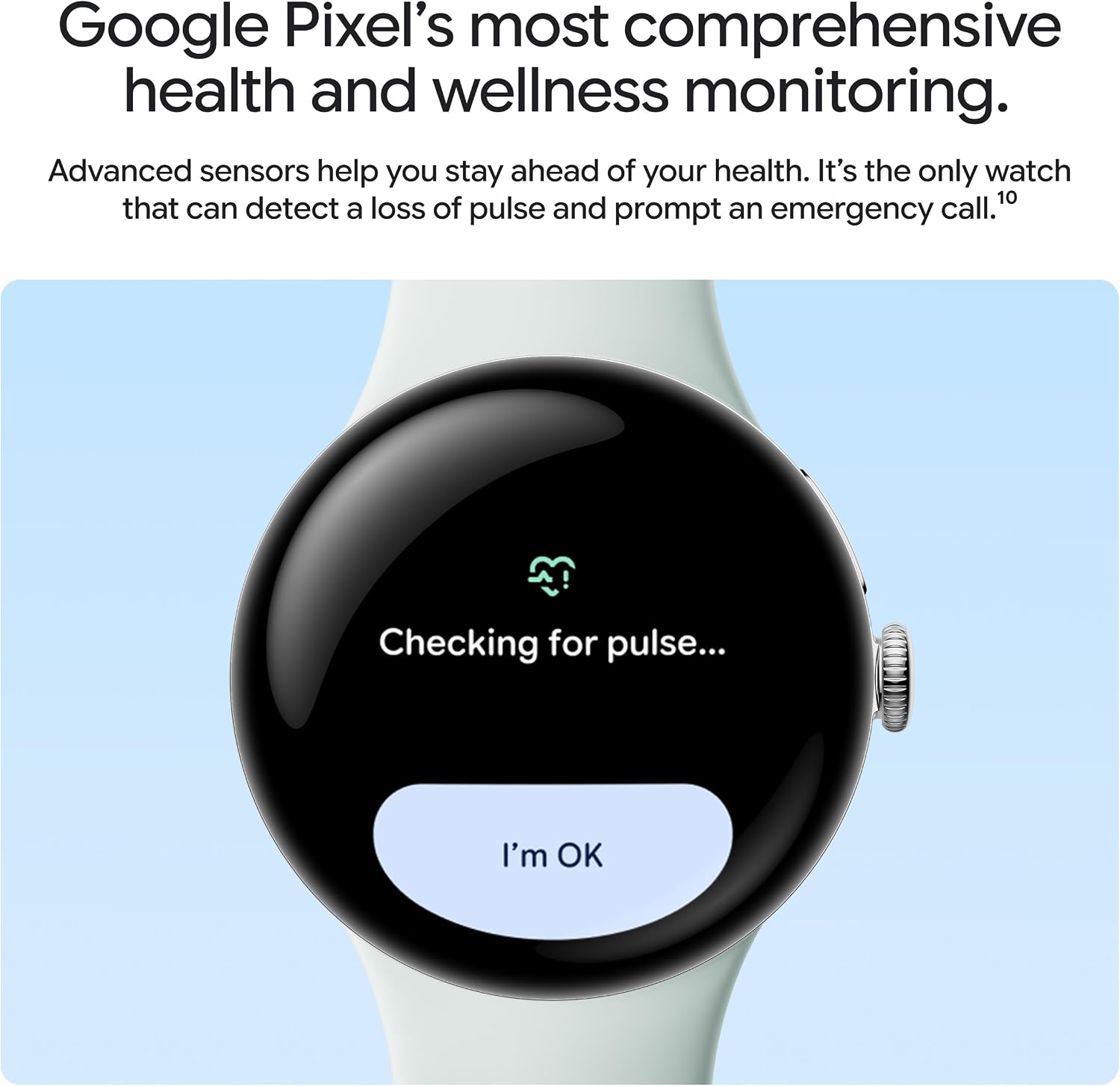
The Pixel Watch 5 is equipped with Loss of Pulse Detection, a safety feature that can prompt a call to emergency services if a loss of pulse is detected and you are unresponsive.

The watch screen indicating a pulse check, a feature of the Loss of Pulse Detection system.
4.4 Workout Tracking and GPS
Track over 50 types of workouts with Google Pixel's best GPS and accurate heart rate tracking.
- Monitoraggio delle attività: Monitora i passi, la distanza, le calorie bruciate e i minuti in zona attiva.
- Posizione GPS: Built-in GPS provides precise location tracking for outdoor activities without needing your phone.
- Personalized Coaching: With Google Health Premium, get coaching that adapts to your lifestyle and helps you achieve fitness goals.

Workout summary on the Pixel Watch 5, showing duration, cardio load, and a map of the route.
5. Gemini Intelligence
The Google Pixel Watch 5 is designed for Gemini Intelligence, offering a more intuitive and personalized user experience.
- Proactive Help: Your watch anticipates your needs by surfacing timely information and updates.
- Approfondimenti personalizzati: Get insights and recommendations based on your health and activity data.
- Smart Replies: Gemini Intelligence suggests relevant text replies based on the context of your conversations.
- Assistente vocale: Raise your wrist to talk with Gemini for quick questions and commands.
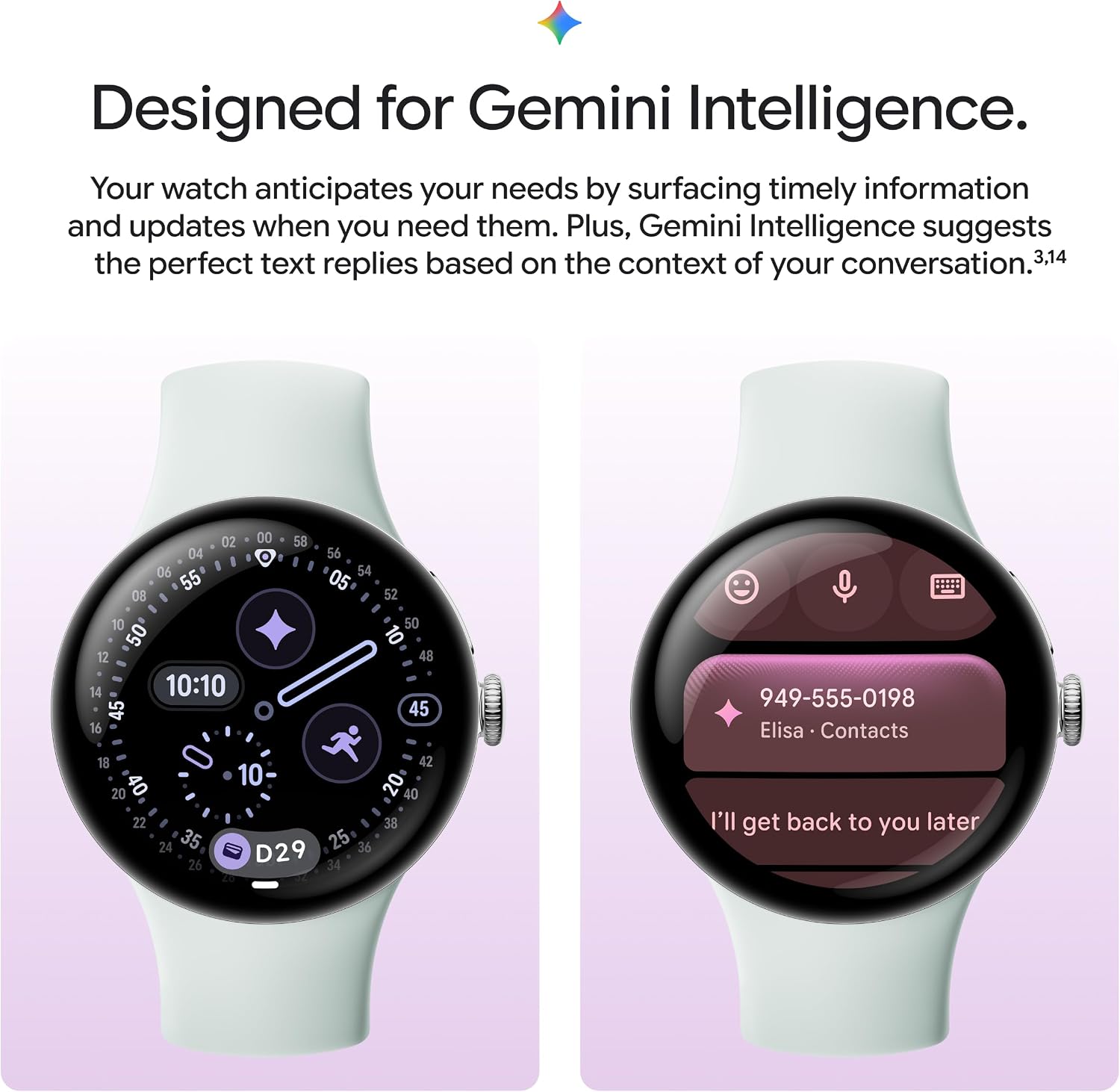
The Pixel Watch 5 demonstrating Gemini Intelligence with a smart reply suggestion for a message.
6. Manutenzione
6.1 Cleaning Your Watch and Bands
Regular cleaning helps maintain the appearance and functionality of your Pixel Watch 5.
- Corpo dell'orologio: Pulire il corpo dell'orologio con un panno morbido e privo di lanugine. Se necessario, asciugare leggermenteampLavare il panno con acqua fresca. Evitare l'uso di prodotti chimici aggressivi o materiali abrasivi.
- Bande: For silicone or active bands, wash with fresh water and a mild, non-abrasive soap. Rinse thoroughly and dry completely before reattaching to the watch.
- Contatti di ricarica: Ensure the charging contacts on the back of the watch and on the charging dock are clean and free of debris.
6.2 Aggiornamenti software
Keep your Pixel Watch 5 software up to date to ensure optimal performance, security, and access to new features. Your watch will typically notify you when an update is available. Ensure your watch is charged and connected to Wi-Fi during updates.
7. Risoluzione Dei Problemi
If you encounter issues with your Google Pixel Watch 5, try the following steps:
7.1 Problemi comuni e soluzioni
- L'orologio non si accende: Ensure the watch is fully charged. Place it on the charging dock for at least 30 minutes.
- Problemi di accoppiamento: Verify Bluetooth is enabled on your phone and watch. Ensure the Google Pixel Watch app is installed and updated. Try restarting both devices.
- Inaccurate Heart Rate/Sleep Data: Assicurati che l'orologio sia ben aderente al polso, ma non troppo stretto. Pulisci i sensori sul retro dell'orologio.
- La batteria si scarica rapidamente: Review app usage and background activity. Disable unnecessary notifications or features. Ensure the software is up to date.
- Touchscreen non reattivo: Restart the watch by holding down the crown button until the Google logo appears.
7.2 Ripristino delle impostazioni di fabbrica
A factory reset will erase all data on your watch and restore it to its original factory settings. This can resolve persistent software issues.
- Sul tuo orologio, vai a Impostazioni > Sistema > Disconnect & Reset.
- Confirm your choice. The watch will restart and begin the reset process.
8. Specifiche
| Caratteristica | Specificazione |
|---|---|
| Numero di modello | GA10900-USA |
| Sistema operativo | Android |
| Capacità di archiviazione della memoria | 64 GB |
| Tecnologia di connettività | Bluetooth, Wi-Fi (802.11a/b/g/n/ac, 802.11ax) |
| Composizione delle celle della batteria | Ioni di litio |
| Dimensioni dello schermo | 41 millimetri |
| Profondità di resistenza all'acqua | 50 metri (5 ATM) |
| Sistema di navigazione satellitare supportato | GPS |
| Colore | Ossidiana |
| Peso dell'articolo | 31 grammi |
| Codice UPC | 840353962095 |
| Produttore |
9. Garanzia e supporto
9.1 Garanzia del produttore
The Google Pixel Watch 5 comes with a Garanzia del produttore di 1 anni. This warranty covers defects in materials and workmanship under normal use. For specific terms and conditions, please refer to the warranty information provided with your device or visit the official Google support websito.
9.2 Assistenza clienti
For further assistance, technical support, or warranty claims, please contact Google customer support:
- Supporto online: Visit the official Google Pixel Watch support page for FAQs, troubleshooting guides, and contact options. support.google.com/pixelwatch
- Supporto telefonico: Refer to your Quick Start Guide or Google's support websito per i numeri di telefono regionali.
Please have your device's model number (GA10900-US) and UPC (840353962095) available when contacting support.