1. Informazioni importanti sulla sicurezza
Please read all instructions carefully before operating your Thomson RR 68 M clock. Keep this manual for future reference.
- Non esporre l'orologio a temperature estreme, alla luce solare diretta o a elevata umidità.
- Evitare di far cadere l'orologio o di sottoporlo a forti urti.
- Non tentare di smontare o modificare l'orologio. Ciò invaliderà la garanzia.
- Utilizzare solo il tipo di batteria specificato. Assicurarsi che la polarità sia corretta quando si inseriscono le batterie.
- Rimuovere le batterie se l'orologio non viene utilizzato per un periodo prolungato per evitare perdite.
2. Prodotto finitoview
Familiarize yourself with the components of your Thomson RR 68 M clock.
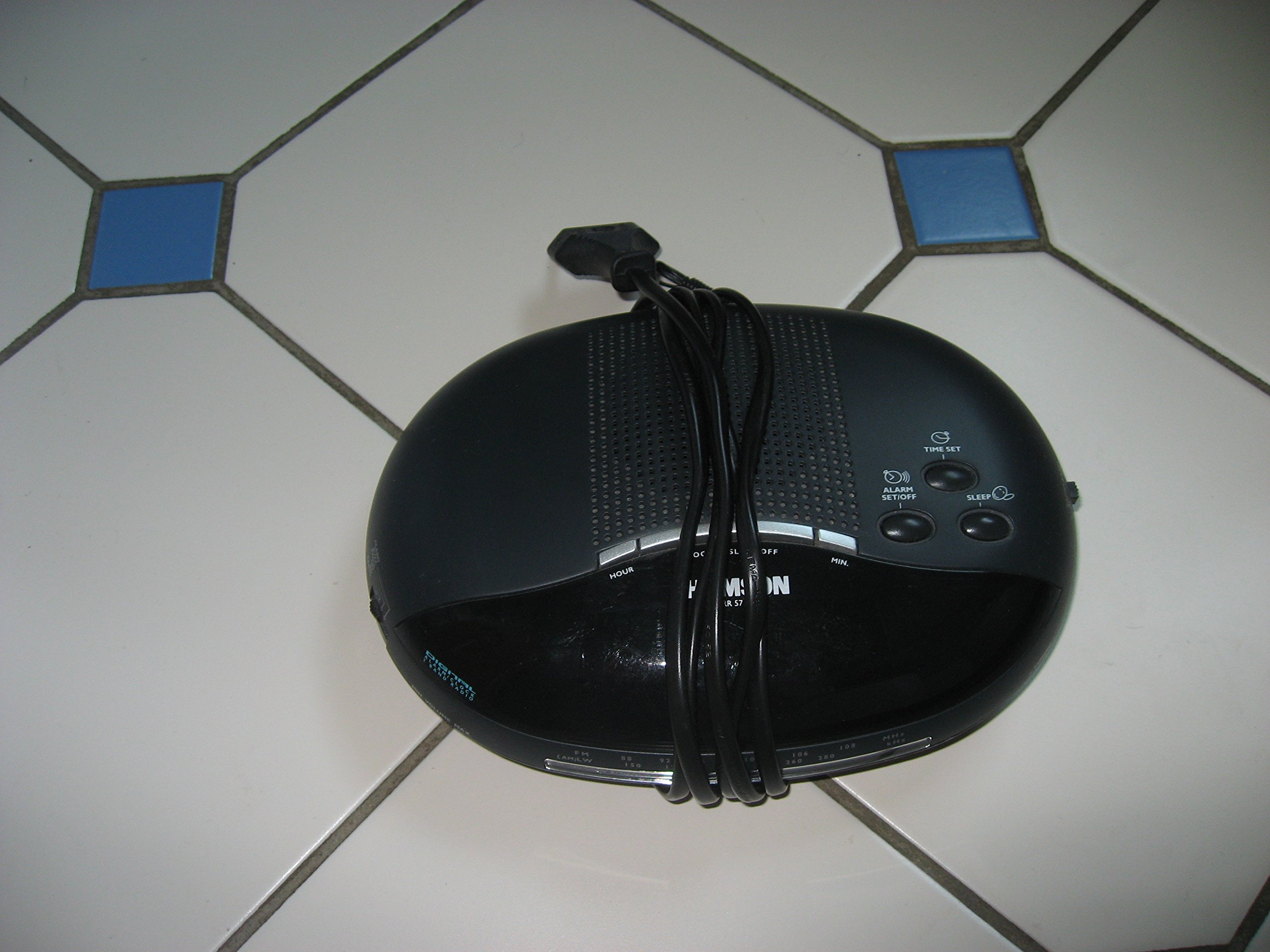
Immagine 1: Davanti view of the Thomson RR 68 M clock, showing the digital display and control buttons. This image illustrates the compact design suitable for tabletop placement.
2.1 Contenuto della confezione
- Thomson RR 68 M Clock Unit
- Manuale dell'utente (questo documento)
3. Impostazione
3.1 Alimentazione dell'orologio
The Thomson RR 68 M clock operates on batteries (not included). Ensure you have the correct type and quantity of batteries before proceeding.
- Individuare il coperchio del vano batterie sul retro o sulla parte inferiore dell'orologio.
- Rimuovere il coperchio del vano batteria facendolo scorrere o sbloccandolo.
- Insert the required batteries, paying close attention to the polarity markings (+ and -) inside the compartment.
- Replace the battery compartment cover securely. The clock display should now illuminate.
4. Istruzioni per l'uso
4.1 Impostazione dell'ora
To set the current time on your Thomson RR 68 M clock:
- Locate the 'SET' or 'MODE' button, usually on the back or side of the clock. Press and hold this button for a few seconds until the hour digits begin to flash.
- Use the '+' or 'HOUR' button to adjust the hour. Press repeatedly to advance the hour.
- Press the 'SET' or 'MODE' button again. The minute digits will begin to flash.
- Use the '+' or 'MINUTE' button to adjust the minutes. Press repeatedly to advance the minutes.
- Press the 'SET' or 'MODE' button one last time to confirm the time setting and exit the setting mode. The display will stop flashing.
Note: This model does not feature an alarm function.
5. Manutenzione
5.1 Pulizia
To maintain the appearance of your clock:
- Pulire la parte esterna dell'orologio con un panno morbido e asciutto.
- Non utilizzare detergenti abrasivi, solventi o spray chimici, poiché potrebbero danneggiare la finitura.
5.2 Sostituzione della batteria
When the display dims or the clock stops functioning, it is time to replace the batteries. Follow the steps in Section 3.1 to replace the old batteries with new ones. Dispose of used batteries responsibly according to local regulations.
6. Risoluzione Dei Problemi
If you encounter issues with your Thomson RR 68 M clock, refer to the following common problems and solutions:
6.1 Clock Display is Blank or Dim
- Controllare le batterie: Ensure batteries are inserted correctly with the correct polarity. Replace with fresh batteries if necessary.
- Vano batteria: Verificare che il coperchio del vano batteria sia ben chiuso.
6.2 L'ora è errata
- Ripristina orario: Follow the instructions in Section 4.1 to manually set the time.
- Potenza della batteria: If the time frequently resets or loses accuracy, the batteries may be low and require replacement.
7. Specifiche
| Numero di modello | RR 68 M |
| Marca | TOMSONITA |
| Tipo di montaggio | Da tavolo |
| Fonte di alimentazione | Batterie (non incluse) |
| Funzione di allarme | NO |
8. Informazioni sulla garanzia
Specific warranty details for the Thomson RR 68 M clock are not provided within this user manual. Please refer to the product packaging, the point of purchase, or the official Thomson websito per termini e condizioni di garanzia completi.
9. Assistenza clienti
For further assistance, technical support, or inquiries regarding your Thomson RR 68 M clock, please visit the official Thomson websito o contattare il servizio clienti. Le informazioni di contatto sono in genere disponibili sul sito web del produttore websito o confezione del prodotto.


