Introduzione
Grazie per l'acquistoasing the Thomson CS500 Compact System. This micro audio system offers a versatile listening experience with its 5-CD changer, FM radio, Bluetooth connectivity, and multiple input options including USB, SD card, and docking for various Apple and Android devices. Please read this manual carefully to ensure proper setup, operation, and maintenance of your new system.
Contenuto della confezione
- Thomson CS500 Compact System Unit
- Altoparlanti (2 unità)
- Telecomando
- Cavo di alimentazione (CA 220 V)
- Antenna FM
- Manuale dell'utente (questo documento)
Impostare
1. Disimballaggio e posizionamento
Carefully remove all components from the packaging. Place the main unit and speakers on a stable, flat surface. Ensure adequate ventilation around the unit to prevent overheating. Keep the unit away from direct sunlight, heat sources, and moisture.
2. Collegamento degli altoparlanti
Connect the speaker wires from the main unit to the corresponding terminals on the back of each speaker. Ensure correct polarity (positive to positive, negative to negative) for optimal sound quality. The system features 2-way bass reflex speakers with titanium bass boomers.
3. Connecting the FM Antenna
Connect the supplied FM antenna to the FM antenna input on the rear of the main unit. Extend the antenna fully and position it for best reception.
4. Collegamento elettrico
Plug the power cable into the AC IN socket on the rear of the main unit, then plug the other end into a standard AC 220V wall outlet.
5. Installazione della batteria del telecomando
Open the battery compartment on the back of the remote control and insert the required batteries (not included), observing the correct polarity markings.
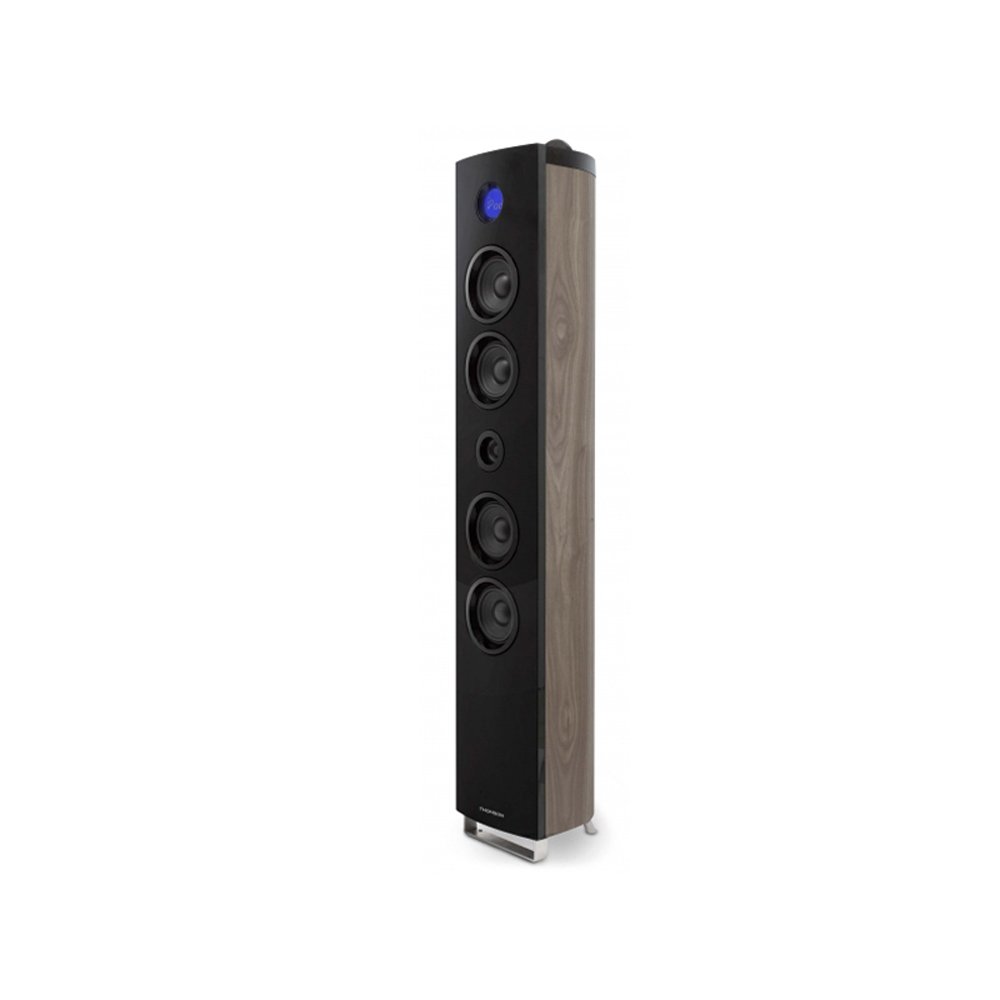
Image: The Thomson CS500 Compact System, showing the main unit and two speakers. This illustrates the primary components after initial setup.
Istruzioni per l'uso
1. Accensione/spegnimento
Premere il tasto ENERGIA pulsante sul pannello frontale o sul telecomando per accendere o spegnere il sistema.
2. Selezione della sorgente
Premere il tasto FONTE button repeatedly to cycle through available input modes: CD, FM Radio, Bluetooth, USB, SD, AUX, iPod/iPhone/iPad Dock, Micro USB.
3. Controllo del volume
Regolare il volume utilizzando il VOLUME +/- pulsanti sull'unità o sul telecomando.
4. Funzionamento del lettore CD
- Premere il tasto CD per selezionare la modalità CD.
- Open the CD tray and place up to 5 CDs.
- Premere RIPRODUCI/PAUSA per avviare la riproduzione.
- Utilizzo SALTARE pulsanti per navigare tra le tracce.
- The system is compatible with CD-R and CD-RW discs.
5. Funzionamento della radio FM
- Premere il tasto FM pulsante per selezionare la modalità radio FM.
- Utilizzare il SINTONIA +/- pulsanti per sintonizzarsi manualmente su una stazione.
- Premere e tenere premuto SINTONIA +/- per la scansione automatica delle stazioni.
- The system supports RDS (Radio Data System) for displaying station information.
- Save your favorite stations using the preset functions (refer to the remote control section for details).
6. Connettività Bluetooth
- Premere il tasto Bluetooth per selezionare la modalità Bluetooth. Il display mostrerà "PAIRING".
- Enable Bluetooth on your mobile device and search for "Thomson CS500".
- Seleziona il dispositivo da associare. Una volta connesso, puoi riprodurre l'audio in streaming in modalità wireless.
7. Riproduzione tramite USB e scheda SD
Insert a USB drive into the USB port or an SD card into the SD card slot. The system will automatically switch to the respective mode and begin playback of compatible audio files.
8. Device Docking (iPod, iPhone, iPad, Micro USB)
The vertical speaker features docking for iPod, iPhone, and iPad devices. Additionally, a Micro USB port is available for Android/Samsung devices. Carefully dock your device into the appropriate connector. The system will automatically switch to the docking input mode.
9. Ingresso AUX
Connect an external audio device (e.g., MP3 player) to the 3.5mm AUX input using a stereo audio cable (not supplied). Select AUX mode to listen to audio from the connected device.
10. Impostazioni audio
- Equalizzatore: The system includes an equalizer with 5 sound presets. Press the EQ button on the remote control to cycle through these presets (e.g., Flat, Rock, Pop, Jazz, Classic).
- Basso Amplificatore: Activate the bass amplifier function for enhanced low-frequency sound. Refer to the remote control for the specific button.
11. Clock and Sleep Timer
The LCD display with blue backlight shows the current time. Use the remote control to set the clock and activate the sleep timer function, which automatically turns off the system after a set period.
Manutenzione
1. Pulizia dell'unità
Pulire l'esterno dell'unità con un panno morbido e asciutto. Non utilizzare detergenti abrasivi, cere o solventi poiché potrebbero danneggiare la finitura. Assicurarsi che l'unità sia scollegata dalla presa di corrente prima di pulirla.
2. Cura del lettore CD
Maneggiare i CD tenendoli per i bordi per evitare impronte digitali e graffi. Se un CD è sporco, pulirlo delicatamente con un panno morbido e privo di lanugine, procedendo dal centro verso l'esterno. Non utilizzare solventi o detergenti abrasivi sui CD.
3. Gestione generale
Avoid placing heavy objects on the unit. Do not block ventilation openings. If the unit will not be used for an extended period, unplug it from the power outlet.
Risoluzione dei problemi
-
Nessun potere:
Ensure the power cable is securely connected to both the unit and the wall outlet. Check if the outlet is functional by plugging in another device.
-
Nessun suono:
Check speaker connections for correct polarity. Ensure the volume is not set to minimum or muted. Verify the correct input source is selected. If using an external device via AUX, ensure its volume is also up.
-
Il telecomando non funziona:
Check and replace batteries if necessary. Ensure there are no obstructions between the remote and the unit's sensor. Point the remote directly at the unit.
-
Il CD non viene riprodotto:
Ensure the CD is clean and free of scratches. Check that the CD is inserted correctly with the label side up. Try a different CD to rule out disc issues.
-
Problemi di connessione Bluetooth:
Ensure the unit is in Bluetooth pairing mode. Delete "Thomson CS500" from your device's Bluetooth list and try pairing again. Move your device closer to the system.
-
Scarsa ricezione radio:
Adjust the position of the FM antenna. Move the unit away from other electronic devices that may cause interference.
Specifiche
| Modello: | CS500 |
| Marca: | Tommaso |
| Potenza in uscita: | 2 x 45 Watts (speakers) + 90 Watts (subwoofer) = 200 Watts Total Music Performance |
| Configurazione del canale audio surround: | 2 (Stereo) |
| Tecnologia di connettività: | Bluetooth, USB, SD Card, AUX (3.5mm), iPod/iPhone/iPad Dock, Micro USB |
| Tipi di media supportati: | CD-R, CD-RW |
| Bande radio supportate: | FM (con RDS) |
| Relatori: | 2-way Bass Reflex with Titanium Bass Boomers, Subwoofer |
| Metodo di controllo: | Telecomandato |
| Fonte di energia: | CA 220V |
| Dimensioni del prodotto (unità principale): | Dimensioni: 30 x 30 x 120 cm |
| Peso dell'articolo: | 1 chilogrammo |
| Colore: | Marrone scuro |
| Componenti inclusi: | Telecomando |
Garanzia e supporto
Informazioni sulla garanzia
The Thomson CS500 Compact System comes with a limited warranty. Please retain your proof of purchase for any warranty claims. For specific terms and conditions of the warranty, refer to the documentation provided at the time of purchase or contact Thomson customer support.
Assistenza clienti
For technical assistance, troubleshooting beyond this manual, or warranty inquiries, please contact Thomson customer support. Contact details can typically be found on the official Thomson websito o sulla confezione del prodotto.


