Introduzione
This instruction manual provides essential information for the safe and effective use of your Nikon D80 Digital SLR Camera. Please read this manual thoroughly before using the camera to ensure proper operation and to maximize its performance. Keep this manual accessible for future reference.
Cosa c'è nella scatola
Upon opening your Nikon D80 package, verify that all components are present:
- Corpo macchina fotografica Nikon D80
- Batteria ricaricabile Li-ion
- Caricabatterie
- Cavo USB
- Tappo del corpo
- Cinghia da collo
- Manuale di istruzioni (questo documento)
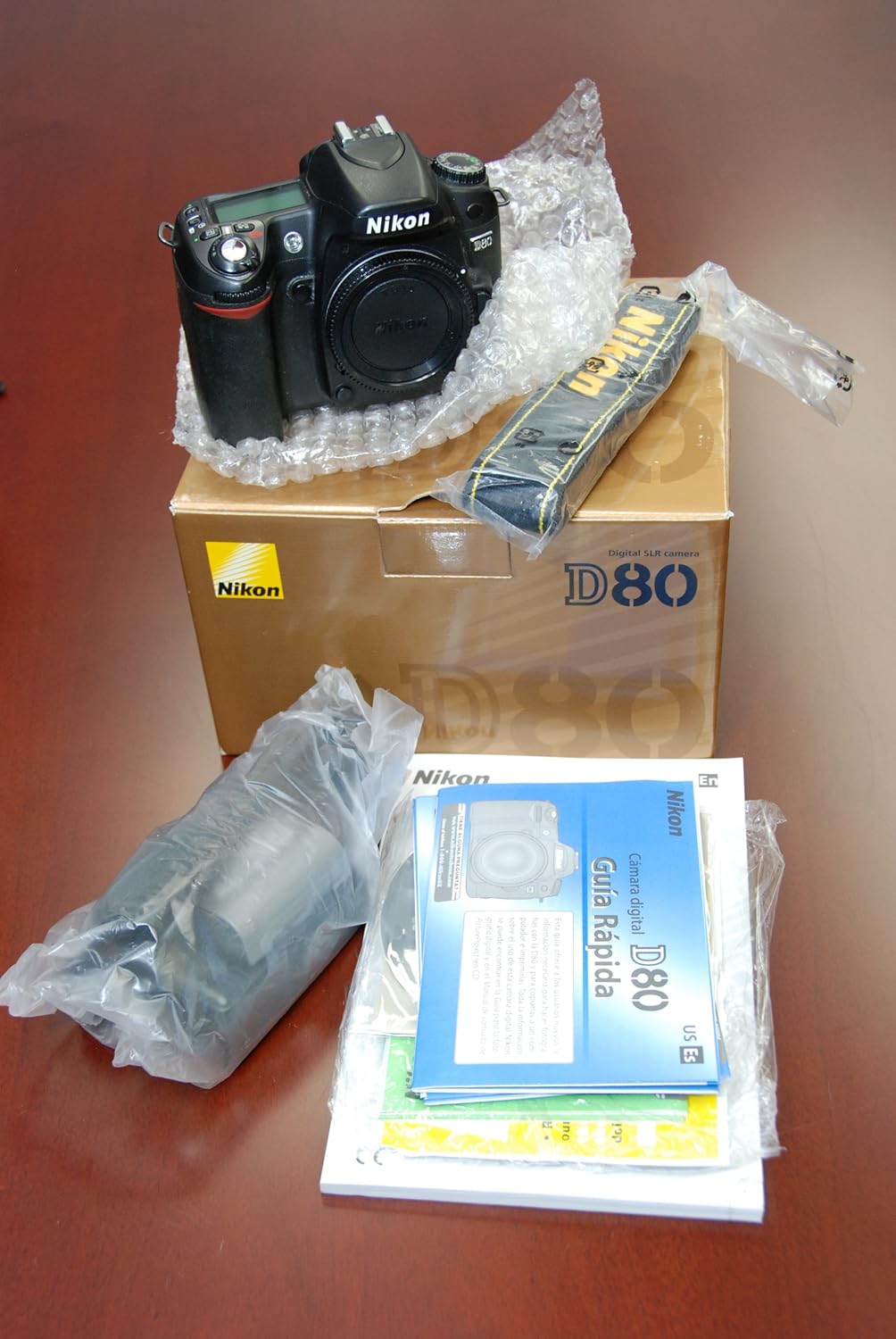
Image: Contents of the Nikon D80 package, including the camera body, neck strap, and documentation.
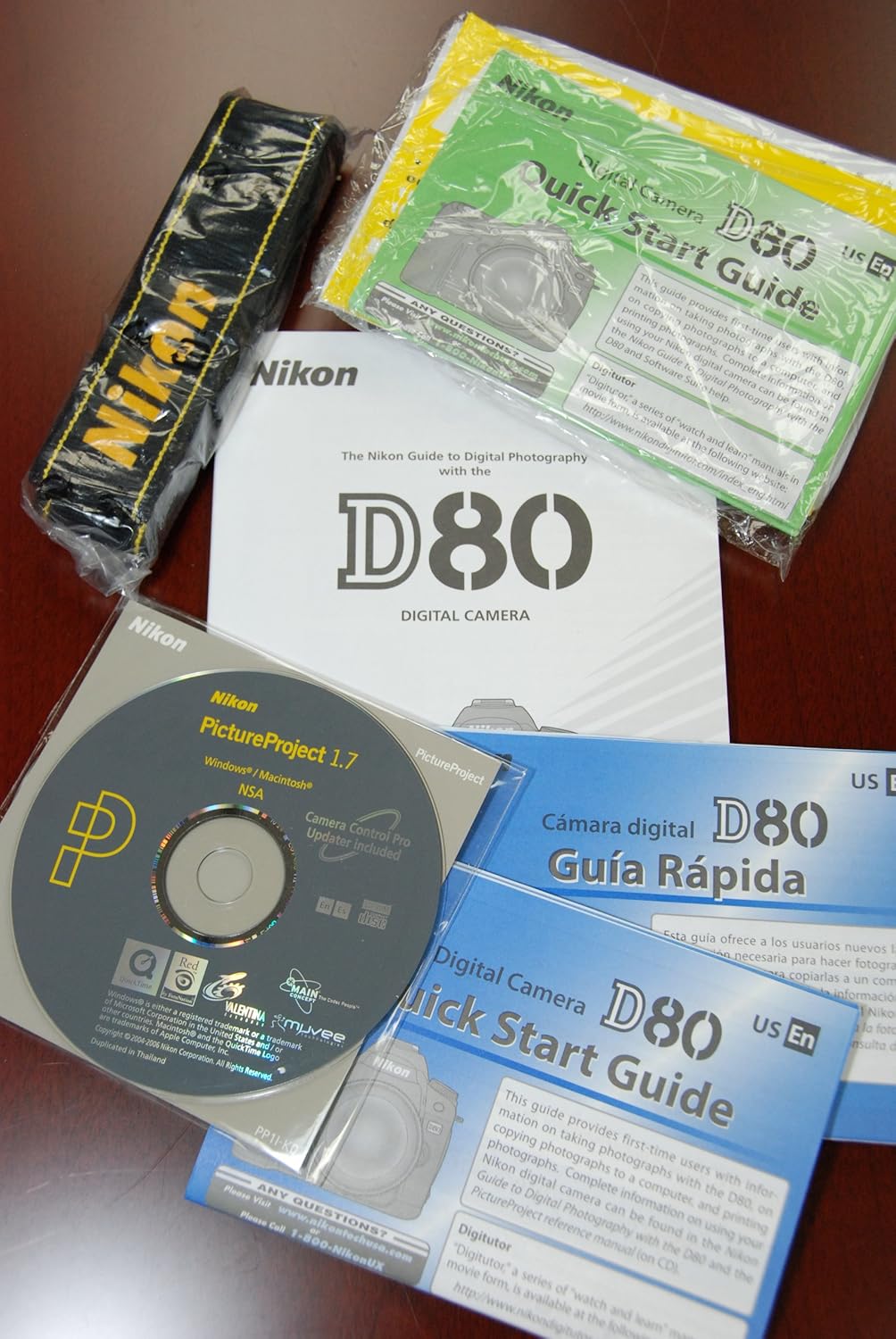
Image: Included documentation and software for the Nikon D80 camera.
Impostare
1. Carica della batteria
Before initial use, fully charge the supplied rechargeable Li-ion battery. Insert the battery into the charger and connect the charger to a power outlet. The charging indicator will show the charging status. A full charge typically takes approximately 2 hours.
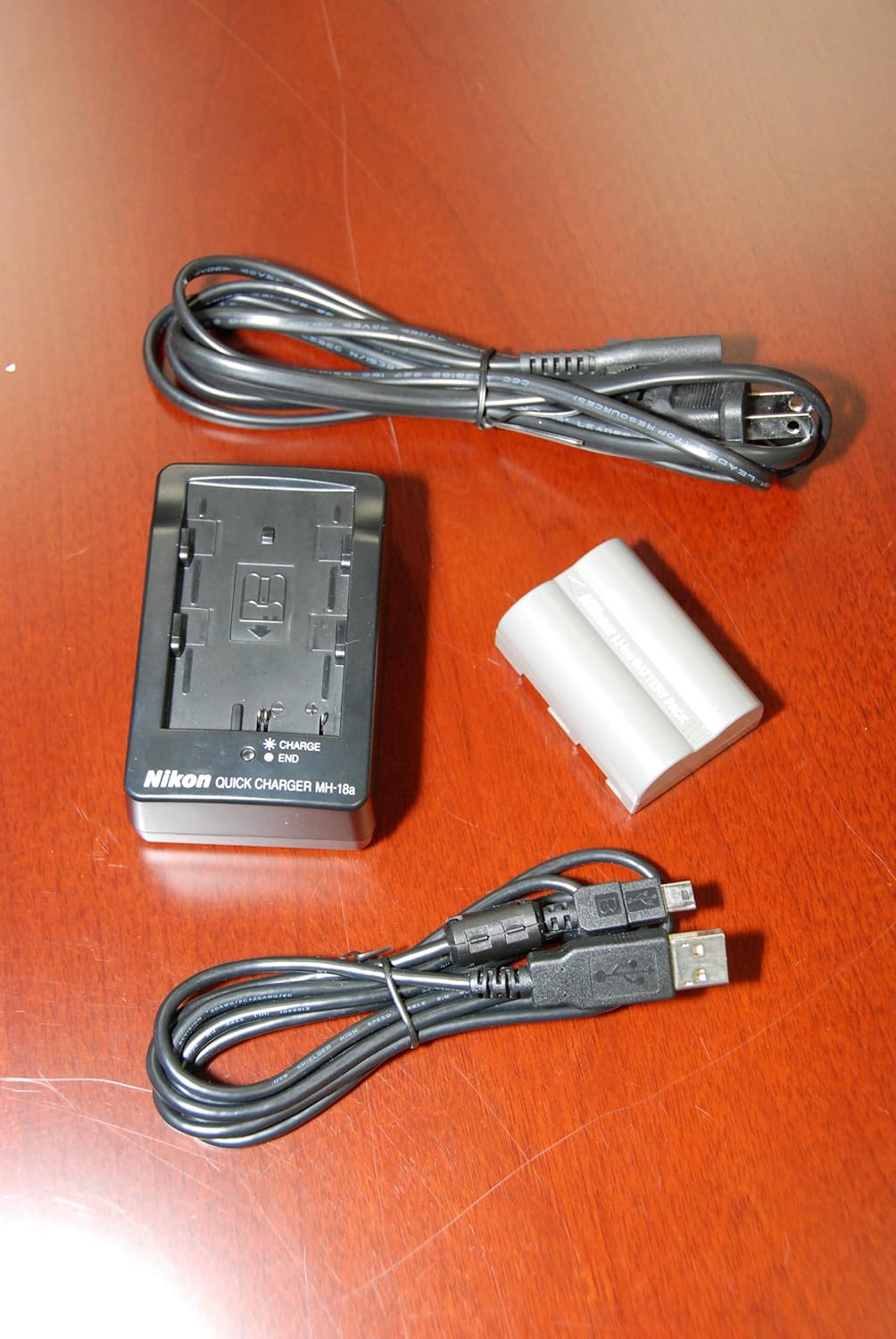
Image: Nikon battery charger, battery, and USB cable.
2. Inserimento della batteria
Open the battery chamber cover located at the bottom of the camera. Insert the charged battery with the contacts facing the correct direction, then close the cover securely.
3. Inserimento di una scheda di memoria
The Nikon D80 uses SD (Secure Digital) memory cards. Open the memory card slot cover on the side of the camera. Insert an SD card into the slot until it clicks into place. Ensure the card is inserted correctly to avoid damage. The camera supports SD cards up to 32 GB.
4. Fissaggio del cinturino al collo
Thread the ends of the neck strap through the strap eyelets on the camera body. Secure the strap as shown in the strap's individual instructions to prevent accidental drops.
5. Collegamento di un obiettivo
The Nikon D80 uses Nikon F-mount lenses. Remove the body cap from the camera and the rear cap from the lens. Align the mounting marks on the lens with the corresponding mark on the camera body. Rotate the lens counter-clockwise until it clicks into place. Do not force the lens. Ensure the camera is powered off before attaching or detaching a lens.

Immagine: Frontale view of the Nikon D80 camera body.
Utilizzo della fotocamera
1. Accensione/spegnimento
To turn the camera on, rotate the power switch located around the shutter release button to the 'ON' position. To turn it off, rotate the switch to 'OFF'.
2. Controlli di base suview
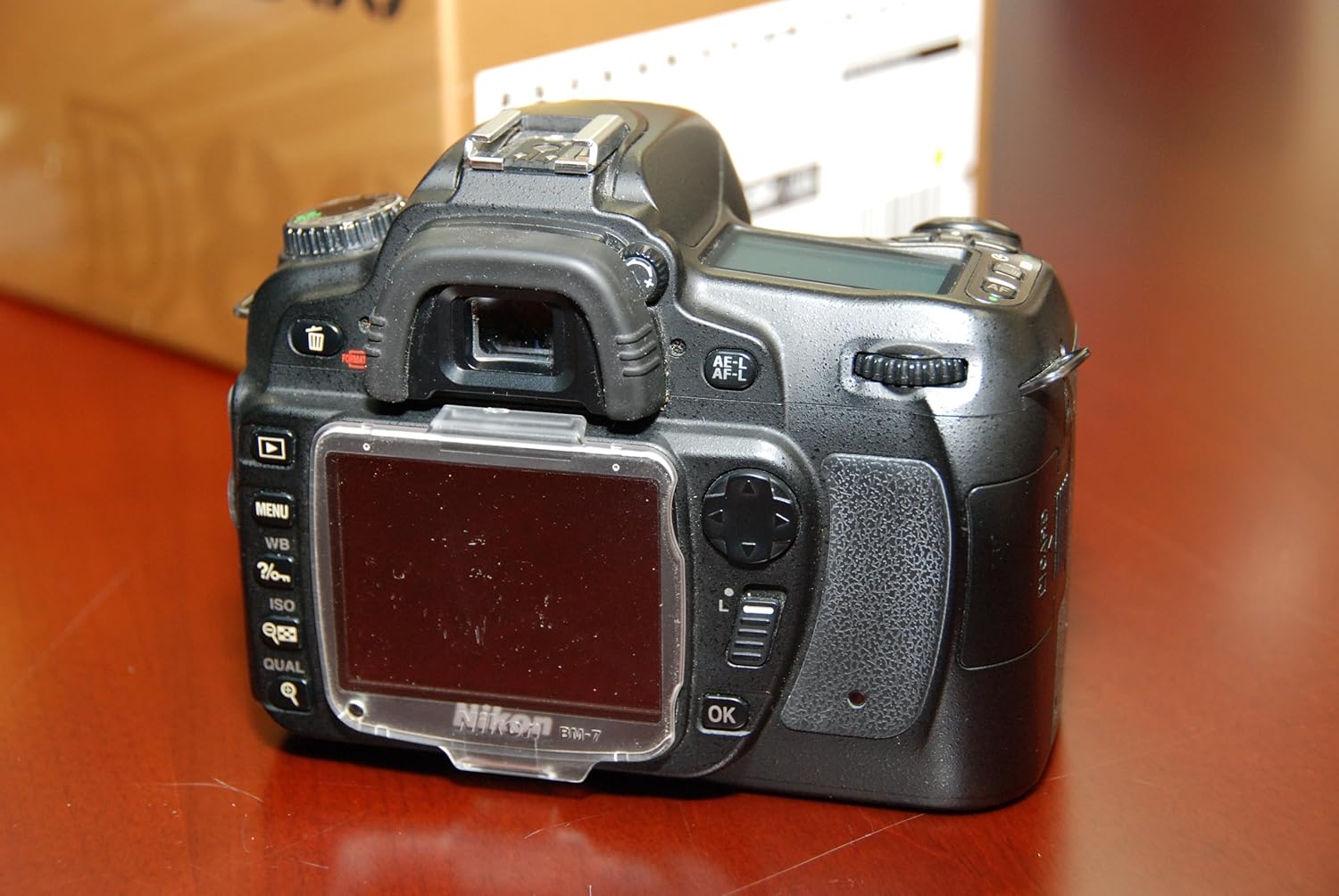
Immagine: Posteriore view of the Nikon D80 camera, highlighting the LCD and control layout.
- Pulsante di scatto: Premere a metà per mettere a fuoco, completamente per scattare una foto.
- Selettore modalità: Selects shooting modes (e.g., Auto, Program, Shutter-priority, Aperture-priority, Manual).
- Manopole di comando: Used to adjust settings like aperture, shutter speed, and menu navigation.
- Selettore multiplo: For navigating menus and selecting autofocus points.
- Monitor LCD: Displays menus, settings, and image playback. (2.5 inches)
3. Selezione di una modalità di scatto
Rotate the mode dial to choose your desired shooting mode. The D80 offers both Automatico E Manuale exposure control options, along with various scene modes for specific situations.
4. Messa a fuoco
The D80 features an 11-point autofocus system with Phase Detection technology. You can select between automatic AF (AF-A) or manual focus. To autofocus, press the shutter release button halfway. The camera will lock focus on the subject.
5. Adjusting Exposure
Exposure can be controlled manually or automatically. The camera offers Matrix, Center-weighted, and Spot metering methods to evaluate scene brightness.
6. Bilanciamento del bianco
Set the white balance according to the light source to ensure accurate color reproduction. Options include Auto, Cloudy, and Flash torch, among others.
7. Utilizzo del flash incorporato
The D80 has a built-in flash with Fill Flash mode. To activate, press the flash button. The flash sync speed is 1/200s.
8. Riproduzione delle immagini
Premere il pulsante di riproduzione per riview captured images on the 2.5-inch color LCD screen. Use the multi-selector to scroll through images.
9. Connessione a un computer
Use the supplied USB cable to connect the camera to a computer. This allows for image transfer. The camera has one USB 2.0 port.
Manutenzione
- Pulizia del corpo macchina: Utilizzare un panno morbido e asciutto per pulire il corpo della fotocamera. Per lo sporco ostinato, pulire leggermenteampLavare il panno con acqua. Evitare l'uso di solventi organici.
- Pulizia dell'obiettivo e del sensore: Use a blower brush to remove dust from the lens and sensor. For smudges on the lens, use a lens cleaning solution and a microfiber cloth. Sensor cleaning should be performed with caution or by a professional.
- Cura della batteria: Conservare le batterie in un luogo fresco e asciutto quando non vengono utilizzate. Evitare temperature estreme. Non cortocircuitare o smontare le batterie.
- Magazzinaggio: Quando si conserva la fotocamera per periodi prolungati, rimuovere la batteria e la scheda di memoria. Conservare la fotocamera in un luogo asciutto e ben ventilato, lontano dalla luce solare diretta e da umidità elevata.
Risoluzione dei problemi
| Problema | Possibile causa | Soluzione |
|---|---|---|
| La fotocamera non si accende | La batteria è scarica o inserita in modo errato. | Caricare completamente la batteria e assicurarsi che sia inserita correttamente. |
| Impossibile scattare foto | La scheda di memoria è piena, bloccata o non inserita. Il tappo dell'obiettivo è inserito. | Replace/format memory card, unlock card, insert card. Remove lens cap. |
| Le immagini sono sfocate | Messa a fuoco errata, movimento della fotocamera o obiettivo sporco. | Assicuratevi che la messa a fuoco sia corretta. Utilizzate un tempo di posa più veloce o un treppiede. Pulite l'obiettivo. |
| Il flash non si attiva | Flash is disabled or in a mode where it won't fire. | Check flash settings and ensure it's enabled or in an appropriate mode. |
Specifiche
- Modello: La Nikon D80
- Tipo di telecamera: Fotocamera reflex digitale
- Megapixel: Risoluzione effettiva delle immagini fisse: 10.2 MP
- Photo Sensor Type: CMOS, formato APS-C
- Supporti compatibili: Fotocamera Nikon F
- Dimensioni dello schermo LCD: 2.5 pollici (LCD a colori)
- Tipo di memoria: SD (Secure Digital), up to 32 GB supported
- Sensibilità ISO: Expanded ISO Minimum 100 (range typically 100-3200)
- Velocità dell'otturatore: Max 0.00025 seconds, Min 0.00025 seconds (Note: Typical minimum shutter speeds are longer for DSLRs, please refer to official Nikon documentation for precise range)
- Scatto continuo: 3 fotogrammi al secondo
- Punti di messa a fuoco automatica: 11
- Metodi di misurazione: Matrix, Center-weighted, Spot
- Flash: Built-In, Fill Flash mode, Sync Speed 1/200s
- Connettività: USB 2.0
- Peso: 590 Grams (Item Weight)
- Fonte di energia: Batteria ricaricabile Li-ion
Garanzia e supporto
Warranty information for your Nikon D80 camera is typically provided with your purchase documentation. Please refer to the warranty card or contact your retailer for details regarding coverage and terms.
For further technical support, product updates, or service inquiries, please visit the official Nikon website or contact Nikon customer service in your region. You can find more information at the Negozio Nikon.


