Introduzione
The Creative Inspire T10 2.0 Multimedia Speaker System is designed to deliver high-quality audio for your PC, notebook, or MP3 player. Featuring a sleek, compact design and BasXPort Technology, these speakers provide enhanced audio performance without the need for a separate subwoofer. This manual provides essential information for setting up, operating, maintaining, and troubleshooting your Inspire T10 speakers.

Image: The Creative Inspire T10 2.0 Multimedia Speaker System, showcasing both left and right speakers with their sleek black finish and speaker grilles.
Caratteristiche principali
- Design compatto ed elegante: High-glossy black finish, ideal for matching with PCs, notebooks, or MP3 players.
- Premium 2.0 Speaker System: Dedicated tweeter in each satellite for improved highs and mid-tones.
- BasXPort Technology: Provides strong bass without requiring a separate subwoofer.
- Extended Listening Options: Built-in headphone jack for private listening and an AUX In connector for external audio devices.
Impostare
1. Disimballaggio
Rimuovere con cautela tutti i componenti dall'imballaggio. Assicurarsi che siano presenti i seguenti elementi:
- Creative Inspire T10 Left Speaker
- Creative Inspire T10 Right Speaker (with controls)
- Adattatore di alimentazione
- Cavo audio stereo da 3.5 mm
2. Posizionamento degli altoparlanti
For optimal sound quality, place the speakers on a flat, stable surface, equidistant from your listening position. Position them to form an equilateral triangle with your ears. Ensure there are no obstructions in front of the speakers.
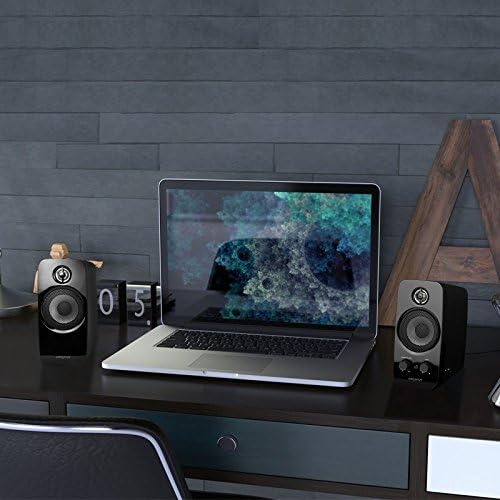
Image: Creative Inspire T10 speakers positioned on a desk alongside a laptop, demonstrating typical setup.
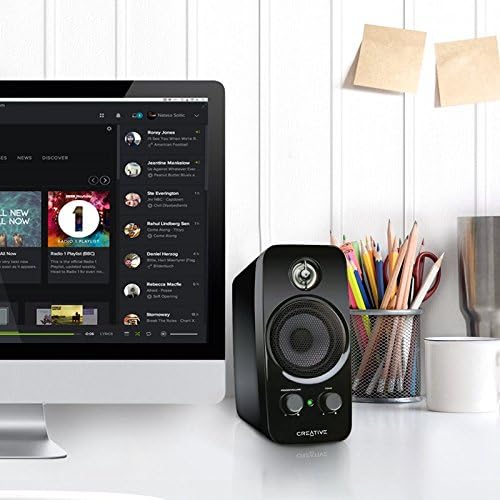
Image: A single Creative Inspire T10 speaker placed next to a desktop computer monitor, illustrating a common desktop setup.
3. Collegamento degli altoparlanti
- Connect the audio cable from the left speaker to the corresponding port on the right speaker.
- Connect the 3.5mm stereo audio cable from the "AUX IN" port on the right speaker to the audio output jack (headphone jack) of your computer, MP3 player, or other audio source.
- Connect the power adapter to the power input port on the right speaker, then plug the adapter into a wall outlet.
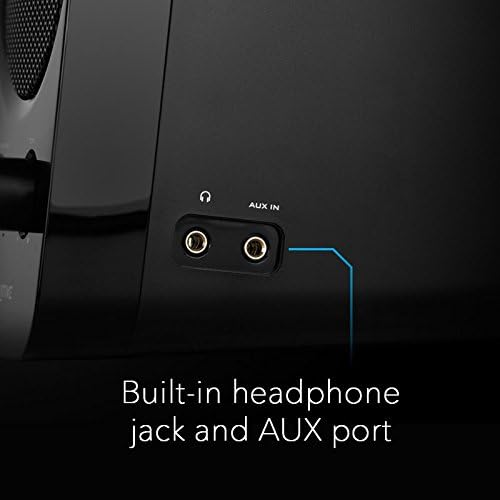
Immagine: Un dettaglio view of the side panel of the Creative Inspire T10 speaker, highlighting the built-in headphone jack and AUX In port for external audio connections.
Istruzioni per l'uso
Accensione / spegnimento e controllo del volume
The main control knob on the right speaker functions as both the power switch and volume control.
- Per accendere, ruotare la POTENZA/VOLUME knob clockwise until you hear a click and the power indicator light illuminates.
- Continuare a ruotare in senso orario per aumentare il volume.
- Ruotare in senso antiorario per diminuire il volume.
- Per spegnere, ruotare la POTENZA/VOLUME knob counter-clockwise until you hear a click and the power indicator light turns off.
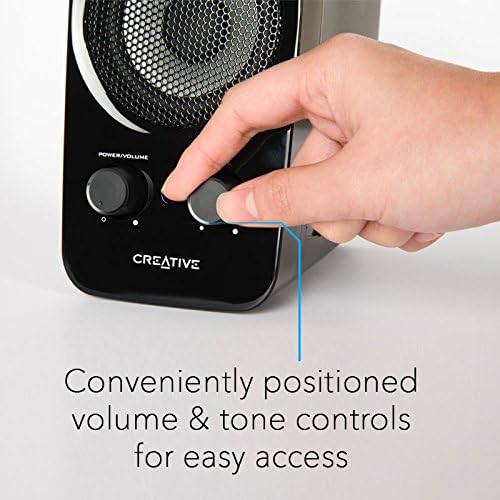
Image: A hand adjusting the conveniently positioned Power/Volume and Tone controls on the front of the Creative Inspire T10 speaker.
Controllo del tono
IL TONO knob allows you to adjust the audio characteristics, balancing between bass and treble to suit your preference.
- Ruotare il TONO knob clockwise to enhance higher frequencies (treble).
- Rotate counter-clockwise to emphasize lower frequencies (bass).
Utilizzo del jack per le cuffie
For private listening, plug your headphones into the headphone jack located on the side of the right speaker. When headphones are connected, audio output from the speakers will automatically mute.
Immagine: Un dettaglio view of the side panel of the Creative Inspire T10 speaker, highlighting the built-in headphone jack and AUX In port for external audio connections.
Manutenzione
Pulizia
- Before cleaning, ensure the speakers are powered off and unplugged from the wall outlet.
- Wipe the speaker surfaces with a soft, dry, lint-free cloth.
- Do not use liquid cleaners, aerosols, or abrasive cleaning agents, as these may damage the finish or internal components.
Magazzinaggio
Quando non vengono utilizzati per lunghi periodi, conservare gli altoparlanti in un luogo fresco e asciutto, lontano dalla luce solare diretta e da temperature estreme.
Precauzioni di sicurezza
- Non esporre gli altoparlanti all'acqua o a umidità eccessiva.
- Evitare di posizionare gli altoparlanti vicino a fonti di calore o alla luce diretta del sole.
- Non tentare di aprire o riparare gli altoparlanti da soli. Per qualsiasi intervento di manutenzione, rivolgersi a personale qualificato.
- Assicurare una ventilazione adeguata attorno agli altoparlanti.
Risoluzione dei problemi
If you encounter issues with your Creative Inspire T10 speakers, refer to the following common problems and solutions:
| Problema | Possibile causa | Soluzione |
|---|---|---|
| Nessun suono dagli altoparlanti. |
|
|
| Suono distorto o poco chiaro. |
|
|
| Ronzio o brusio. |
|
|
Specifiche
| Nome del modello | Inspire T10 |
| Numero di modello | IN-T10-R3 |
| Tipo di altoparlante | Computer, Satellite |
| Configurazione del canale audio surround | 2.0 |
| Potenza massima in uscita dell'altoparlante | 10 Watt |
| Dimensioni del prodotto (P x L x A) | 6.9"P x 9.4"L x 8.1"A |
| Peso dell'articolo | 0.01 Ounces (Note: This weight seems unusually low and might be a data entry error. Actual product weight is likely higher.) |
| Tecnologia di connettività | Cablato |
| Modalità di uscita audio | Stereo |
| Dispositivi compatibili | Desktop, Laptop, Lettore MP3, Proiettore, Smartphone, Tablet, Televisione |
| Metodo di controllo | Manual Knobs (Power/Volume, Tone) |
| Caratteristiche speciali | BasXPort Technology, Built-in Headphone Jack, AUX In |
Nota: le specifiche sono soggette a modifiche senza preavviso.
Garanzia e supporto
Informazioni sulla garanzia
Creative products are covered by a limited hardware warranty. For specific warranty terms and conditions applicable to your region, please refer to the warranty card included with your product or visit the official Creative websito.
Assistenza clienti
For technical assistance, product inquiries, or warranty claims, please contact Creative customer support through their official websito:
Visita il supporto creativo Websito
Please have your product model number (IN-T10-R3) and purchase details ready when contacting support.


