1. Introduzione
This manual provides instructions for the installation, configuration, and operation of the D-Link DGS-1210-10P 10-Port Gigabit Smart Managed PoE+ Switch. The DGS-1210-10P is designed to offer functionality, security, and manageability for small to medium businesses, supporting Power over Ethernet (PoE+) and advanced Layer 2 features.
2. Contenuto della confezione
Verifica che il pacco contenga i seguenti articoli:
- D-Link DGS-1210-10P Switch
- Adattatore di alimentazione
- Cavo di alimentazione
- 8 Viti
- 4 piedini in gomma
- 2 staffe per montaggio su rack
- Guida di installazione rapida
- CD delle risorse
Se uno qualsiasi degli articoli risulta mancante o danneggiato, contattare il rivenditore D-Link locale per ricevere assistenza.
3. Prodotto finitoview
3.1 Pannello frontale
The front panel of the DGS-1210-10P features 8 Gigabit PoE+ ports and 2 Gigabit SFP optical ports, along with LED indicators for power, link/activity, and PoE status.

Figure 1: Front Panel of DGS-1210-10P Switch
3.2 Pannello posteriore
The rear panel includes the power input connector and a grounding screw.
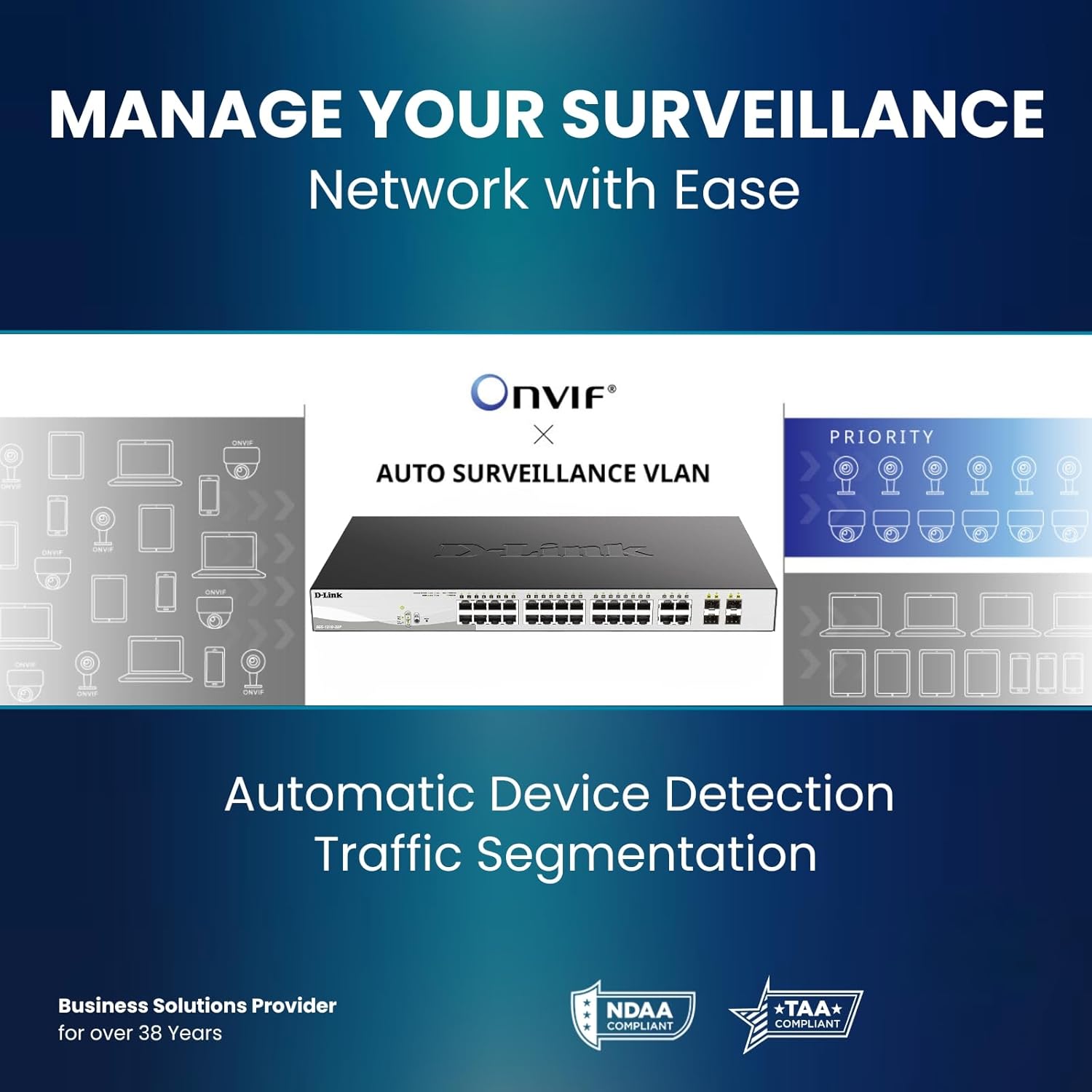
Figure 2: Rear Panel of DGS-1210-10P Switch
4. Impostazione
Follow these steps to set up your DGS-1210-10P switch:
- Posizionamento fisico: Place the switch on a flat surface or mount it in a standard 19-inch equipment rack using the provided rackmount brackets. Ensure adequate ventilation around the switch.
- Collegamento elettrico: Connect the power adapter to the switch's power input and then plug the power cord into a suitable power outlet.
- Connessione di rete: Connect your network devices (e.g., computers, servers, routers) to the RJ45 Gigabit ports using standard Ethernet cables. For devices requiring power, connect them to the PoE+ enabled ports.
- Collegamento uplink: Use the SFP ports for high-speed uplinks to other switches or network devices, typically with fiber optic transceivers (not included).
- Configurazione iniziale: Lo switch può essere gestito tramite un web-based interface. Refer to the Quick Installation Guide for initial IP address and login details to access the management interface.

Figure 3: Benefit of PoE for simplified cabling
5. Istruzioni per l'uso
The DGS-1210-10P operates as a plug-and-play device for basic network connectivity. For advanced features and management, use the webinterfaccia basata su.
5.1 Alimentazione tramite Ethernet (PoE+)
The 8 PoE+ ports deliver up to 30W per port, with a total power budget of 65W, to compatible devices such as IP cameras, wireless access points, and VoIP phones. This eliminates the need for separate power cables for these devices.

Figure 4: PoE+ Flexibility
5.2 Smart Managed Features
The switch offers a range of Layer 2+ features accessible through its web interfaccia:
- VLAN: Segmenta la tua rete per migliorare sicurezza e prestazioni.
- Qualità del servizio (QoS): Dare priorità al traffico di rete per le applicazioni critiche.
- Aggregazione link: Combina più porte per aumentare la larghezza di banda e la ridondanza.
- Protocollo Spanning Tree (STP): Prevenire i loop di rete.
- Snooping IGMP: Optimize multicast traffic for applications like IP TV.
- Routing statico: Enable basic inter-VLAN routing.

Figure 5: Advanced Traffic Handling and Security
5.3 Modalità di sorveglianza
The dedicated Surveillance Mode simplifies the deployment and management of IP surveillance networks. It automatically detects ONVIF-compliant devices and optimizes video traffic.

Figure 6: Surveillance Mode Interface
5.4 PD Alive
The PD Alive feature automatically reboots unresponsive PoE devices, minimizing downtime and ensuring continuous network availability without manual intervention.
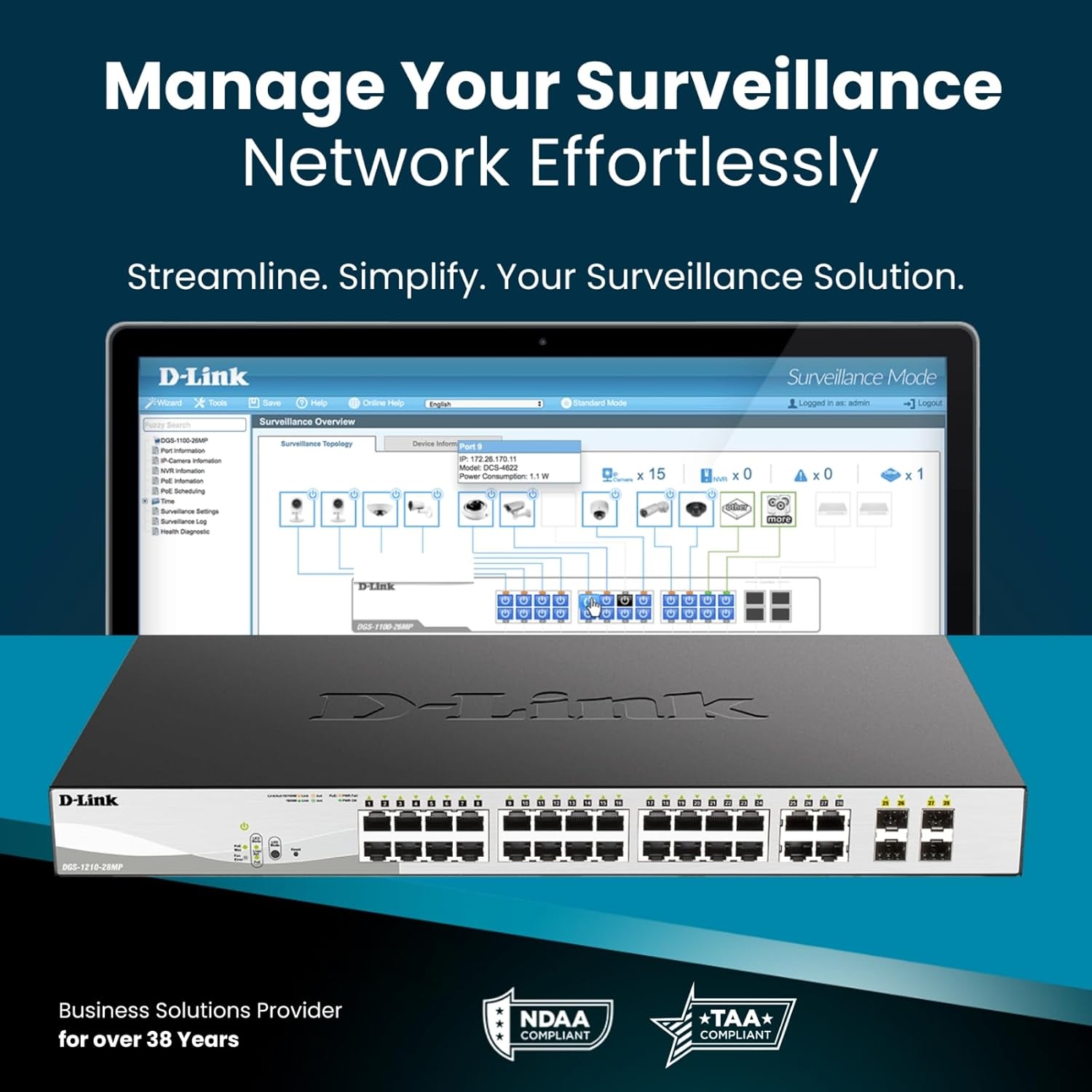
Figure 7: PD Alive Functionality
6. Manutenzione
To ensure optimal performance and longevity of your DGS-1210-10P switch, consider the following maintenance practices:
- Aggiornamenti del firmware: Controllare regolarmente il supporto D-Link website for the latest firmware versions. Updating the firmware can provide new features, performance improvements, and security patches.
- Pulizia fisica: Mantenere l'interruttore libero da polvere e detriti. Utilizzare un panno morbido e asciutto per la pulizia. Assicurarsi che le aperture di ventilazione siano libere.
- Condizioni ambientali: Operate the switch within the recommended temperature and humidity ranges specified in the product specifications. Avoid exposing the device to direct sunlight or excessive heat.
- Gestione dei cavi: Ensure all network cables are properly organized and secured to prevent accidental disconnections or damage.
7. Risoluzione Dei Problemi
If you encounter issues with your DGS-1210-10P switch, refer to the following common troubleshooting steps:
- Nessun potere: Ensure the power cord is securely connected to both the switch and the power outlet. Verify the power outlet is functional. Check the power LED on the front panel.
- Nessun collegamento/attività: Check the Ethernet cable connections between the switch and the connected device. Ensure the connected device is powered on and functioning correctly. Verify the link/activity LED for the respective port.
- Dispositivo PoE non acceso: Confirm the connected device is PoE compatible and within the switch's power budget (65W total, 30W per port). Check the PoE status LED for the port. If PD Alive is enabled, the switch may attempt to reboot the device.
- Impossibile accedere Web Interfaccia: Verify that your computer's IP address is in the same subnet as the switch's management IP address. Ensure there are no IP address conflicts on the network. Try resetting the switch to factory defaults (refer to the Quick Installation Guide for the reset procedure).
- Prestazioni di rete lente: Check for excessive network traffic or loops. Utilize the switch's management interface to monitor port statistics, bandwidth usage, and enable features like QoS if necessary.
For more detailed troubleshooting, consult the full product manual available on the D-Link support websito.
8. Specifiche
| Caratteristica | Specificazione |
|---|---|
| Numero di modello | DGS-1210-10P |
| Numero di porte | 10 (8 PoE+ Gigabit, 2 SFP Gigabit) |
| Porte PoE+ | 8 |
| Potenza PoE massima per porta | 30W |
| Budget totale di alimentazione PoE | 65W |
| Tipo di interfaccia | PoE, SFP |
| Velocità di trasferimento dati | 2000 Megabit al secondo (Full Duplex) |
| Materiale della cassa | Metallo |
| Dimensioni (L x P x A) | 11.2 x 5 x 1.73 pollici |
| Peso dell'articolo | 3.1 libbre |
| Voltage | 2.4 Volt (Volume operativo internotage, not input) |
| Valutazione attuale | 1 Amps |
| Gestione | Web-based GUI, Nuclias Connect (optional) |
| Conformità | NDAA Compliant, IEEE 802.3az Energy Efficient Ethernet (EEE) |
9. Informazioni sulla garanzia
The D-Link DGS-1210-10P Smart Managed PoE+ Switch is backed by D-Link's Limited Lifetime Warranty. This warranty provides long-term confidence in the quality and reliability of your network infrastructure. For specific terms and conditions of the warranty, please refer to the warranty documentation included with your product or visit the official D-Link websito.
10. Supporto
For technical support, product documentation, and software updates, please visit the official D-Link support websito. Puoi trovare FAQ, guide alla risoluzione dei problemi e informazioni di contatto per il servizio clienti.
Supporto D-Link Websito: www.dlink.com/support
11. Video del prodotto finitoview
Guarda questo video per una panoramica generaleview of D-Link switch solutions, which includes information relevant to this product model.
Video: D-Link Switch Solutions for Home, Gaming, SOHO, and SMB. This video provides an overview of D-Link's range of switches and their applications, including how they can expand network connectivity for various devices.


