1. Introduzione
Thank you for choosing the Rocketfish RF-HDWEB 720p HD USB Webcam. This manual provides essential information for the proper installation, operation, and maintenance of your webcam. Designed for clear video communication and high-resolution photo capture, this webcam features a true 2 MP sensor with a wide-angle glass lens, delivering 720p HD video at up to 30 frames per second. It also supports photo capture up to 8 MP through interpolation. The integrated autofocus technology ensures sharp images, and the built-in microphone with noise cancellation provides clear audio. This device is compatible with both PC (32-bit) and Mac systems.

Figure 1: Rocketfish RF-HDWEB 720p HD USB WebCamera.
2. Cosa c'è nella scatola
Si prega di controllare il contenuto della confezione per assicurarsi che siano presenti tutti gli articoli:
- Cavo USB
- Camera Body (Rocketfish RF-HDWEB WebCamera)
- Installation CD (for optional drivers and software)

Figure 2: Retail packaging of the Rocketfish RF-HDWEB Webcam, showing the product and its features.
3. Impostazione
- Collegare il WebCamera: Collegare il cavo USB dal webcam in una porta USB 2.0 disponibile sul computer.
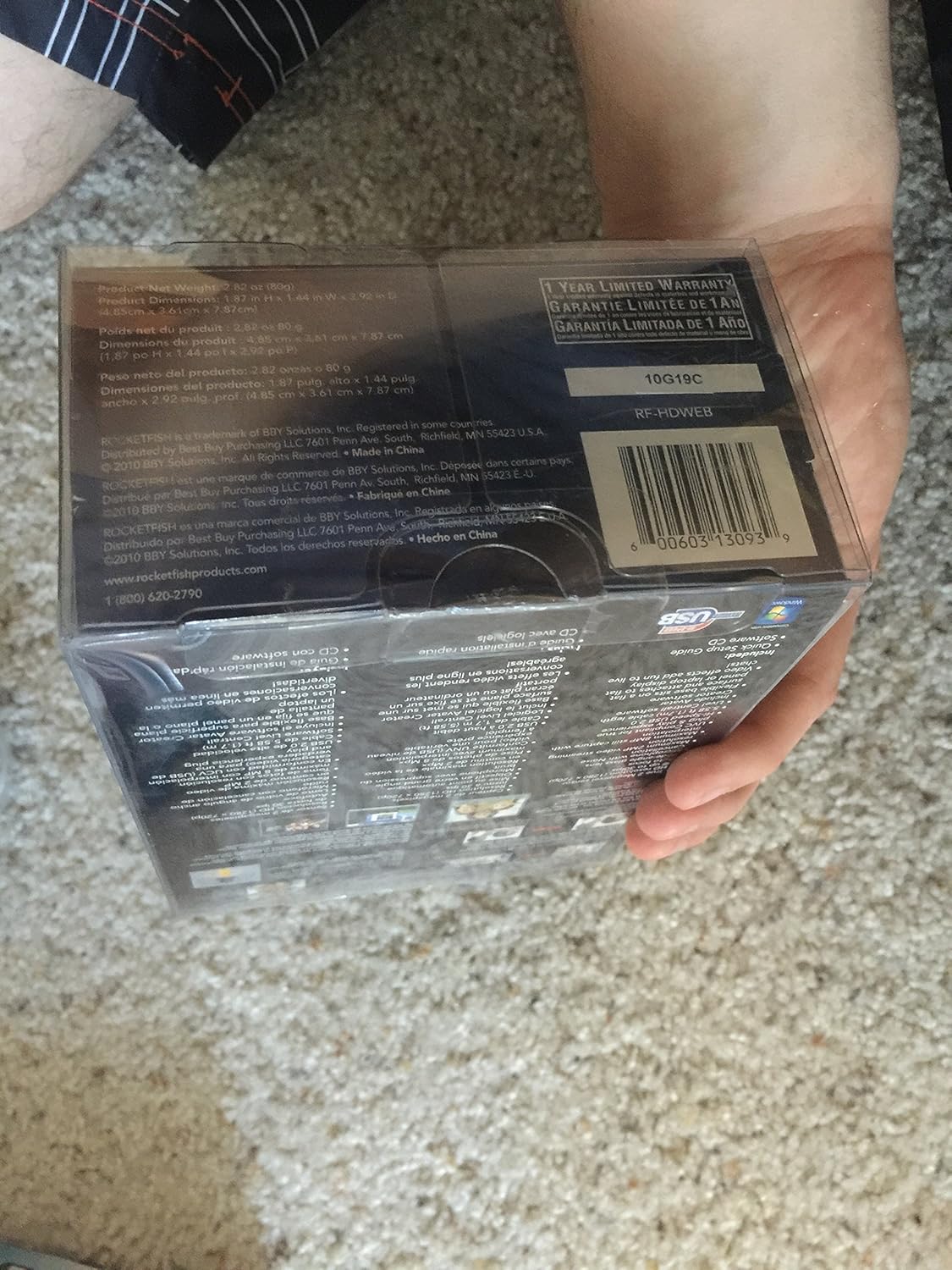
Figure 3: The Rocketfish RF-HDWEB Webcam, ready for connection.
- Installazione del driver (Windows): For Windows 7 and newer operating systems, the computer should automatically detect the webcam and install default drivers within a few minutes. This allows basic functionality with most applications.
- Driver Installation (Mac): IL webcam is compatible with Mac systems and typically works without additional driver installation for basic functions.
- Installazione software facoltativa: An installation CD is included with the webcam. This CD contains additional drivers and software (e.g., Live! Central by Creative) that may offer more options, effects, and advanced settings.
- To install the optional software, first ensure any default Windows drivers for the webcam are uninstalled (via Device Manager > Imaging Devices > Rocketfish HD WebCamera).
- Insert the installation CD and follow the on-screen prompts.
- Nota: Some users have reported issues with the included software on Windows 7, leading to "error 15". If you encounter this, uninstall the software and rely on the default Windows drivers for basic functionality.
- Posizionamento del WebCamera: IL webcam features a sturdy base designed to fit securely on top of most monitor frames or to be placed flat on a desktop. Adjust the angle as needed for optimal viewing.
4. Istruzioni per l'uso
Una volta il webcam is connected and drivers are installed, you can begin using it with various applications.
- Video Communication: The Rocketfish RF-HDWEB webcam works seamlessly with most instant messenger services, including AIM, Yahoo! Messenger, MSN Messenger, and Skype.
- Open your preferred video communication application.
- Navigate to the video/audio settings and select "Rocketfish HD Webcam" come dispositivo di input video.
- Select the integrated microphone as your audio input device if desired.
- IL webcam provides HD resolution 720p (1280x720p) video streaming at up to 30 frames per second.
- Cattura foto: IL webcam can capture still images up to 8 MP through interpolation.
- Use compatible software (e.g., the included Live! Central software, or third-party applications) to access photo capture features.
- Messa a fuoco automatica: IL webcam features autofocus technology to maintain clear and detailed images.
- In some applications or with the optional software, you may have the ability to disable autofocus and set manual focus if preferred.
- Microfono: The built-in microphone includes noise cancellation for clearer audio during calls.
- Assicurare il webcam's microphone is selected as the input device in your application's audio settings.
5. Manutenzione
To ensure the longevity and optimal performance of your Rocketfish RF-HDWEB webcamma, seguire queste linee guida per la manutenzione:
- Pulizia: Gently wipe the lens with a soft, lint-free cloth. For the camera body, use a dry or slightly damp panno. Evitare prodotti chimici aggressivi o materiali abrasivi.
- Magazzinaggio: Quando non è in uso, conservare il webconservare in un luogo pulito e asciutto, lontano da temperature estreme e dalla luce solare diretta.
- Cura del cavo: Evitare di piegare o attorcigliare eccessivamente il cavo USB per evitare danni interni.
6. Risoluzione Dei Problemi
| Problema | Possibile causa | Soluzione |
|---|---|---|
| Webcam non rilevata o non funzionante. |
|
|
| L'immagine è sfocata o fuori fuoco. |
|
|
| "Error 15" when installing or using included software. |
|
|
| Poor video quality or low frame rate. |
|
|
7. Specifiche
| Caratteristica | Dettaglio |
|---|---|
| Numero di modello | RF-HDWEB |
| Tipo di sensore | True 2 MP Sensor (MOS Photo Sensor Technology) |
| Risoluzione video | 720p HD (1280x720) up to 30fps (maximum 2MP video streaming resolution) |
| Risoluzione della foto | Up to 8 MP (with interpolation) |
| Tipo di lente | Wide-angle glass lens |
| Messa a fuoco | Tecnologia di messa a fuoco automatica |
| Microfono | Built-in with Noise Cancellation |
| Connettività | USB 2.0 ad alta velocità |
| Compatibilità | PC (32-bit) and Mac compatible |
| Dimensioni del prodotto | 7.3 x 5.2 x 3.1 pollici |
| Peso dell'articolo | 8.8 once |
| Data prima disponibilità | 22 dicembre 2010 |
| Codice UPC | 0600603130939 |
8. Garanzia e supporto
The Rocketfish RF-HDWEB Webla cam è dotata di un Garanzia limitata di 1 anni. For specific terms and conditions, please refer to the warranty information provided with your product packaging or visit the official Rocketfish websito.
For technical support or customer service, you may contact Rocketfish directly:
- Telefono: 1 (800) 620-2790
- Websito: rocketfishproducts.com

Figure 4: Product packaging displaying warranty details and UPC (0600603130939).