1. Introduzione
Grazie per l'acquistoasing the RCA DHT235A 3.5-Inch LED-lit 720p 60Hz TV. This portable television is designed to provide digital television viewing on a compact screen. This manual provides instructions for the proper setup, operation, and maintenance of your device.
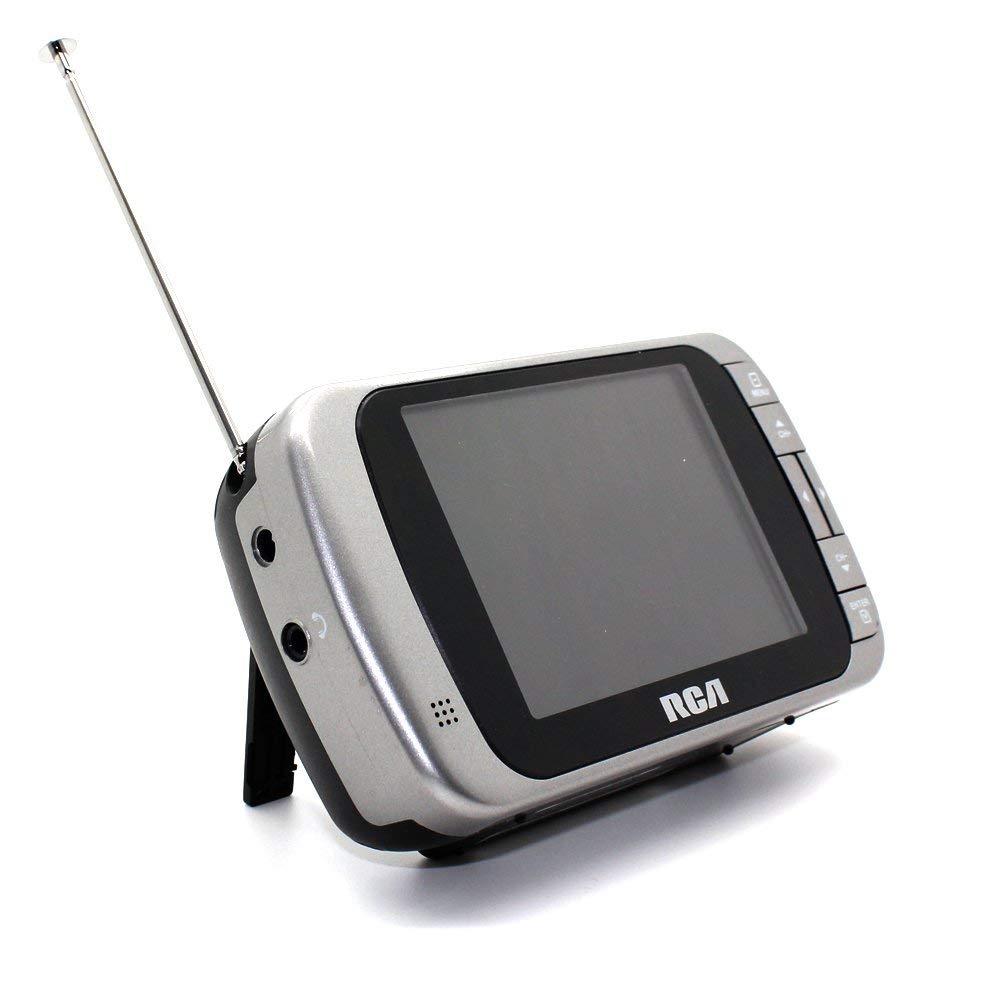
Image 1.1: The RCA DHT235A portable television, featuring its 3.5-inch screen and compact design.
2. Informazioni sulla sicurezza
- Leggere tutte le istruzioni prima di utilizzare il dispositivo.
- Non esporre l'unità alla pioggia o all'umidità per evitare incendi o scosse elettriche.
- Non ostruire le aperture di ventilazione. Assicurarsi che vi sia spazio sufficiente attorno all'unità per un corretto flusso d'aria.
- Use only specified power sources (4 AA batteries or compatible AC adapter).
- Evitare di far cadere l'unità o di sottoporla a forti urti.
- Non tentare di riparare questo prodotto da soli. Affidare tutte le operazioni di manutenzione a personale di assistenza qualificato.
- Smaltire le batterie correttamente secondo le normative locali.
3. Contenuto della confezione
Verificare che tutti gli articoli siano presenti nel pacco:
- RCA DHT235A Portable TV Unit
- In piedi
- Guida rapida (fare riferimento a questo manuale per istruzioni dettagliate)
- Manuale del proprietario (questo documento)
4. Prodotto finitoview
The RCA DHT235A features a 3.5-inch LED-lit display, designed for portable digital television reception. Key components include:
- 3.5-Inch LED Backlit LCD Display: Provides clear visual output.
- Altoparlante incorporato: Per l'uscita audio.
- Jack per cuffie: Per l'ascolto privato.
- Embedded Monopole Antenna: For receiving terrestrial ATSC and NTSC signals.
- Vano batteria: Per 4 batterie AA.
- AC Adapter Input (9-24VDC): For external power.
- Pulsanti di controllo: For power, channel, volume, and menu navigation.
5. Impostazione
5.1 Powering the TV
The TV can be powered by 4 AA batteries or an optional AC adapter.
Utilizzo delle batterie:
- Locate the battery compartment on the back of the TV.
- Aprire il coperchio del vano batterie.
- Inserire 4 batterie AA, assicurandosi della corretta polarità (+/-).
- Chiudere saldamente il coperchio del vano batterie.
Using AC Adapter (Optional):
- Connect a compatible 9-24VDC AC adapter (not included) to the DC input jack on the TV.
- Collegare l'adattatore CA a una presa a muro standard.
5.2 Configurazione dell'antenna
Extend the embedded monopole antenna fully for optimal signal reception. For improved reception, especially in areas with weak signals, an external antenna may be connected to the dedicated RCA connector input.
6. Istruzioni per l'uso
6.1 Accensione/spegnimento
Premere il tasto ENERGIA pulsante per accendere o spegnere la TV.
6.2 Scansione iniziale dei canali
Upon first use or after moving to a new location, perform an auto channel scan to find available digital and analog channels.
- Premere il tasto MENU pulsante.
- Navigate to the "Channel" or "Setup" menu using the arrow buttons.
- Select "Auto Scan" or "Auto Program" and confirm.
- The TV will scan for available channels. This process may take several minutes.
6.3 Selezione del canale
- Utilizzare il CH+ E CH- buttons to cycle through available channels.
- For direct channel input, use the numeric keypad (if available on your model) or the "Direct Channel Changing" option in the menu.
6.4 Regolazione del volume
Utilizzare il Volume+ E vol- pulsanti per regolare il volume audio.
6.5 Navigazione nel menu
Premere il tasto MENU button to access settings. Use the arrow buttons to navigate and the OK or ENTRARE button to confirm selections. Press MENU again or an EXIT button to leave the menu.
Available menu options include:
- Impostazioni immagine: Adjust brightness, contrast, color.
- Impostazioni audio: Adjust audio mode, balance.
- Impostazioni canale: Auto scan, manual scan, channel editing.
- Impostazioni di tempo: Auto time setting, time zone.
- Lingua: Select menu language (English, Spanish).
- Sottotitoli: Enable/disable digital closed captioning (E1A-708B compliant).
7. Manutenzione
7.1 Pulizia
- Before cleaning, ensure the TV is powered off and disconnected from any external power source.
- Utilizzare un panno morbido e asciutto per pulire lo schermo e le superfici esterne.
- Per segni ostinati, leggermente dampLavare il panno con acqua. Non utilizzare detergenti abrasivi, cere o solventi.
- Evitare di spruzzare liquidi direttamente sullo schermo o nelle aperture.
7.2 Conservazione
When storing the TV for an extended period, remove the batteries to prevent leakage. Store the unit in a cool, dry place away from direct sunlight and extreme temperatures.
8. Risoluzione Dei Problemi
| Problema | Possibile soluzione |
|---|---|
| Nessun potere | Ensure batteries are correctly inserted and not depleted. If using AC adapter, verify it is properly connected and the outlet is functional. |
| No Picture/Weak Signal | Extend the antenna fully. Perform an auto channel scan. Try repositioning the TV or antenna. Consider using an external antenna for better reception. Check signal strength display in the menu. |
| Nessun suono | Increase the volume. Check if headphones are plugged in. Ensure the Mute function is not active. |
| I pulsanti non rispondono | Turn the TV off and then on again. If the issue persists, remove and reinsert batteries or disconnect/reconnect the AC adapter. |
| Screen Scratches Easily | Handle the screen with care. Use a screen protector if desired (not included). |
| Durata breve della batteria | Use fresh, high-quality alkaline or rechargeable batteries. Consider using the AC adapter for extended viewing. |
| Volume audio basso | Ensure volume is set to maximum. For better audio, consider connecting external speakers to the headphone jack. |
9. Specifiche
- Modello: DHT235A
- Dimensioni dello schermo: 3.5 pollici (diagonale)
- Tipo di visualizzazione: LCD retroilluminato a LED
- Risoluzione: 320 x 240 digital RGB (720p compatible)
- Frequenza di aggiornamento: 60 Hz
- Decodifica video: MPEG-2 (MP at ML, MP at HL)
- Decodifica audio: Dolby Digital Audio, Digital multi-lingual
- Sintonizzatore: Terrestrial ATSC 8VSB, Terrestrial NTSC CH2 - CH69
- Fonte di energia: 4 AA Batteries or 9-24VDC AC Adapter (optional)
- Durata della batteria: Approximately 2+ hours of DTV playback on 4 AA batteries
- Uscita audio: Headphone jack, Built-in speaker
- Caratteristiche aggiuntive: Real-time signal strength display, On-screen program information, Direct channel changing, Channel editing, Time zone setting, Auto channel scan, Digital Closed Captioning (E1A-708B compliant), Menu languages (English, Spanish).
- Dimensioni: Circa 4.84 x 1.34 x 2.83 pollici
- Peso: Circa 5.6 once
10. Informazioni sulla garanzia
This product is covered by a limited warranty. For detailed warranty terms and conditions, please refer to the warranty card included with your purchase or visit the official RCA websito. Conservare la prova d'acquisto per eventuali reclami in garanzia.
11. Assistenza clienti
If you encounter any issues or have questions not covered in this manual, please contact RCA customer support. You can find contact information on the official RCA websito o tramite la documentazione fornita con il prodotto.
Supporto online: Visita il sito ufficiale RCA websito per FAQ e risorse di supporto.
Supporto telefonico: Fare riferimento alla confezione del prodotto o all'RCA websito per i numeri di contatto attuali.


