1. Introduzione
The Sitecom CN-070 USB 3.0 4-Port Hub is designed to expand the connectivity of your desktop PC or notebook by adding four additional USB 3.0 ports. This hub utilizes the USB 3.0 standard, offering data transfer speeds up to 5 Gigabits per second (Gbps), which is significantly faster than USB 2.0. It also provides increased bandwidth, allowing for simultaneous data transmission and reception.
2. Contenuto della confezione
Si prega di verificare che il pacco contenga i seguenti articoli:
- Sitecom CN-070 USB 3.0 4-Port Hub
- Cavo di collegamento USB 3.0
- Guida di installazione rapida (se inclusa)
3. Prodotto finitoview
The Sitecom CN-070 hub features a compact design with four USB 3.0 ports, allowing you to connect multiple USB devices simultaneously. Its high-quality finish and modern design complement various computer setups.
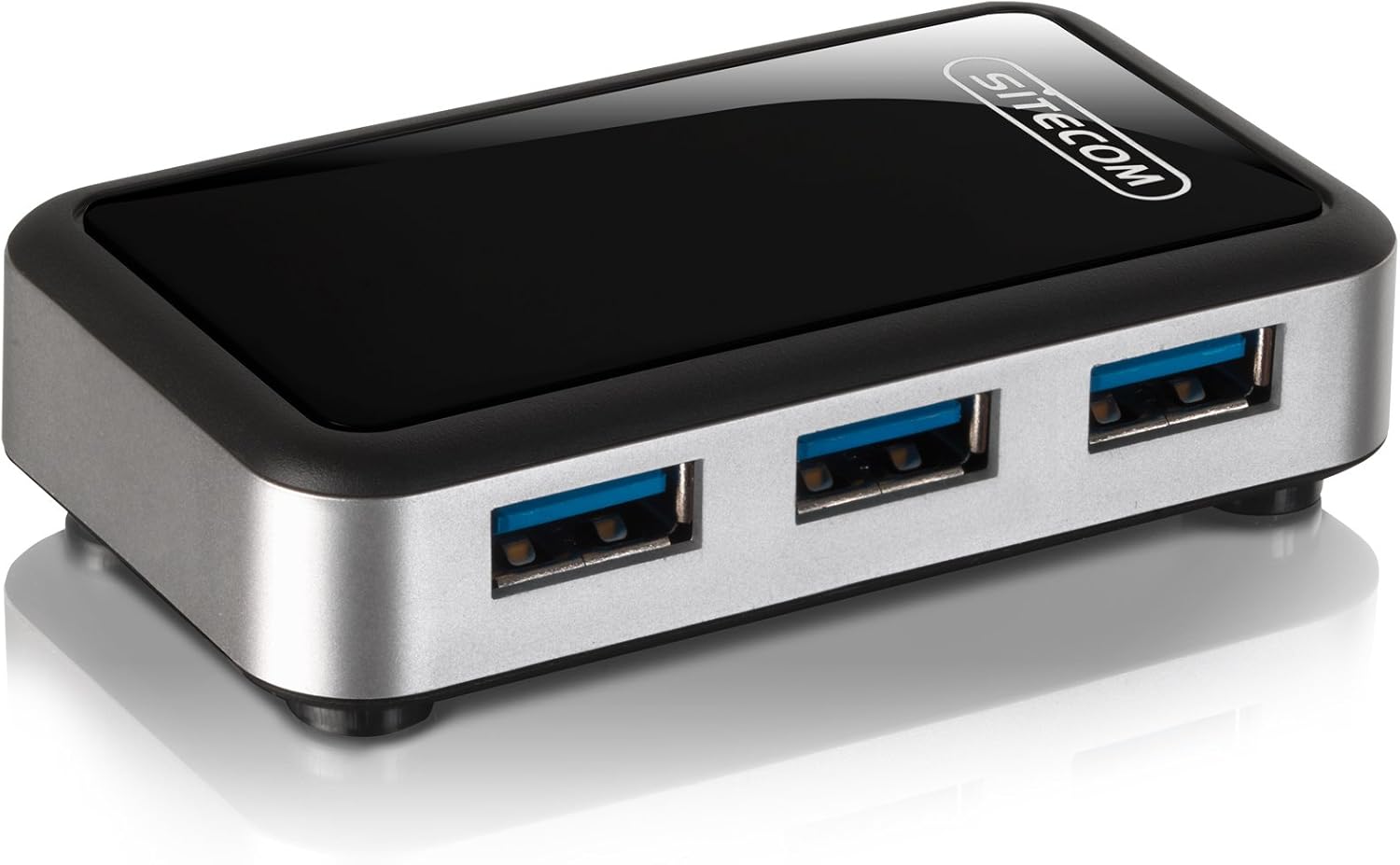
Immagine 3.1: The Sitecom CN-070 USB 3.0 4-Port Hub, showcasing its sleek black and silver design with four blue-accented USB 3.0 ports.
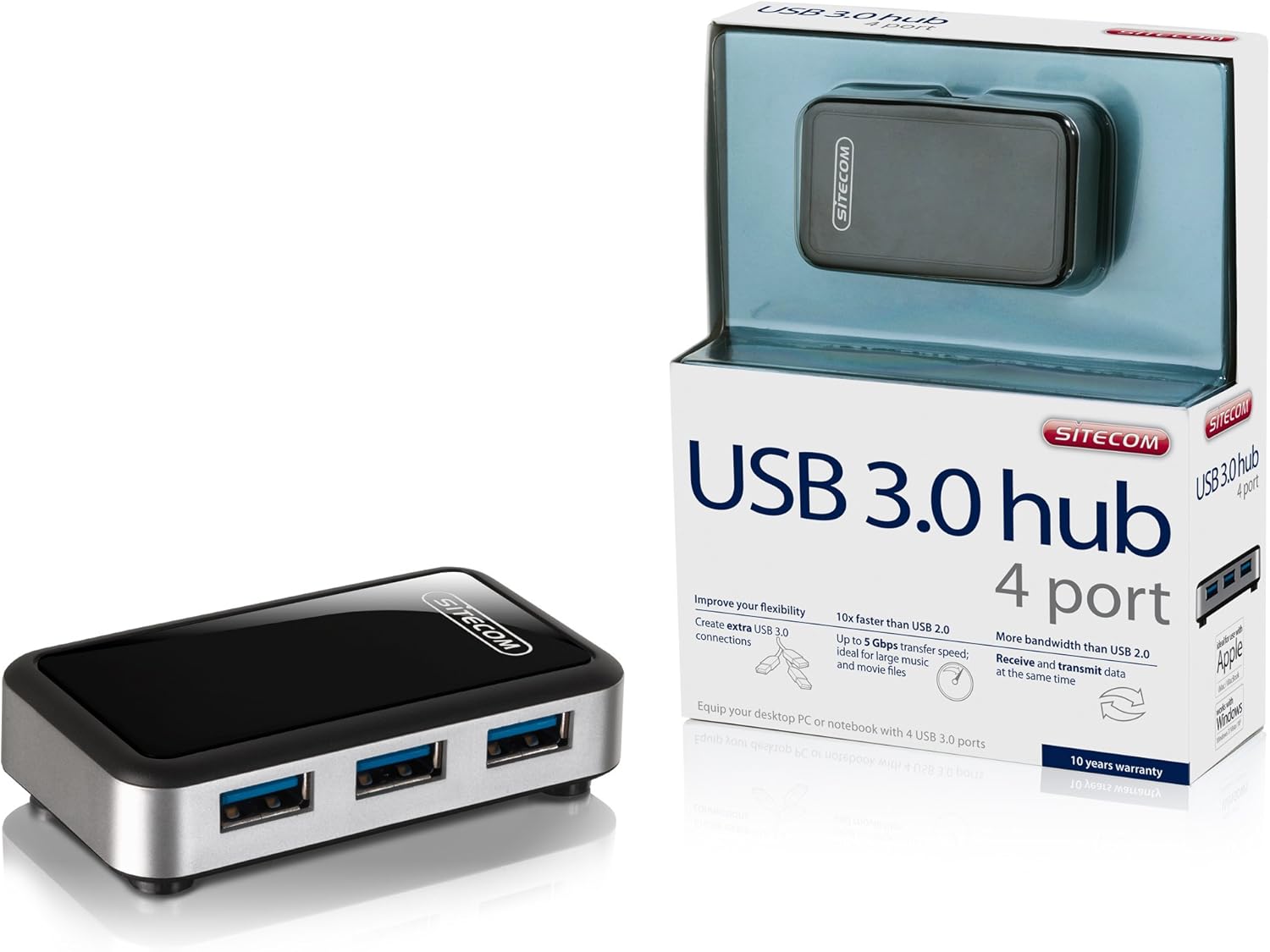
Immagine 3.2: The Sitecom CN-070 USB 3.0 Hub displayed alongside its retail packaging, highlighting the product's presentation.
4. Istruzioni per l'installazione
Follow these steps to set up your Sitecom CN-070 USB 3.0 Hub:
- Connetti l'Hub: Take the provided USB 3.0 connection cable. Connect one end of the cable to the USB 3.0 input port on the Sitecom CN-070 hub.
- Connessione al computer: Plug the other end of the USB 3.0 cable into an available USB 3.0 port on your desktop PC or notebook. USB 3.0 ports are typically blue internally.
- Riconoscimento del sistema: Your operating system (Windows, macOS, Linux) should automatically detect and install the necessary drivers for the hub. This process usually takes a few moments. No additional software installation is typically required.
- Pronto per l'uso: Once the hub is recognized, it is ready to connect your USB devices.
5. Funzionamento dell'hub
Using the Sitecom CN-070 USB 3.0 Hub is straightforward:
- Dispositivi di connessione: Insert your USB devices (e.g., external hard drives, USB flash drives, keyboards, mice) into any of the four available USB 3.0 ports on the hub.
- Trasferimento dati ad alta velocità: When connecting USB 3.0 compatible devices to the hub, you will benefit from data transfer speeds of up to 5 Gbps. This is ideal for transferring large files such as HD movies or extensive music libraries quickly.
- Simultaneous Data Flow: The USB 3.0 standard allows for increased bandwidth, enabling the hub to send and receive data simultaneously, optimizing performance for multiple connected devices.
- Compatibilità con le versioni precedenti: The hub is fully backward compatible with USB 2.0 and USB 1.1 devices. Older USB devices will function correctly, though at their respective maximum speeds (e.g., USB 2.0 devices will operate at USB 2.0 speeds).
- Consumo energetico ridotto: The design of the hub incorporates reduced power consumption, making it efficient for everyday use.
6. Manutenzione e cura
To ensure the longevity and optimal performance of your Sitecom CN-070 USB 3.0 Hub, follow these simple maintenance guidelines:
- Pulizia: Use a soft, dry, lint-free cloth to clean the exterior of the hub. Avoid using liquid cleaners, aerosols, or solvents, as these can damage the finish or internal components.
- Magazzinaggio: Quando non lo si utilizza, conservare l'hub in un luogo fresco e asciutto, lontano dalla luce solare diretta e da temperature estreme.
- Condizioni ambientali: Avoid exposing the hub to moisture, dust, or corrosive environments. Do not place heavy objects on top of the hub.
- Gestione: Maneggiare il mozzo con cura. Evitare di farlo cadere o di sottoporlo a forti urti.
7. Risoluzione Dei Problemi
If you encounter issues with your Sitecom CN-070 USB 3.0 Hub, please refer to the following troubleshooting tips:
- Hub Not Recognized by Computer:
- Ensure the USB 3.0 cable is securely connected to both the hub and a functioning USB 3.0 port on your computer.
- Try connecting the hub to a different USB 3.0 port on your computer.
- Restart your computer and try connecting the hub again.
- Verify that your computer's USB 3.0 drivers are up to date. Most operating systems handle this automatically, but manual updates may be necessary in some cases.
- Connected Devices Not Working or Recognized:
- Ensure the device is properly inserted into one of the hub's ports.
- Prova a collegare il dispositivo a una porta diversa dell'hub.
- Connect the device directly to your computer's USB port to confirm it is functioning independently.
- If the device requires significant power, ensure your computer's USB port can supply sufficient power to the hub and connected devices.
- Velocità di trasferimento dati lente:
- Confirm that both the connected device and the computer's port are USB 3.0 compatible. If either is USB 2.0, speeds will be limited to USB 2.0 rates.
- Se si verificano rallentamenti, evitare di collegare contemporaneamente più dispositivi ad alta larghezza di banda.
8. Specifiche
| Caratteristica | Descrizione |
|---|---|
| Marca | Sito web |
| Numero di modello | CN-070 |
| Interfaccia | USB 3.0 |
| Porte USB totali | 4 (USB 3.0) |
| Velocità di trasferimento dati | Fino a 5 Gbps |
| Compatibilità con le versioni precedenti | USB 2.0, USB 1.1 |
| Colore | Nero/Argento |
| Dispositivi compatibili | Desktop computers, external hard drives, and other USB devices |
9. Informazioni sulla garanzia
The Sitecom CN-070 USB 3.0 Hub comes with an extended Garanzia di 10 anno. To activate this extended warranty, you must register your product within a few weeks of purchase. Please refer to the official Sitecom website or the product packaging for specific registration instructions and terms.
10. Supporto
For further assistance, updated drivers, or additional product information, please visit the official Sitecom websito. In genere, lì puoi trovare risorse di supporto, FAQ e informazioni di contatto.
Websito: www.sitecom.com (Please note: This is a generic placeholder. Refer to your product packaging or official documentation for the exact support URL.)


