1. Introduzione
Thank you for choosing the Hama 95236 8-inch LCD Digital Photo Frame. This manual provides important information regarding the safe operation, setup, and maintenance of your device. Please read it thoroughly before using the product and keep it for future reference.
2. Istruzioni di sicurezza
- Do not open the device. Incorrect assembly or repair can lead to electric shock.
- Non utilizzare il prodotto se è visibilmente danneggiato.
- Protect the product from dirt, moisture, and overheating. Use it only in dry environments.
- Non far cadere il prodotto né esporlo a forti vibrazioni.
- Utilizzare il prodotto solo per lo scopo per cui è stato concepito.
- Tenere questo prodotto, come tutti i prodotti elettrici, fuori dalla portata dei bambini.
- Smaltire immediatamente il materiale di imballaggio secondo le normative locali vigenti.
3. Contenuto della confezione
Please check that the package contains the following items:
- Hama 95236 8-inch LCD Digital Photo Frame
- Adattatore di alimentazione
- Manuale dell'utente (questo documento)
4. Prodotto finitoview
Familiarizza con i componenti e i comandi della tua cornice digitale.
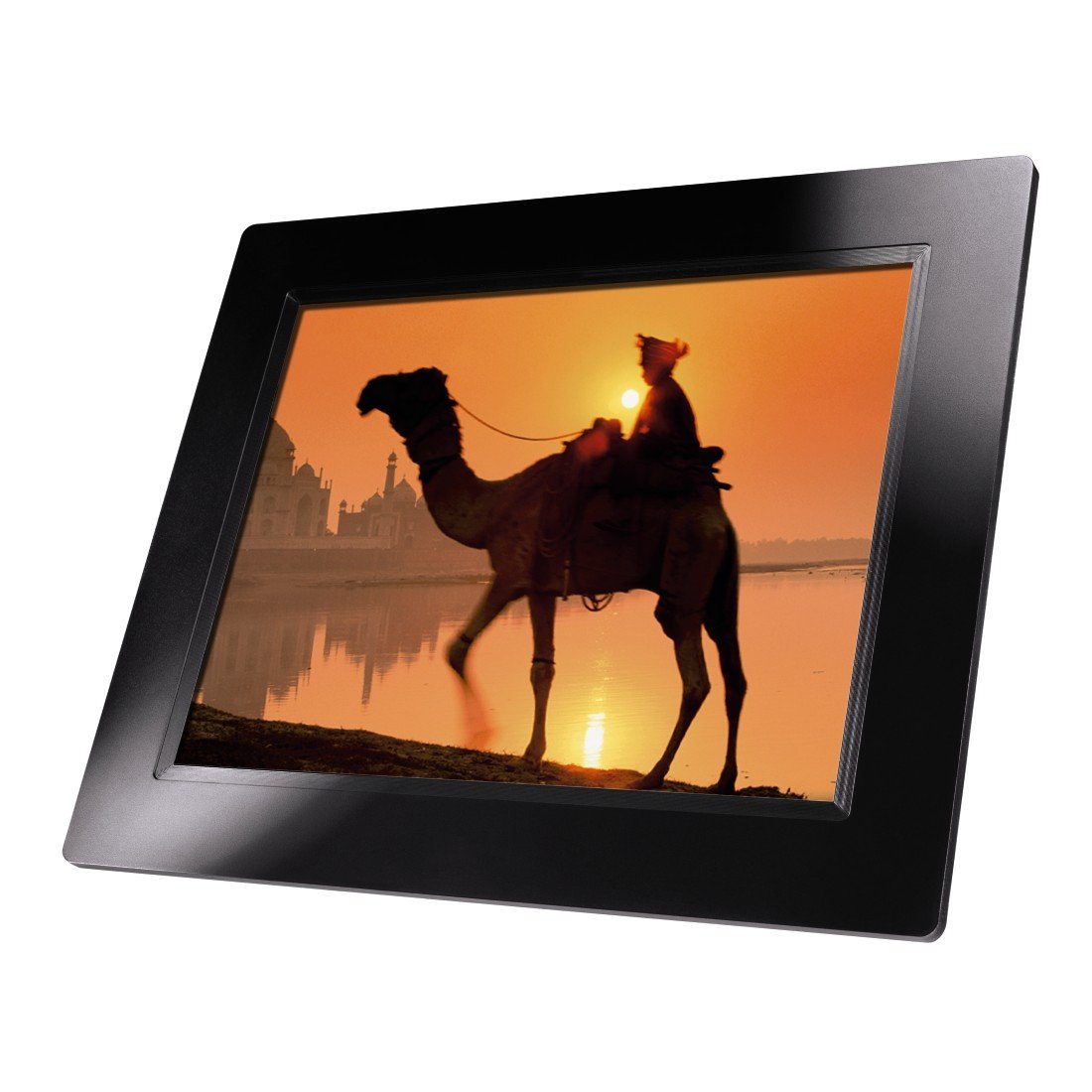
Figura 4.1: Davanti view of the Hama 95236 Digital Photo Frame, showing the 8-inch LCD screen.

Figura 4.2: Lato view of the digital photo frame, highlighting the various input ports including the SD/MMC/MS card slot, USB port, and DC IN power port.

Figura 4.3: Posteriore view of the digital photo frame, showing the stand attachment point, ventilation grilles, and the control panel with power, navigation, and menu buttons.
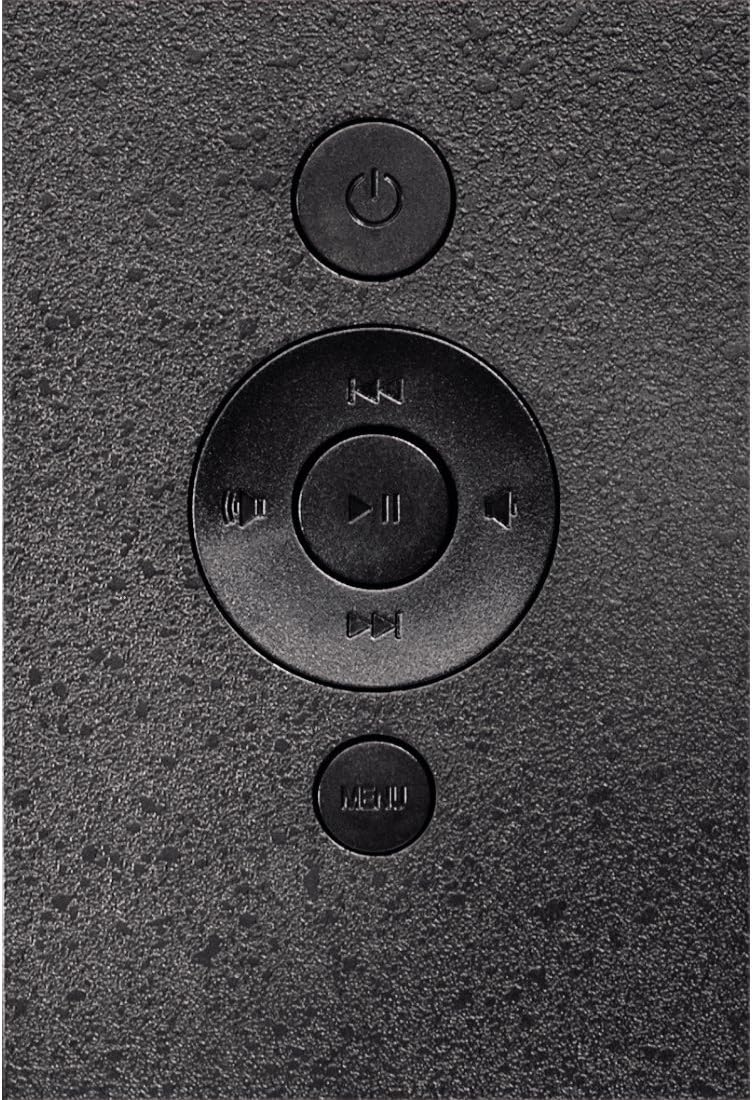
Figura 4.4: Close-up of the control buttons located on the back of the frame. These include the power button, directional navigation buttons (up, down, left, right), play/pause/enter button, and the menu button.
4.1. Porte e controlli
- SD/MMC/MS Card Slot: For inserting memory cards to display photos and videos.
- Porta USB: For connecting USB flash drives or other compatible USB storage devices.
- DC IN: Power input for connecting the provided power adapter.
- Pulsante di accensione: Accende o spegne il dispositivo.
- Pulsanti di navigazione (su/giù/sinistra/destra): Utilizzato per navigare nei menu e selezionare le opzioni.
- Play/Pause/Enter Button: Confirms selections or controls media playback.
- Pulsante Menu: Accede al menu principale per impostazioni e opzioni.
5. Impostazione
5.1. Fissaggio del supporto
Insert the metal stand into the designated slot on the back of the digital photo frame. Ensure it is securely fastened to provide stable support for the frame.
5.2. Collegamento elettrico
- Collegare l'adattatore di alimentazione alla porta DC IN sul retro della cornice digitale.
- Collegare l'alimentatore a una presa elettrica adeguata.
- Solitamente la cornice si accende automaticamente oppure può essere accesa tramite il pulsante di accensione.
5.3. Inserting a Memory Card or USB Drive
The Hama 95236 supports SD/MMC/MS memory cards and USB flash drives.
- Locate the SD/MMC/MS card slot or the USB port on the side of the frame (refer to Figure 4.2).
- Carefully insert your memory card or USB drive into the corresponding slot/port. Ensure it is inserted correctly to avoid damage.
- The frame should automatically detect the storage device and prompt you to view its contents or start a slideshow.
6. Istruzioni per l'uso
6.1. Navigazione di base
Use the navigation buttons on the back of the frame to move through menus and options. The Play/Pause/Enter button confirms your selection.
6.2. Menu principale
Premere il tasto MENU button to access the main menu. From here, you can select different modes and settings:
- Foto: View photos in a slideshow or individually.
- Musica: Riproduci audio files.
- Video: Riproduci video files.
- Calendar/Clock: Display the calendar and time.
- Impostazioni: Adjust various device parameters.
6.3. Photo Playback
- Dal menu principale, seleziona Foto.
- Navigate to your desired folder or select all photos.
- Premere il tasto Riproduci/Pausa/Invio button to start the slideshow.
- During a slideshow, you can use the navigation buttons to skip photos or pause playback.
6.4. Impostazioni di sistema
Accedi al Impostazioni menu to customize your photo frame:
- Impostazioni di visualizzazione: Adjust brightness, contrast, and display mode.
- Impostazioni presentazione: Configure transition effects, display time per photo, and repeat mode.
- Data e ora: Imposta la data e l'ora correnti. Note: Some users have reported that date and time settings may reset after power loss.
- Lingua: Seleziona la lingua preferita per l'interfaccia del menu.
- Informazioni sulla conservazione: View details about connected storage devices.
7. Manutenzione
7.1. Pulizia del dispositivo
- Scollegare sempre il dispositivo dalla rete elettrica prima della pulizia.
- Pulire lo schermo e le superfici esterne con un panno morbido, asciutto e privo di lanugine.
- Do not use aggressive cleaning agents, solvents, or abrasive materials.
7.2. Conservazione
Se si conserva il dispositivo per un periodo prolungato, scollegarlo dall'alimentazione e conservarlo in un luogo fresco e asciutto, lontano dalla luce solare diretta e da temperature estreme.
8. Risoluzione Dei Problemi
| Problema | Possibile causa | Soluzione |
|---|---|---|
| Il dispositivo non si accende. | Adattatore di alimentazione non collegato o difettoso. | Ensure the power adapter is securely connected to both the frame and the power outlet. Test the outlet with another device. |
| Nessuna immagine visualizzata. | No memory card/USB drive inserted or filenon è supportato. | Insert a compatible memory card or USB drive with supported image formats (e.g., JPEG). Check if the storage device is properly inserted. |
| Data e ora vengono reimpostate dopo lo spegnimento. | Nessuna batteria interna di backup per l'orologio. | This model may not retain date/time settings without continuous power. Re-enter settings if necessary after power interruption. |
| Video playback is choppy or distorted. | Unsupported video format or high bitrate. | Assicurare il video files are in a supported format and resolution. Convert videos to a lower resolution or bitrate if issues persist. |
| I pulsanti non rispondono. | Problema temporaneo del software. | Disconnect the power adapter, wait a few seconds, then reconnect it to restart the device. |
9. Specifiche
| Caratteristica | Dettaglio |
|---|---|
| Numero di modello | 00095236 |
| Dimensioni dello schermo | 8 pollici |
| Risoluzione dello schermo | 800 x 600 pixel |
| Proporzioni | 4:3 |
| Memoria interna | 2 GB (2048 MB) |
| Connettività | USB, SD/MMC/MS Card Slot |
| Dimensioni (L x P x A) | Dimensioni: 2.6 x 22.2 x 17.8 cm |
| Peso | 550 grammi |
| Produttore | Hama |
10. Informazioni sulla garanzia
Hama GmbH & Co KG provides a manufacturer's warranty for this product. The specific terms and conditions of the warranty period and coverage are subject to the purchase date and the region of purchase. Please retain your proof of purchase (receipt) for any warranty claims.
For detailed warranty information, please refer to the official Hama websito o contattare direttamente il servizio clienti.
11. Assistenza clienti
Should you have any questions regarding this product, please contact Hama Customer Support:
- Websito: Visita il sito ufficiale di Hama website for FAQs, drivers, and further product information. www.hama.com
- Contatto: Refer to the contact section on the Hama websito per numeri di telefono o supporto via e-mail nella tua regione.
Quando contatti l'assistenza, tieni a portata di mano il numero del modello (00095236) e la prova d'acquisto.


