Introduzione
This manual provides instructions for the proper setup, operation, and maintenance of your Black Box USB to Serial Cable, model IC199A-R3. This cable is designed to facilitate communication between devices with a DB9 serial port and computers equipped with a USB Type-A port. Please read this manual thoroughly before using the product to ensure optimal performance and longevity.
Prodotto finitoview
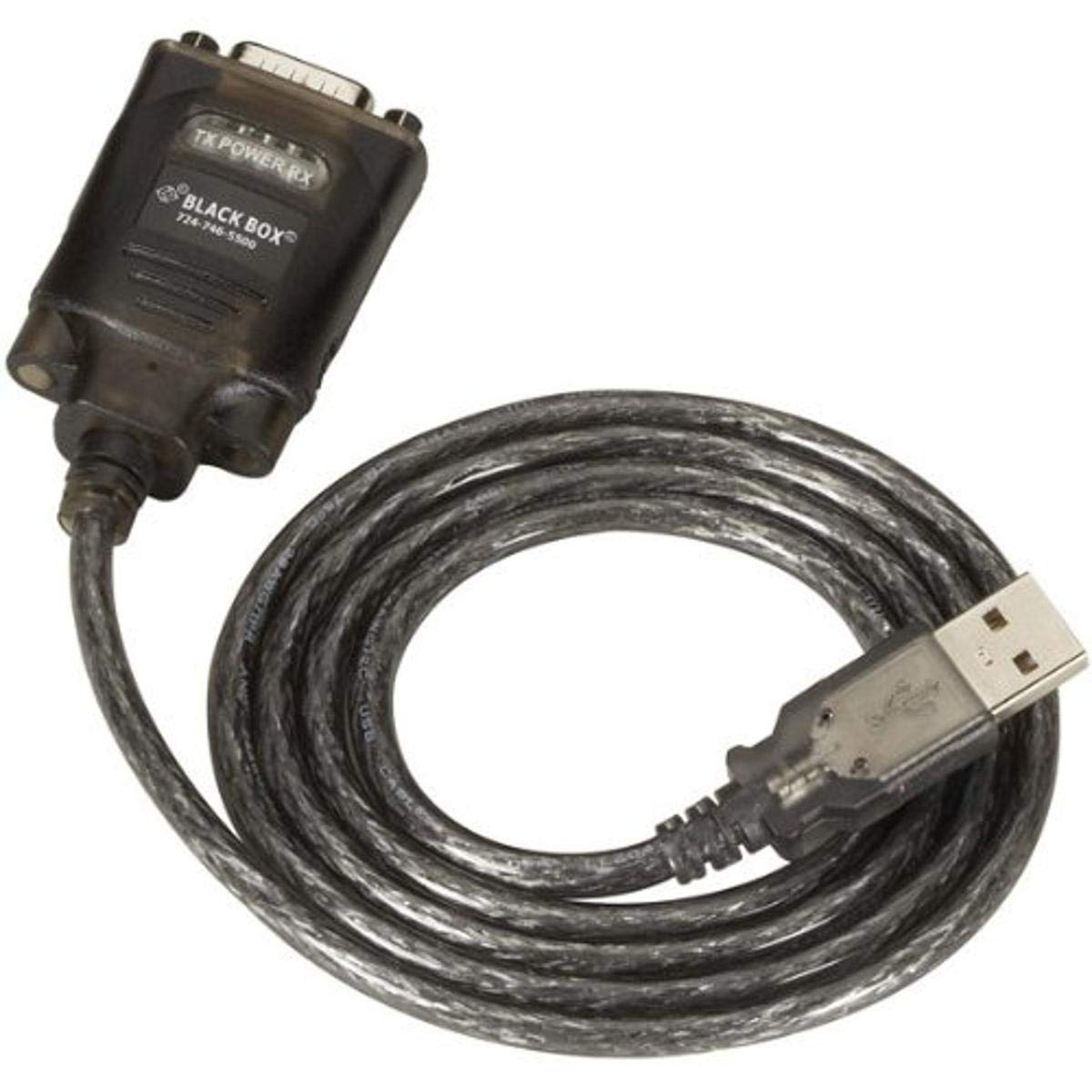
Figure 1: Black Box USB to DB9 Serial Cable (IC199A-R3)
This image displays the Black Box USB to DB9 Serial Cable, featuring a USB Type-A male connector on one end and a DB9 male serial connector on the other. The cable is black and designed for connecting serial devices to a computer's USB port.
The Black Box IC199A-R3 is a reliable solution for connecting legacy serial devices, such as modems, to modern computers that typically lack dedicated serial ports. Its robust design ensures stable data transmission.
Istruzioni di installazione
- Identificare i connettori: Locate the USB Type-A male connector and the DB9 male serial connector on the cable.
- Connessione al computer: Insert the USB Type-A male connector into an available USB port on your computer.
- Connetti al dispositivo seriale: Connect the DB9 male serial connector to the DB9 female port on your serial device (e.g., modem). Ensure a secure connection.
- Installazione del driver: In most modern operating systems (Windows 10/11, macOS, Linux), the necessary drivers should install automatically upon connection. If the device is not recognized, you may need to manually install drivers. Refer to your operating system's documentation or the Black Box support website for driver downloads if required.
- Verifica connessione: After connecting, check your computer's Device Manager (Windows) or System Information (macOS/Linux) to confirm that the USB to Serial adapter is recognized and functioning correctly. It typically appears as a "USB Serial Port" or similar entry.
Istruzioni per l'uso
Once the Black Box IC199A-R3 cable is properly installed and recognized by your computer, it functions as a standard serial port.
- Configurazione software: Open the serial communication software or application you intend to use (e.g., HyperTerminal, PuTTY, minicom, or specific device configuration software).
- Seleziona porta COM: Within your software, select the virtual COM port assigned to the USB to Serial adapter. This port number can usually be found in your computer's Device Manager (under "Ports (COM & LPT)").
- Configure Serial Settings: Set the appropriate serial communication parameters (baud rate, data bits, parity, stop bits, flow control) to match the requirements of your connected serial device. Refer to the documentation of your serial device for these settings.
- Avviare la comunicazione: Once configured, you can initiate data transfer or communication with your serial device through the software.
Manutenzione
To ensure the longevity and reliable performance of your Black Box USB to Serial Cable, follow these simple maintenance guidelines:
- Magazzinaggio: Quando non viene utilizzato, conservare il cavo in un luogo fresco e asciutto, lontano dalla luce solare diretta e da temperature estreme.
- Gestione: Avoid bending or kinking the cable sharply, especially near the connectors, as this can damage internal wires.
- Pulizia: Se necessario, pulire delicatamente il cavo e i connettori con un panno morbido, asciutto e privo di lanugine. Non utilizzare detergenti liquidi o solventi.
- Connessione / Disconnessione: Quando si collega o si scollega il cavo, afferrare sempre l'alloggiamento del connettore, anziché tirare il cavo stesso.
Risoluzione dei problemi
If you encounter issues with your Black Box USB to Serial Cable, consider the following troubleshooting steps:
- Cavo non riconosciuto:
- Ensure the USB connector is fully inserted into the computer's USB port.
- Prova una porta USB diversa sul tuo computer.
- Riavvia il computer.
- Check Device Manager (Windows) or System Information (macOS/Linux) for any error messages or unrecognized devices. Reinstall drivers if necessary.
- Nessuna comunicazione con il dispositivo seriale:
- Verify that the DB9 connector is securely attached to your serial device.
- Confirm that the correct COM port is selected in your serial communication software.
- Double-check that the serial communication parameters (baud rate, data bits, parity, stop bits, flow control) in your software match those of your serial device.
- Ensure the serial device itself is powered on and functioning correctly.
- Try using a different serial communication software to rule out software-specific issues.
- Connessione intermittente:
- Ispezionare il cavo per verificare la presenza di eventuali danni visibili o fili sfilacciati.
- Assicurarsi che tutti i collegamenti siano saldi e non allentati.
- Evitare di posizionare il cavo vicino a fonti di forti interferenze elettromagnetiche.
Specifiche
| Marca | Scatola nera |
| Numero di modello | IC199A-R3 |
| Tipo di connettore (computer) | USB tipo A maschio |
| Tipo di connettore (dispositivo) | DB9 Male Serial |
| Tipo di cavo | Da USB a seriale |
| Dispositivi compatibili | Modem |
| Caratteristica speciale | Senza grovigli |
| Colore | Nero |
| Numero di pin | 9 (on DB9 connector) |
| Peso dell'articolo | 0.24 libbre (circa 3.84 once) |
| Dimensioni del prodotto (imballaggio) | 6.75 x 1.5 x 4 pollici |
| Produttore | BLACK BOX CORPORATION |
Garanzia e supporto
For information regarding warranty coverage, technical support, or to download the latest drivers, please visit the official Black Box websito o contattare il servizio clienti. Conservare la ricevuta d'acquisto per eventuali reclami in garanzia.


