Introduzione
This manual provides essential information for the proper use and care of your Beats Studio Wireless Over-Ear Headphones. Please read these instructions carefully before using your headphones to ensure optimal performance and longevity. The Beats Studio Wireless headphones offer a premium audio experience with wireless connectivity and Adaptive Noise Canceling technology.
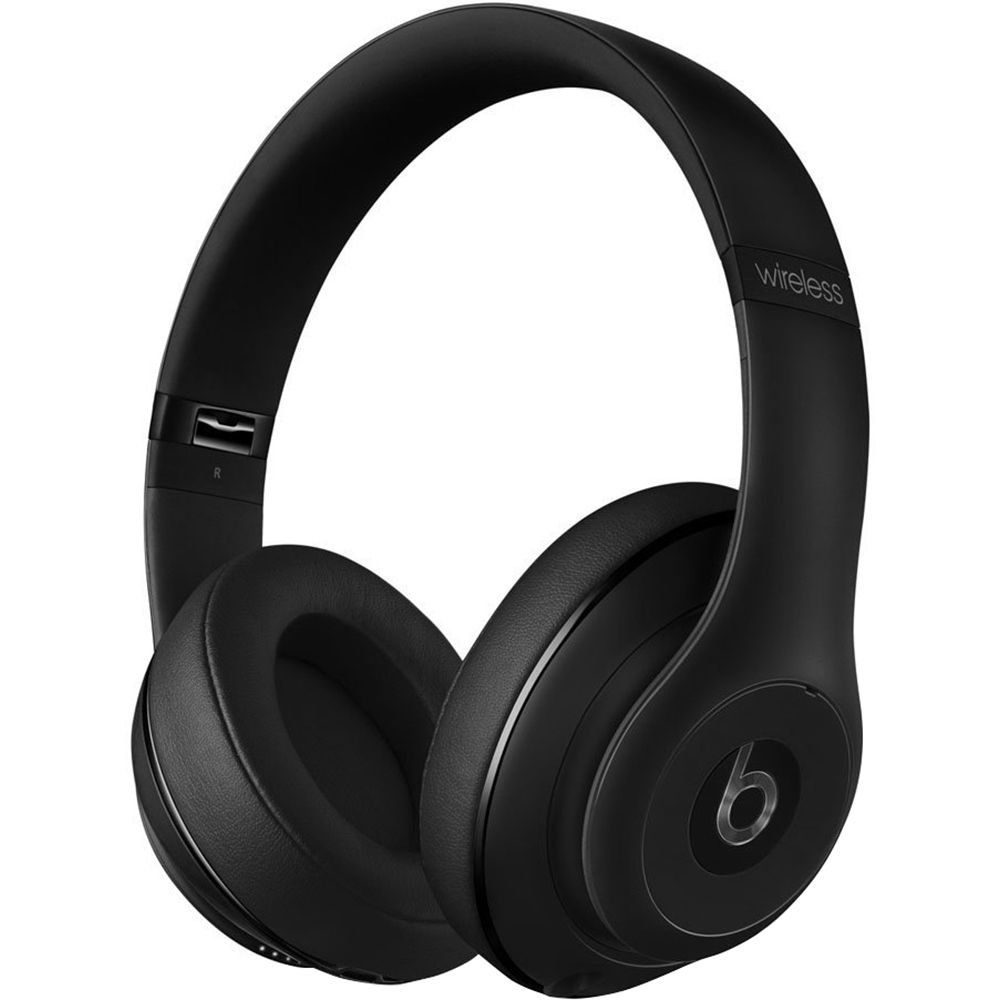
Image: Beats Studio Wireless Over-Ear Headphones in Matte Black, showcasing il design elegante.
Cosa c'è nella scatola
Verifica che tutti gli articoli siano presenti nel tuo pacco:
- Beats Studio Wireless over-ear headphones
- 3.5mm audio cable with RemoteTalk (for wired connection and controls)
- Standard 3.5 mm audio cable (for wired connection without RemoteTalk features)
- USB 2.0 cable (USB-A to USB Micro-B) for charging
- Hard-shell carrying case with carabiner clip

Image: The Beats Studio Wireless headphones, hard-shell carrying case, and various cables laid out from the packaging.
Impostare
1. Carica delle cuffie
Before first use, fully charge your Beats Studio Wireless headphones. A full charge provides approximately 12 hours of wireless playback or 20 hours of wired playback with Adaptive Noise Canceling enabled.
- Connect the small end of the USB 2.0 cable (USB-A to USB Micro-B) to the Micro-USB port on the right earcup of the headphones.
- Connect the larger end of the USB cable to a USB power adapter (not included) or a powered USB port on a computer.
- The Fuel Gauge LEDs on the right earcup will indicate charging status. When all five LEDs are solid white, the headphones are fully charged.
Nota: The headphones cannot be used while charging.
2. Accoppiamento Bluetooth
Abbina le cuffie al tuo dispositivo abilitato Bluetooth per ascoltare l'audio in modalità wireless.
- Ensure your headphones are charged and powered off.
- Press and hold the power button on the right earcup for 3-5 seconds until the Fuel Gauge LEDs begin to pulse. This indicates pairing mode.
- Sul tuo dispositivo, vai alle impostazioni Bluetooth e abilita il Bluetooth.
- Select "Beats Studio Wireless" from the list of available devices.
- Once paired, the Fuel Gauge LEDs will turn solid white.
The headphones have a Bluetooth range of up to 30 feet (9 meters).
3. Connessione cablata
For a wired connection, use the provided 3.5mm audio cables.
- Plug one end of the 3.5mm audio cable into the audio input port on the left earcup.
- Collegare l'altra estremità al jack di uscita audio da 3.5 mm del dispositivo.
The RemoteTalk cable allows for inline control of music and calls when connected to compatible devices.
Istruzioni per l'uso
1. Accensione/spegnimento
- Per accendere: Press and hold the power button on the right earcup until the Fuel Gauge LEDs illuminate.
- Per spegnere: Press and hold the power button until the Fuel Gauge LEDs turn off.
2. Controls (Wireless Mode)
The "b" button on the left earcup and the volume buttons control playback and calls.
- Riproduci/Pausa: Press the "b" button once.
- Traccia successiva: Press the "b" button twice quickly.
- Traccia precedente: Press the "b" button three times quickly.
- Aumenta volume: Premere il pulsante del volume in alto.
- Volume basso: Premere il pulsante del volume in basso.
- Rispondi/Termina chiamata: Press the "b" button once during an incoming call or active call.
- Rifiuta chiamata: Press and hold the "b" button for 2 seconds during an incoming call.
- Attiva l'assistente vocale: Press and hold the "b" button for 2 seconds (functionality depends on device).
3. Adaptive Noise Canceling (ANC)
The Beats Studio Wireless headphones feature Dual-Mode Adaptive Noise Canceling. ANC is automatically active when the headphones are powered on. There are two modes:
- Full ANC: Engaged when listening to music or media, providing maximum noise reduction.
- ANC Only: When the audio cable is unplugged and the headphones are powered on, ANC will automatically switch to a more aggressive mode to reduce external noise without playing audio.
Manutenzione
1. Pulizia
To maintain the appearance and performance of your headphones:
- Pulisci i padiglioni auricolari e l'archetto con un panno morbido, asciutto e privo di lanugine.
- Non utilizzare detergenti abrasivi, alcol o solventi chimici.
- Evitare che l'umidità penetri nelle aperture.
2. Conservazione
When not in use, store your headphones in the provided hard-shell carrying case to protect them from damage.
- Fold the headphones carefully to fit into the case.
- Keep headphones away from extreme temperatures and humidity.
3. Cura della batteria
Per prolungare la durata della batteria:
- Evitare di scaricare completamente la batteria frequentemente.
- Caricare regolarmente le cuffie, anche se non vengono utilizzate per periodi prolungati.
- Conservare in luogo fresco e asciutto.
Risoluzione dei problemi
If you encounter issues with your Beats Studio Wireless headphones, try the following solutions:
Nessuna alimentazione / Non si accende
- Assicurati che le cuffie siano completamente cariche. Collegale a una fonte di alimentazione tramite il cavo USB.
- Controllare il cavo USB e la porta di ricarica per eventuali danni.
Nessun suono / Audio intermittente
- Senza fili:
- Ensure headphones are paired and connected to your device.
- Controlla i livelli del volume sia delle cuffie che del dispositivo.
- Move closer to your device to avoid interference or exceeding Bluetooth range.
- Prova a disaccoppiare e riassociare le cuffie al tuo dispositivo.
- Wired:
- Ensure the 3.5mm audio cable is securely plugged into both the headphones and your audio source.
- Try a different 3.5mm audio cable if available.
Problemi di associazione
- Ensure the headphones are in pairing mode (pulsing Fuel Gauge LEDs).
- Disattiva e riattiva il Bluetooth del tuo dispositivo.
- Forget "Beats Studio Wireless" from your device's Bluetooth list and attempt to pair again.
- Assicurarsi che nessun altro dispositivo Bluetooth interferisca con il processo di associazione.
Adaptive Noise Canceling (ANC) Not Working
- Ensure the headphones are powered on. ANC requires power.
- Check for any obstructions around the external microphones on the earcups.
Specifiche
Key technical specifications for the Beats Studio Wireless Over-Ear Headphones:
- Nome modello: Studio
- Tecnologia di connettività: Bluetooth (senza fili), jack da 3.5 mm (cablato)
- Tecnologia di comunicazione wireless: Bluetooth
- Gamma Bluetooth: Fino a 30 piedi (9 metri)
- Controllo del rumore: Active Noise Cancellation (Dual-Mode Adaptive Noise Canceling)
- Durata della batteria: Approximately 12 hours (wireless), 20 hours (wired with ANC)
- Tipo di batteria: 1 batteria agli ioni di litio (ricaricabile)
- Tipo di controllo: Media Control (on-earcup "b" button, volume buttons)
- Microfono: Integrato per chiamate in vivavoce
- Fattore di forma: Sopra l'orecchio
- Posizionamento dell'orecchio: Sopra l'orecchio
- Materiale: Plastica
- Peso dell'articolo: Circa 9.2 once (0.26 chilogrammi)
- Dimensioni del prodotto: 9.6 x 7.3 x 4.5 pollici
- Produttore: Beats Elettronica, LLC
- Data prima disponibilità: 1 dicembre 2013

Immagine: un primo piano view of the headphone's inner band, displaying the model number B0501.
Garanzia e supporto
For warranty information and customer support, please refer to the official Beats webo contattare direttamente il servizio clienti. Conservare la prova d'acquisto per eventuali reclami in garanzia.
Nota: This product is an older model. Specific warranty terms may vary based on purchase date and region. Please consult the manufacturer's official resources for the most accurate and up-to-date information.
Per ulteriore assistenza, visitare: Supporto Beats


