1. Introduzione e oltreview
The TC Electronic DITTO X2 LOOPER is a highly intuitive looper pedal designed for guitarists, offering a dedicated stop button and versatile loop effects. This manual provides comprehensive instructions for setting up, operating, and maintaining your DITTO X2 LOOPER pedal.
Caratteristiche principali:
- Dedicated Start/Stop Button
- Loop Import/Export and Backing tracks
- Looper effects: Stop, Reverse and Half Speed
2. Componenti e controlli del prodotto
Familiarize yourself with the layout of your DITTO X2 LOOPER pedal:
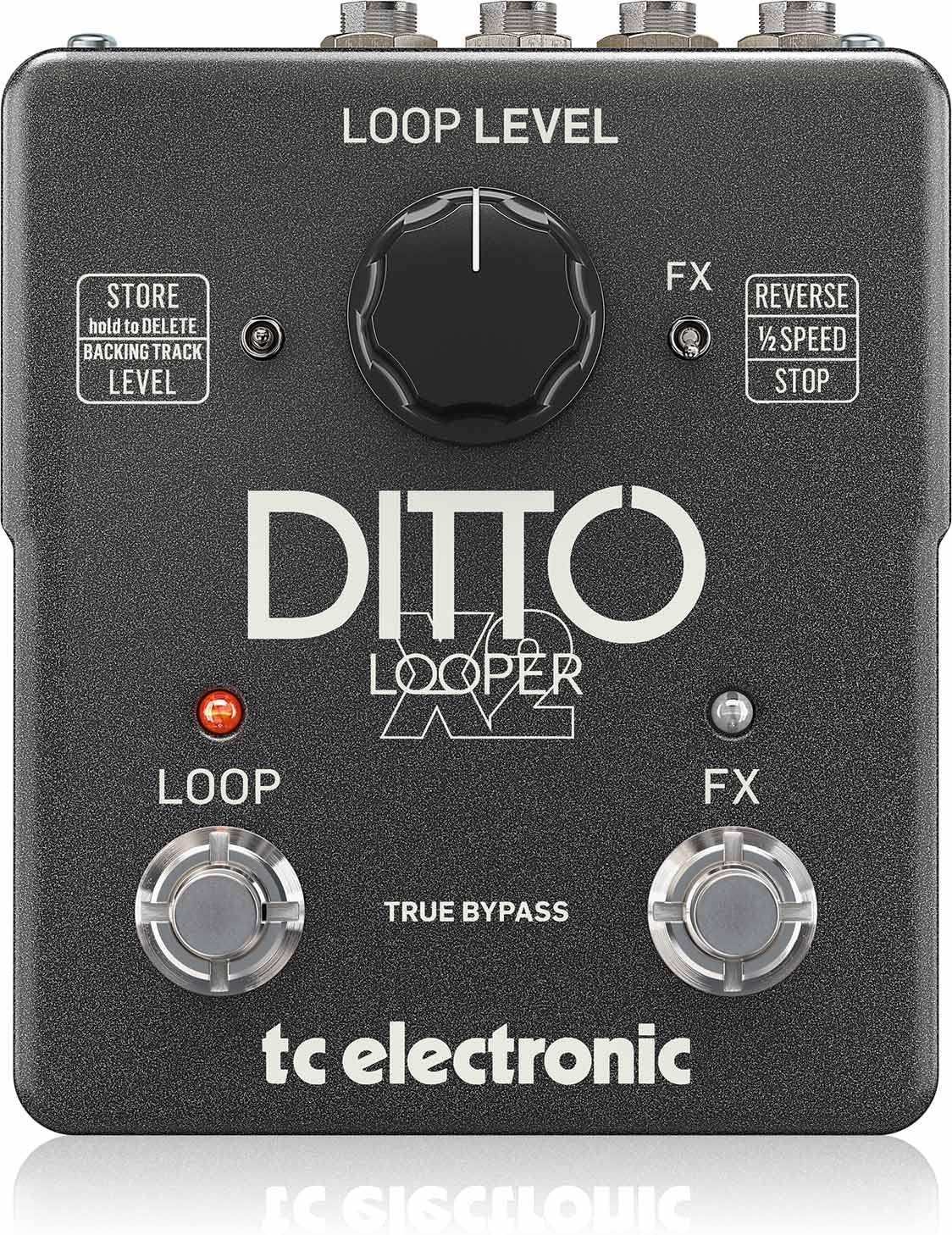
Immagine: in alto view of the DITTO X2 LOOPER pedal, highlighting the Loop Level knob, Loop footswitch, FX footswitch, and FX/Store toggle switches.
- Loop Level Knob: Controls the playback volume of your recorded loops.
- Pedale Loop: Primary control for recording, playback, overdubbing, and clearing loops.
- FX Footswitch: Activates/deactivates selected loop effects (Reverse, Half Speed, Stop).
- FX Toggle Switch: Selects the function of the FX footswitch: Reverse, Half Speed, or dedicated Stop.
- Store Toggle Switch: Used for storing and deleting backing tracks.
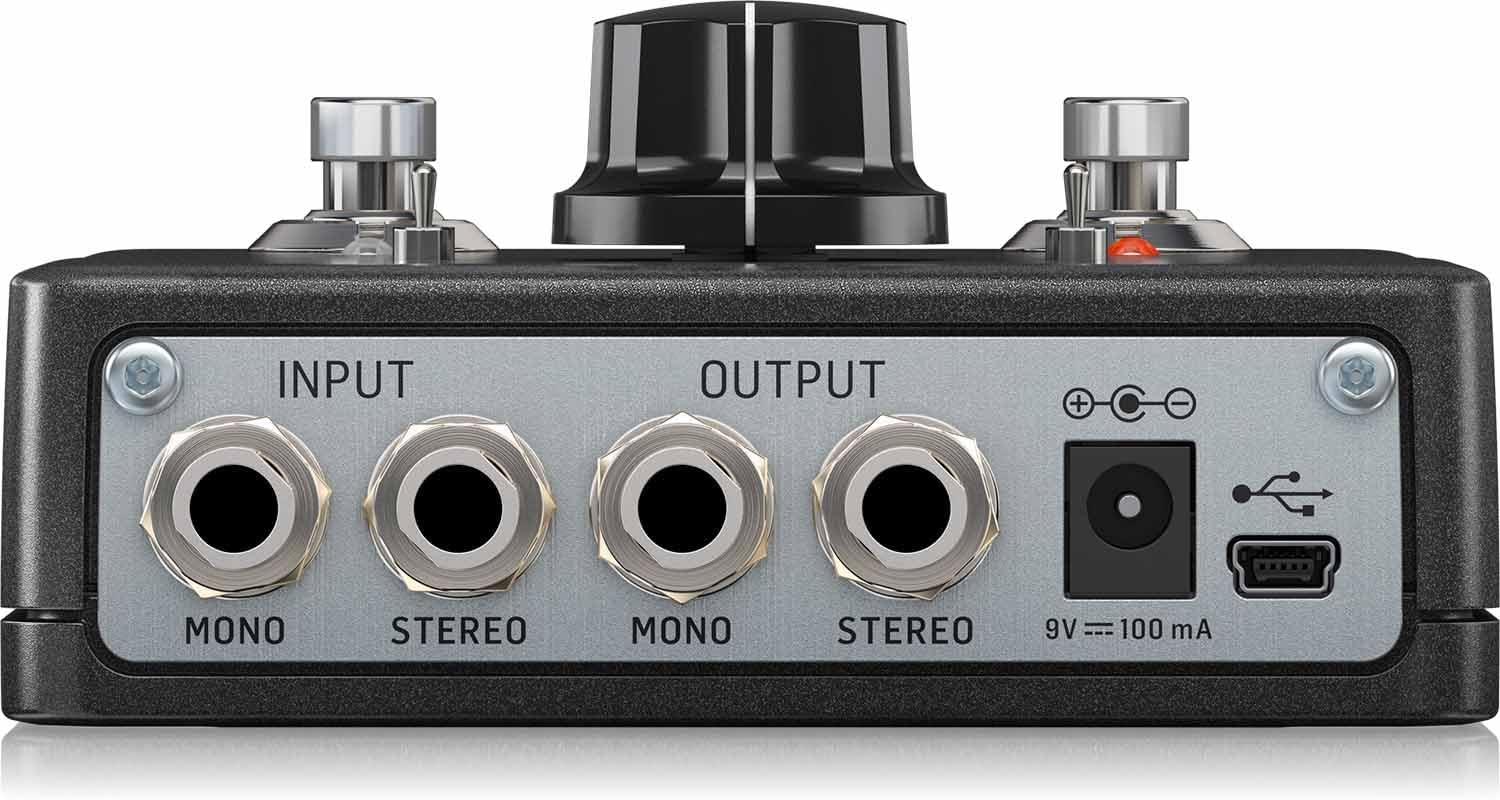
Immagine: Posteriore view of the DITTO X2 LOOPER pedal, showing the Mono/Stereo Input and Output jacks, 9V DC power input, and Mini-USB port.
- Input Jacks (Mono/Stereo): Connect your instrument(s) here.
- Output Jacks (Mono/Stereo): Connettiti al tuo amplifier o interfaccia audio.
- Ingresso alimentazione CC 9 V: Connect a 9V DC power adapter (100mA minimum, center negative).
- Porta mini-USB: Used for connecting to a computer for loop import/export and firmware updates.
3. Impostazione
- Collegamento elettrico: Connect a 9V DC power adapter (not included) to the 9V DC input jack on the rear of the pedal. The pedal does not support battery operation.
- Collegamenti audio:
- Connect your instrument (e.g., guitar) to the INPUT jack(s). For mono, use the MONO input. For stereo, use both STEREO inputs.
- Connect the OUTPUT jack(s) to your amplifier or audio interface. For mono, use the MONO output. For stereo, use both STEREO outputs.
- Impostazioni iniziali: Set the Loop Level knob to a comfortable starting position (e.g., 12 o'clock).
4. Istruzioni per l'uso
The DITTO X2 LOOPER offers intuitive operation for creating and manipulating loops.
4.1 Funzioni di looping di base
- Documentazione: Press the LOOP footswitch once. The LED will turn RED, indicating recording has started.
- Riproduzione: Press the LOOP footswitch again to stop recording and start playback. The LED will turn GREEN.
- Sovraincisione: During playback, press the LOOP footswitch once to start overdubbing. The LED will turn RED. Press again to stop overdubbing and return to playback (GREEN LED).
- Undo/Redo Overdub: During playback, hold the LOOP footswitch to undo the last overdub. Hold again to redo it.
- Stop:
- If the FX toggle switch is set to 'STOP', press the FX footswitch once.
- Alternatively, double-tap the LOOP footswitch. The GREEN LED will flash.
- Ciclo chiaro: Double-tap and hold the LOOP footswitch. The loop will be deleted.
4.2 Loop Effects (Reverse, Half Speed, Stop)
The DITTO X2 offers creative effects to enhance your loops:
- Seleziona Effetto: Use the FX toggle switch to choose between 'REVERSE', '1/2 SPEED', or 'STOP'.
- Activate/Deactivate Effect: Press the FX footswitch once to activate the selected effect. Press again to deactivate it. The FX LED will indicate activation.
4.3 Backing Tracks
The DITTO X2 allows you to import and export backing tracks for practice or performance:
- Importazione/Esportazione: Connect the pedal to your computer via the Mini-USB port. The pedal will appear as a removable drive, allowing you to drag and drop audio files (WAV format recommended).
- Store/Delete Backing Track: Use the 'STORE' toggle switch to manage your backing tracks. Refer to the official TC Electronic software for detailed management.
4.4 Dimostrazione video
Watch this official video for a visual guide on the DITTO X2 LOOPER's functionality:
Video: Official demonstration of the TC Electronic DITTO X2 Looper pedal, showcasinle sue caratteristiche e il suo funzionamento.
5. Manutenzione
- Pulizia: Per pulire il pedale, utilizzare un panno morbido e asciutto. Evitare detergenti abrasivi o solventi.
- Magazzinaggio: Conservare il pedale in un ambiente asciutto e lontano da temperature estreme.
- Aggiornamenti del firmware: Periodically check the TC Electronic website for any available firmware updates for your DITTO X2 LOOPER. Updates can be installed via the Mini-USB port.
6. Risoluzione Dei Problemi
- Nessun suono:
- Assicurarsi che tutti i cavi siano collegati saldamente.
- Check the Loop Level knob is not set to minimum.
- Verificare che l'alimentatore sia collegato correttamente e funzionante.
- Il LED non si accende:
- Confirm the power adapter is working and correctly connected.
- Loop Not Recording/Playing Back:
- Ensure the input signal is present.
- Check that the correct footswitch actions are being performed for record/playback.
7. Specifiche
- Peso dell'articolo: 0.635 once (18 grammi)
- Dimensioni del prodotto: 6 x 7 x 3 pollici
- Numero modello articolo: 000-DE800-00010
- Batterie: 1 9V batteries required (for internal dip switch access, not primary power).
- Interfaccia hardware: USB
- Formato del segnale: Analogico
- Voltage: 9V
- Ampera: 0.1 milioneamp(100 mA)
- Primo disponibile: 16 gennaio 2014
8. Cosa c'è nella scatola
- TC Electronic DITTO X2 LOOPER, Highly Intuitive Looper Pedal with Dedicated Stop Button and Loop Effects
9. Garanzia e supporto
This product is covered by the manufacturer's warranty. For detailed warranty information, technical support, or service inquiries, please visit the official TC Electronic webo contattare direttamente l'assistenza clienti. Conservare la ricevuta d'acquisto per eventuali reclami in garanzia.


