1. Finitaview
This document provides instructions for replacing the outer casing of a Directed Electronics Inc. Viper remote control, specifically model 7254V. This product is a replacement housing only and does not include the internal electronic components or function as a complete remote control unit. It is designed to replace a cracked or damaged shell on an otherwise functional remote.
The replacement kit includes the front piece, back piece, key ring, and button overlay.
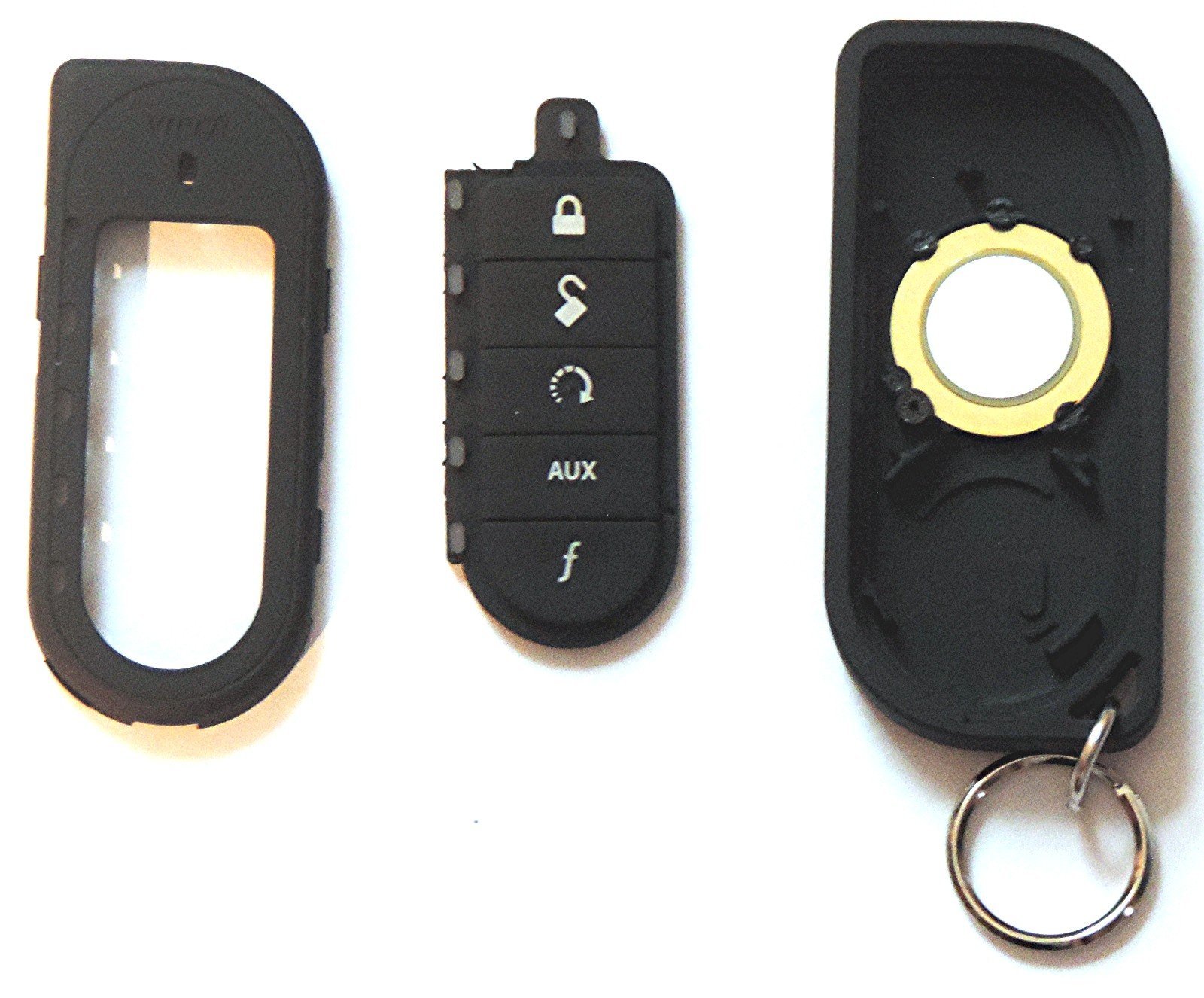
This image displays the complete replacement housing kit, including the front and back pieces, button overlay, and key ring. The housing is black with a sleek design, featuring distinct button areas for remote control functions.
2. Configurazione e installazione
This section details the steps required to transfer the internal circuit board from your existing damaged remote housing into the new replacement housing.
Strumenti necessari:
- Small Phillips head screwdriver (if screws are present on your original remote)
- Small flathead tool or plastic pry tool (for opening cases)
Fasi di installazione:
- Disassemble the Old Remote: Carefully open your existing remote control housing. This may involve removing small screws or gently prying the case halves apart. Refer to your original remote's manual if specific disassembly instructions are needed. Exercise caution to avoid damaging the internal circuit board or other components.
- Remove the Circuit Board: Once the old housing is open, carefully lift out the circuit board. Note its orientation within the case. Ensure all buttons, springs, or other small components are accounted for and not lost.
- Prepare the New Housing: Place the button overlay into the front piece of the new housing, ensuring it aligns correctly with the button cutouts.
- Install the Circuit Board: Carefully place the circuit board into the new front housing piece, ensuring it sits securely and aligns with the button overlay and any internal posts.
- Assemble the New Housing: Align the back piece of the new housing with the front piece, ensuring the circuit board is properly seated and no wires are pinched. Gently press the two halves together until they snap securely into place. If screws were present in the original design, secure them now (though this replacement case may not use screws for assembly).
- Attacca il portachiavi: Attach the provided key ring to the designated loop on the new housing.
3. Utilizzo del telecomando
The functionality of your remote control remains unchanged after replacing the housing. The new housing simply provides a protective shell for the existing electronics.
Press the buttons as you normally would to operate your vehicle's security system or remote start features.
4. Manutenzione
Pulizia:
Pulire l'alloggiamento con un panno morbido, damp panno. Evitare prodotti chimici aggressivi o detergenti abrasivi.
Sostituzione della batteria:
This replacement housing does not feature a dedicated battery door. To replace the battery, the housing must be carefully opened by prying the two halves apart. Exercise caution to avoid damaging the case or internal components during this process. Reassemble the case securely after battery replacement.
Magazzinaggio:
Store the remote in a dry place, away from extreme temperatures.
5. Risoluzione Dei Problemi
Remote Not Functioning After Replacement:
- Ensure the circuit board is correctly seated within the new housing.
- Verify that the battery is properly installed and has sufficient charge.
- Check for any visible damage to the circuit board or connections.
- Confirm that the button overlay is correctly aligned, allowing buttons to make proper contact with the circuit board.
Buttons Feel Stiff or Unresponsive:
- Re-open the case and ensure the button overlay is perfectly aligned and not mispositioned.
- Check for any debris obstructing button movement.
Case Does Not Close Properly:
- Ensure the circuit board is fully seated and not obstructing the closing mechanism.
- Verify that no wires or components are caught between the two halves of the case.
6. Specifiche
| Caratteristica | Dettaglio |
|---|---|
| Produttore | Directed Electronics Inc. |
| Marca | Diretto |
| Peso dell'articolo | 0.563 once |
| Dimensioni del prodotto | 1 x 1 x 1 pollici |
| Modello remoto compatibile | Vipera 7254V |
| Numero di parte del produttore | Directed Electronics Inc. |
| ASIN | B00IFF4HA6 |
7. Garanzia e supporto
Warranty information for this replacement housing is not provided in this document. Please refer to the original product documentation or contact Directed Electronics Inc. directly for warranty details and support.
For technical assistance or further inquiries, please visit the official Directed Electronics Inc. websito o contattare il loro servizio clienti.


