Introduzione
This manual provides essential information for the safe and efficient use of your Sunon 4.5-inch Desktop Computer Fan. Please read these instructions thoroughly before installation and operation. This fan is designed to provide effective air cooling for various electronic devices, including desktop computers, laptops, and servers.
Informazioni sulla sicurezza
- Assicurarsi che l'alimentatore corrisponda al volume della ventolatage requisiti (110 Volt).
- Scollegare l'alimentazione prima dell'installazione, della pulizia o della manutenzione.
- Do not insert fingers or objects into the fan blades while operating.
- Tenere il ventilatore lontano dall'acqua o da umidità eccessiva.
- Install in a well-ventilated area to prevent overheating.
- Questo prodotto è destinato esclusivamente all'uso in ambienti interni.
Contenuto della confezione
Verificare che tutti gli articoli siano presenti nel pacco:
- 1 x Sunon 4.5-inch Desktop Computer Fan
- Mounting hardware (screws, nuts, etc. - specific items may vary)
- Fan grill (if included)
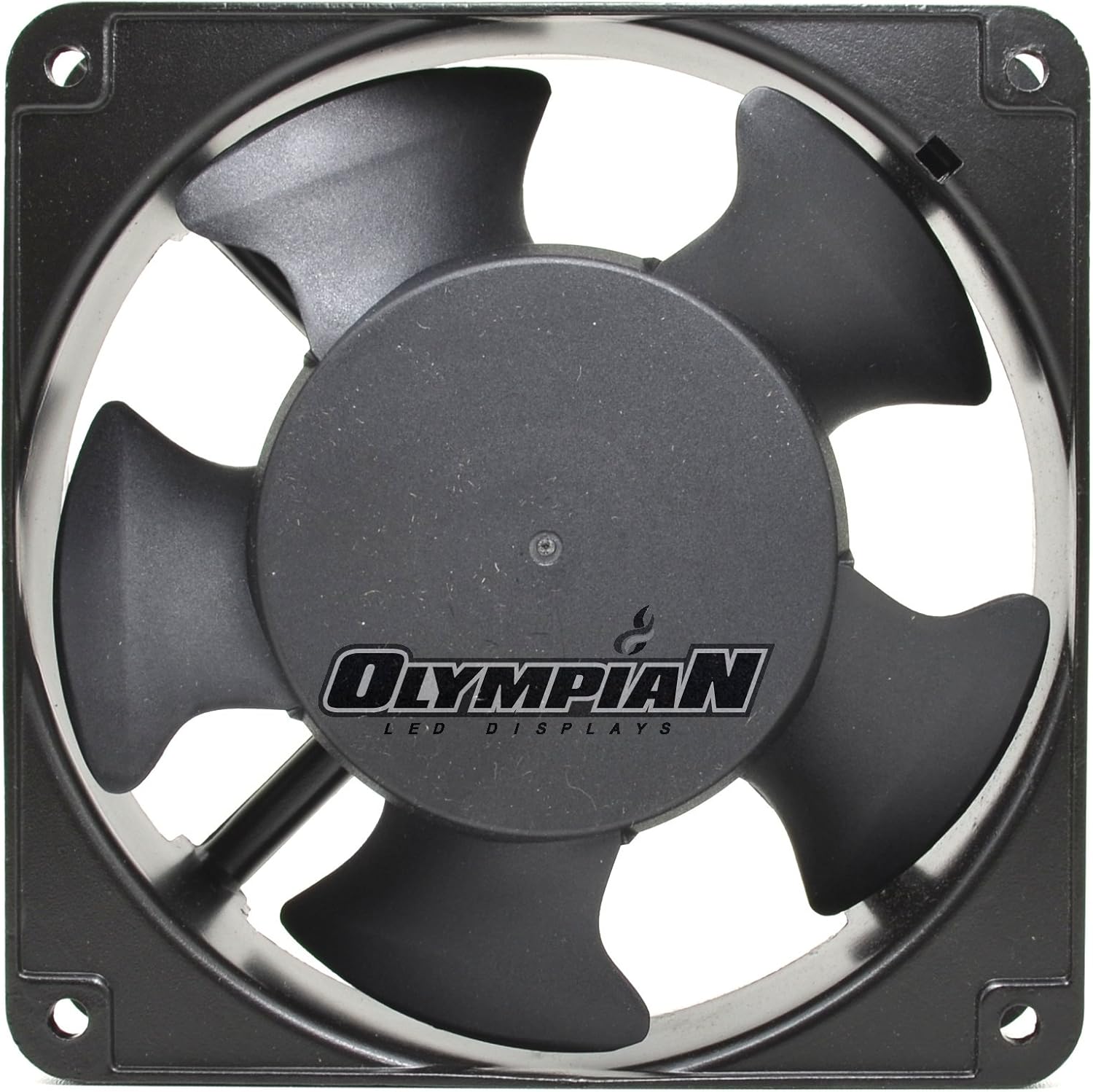
Immagine: Frontale view of the Sunon 4.5-inch Desktop Computer Fan.

Immagine: Lato view of the Sunon 4.5-inch Desktop Computer Fan, showing its compact profile.

Immagine: Posteriore view of the Sunon 4.5-inch Desktop Computer Fan, displaying the model and electrical specifications label.
Configurazione e installazione
Follow these steps to properly install your fan:
- Disconnessione dell'alimentazione: Ensure the device where the fan will be installed is completely powered off and disconnected from its power source.
- Posizione di montaggio: Identify a suitable mounting location within your desktop, laptop, or server chassis. Ensure adequate space for airflow.
- Montaggio sicuro: Use the provided mounting hardware (screws) to securely attach the fan to the chosen location. Ensure the fan is oriented correctly for desired airflow (intake or exhaust).
- Connetti alimentazione: Connect the fan's 2-pin power connector to a compatible 110V power source. Ensure connections are secure.
- Optional Fan Grill: If a fan grill is included, attach it to the fan's intake or exhaust side using the provided hardware to prevent accidental contact with the blades.
- Controllo finale: Prima di ripristinare l'alimentazione, controllare attentamente tutti i collegamenti e la sicurezza del montaggio.
Video: Demonstration of a 120mm 120V case fan, showing its high airflow capabilities and connection.
Video: Oltreview of an EC 120mm 120V AC case cooling fan, compatible with 115V, 230V, and 240V systems.
Video: Detailed look at a 120mm 115V/120V computer PC cooling fan, model 1238/12038.
Video: Demonstration of an EC 12025 120mm 120V/230V case cooling fan in operation.
Istruzioni per l'uso
Once installed and connected, the fan will begin operating when power is supplied to the device it is cooling. The fan is designed for continuous operation to maintain optimal temperatures.
- The fan operates at a maximum rotational speed of 1800 RPM.
- Expected noise level is approximately 50 Decibels.
- Ensure no obstructions block the fan's intake or exhaust to maintain efficient cooling.
Manutenzione
Una manutenzione regolare garantisce prestazioni ottimali e longevità del ventilatore:
- Pulizia: Periodically clean the fan blades and housing to remove dust and debris. Scollegare sempre l'alimentazione prima della pulizia. Use a soft brush or compressed air.
- Ispezione: Check for any loose connections or signs of wear on the fan blades or wiring.
- Lubrificazione: This fan uses dual-ball bearings, which are typically maintenance-free and do not require lubrication.
Risoluzione dei problemi
| Problema | Possibile causa | Soluzione |
|---|---|---|
| La ventola non gira | No power, loose connection, faulty fan. | Check power supply. Ensure 2-pin connector is securely attached. If issues persist, the fan may need replacement. |
| Rumore eccessivo | Dust buildup, obstruction, worn bearings. | Disconnect power and clean fan blades. Remove any obstructions. If noise persists, bearings may be worn (lifespan 50,000 hours). |
| Scarsa circolazione dell'aria | Blocked intake/exhaust, incorrect orientation. | Ensure fan is not blocked. Verify correct fan orientation for desired airflow direction. |
Specifiche
| Caratteristica | Dettaglio |
|---|---|
| Marca | Sunon |
| Numero di modello | LYSB00JROKMCQ-ELECTRNCS |
| Dimensioni del prodotto | 4.5 x 4.3 x 1.4 pollici |
| Voltage | 110 Volt |
| Cosatage | 2.28 watt |
| Massima velocità di rotazione | 1800 giri al minuto |
| Livello di rumore | 50 decibel |
| Metodo di raffreddamento | Aria |
| Materiale | Rame |
| Tipo di connettore di alimentazione | 2 pin |
| Dispositivi compatibili | Desktop, portatile, server |
| Peso dell'articolo | 1.15 libbre |
Garanzia e supporto
For warranty information or technical support, please refer to the documentation provided with your purchase or contact the manufacturer directly. Keep your purchase receipt for warranty claims.


