1. Introduzione
This manual provides instructions for the setup, operation, and maintenance of your Logitech M557 Bluetooth Mouse. The Logitech M557 is designed for seamless wireless connectivity with Bluetooth-enabled computers, laptops, and tablets, supporting various operating systems including Windows, macOS, Chrome OS, and Android.
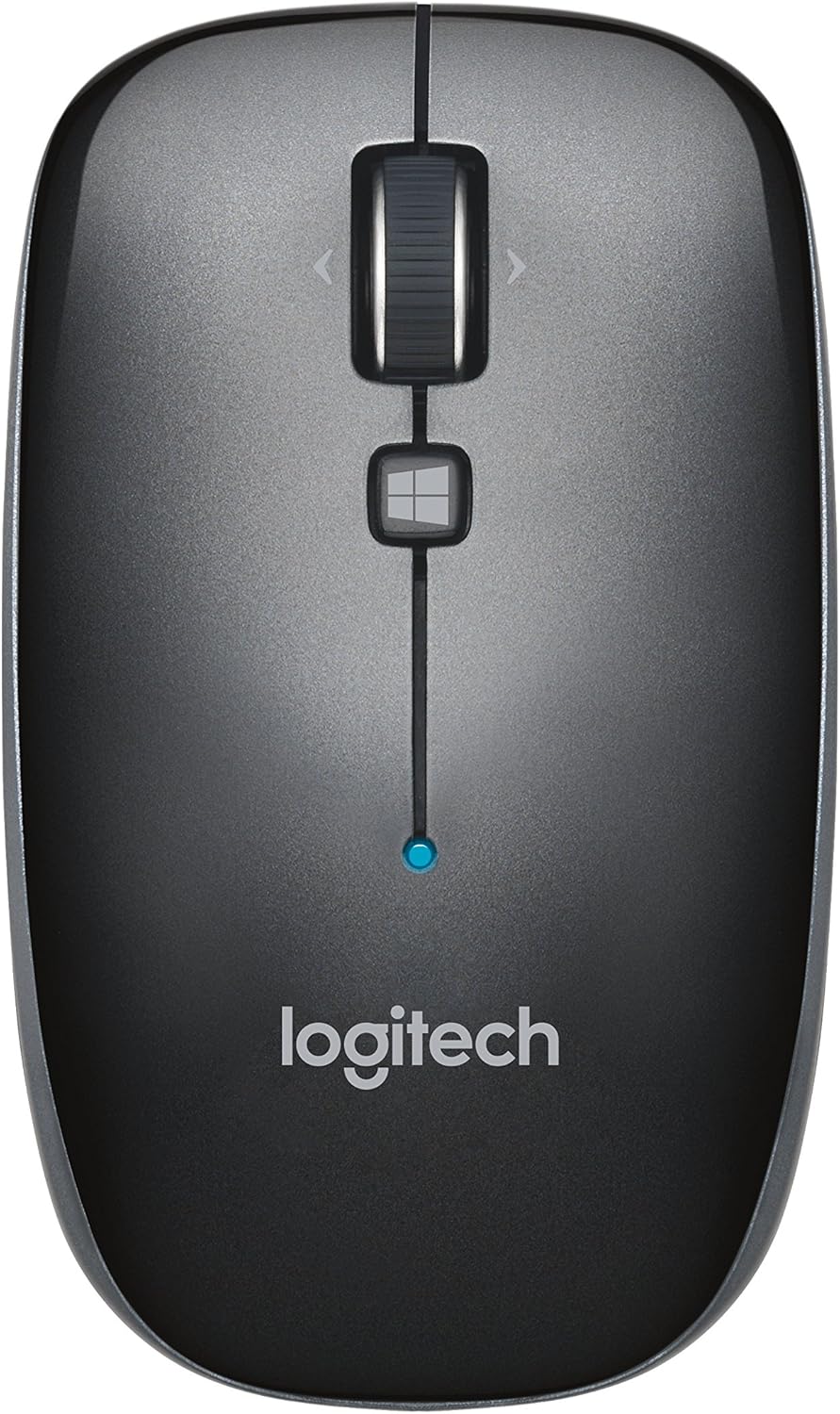
Figura 1: Superiore view of the Logitech M557 Bluetooth Mouse, showing the scroll wheel, Windows button, and Logitech logo.
2. Contenuto della confezione
Verifica che il pacco contenga i seguenti articoli:
- Mouse Bluetooth Logitech M557
- 1 batteria AAA (preinstallata o inclusa separatamente)
- Guida rapida (questo manuale funge da guida dettagliata)
3. Impostazione
3.1. Installazione della batteria
- Individuare il vano batteria sul lato inferiore del mouse.
- Aprire il coperchio del vano batterie.
- Inserire la batteria AAA inclusa, assicurandosi della corretta polarità (+/-).
- Chiudere il coperchio del vano batterie.

Figura 2: Underside of the Logitech M557 mouse, showing the ON/OFF switch, Connect button, and optical sensor. The battery compartment is typically located here.
3.2. Connessione tramite Bluetooth
The Logitech M557 connects wirelessly via Bluetooth, requiring no USB receiver.
- Accensione: Slide the ON/OFF switch on the bottom of the mouse to the "ON" position. A small LED indicator on the top of the mouse may light up briefly.
- Attiva la modalità di associazione: Premere e tenere premuto il tasto Collegare button on the bottom of the mouse for a few seconds until the LED indicator on the top of the mouse begins to blink rapidly. This indicates the mouse is in pairing mode.
- Abilita il Bluetooth sul tuo dispositivo:
- Finestre: Vai a Impostazioni > Dispositivi > Bluetooth e altri dispositiviAssicurati che il Bluetooth sia attivato.
- Mac OS: Vai a System Settings > BluetoothAssicurati che il Bluetooth sia attivato.
- Chrome OS/Android: Vai a Impostazioni > Dispositivi connessi > BluetoothAssicurati che il Bluetooth sia attivato.
- Associa il mouse: In your device's Bluetooth settings, look for "Logitech M557" in the list of available devices. Select it to initiate the pairing process.
- Conferma: Once paired, the LED indicator on the mouse will stop blinking and remain solid for a few seconds, then turn off. Your mouse is now ready for use.
Note: If the connection is lost or you wish to pair with a different device, repeat steps 2-5.
4. Utilizzo del mouse
4.1. Funzioni di base
- Pulsante sinistro del mouse: Selezione e attivazione primaria.
- Pulsante destro del mouse: Accede ai menu contestuali.
- Rotella di scorrimento: Scorre verticalmente i documenti e web pagine.
- Ruota di inclinazione: The scroll wheel can also be tilted left or right for horizontal scrolling (if supported by your operating system/application).
- Pulsante rotellina di scorrimento: Pressing the scroll wheel acts as a middle-click button, often used for opening links in new tabs or activating specific application functions.
- Pulsante Windows: Located below the scroll wheel. By default, this button opens the Start Menu or Search function on Windows. Its function may be customizable using Logitech Options software (if available for your OS).

Figura 3: Angolato view of the Logitech M557 mouse, highlighting its ergonomic design and button placement.
4.2. Customizing Your Mouse (Optional)
For advanced customization of button functions and scroll behavior, Logitech may offer software such as Logitech Options. Visit the official Logitech support website for your product model to check for compatible software downloads.
5. Manutenzione
5.1. Pulizia
To maintain optimal performance, clean your mouse periodically:
- Utilizzare un panno morbido e privo di lanugine leggermente dampened with water or an electronics-safe cleaning solution.
- Evitare prodotti chimici aggressivi o materiali abrasivi.
- Clean the optical sensor area on the bottom of the mouse to ensure accurate tracking.
5.2. Sostituzione della batteria
The Logitech M557 uses one AAA battery. The average battery life is approximately 12 months, but actual life may vary based on usage.
- When the battery is low, the LED indicator on the mouse may flash red.
- Turn off the mouse using the ON/OFF switch on the bottom.
- Aprire il vano batteria.
- Remove the old AAA battery and dispose of it according to local regulations.
- Inserire una nuova batteria AAA, rispettando la polarità corretta.
- Chiudere il vano batterie e riaccendere il mouse.
6. Risoluzione Dei Problemi
6.1. Mouse Not Connecting or Disconnecting
- Controllare la batteria: Assicurarsi che la batteria sia installata correttamente e abbia una carica sufficiente. Sostituirla se necessario.
- Ciclo di alimentazione: Spegnere e riaccendere il mouse.
- Riparazione: Remove "Logitech M557" from your device's Bluetooth list and repeat the pairing process (Section 3.2).
- Dispositivo Bluetooth: Assicurati che il Bluetooth sia abilitato sul tuo computer o tablet.
- Interferenza: Bluetooth can be affected by other wireless devices (e.g., Wi-Fi routers, other Bluetooth devices). Try moving closer to your device or away from potential sources of interference.
- Aggiornamenti del sistema operativo: Assicurati che il sistema operativo e i driver Bluetooth del tuo dispositivo siano aggiornati.
6.2. Cursor Movement is Erratic or Non-Responsive
- Sensore pulito: Pulisci il sensore ottico nella parte inferiore del mouse.
- Superficie: Assicurati di utilizzare il mouse su una superficie adatta. Superfici altamente riflettenti o trasparenti possono influire sul tracciamento. Si consiglia l'uso di un tappetino per mouse.
- Batteria: Low battery can affect performance. Replace the battery.
6.3. Buttons or Scroll Wheel Not Functioning
- Riparazione: Prova ad associare nuovamente il mouse al tuo dispositivo.
- Software: If using customization software, ensure it is correctly installed and configured. Temporarily uninstalling and reinstalling the software might resolve issues.
- Prova su un altro dispositivo: If possible, test the mouse on another Bluetooth-enabled device to determine if the issue is with the mouse or the original device.
7. Specifiche
| Caratteristica | Dettaglio |
|---|---|
| Marca | Logitech |
| Modello | M557 (P/N: 910-003971) |
| Tecnologia di connettività | Bluetooth |
| Rilevamento del movimento | Ottico |
| Compatibilità del sistema operativo | Windows 10, 11 or later, macOS, Chrome OS, Android |
| Fonte di alimentazione | Alimentato a batteria |
| Tipo di batteria | 1 batteria AAA (inclusa) |
| Durata media della batteria | 12 mesi |
| Colore | Grigio |
| Peso dell'articolo | 2.16 once (circa 61 grammi) |
| Dimensioni del prodotto (LxWxH) | 3.93 x 2.28 x 1.34 pollici (circa 10 x 5.8 x 3.4 cm) |

Figura 4: Logitech M557 mouse displaying its physical dimensions.
8. Garanzia e supporto
Per informazioni sulla garanzia e supporto tecnico, fare riferimento al sito ufficiale Logitech website. You can find detailed support resources, FAQs, and contact information by visiting support.logi.com and searching for "Logitech M557".
Note: Product specifications and warranty terms are subject to change without notice. Please consult the official Logitech websito per le informazioni più aggiornate.


