1. Introduzione
Thank you for choosing the Dracast Pro Series LED1000 Daylight LED Video Light Panel. This professional-grade lighting solution is designed for interviews, studio work, live streaming, video conferencing, and various on-location lighting needs. It features high output, ultra-bright 5600K color temperature, and excellent color rendition. This manual provides essential information for the proper setup, operation, and maintenance of your new LED video light.
2. Cosa c'è nella scatola
- Dracast LED1000 Pro Daylight LED Light with V-Mount Battery Plate
- Custodia per il trasporto
- AC Power Adapter for LED1000 Light
- Informazioni sulla garanzia limitata di 1 anno

Image: The included nylon padded soft carry case for storage and transport.
3. Caratteristiche principali
- High Output, Ultra Bright 5600K Color Temperature: Provides powerful illumination suitable for professional video production.
- High CRI and TLCI: 96+ CRI and TLCI ensure high-quality light output with excellent white color rendition, free from green or pink tints.
- Qualità costruttiva durevole: Constructed with an anodized aluminum metal housing and frame for enhanced durability.
- Easy Manual Control: Features a large adjustment knob for smooth 0%-100% dimming.
- Mounting Yoke: Includes a mounting yoke with a 5/8″ baby pin adapter for easy attachment to light stands.
- Opzioni di alimentazione versatili: Can be powered via the included AC/DC power adapter or V-mount style batteries (sold separately) for on-location use.
- Accessori opzionali: Compatible with 4-way barn doors, diffusion filters, color gels, and soft boxes (sold separately).
4. Impostazione
4.1 Montaggio della luce
The Dracast LED1000 comes with a pre-attached mounting yoke. This yoke allows you to attach the light to any standard light stand equipped with a 5/8-inch baby pin. Secure the light by tightening the knob on the yoke once it's placed on the stand.

Immagine: Frontale view of the Dracast Pro Series LED1000 light panel, ready for mounting.

Image: Close-up of the mounting yoke and its attachment point to a light stand.
4.2 Accensione della luce
The LED1000 offers two power options:
- Alimentazione CA: Connect the included AC/DC power adapter to the XLR input port on the back of the light panel. Plug the adapter into a standard wall outlet.
- Potenza della batteria: For portable operation, attach a compatible V-mount style battery (sold separately) to the pre-installed V-mount battery plate on the back of the light. Ensure the battery is securely locked into place.

Immagine: Posteriore view of the light panel showing the XLR input, power switch, dimming knob, and V-mount battery plate.
5. Funzionamento
5.1 Accensione/Spegnimento
Locate the power switch on the back panel of the light. Flip the switch to the 'ON' position to power on the light. Flip it to 'OFF' to turn it off.
5.2 Regolazione della luminosità (oscuramento)
Use the large rotary knob on the back panel to adjust the light's intensity. Rotate the knob clockwise to increase brightness (up to 100%) and counter-clockwise to decrease brightness (down to 0%).
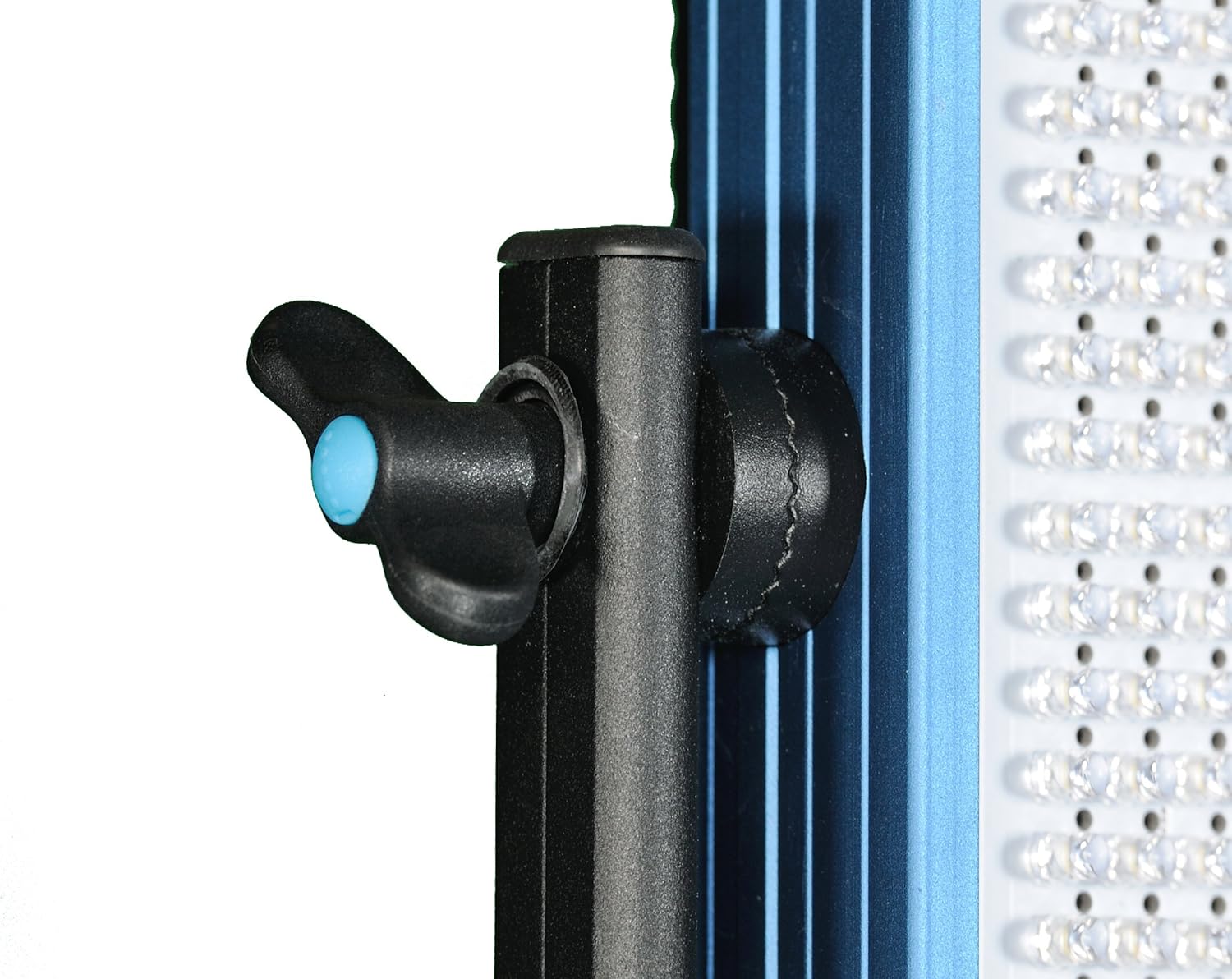
Image: Close-up of the large rotary dimming knob on the back of the light panel.
5.3 Temperatura colore
The Dracast Pro Series LED1000 Daylight model provides a fixed color temperature of 5600K, which simulates natural daylight. This ensures consistent and accurate color reproduction for your subjects.
5.4 Prodotto finitoview Video
For a visual guide on the Dracast Pro Series LED Video Light Panel, please watch the official product overview video qui sotto:
Video: Un prodotto ufficialeview of the Dracast Pro Series LED Video Light Panel, demonstrating its features and use in a studio setting.
6. Manutenzione
- Pulizia: Use a soft, dry cloth to clean the exterior of the light panel. Do not use abrasive cleaners or solvents. For the LED surface, gently wipe with a microfiber cloth to avoid scratching.
- Magazzinaggio: When not in use, store the light in its included carry case in a cool, dry place, away from direct sunlight and extreme temperatures.
- Gestione: Always handle the light with care. Avoid dropping or subjecting it to strong impacts, which can damage the internal components or LED array.
7. Risoluzione Dei Problemi
7.1 La luce non si accende
- Controllare la connessione di alimentazione: Ensure the AC power adapter is securely plugged into both the light and a working wall outlet. If using battery power, confirm the V-mount battery is fully charged and properly seated on the plate.
- Interruttore di alimentazione: Verify the power switch on the back of the light is in the 'ON' position.
- Fuse: Check the fuse located near the XLR input on the back panel. If blown, replace it with a fuse of the same rating.
7.2 Light Output is Inconsistent or Flickering
- Fonte di energia: Ensure a stable power supply. If using AC, try a different outlet. If using battery, ensure it's not low on charge.
- Dimming Knob: Gently rotate the dimming knob back and forth to ensure good contact.
7.3 Surriscaldamento
The Dracast Pro Series LED1000 features a passive, silent cooling system. Ensure adequate ventilation around the light panel during operation. Do not block the vents or operate in enclosed spaces that could lead to excessive heat buildup.
8. Specifiche
| Specificazione | Valore |
|---|---|
| Dimensioni del prodotto | 12 x 2 x 12 pollici |
| Peso dell'articolo | 5.5 libbre |
| Numero modello articolo | DRLED1000DV |
| Batterie richieste | 1 Product Specific batteries (sold separately) |
| Produttore | Draco Broadcast, INC |
| Paese di origine | Cina |
| Descrizione delle modalità Flash | Illuminazione costante, luminosità regolabile |
| Livello di resistenza all'acqua | Non resistente all'acqua |
9. Garanzia e supporto
The Dracast Pro Series LED1000 Daylight LED Video Light Panel comes with a Limited 1-Year Warranty. For warranty claims, technical support, or service inquiries, please contact Dracast customer support directly. Keep your proof of purchase for warranty validation.


