Introduzione
This manual provides essential information for the safe and effective use of your Disney FROZEN 2.1MP Digital Camera. Please read these instructions carefully before operating the device and retain them for future reference.
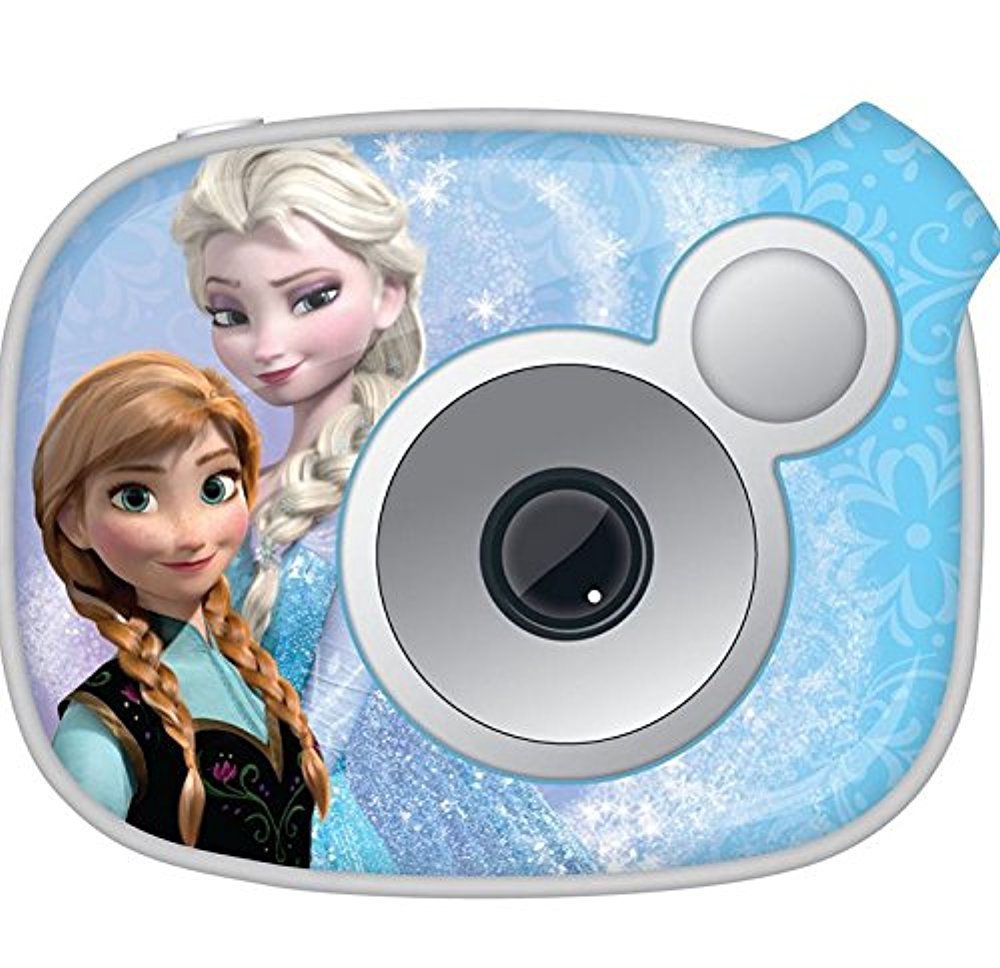
Immagine: Frontale view of the Disney FROZEN 2.1MP Digital Camera, featuring characters from Frozen.
Informazioni sulla sicurezza
- Non esporre la fotocamera all'acqua o a umidità eccessiva.
- Evitare di far cadere la fotocamera o di sottoporla a forti urti.
- Tenere le batterie fuori dalla portata dei bambini piccoli. In caso di ingestione, consultare immediatamente un medico.
- Utilizzare solo il tipo di batteria specificato (2 batterie AA).
- Non tentare di smontare o riparare la fotocamera da soli. Contattare l'assistenza clienti per ricevere assistenza.
- Smaltire le batterie e i componenti elettronici in modo responsabile, nel rispetto delle normative locali.
Contenuto della confezione
Verificare che tutti gli articoli siano presenti nel pacco:
- Disney FROZEN 2.1MP Digital Camera
- Cavo USB
- Manuale di istruzioni (questo documento)
- Snapshots Software CD (or download link)
Impostare
1. Installazione della batteria
- Individuare il coperchio del vano batteria nella parte inferiore o laterale della fotocamera.
- Use a small Phillips head screwdriver to loosen the screw securing the battery compartment cover.
- Open the cover and insert two (2) AA batteries, ensuring correct polarity (+/-) as indicated inside the compartment.
- Close the battery compartment cover and tighten the screw to secure it.

Image: Illustration of battery compartment with correct battery orientation.
2. Memory Card Installation (SD Card)
The camera supports SD flash memory cards for storing photos and videos. A memory card is required to save more than the internal memory capacity.
- Individuare lo slot per la scheda SD, solitamente vicino al vano batteria.
- Insert the SD card with the metal contacts facing down (or as indicated by a diagram near the slot) until it clicks into place.
- To remove, gently push the card in until it clicks, then release, and it will eject slightly.
3. Accensione/spegnimento della fotocamera
- To turn on: Press and hold the Power button (usually marked with ● or ACCESO/SPENTO) finché lo schermo non si illumina.
- To turn off: Press and hold the Power button again until the screen turns off.
Istruzioni per l'uso
1. Scattare foto
- Accendi la fotocamera. Solitamente la fotocamera si avvia in modalità di acquisizione foto.
- Frame your shot using the 1-inch preview schermo.
- Press the Shutter button (usually a larger button on top) to take a picture. The image will briefly appear on the screen.
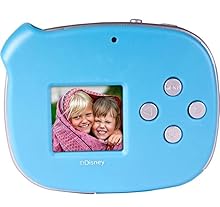
Image: A close-up of the camera's 1-inch LCD screen, showing a captured photo.
2. Registrazione di video
- From photo mode, use the Mode button (if available) or navigation buttons to switch to video recording mode. An icon (e.g., a film camera) will usually indicate this mode.
- Press the Shutter button to start recording. A recording indicator (e.g., a red dot or flashing timer) will appear on the screen.
- Premi nuovamente il pulsante Otturatore per interrompere la registrazione.
3. Viewing Foto e video
- Switch to Playback mode using the Mode button.
- Use the navigation buttons (left/right arrows) to scroll through your captured images and videos.
- To play a video, select it and press the OK/Enter button.
4. Deleting Photos and Videos
- In Playback mode, navigate to the item you wish to delete.
- Press the Delete button (often marked with a trash can icon).
- Conferma la tua selezione quando richiesto.
5. Connecting to a Computer and Using Snapshots Software
The camera can connect to a computer to transfer files and use the included Snapshots Software for editing and creating movies.
- Install the Snapshots Software on your computer from the provided CD or download link.
- Accendi la telecamera.
- Collegare la fotocamera al computer utilizzando il cavo USB in dotazione.
- The camera should appear as a removable drive on your computer, allowing you to transfer files.
- Launch the Snapshots Software to access advanced editing features and create movies from your photos and videos.

Image: The digital camera connected to a laptop via a USB cable, illustrating data transfer.
Manutenzione
- Pulizia: Use a soft, dry cloth to clean the camera body. For the lens and screen, use a specialized lens cleaning cloth. Do not use liquid cleaners or abrasive materials.
- Magazzinaggio: Quando non si utilizza la fotocamera per lunghi periodi, rimuovere le batterie per evitare perdite. Conservare la fotocamera in un luogo fresco e asciutto, lontano dalla luce solare diretta e da temperature estreme.
Risoluzione dei problemi
| Problema | Possibile causa | Soluzione |
|---|---|---|
| La fotocamera non si accende. | Batterie scariche o inserite in modo errato. | Replace batteries with fresh ones, ensuring correct polarity. Check if the battery compartment cover is securely closed. |
| Poor picture quality (grainy, blurry). | Low light conditions, camera movement, or inherent camera resolution. | Ensure adequate lighting. Hold the camera steady when taking pictures. This camera has a 2.1MP resolution, which may result in lower quality compared to higher-resolution devices. |
| Impossibile salvare foto/video. | Memory card full, not inserted, or faulty. | Insert an SD card. Delete unwanted files to free up space. Try a different SD card. |
| Camera disconnects from computer. | Loose USB connection or driver issue. | Ensure the USB cable is securely connected to both the camera and the computer. Try a different USB port. Reinstall Snapshots Software drivers if necessary. |
Specifiche
| Caratteristica | Dettaglio |
|---|---|
| Nome del modello | CONGELATO |
| Numero di modello | 98627-AMZ |
| Risoluzione fissa efficace | 2.1 MP |
| Dimensioni dello schermo | 1 Inch (LCD Display) |
| Stabilizzazione dell'immagine | Digitale |
| Zoom ottico | 0.5x |
| Apertura massima | 2.8 millimetri |
| Velocità minima dell'otturatore | 1 secondi |
| Tipo di controllo dell'esposizione | Automatico |
| Supportato File Formato | JPEG (Images), AVI (Video) |
| Risoluzione video | Formato: 720p |
| Scatto continuo | 30 fotogrammi al secondo |
| Tipo di memoria flash | SD |
| Fonte di alimentazione | 2 batterie AA (non incluse) |
| Peso dell'articolo | 0.35 libbre |
| Colore | Blu |
Garanzia e supporto
For warranty information and technical support, please refer to the documentation included with your purchase or contact the manufacturer, Sakar International, Inc., directly. Contact details can typically be found on the product packaging or their official websito.
Conservare la prova d'acquisto per eventuali richieste di garanzia.


