Introduzione
This manual provides detailed instructions for the setup, operation, and maintenance of your Hello Kitty KT2035P Personal CD Player. Please read this manual thoroughly before using the device to ensure proper function and longevity.
Prodotto finitoview

Figura 1: Fronte view of the Hello Kitty KT2035P Personal CD Player with included earbuds connected.
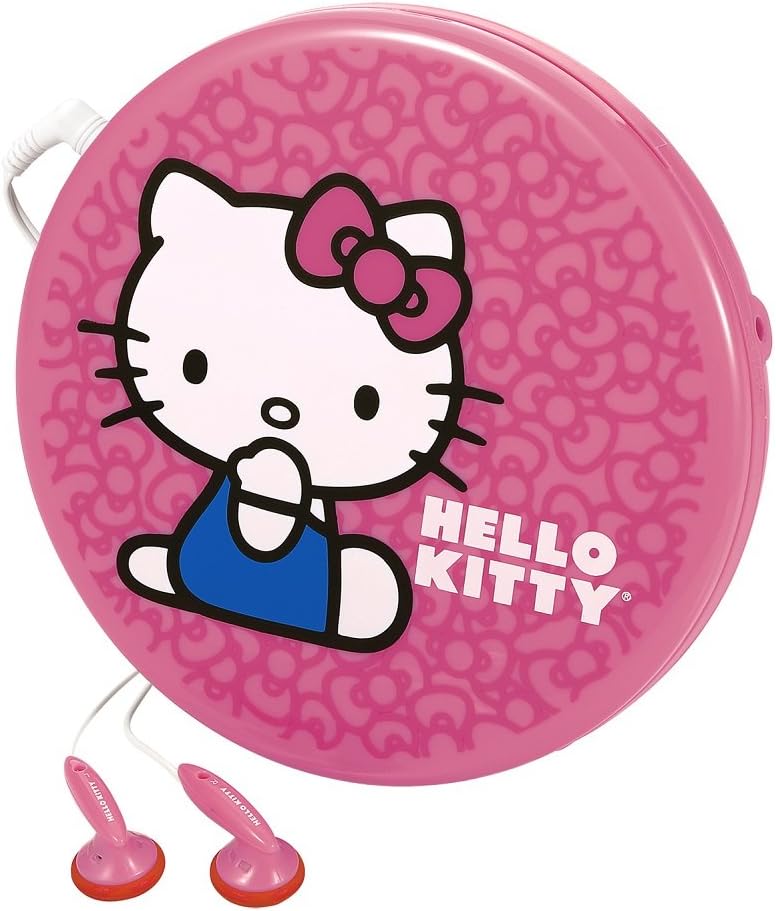
Figura 2: lato view of the Hello Kitty KT2035P Personal CD Player, showing the compact design and earbud connection.
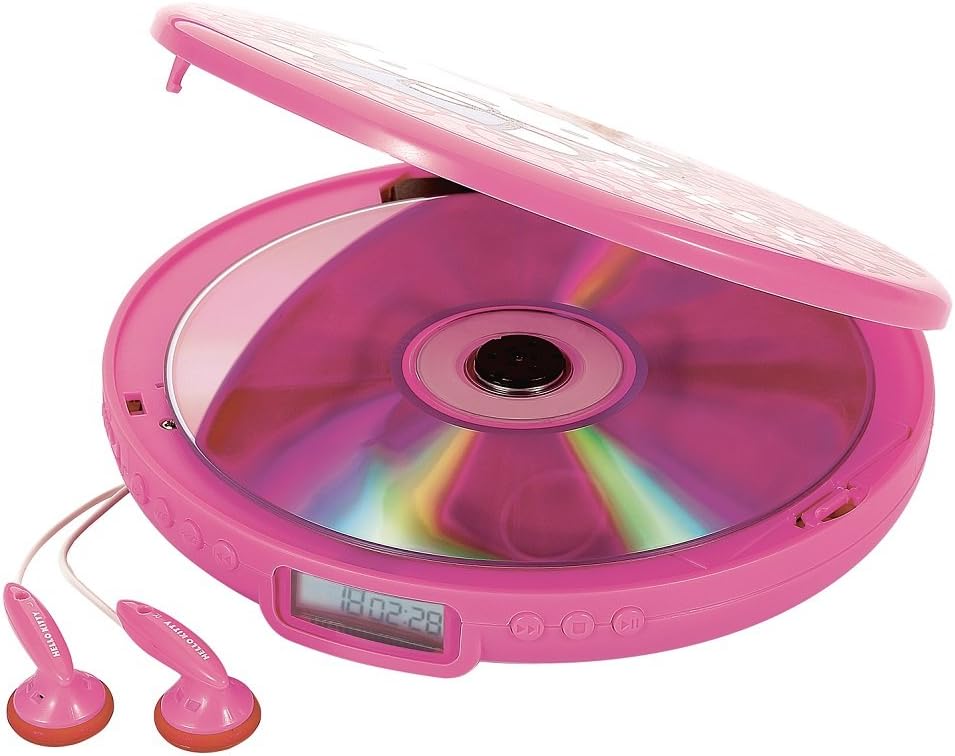
Figure 3: The Hello Kitty KT2035P Personal CD Player with its lid open, revealing a compact disc placed inside the disc tray.
Impostare
1. Installazione della batteria
- Locate the battery compartment on the underside of the CD player.
- Aprire il coperchio del vano batterie.
- Insert two (2) AA alkaline batteries (not included), ensuring correct polarity (+/-) as indicated inside the compartment.
- Chiudere saldamente il coperchio del vano batterie.
2. Collegamento degli auricolari
- Insert the 3.5mm jack of the included stereo earbuds into the headphone port on the side of the CD player.
- Assicurarsi che la connessione sia salda.
3. Accensione/Spegnimento
- Per accendere, premere il RIPRODUCI/PAUSA pulsante.
- Per spegnere, premere il FERMARE button twice, or the unit will automatically power off after a period of inactivity.
Istruzioni per l'uso
1. Caricamento di un CD
- Gently lift the lid of the CD player.
- Place a CD (CD-R/RW compatible) onto the center spindle with the label side facing up.
- Press the CD down gently until it clicks into place.
- Chiudere bene il coperchio.
2. Controlli di riproduzione di base
- PLAY/PAUSE (►/−−): Press once to start playback. Press again to pause. Press again to resume.
- FERMARE): Press once to stop playback. Press twice to power off the unit.
- SALTA/CERCA AVANTI (►►): Press once to skip to the next track. Press and hold to fast-forward within a track.
- SKIP/SEARCH BACK (◄◄): Press once to skip to the beginning of the current track. Press twice to skip to the previous track. Press and hold to fast-rewind within a track.
3. Repeat Functions
- Premere il tasto MODALITÀ button (or equivalent, refer to device markings) repeatedly to cycle through repeat modes:
- RIPETI 1: Repeats the current track.
- RIPETI TUTTO: Repeats all tracks on the CD.
- RANDOM/SHUFFLE: Riproduce le tracce in ordine casuale.
- INTRO: Plays the first few seconds of each track.
4. Programmable Memory
The CD player allows you to program a sequence of tracks to play in a specific order.
- In modalità STOP, premere il tasto PROGRAMMA pulsante (o equivalente).
- Utilizzare il SALTA/CERCA pulsanti per selezionare il numero della traccia desiderata.
- Premere il tasto PROGRAMMA button again to confirm and add the track to the program list.
- Repeat steps 2-3 for all desired tracks.
- Premere il tasto GIOCARE pulsante per avviare la riproduzione della sequenza programmata.
5. Protezione anti-salto
The Hello Kitty KT2035P features 60-second anti-skip protection, which buffers audio data to prevent interruptions during minor bumps or shakes. This feature is automatically active during playback.
6. Amplificazione dei bassi
Activate the Bass Boost function (if available, typically a switch or button labeled BASS or BBS) to enhance low-frequency audio output for a richer sound experience.
7. Line-Out Jack Usage
The line-out jack allows you to connect the CD player to external speakers or an amplifier. Use a standard 3.5mm audio cable (not included) to connect the line-out jack on the CD player to the auxiliary input of your external audio system.
Manutenzione
1. Cleaning the CD Player
- Pulire la parte esterna dell'unità con un panno morbido e asciutto.
- Non utilizzare detergenti abrasivi, cere o solventi.
- For the lens, use a specialized CD lens cleaner disc or a soft, lint-free cloth specifically designed for optical lenses.
2. Cura della batteria
- Rimuovere le batterie se l'unità non verrà utilizzata per un periodo prolungato per evitare perdite.
- Non mischiare batterie vecchie e nuove o diversi tipi di batterie.
- Smaltire le batterie usate in modo responsabile secondo le normative locali.
Risoluzione dei problemi
| Problema | Possibile causa | Soluzione |
|---|---|---|
| L'unità non si accende. | Le batterie sono scariche o inserite in modo errato. | Sostituire le batterie con batterie nuove, assicurandosi che la polarità sia corretta. |
| Il CD non viene riprodotto. | CD is dirty, scratched, or inserted incorrectly. Lid is not closed. | Clean the CD. Ensure the CD is placed correctly with the label side up. Close the lid firmly. |
| Salti o distorsioni del suono. | Il CD è sporco o graffiato. L'unità è sottoposta a vibrazioni eccessive. | Clean the CD. Ensure the unit is on a stable surface or minimize movement. Anti-skip protection has limits. |
| Nessun suono dagli auricolari. | Earbuds not properly connected. Volume too low. Faulty earbuds. | Ensure earbuds are fully plugged in. Increase volume. Test with another pair of earbuds. |
Specifiche
- Numero modello: FBA_KT2035P
- Marca: Ciao Kitty
- Compatible Disc Formats: CD, CD-R/RW
- Protezione anti-salto: 60 secondi
- Fonte di energia: 2 batterie AA (non incluse)
- Uscita audio: 3.5mm Headphone Jack, 3.5mm Line-out Jack
- Caratteristiche speciali: Programmable Memory, Bass Boost, Intro/Random Play, Repeat 1 or All
- Dimensioni: 14.22 x 2.54 x 14.22 cm (circa 5.6 x 1 x 5.6 pollici)
- Peso: 226.8 g (circa 0.5 libbre)
Garanzia e supporto
Warranty information for the Hello Kitty KT2035P Personal CD Player is typically provided at the point of purchase or included with the product packaging. Please refer to these documents for details regarding warranty coverage and terms.
For technical support or further assistance, please contact the retailer or manufacturer's customer service department using the contact information provided with your purchase.


