Prodotto finitoview
The AZZA Photios 250 is a high-performance gaming case designed for optimal aesthetics and thermal management. It features a sleek design with a tempered glass side panel, providing a clear view of internal components. The case supports extensive cooling solutions, including multiple water cooling radiators and various fan configurations, ensuring efficient heat dissipation for high-end hardware. Its thoughtful internal layout includes a dedicated power supply chamber and cable management options for a clean build and improved airflow.
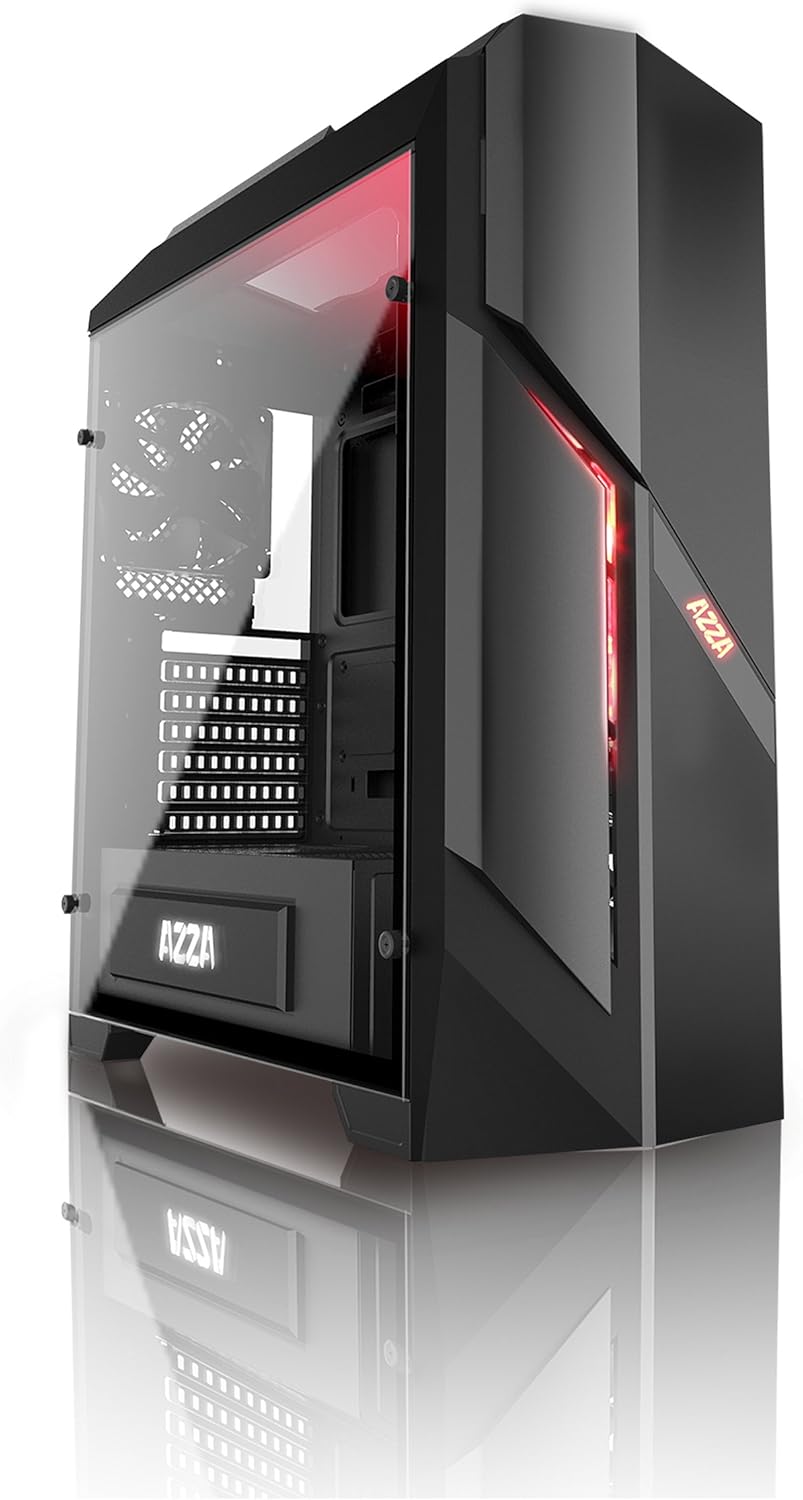
Figura 1: Frontale e laterale view of the AZZA PHOTIOS 250 Gaming Case, showcasing its tempered glass panel and red LED accents.
Caratteristiche principali
- High-quality tempered glass side window: Allows for clear visuals to inner components.
- Extensive Water Cooling Support: Supports 120mm/240mm/280mm water cooling radiators for superior thermal performance.
- Isolated PSU Chamber: The power supply is situated in its own isolated chamber at the bottom of the case, minimizing residual heat affecting other components.
- Long VGA Card Compatibility: Supports graphics cards up to 380mm long.
- Porte I/O frontali: Includes 1x USB 3.0 and 3x USB 2.0 ports for convenient connectivity.
- Ventole preinstallate: Comes with 1x 120mm red LED front fan and 1x 120mm black rear fan for immediate cooling.
Guida all'installazione
This section provides general instructions for setting up your AZZA PHOTIOS 250 gaming case and installing essential components.
- Preparare il caso:
- Carefully unbox the case and place it on a stable, flat surface.
- Rimuovere il pannello laterale in vetro temperato svitando le quattro viti a testa zigrinata. Riporre il pannello da parte in modo sicuro.
- Rimuovere il pannello laterale metallico posteriore per accedere all'area di gestione dei cavi.
- Installare la scheda madre:
- Installare la schermatura I/O nel ritaglio della scheda madre sul retro del case.
- Align your motherboard with the standoffs inside the case. Ensure all standoffs match the motherboard's screw holes.
- Fissare la scheda madre con le viti appropriate.
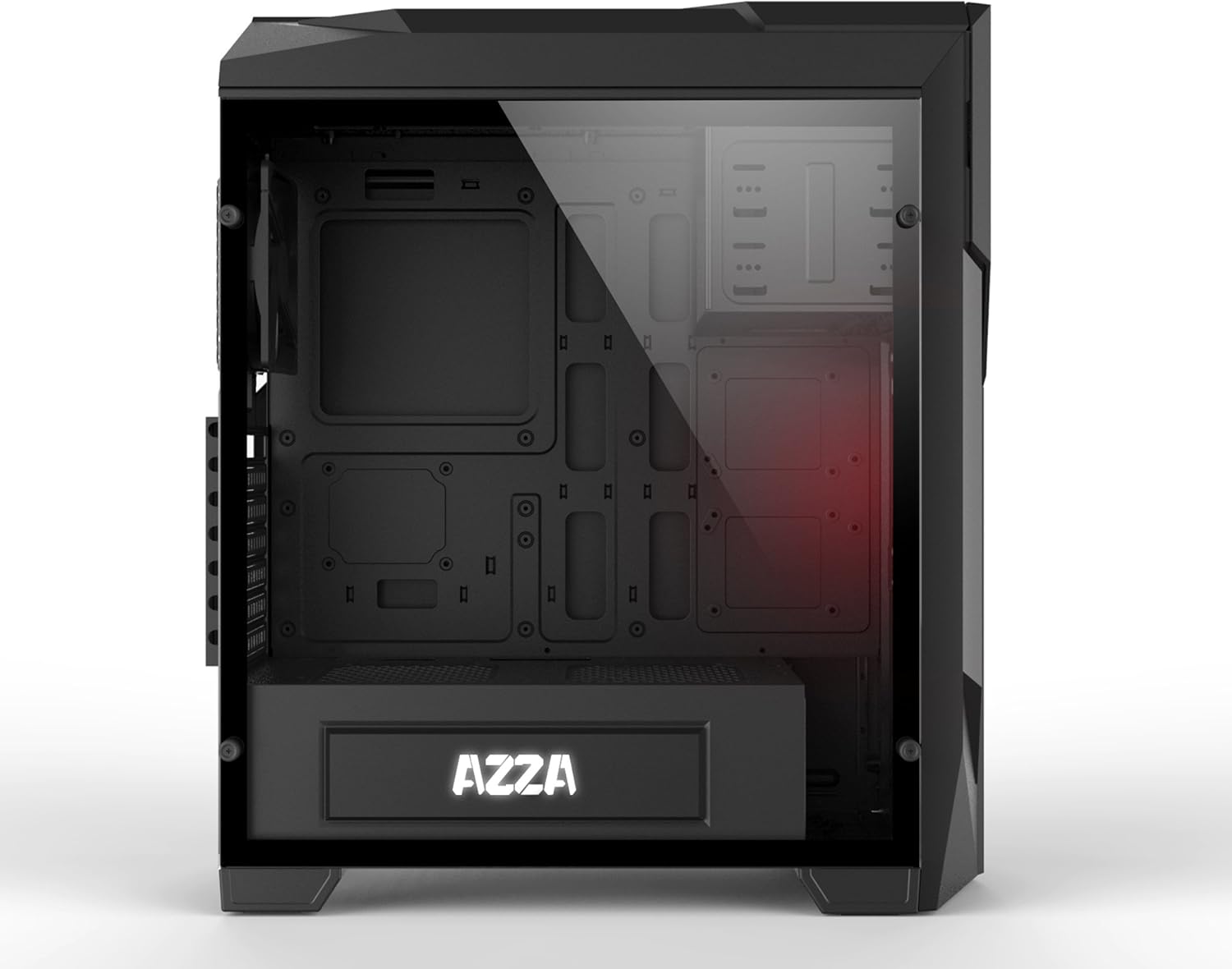
Figura 2: Interno view of the case, illustrating the spacious layout for component installation.
- Installare l'alimentatore (PSU):
- Slide the PSU into its dedicated chamber at the bottom rear of the case.
- Fissare l'alimentatore con le viti dalla parte posteriore del case.
- Installa unità di archiviazione:
- Locate the drive bays for 2.5" SSDs and 3.5" HDDs.
- Mount your storage drives using the provided screws or tool-less mechanisms.
- Installa la scheda grafica (VGA) e le schede di espansione:
- Rimuovere le coperture necessarie degli slot PCIe sul retro del case.
- Insert your graphics card into the primary PCIe slot on the motherboard.
- Secure the card with screws. Repeat for any other expansion cards.

Figure 3: Internal layout with the side panel removed, highlighting fan placement and component accessibility.
- Gestione dei cavi:
- Route all power cables from the PSU and data cables from storage drives through the cutouts in the motherboard tray to the rear of the case.
- Connect all necessary cables to the motherboard, graphics card, and storage drives.
- Use zip ties or Velcro straps to neatly bundle and secure cables behind the motherboard tray for improved airflow and aesthetics.

Figura 4: Posteriore view of the case, demonstrating the structure for cable management and component mounting.
- Collegare i cavi I/O anteriori:
- Connect the USB 3.0, USB 2.0, HD Audio, Power Switch, Reset Switch, Power LED, and HDD LED cables from the front panel to the corresponding headers on your motherboard. Refer to your motherboard manual for exact pinouts.
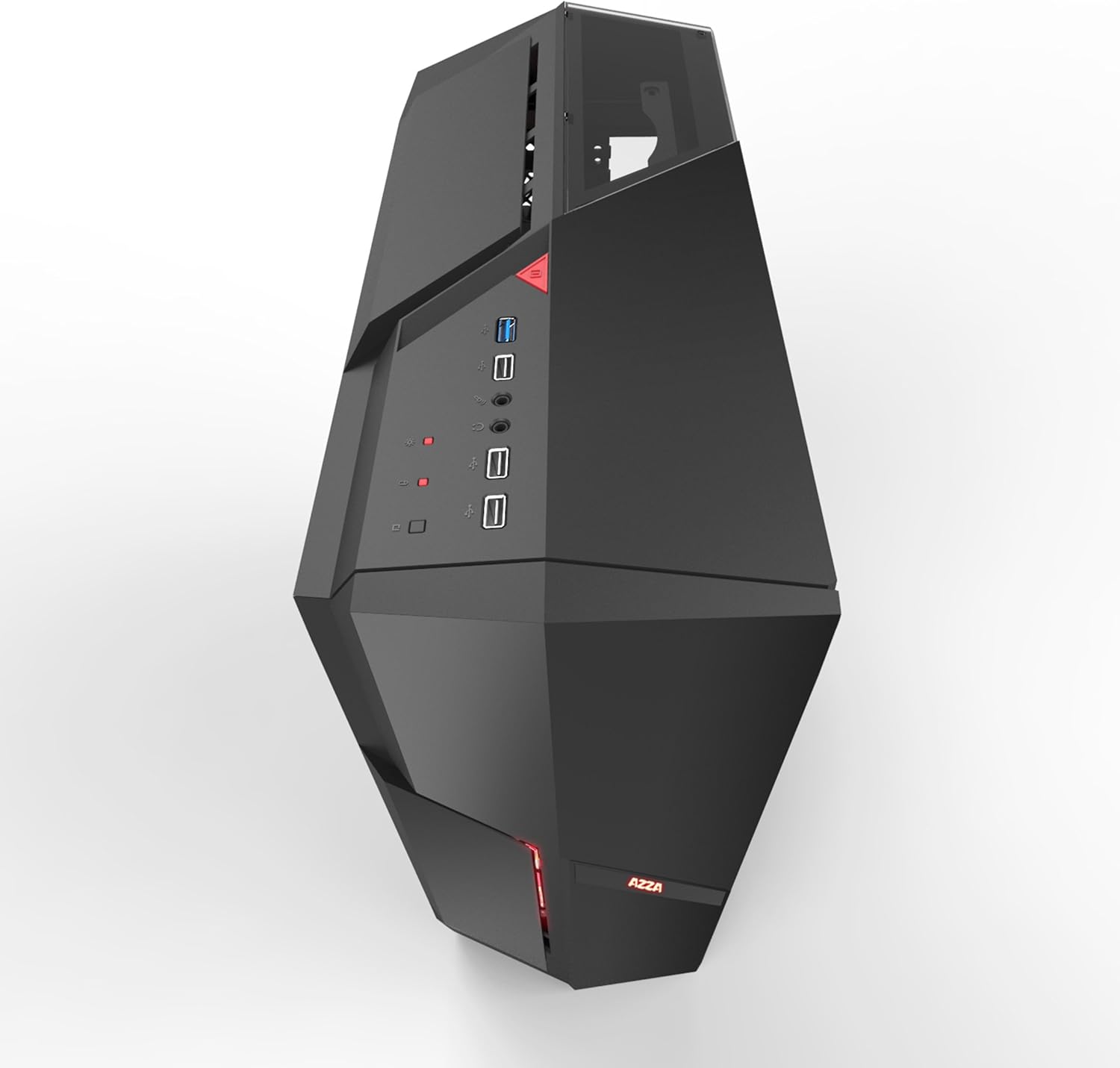
Figura 5: in alto view of the case, showing the accessible front I/O panel with USB ports.
- Riassemblare il caso:
- Una volta installati tutti i componenti e sistemati i cavi, riattaccare il pannello laterale posteriore in metallo e il pannello laterale in vetro temperato.
- Assicurarsi che tutte le viti siano serrate saldamente.
Operation and Airflow
The AZZA PHOTIOS 250 is designed with optimal airflow in mind to keep your components cool. Understanding proper fan configuration is crucial for maintaining low temperatures.
- Direzione del flusso d'aria: Generally, front fans should be configured as intake (bringing cool air into the case), and rear/top fans as exhaust (expelling hot air out of the case).
- Controllo della ventola: Connect your case fans to your motherboard's fan headers or a dedicated fan controller to manage their speed and noise levels. Refer to your motherboard manual for fan header locations and BIOS/UEFI settings.
- Illuminazione a LED: The pre-installed front LED fan will illuminate when the system is powered on.
Manutenzione
Una manutenzione regolare contribuisce a garantire la longevità e le prestazioni ottimali del case del PC e dei suoi componenti.
- Filtri antipolvere: The AZZA PHOTIOS 250 may include removable dust filters (e.g., on the front, top, or bottom). Regularly remove and clean these filters by rinsing them with water or using a soft brush/vacuum. Ensure they are completely dry before reattaching.
- Pulizia interna: Periodically open the case and use compressed air to blow dust out of fans, heatsinks, and other components. Hold fan blades in place while blowing to prevent damage.
- Pulizia esterna: Wipe down the exterior surfaces, including the tempered glass panel, with a soft, damp panno. Evitare detergenti abrasivi che potrebbero graffiare la finitura.
Risoluzione dei problemi
If you encounter issues with your PC build within the AZZA PHOTIOS 250 case, consider the following common troubleshooting steps:
- Nessuna alimentazione/Il sistema non si avvia:
- Assicurarsi che l'alimentatore sia acceso e correttamente collegato alla presa a muro.
- Verificare che tutti i cavi di alimentazione (ATX a 24 pin, CPU a 8 pin, PCIe per GPU) siano collegati saldamente alla scheda madre e ai componenti.
- Verificare che il cavo dell'interruttore di alimentazione del pannello frontale sia collegato correttamente al connettore del pannello frontale della scheda madre.
- Problemi di surriscaldamento:
- Confirm all case fans and CPU cooler fans are spinning.
- Ensure proper airflow direction (intake at front, exhaust at rear/top).
- Clean any dust buildup on fans, radiators, and dust filters.
- Verify thermal paste application on the CPU cooler.
- Pannello frontale USB/Audio non funzionante:
- Check that the USB 3.0, USB 2.0, and HD Audio cables from the front panel are correctly plugged into their respective headers on the motherboard.
- Ensure motherboard drivers are installed.
- Rumore eccessivo:
- Identify the source of the noise (e.g., fan, HDD vibration).
- Ensure all screws are tightened and components are securely mounted to prevent vibrations.
- Adjust fan speeds through BIOS/UEFI or fan control software.
Specifiche tecniche
| Specificazione | Valore |
|---|---|
| Marca | AZZA |
| Numero di modello | CSAZ-250 PHOTIOS 250 |
| Colore | Nero |
| Materiale | Vetro temperato |
| Dimensioni articolo (L x P x A) | 45.72 x 19.69 x 52.07 cm (18 x 7.75 x 20.5 pollici) |
| Peso dell'articolo | 6.8 kg |
| Porte I / O anteriori | 1x USB 3.0, 3x USB 2.0 |
| Ventole preinstallate | 1x 120mm Red LED Front Fan, 1x 120mm Black Rear Fan |
| Supporto per raffreddamento ad acqua | 120mm/240mm/280mm Radiators |
| Lunghezza massima della scheda VGA | 380mm |
| Dispositivi compatibili | CPU (PC Components) |
| Codice UPC | 690568011572 |
Garanzia e supporto
The AZZA PHOTIOS 250 Gaming Case is covered by a manufacturer's warranty. For specific warranty terms, duration, and conditions, please refer to the documentation included with your purchase or visit the official AZZA websito.
For technical support, troubleshooting assistance beyond this manual, or warranty claims, please contact AZZA customer service through their official support channels. Keep your proof of purchase handy when contacting support.


