Introduzione
Thank you for choosing the DB Drive 8-inch Pro Audio Midrange Car Stereo Component Speaker System. This manual provides essential information for the proper installation, operation, and maintenance of your new audio system. Please read this manual thoroughly before attempting installation or use to ensure optimal performance and safety.
Contenuto della confezione
Verifica che tutti gli articoli elencati di seguito siano presenti nel tuo pacco:
- Two (2) DB Drive 300 Watts 8-inch Pro Audio Midrange Speakers
- Two (2) 1-inch (25mm) Aluminum Pro Audio Tweeters
- Two (2) 12dB per Octave Passive Crossover Networks
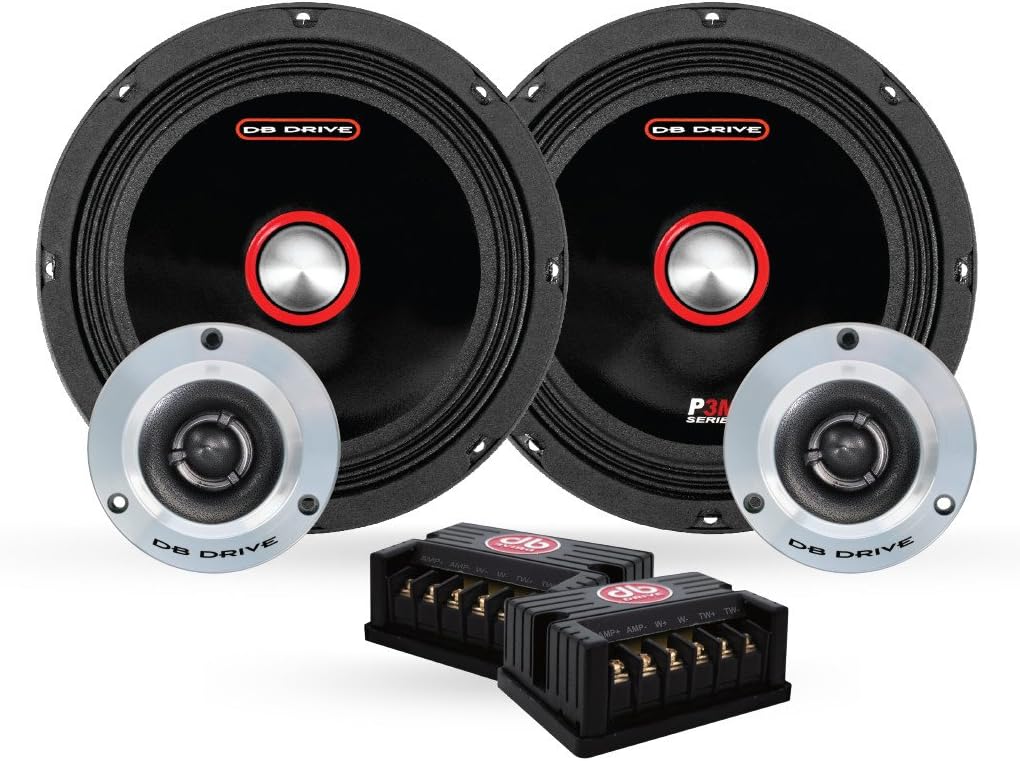
Image: All components of the DB Drive 8-inch Pro Audio Midrange Car Stereo Component Speaker System, including two midrange speakers, two tweeters, and two passive crossover networks.
Informazioni importanti sulla sicurezza
Durante l'installazione e il funzionamento, osservare le seguenti precauzioni di sicurezza:
- Sicurezza elettrica: Prima di iniziare qualsiasi intervento elettrico, scollegare sempre il terminale negativo della batteria del veicolo per evitare cortocircuiti e scosse elettriche.
- Installazione professionale: If you are unsure about any aspect of the installation, consult a qualified professional car audio installer.
- Protezione dell'udito: Prolonged exposure to high volume levels can cause permanent hearing damage. Operate your audio system at moderate levels.
- Ventilazione: Ensure adequate ventilation around all components, especially amplifiers, to prevent overheating.
- Montaggio sicuro: Securely mount all speakers and components to prevent them from becoming projectiles in the event of a sudden stop or collision.
Guida all'installazione
Un'installazione corretta è fondamentale per prestazioni ottimali. Seguire attentamente questi passaggi.
Prima di iniziare
- Gather necessary tools: wire strippers, crimpers, screwdrivers, drill, mounting hardware.
- Plan your speaker placement to ensure proper sound staging and clearance.
- Scollegare la batteria del veicolo.
Mounting the Midrange Speakers
The 8-inch midrange speakers require a suitable mounting location, typically in door panels or custom enclosures. Ensure the mounting surface is rigid and free from obstructions.
- Carefully mark the cutout diameter for the speaker.
- Cut the opening using appropriate tools, ensuring a clean edge.
- Position the speaker in the opening and mark the screw holes.
- Praticare dei fori pilota per le viti di montaggio.
- Secure the speaker using the provided mounting screws, ensuring it is flush and tight. Do not overtighten.

Immagine: Pro lateralefile of a DB Drive 8-inch midrange speaker, illustrating its shallow mount design and cloth edge surround.
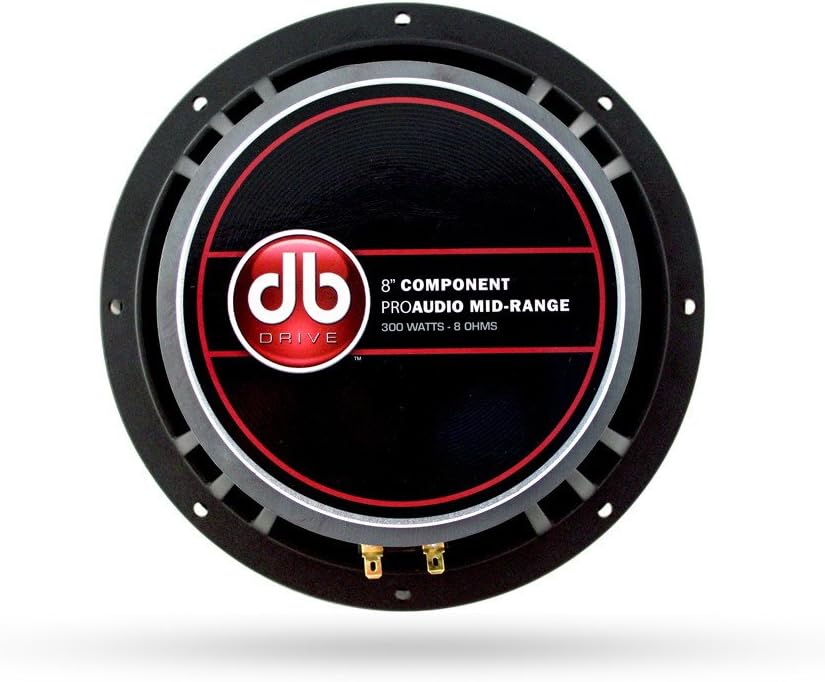
Immagine: Posteriore view of a DB Drive 8-inch midrange speaker, showing the mounting frame and speaker terminals for wiring connections.
Montaggio dei tweeter
The 1-inch tweeters can be flush-mounted or surface-mounted depending on your vehicle's interior and desired sound dispersion. Refer to the tweeter's specific mounting hardware for detailed instructions.
Wiring the Crossover Network
The passive crossover network separates the audio signal into appropriate frequency ranges for the midrange speaker and tweeter. Each crossover has clearly labeled input and output terminals.
- AMP Ingresso: Collegare i cavi di uscita degli altoparlanti dal tuo amplificatore al 'AMP' input terminals on the crossover. Observe correct polarity (+ to + and - to -).
- WOOFER Output: Connect the wires from the 'WOOFER' output terminals on the crossover to the 8-inch midrange speaker.
- TWEETER Output: Connect the wires from the 'TWEETER' output terminals on the crossover to the 1-inch tweeter.
Assicurarsi che tutti i collegamenti siano sicuri e adeguatamente isolati per evitare cortocircuiti.
Connessione al Amppiù vivace
Collegare il 'AMP' input of the crossover network to the corresponding speaker output channels of your car amplificatore. Garantire il amplifier is capable of handling the speaker system's power requirements (300 Watts peak power). Refer to your amplifier's manual for specific wiring diagrams and settings.
Funzionamento del sistema di altoparlanti
Once installed, reconnect your vehicle's battery. Power on your car stereo and amplifier. Start with the volume at its lowest setting and gradually increase it to a comfortable listening level. Adjust your amplifier's gain and crossover settings according to its manual and your personal preference for optimal sound quality.
Cura e manutenzione
To ensure the longevity and performance of your DB Drive speaker system, follow these maintenance guidelines:
- Pulizia: Utilizzare un panno morbido e asciutto per pulire le griglie e le cornici degli altoparlanti. Evitare l'uso di prodotti chimici aggressivi o detergenti abrasivi.
- Evitare l'umidità: Keep the speakers dry. While designed for car environments, excessive moisture can damage components.
- Temperature estreme: Avoid exposing the speakers to extreme temperatures for prolonged periods, as this can affect material integrity.
- Connessioni sicure: Controllare periodicamente tutti i collegamenti elettrici per assicurarsi che siano ben saldi e privi di corrosione.
Risoluzione dei problemi comuni
If you experience problems with your speaker system, consult the following table before seeking professional assistance.
| Problema | Possibile causa | Soluzione |
|---|---|---|
| Nessun suono dagli altoparlanti |
|
|
| Suono distorto |
|
|
| Suono intermittente |
|
|
Specifiche tecniche
Detailed specifications for the DB Drive 8-inch Pro Audio Midrange Car Stereo Component Speaker System:
| Caratteristica | Specificazione |
|---|---|
| Marca | AZIONAMENTO DB |
| Tipo di altoparlante | Surround Sound Component System |
| Dimensioni dell'altoparlante | 8 pollici (gamma media) |
| Diametro del tweeter | 1 pollici (25 mm) |
| Potenza massima in uscita dell'altoparlante | 300 Watt |
| Bobina | 1.5-inch (38mm) High Temperature |
| Materiale del contorno | Cloth Edge |
| Materiale del cestino | Alluminio pressofuso |
| Rete crossover | 12dB per Octave Passive |
| Tipo di montaggio | Shallow Mount Application |
| Numero di articoli | 2 (Set of 2 Speakers) |
| Usi consigliati per il prodotto | Audio per auto |
Informazioni sulla garanzia
This DB Drive speaker system comes with a Garanzia di un anno from the date of purchase. This warranty covers manufacturing defects in materials and workmanship under normal use. It does not cover damage caused by improper installation, accident, misuse, abuse, negligence, or unauthorized modification. Please retain your proof of purchase for warranty claims.
Assistenza clienti
For technical assistance, warranty service, or general inquiries, please contact DB Drive customer support through their official website or the retailer where the product was purchased. Have your product model number and proof of purchase ready when contacting support.


