Introduzione
This manual provides detailed instructions for the setup, operation, and maintenance of your Audiovox RCR3273R 3-Device Universal Remote Control. Please read this guide thoroughly to ensure proper use and to maximize the functionality of your remote control.
Prodotto finitoview
The Audiovox RCR3273R is a universal remote control designed to operate up to three different audio/video devices, such as TVs, VCRs, DVD players, and cable boxes. Its ergonomic design and clearly labeled buttons provide intuitive control over your home entertainment system.
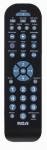
An image of the Audiovox RCR3273R universal remote control, featuring a black casing with various gray and blue buttons for device selection, channel control, volume, and number input.
Impostare
1. Installazione della batteria
- Aprire il coperchio del vano batterie sul retro del telecomando.
- Inserire due (2) batterie AAA, assicurandosi che i terminali positivo (+) e negativo (-) siano allineati correttamente con le marcature all'interno del vano.
- Chiudere saldamente il coperchio del vano batterie.
2. Programmazione dei dispositivi
To program the remote control to operate your devices, you will need to enter specific codes. Refer to the code list provided with your remote (if applicable) or search for codes online for your specific device brands. The general programming steps are as follows:
- Accendi il dispositivo che desideri programmare (ad esempio, TV, lettore DVD).
- Press and hold the desired device button on the remote (e.g., TV, DVD) for approximately 3 seconds until the indicator light illuminates.
- While holding the device button, enter the 4-digit code for your device brand using the number buttons.
- Release the device button. The indicator light should turn off.
- Prova il telecomando premendo il tasto Energia pulsante. Se il dispositivo si spegne, la programmazione è avvenuta correttamente.
- If the device does not respond, repeat the steps using a different code from the list for your brand.
Note: If no code works, some universal remotes offer an auto-search feature. Consult your remote's specific instructions for this advanced programming method.
Istruzioni per l'uso
Once programmed, operating your devices with the Audiovox RCR3273R is straightforward:
- Selezione del dispositivo: Press the corresponding device button (TV, DVD, VCR/AUX) to select the device you wish to control. The indicator light may briefly flash to confirm selection.
- Energia: Premere il tasto Energia pulsante per accendere o spegnere il dispositivo selezionato.
- Controllo del volume: Utilizzare il Volume+ E vol- Pulsanti per regolare il volume.
- Controllo del canale: Utilizzare il CH+ E CH- pulsanti per cambiare canale.
- Tastierino numerico: Use the number buttons (0-9) to directly enter channel numbers or other numerical inputs.
- Disattiva audio: Premere il tasto MUTE pulsante per disattivare l'audio.
- Controlli di riproduzione: Pulsanti come GIOCARE, FERMARE, PAUSA, RIVISTA, E FF control playback functions for devices like DVD players or VCRs.
Manutenzione
- Pulizia: Per pulire il telecomando, utilizzare un panno morbido e asciutto. Non utilizzare detergenti liquidi o materiali abrasivi.
- Sostituzione della batteria: Replace batteries when the remote's performance diminishes or if the indicator light does not illuminate during operation. Always replace both batteries at the same time with new AAA batteries.
- Magazzinaggio: Conservare il telecomando in un luogo fresco e asciutto, lontano dalla luce solare diretta e da temperature estreme.
Risoluzione dei problemi
- Telecomando non funzionante:
- Controllare che le batterie siano inserite correttamente e non siano scariche. Sostituirle se necessario.
- Ensure you have selected the correct device button (e.g., TV for your television).
- Verify that the remote is pointed directly at the device's infrared sensor.
- Confirm that the device is powered on.
- Il dispositivo non risponde dopo la programmazione:
- Re-attempt programming using a different code for your device brand.
- Assicurarsi che il dispositivo sia acceso prima di iniziare il processo di programmazione.
- Alcuni pulsanti non funzionano:
- This may indicate an incorrect or partially compatible code. Try reprogramming with an alternative code.
Specifiche
| Marca | Audiovox |
| Modello | RCR3273R |
| Tecnologia di connettività | Infrarossi |
| Tipo di controllore | Controllo dei pulsanti |
| Caratteristica speciale | Universale |
| Tipo di batteria | AAA (2 richiesto) |
Garanzia e supporto
For warranty information and technical support, please refer to the documentation included with your purchase or visit the official Audiovox websito. Conservare la ricevuta d'acquisto come prova d'acquisto per eventuali reclami in garanzia.


