1. Introduzione
The Excelvan K380 is a 2-channel wireless Bluetooth karaoke set designed for home entertainment. This system allows you to connect your smart devices via Bluetooth to play music and sing along using the two included wireless microphones. This manual provides essential information for the proper setup, operation, and maintenance of your karaoke set.
2. Contenuto della confezione
Si prega di controllare il contenuto della confezione per assicurarsi che siano presenti tutti gli articoli:
- 1 x Excelvan K380 Receiver Unit
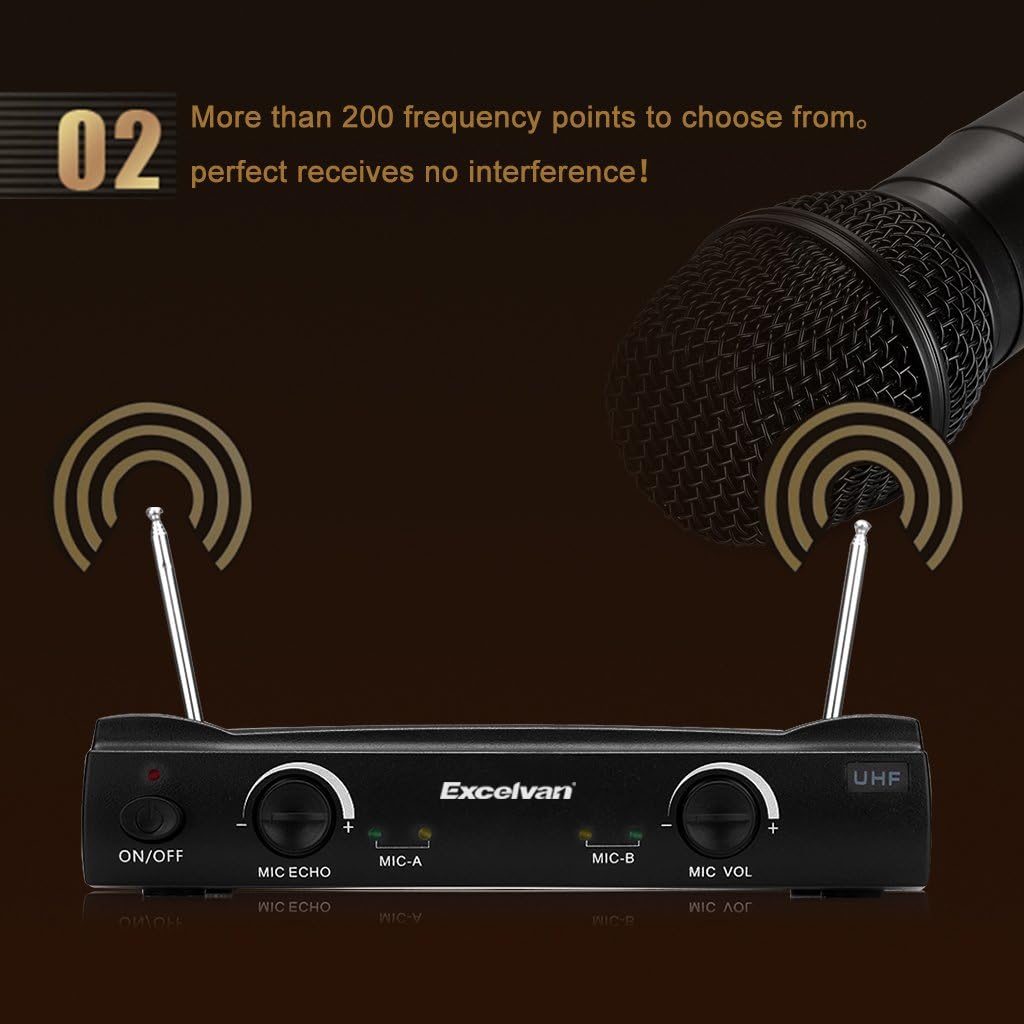
- 2 x microfoni wireless
- 2 x Audio Cables (RCA to 3.5mm, 3.5mm to 3.5mm)
- 1 x cavo di alimentazione USB
- 2 x Simple Microphone Stands
- 1 x Manuale utente

3. Prodotto finitoview
Familiarize yourself with the components and controls of your Excelvan K380 karaoke set.
3.1 Unità ricevente

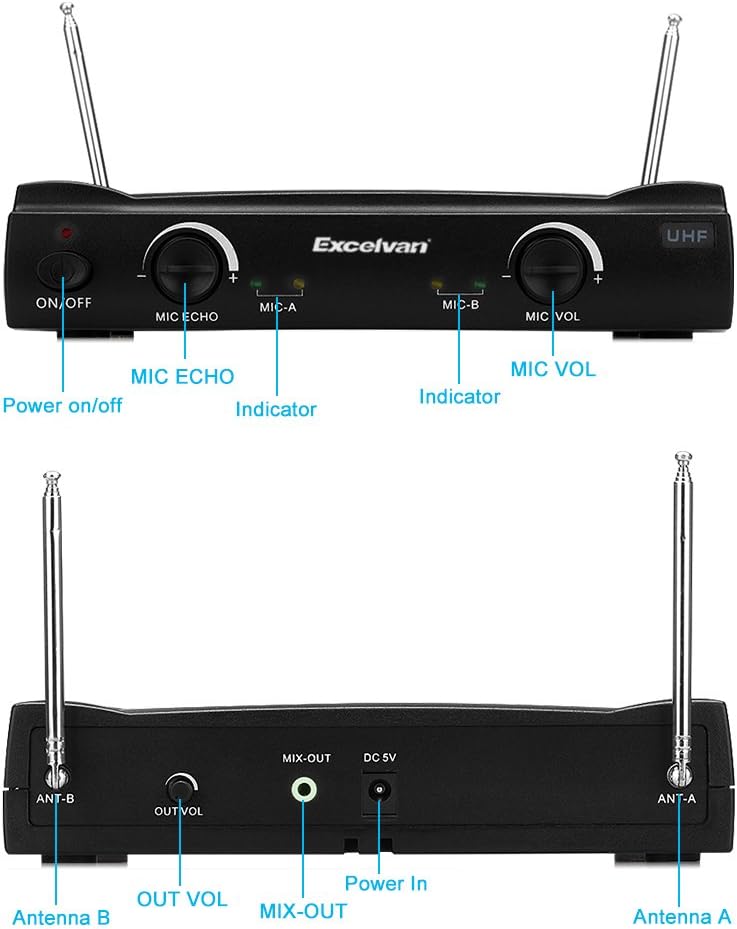
Controlli del pannello frontale:
- Interruttore ON/OFF: Powers the receiver unit on or off.
- Manopola MIC ECHO: Regola l'effetto eco per i microfoni.
- MIC-A Indicator: Lights up when Microphone A is active.
- MIC-B Indicator: Lights up when Microphone B is active.
- Manopola MIC VOL: Adjusts the overall volume of the microphones.
- Indicatore UHF: Indicates UHF wireless signal status.
Porte del pannello posteriore:
- Antenna B: Antenna for Microphone B.
- OUT VOL Knob: Adjusts the overall output volume of the receiver.
- MIX-OUT Port: Audio output to connect to external speakers or amplificatori.
- Ingresso alimentazione CC 5 V: Power input for the receiver unit.
- Antenna A: Antenna for Microphone A.
3.2 microfoni wireless
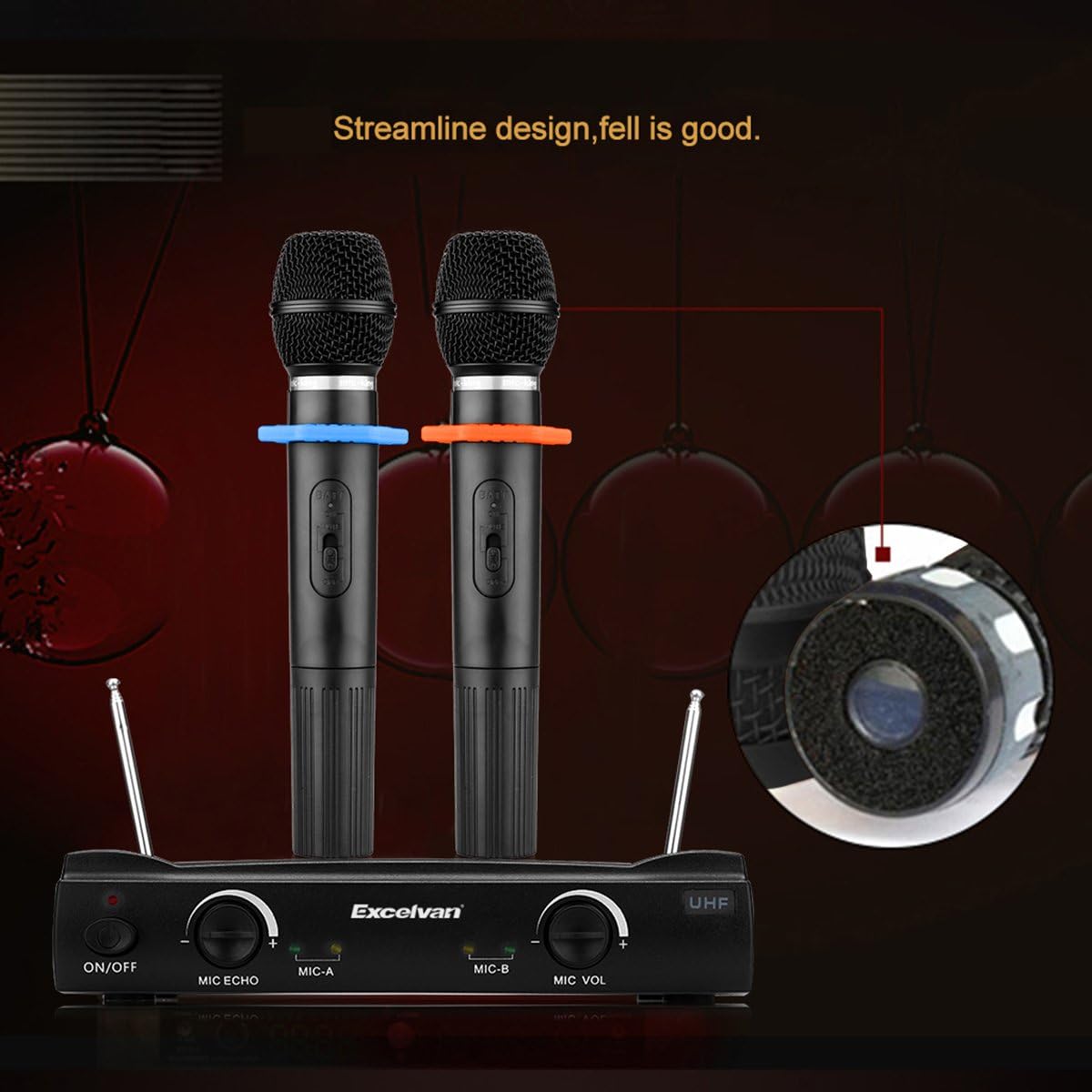
Each wireless microphone features an ON/OFF switch and internal battery compartment. The microphones operate on UHF frequencies, offering over 200 frequency points for clear signal reception.
4. Impostazione
Follow these steps to set up your Excelvan K380 karaoke system:
- Collegamento elettrico: Connect the provided USB power cable to the DC 5V Power In port on the rear of the receiver unit. Plug the other end into a compatible USB power adapter (not included) or a mobile battery.
- Uscita audio: Use one of the provided audio cables to connect the MIX-OUT port on the receiver to the audio input of your external speaker system or amplifier. Assicurarsi che la connessione sia sicura.
- Batterie per microfono: Open the battery compartment of each wireless microphone and insert 2 AAA batteries (not included) into each microphone, observing correct polarity.
- Configurazione dell'antenna: Extend both Antenna A and Antenna B on the rear of the receiver unit for optimal wireless signal reception.
- Receiver Power On: Flip the ON/OFF switch on the front panel of the receiver unit to the 'ON' position. The power indicator will light up.
- Accoppiamento Bluetooth: On your smartphone, tablet, or other Bluetooth-enabled device, search for available Bluetooth devices and select 'Excelvan K380' to pair. Once paired, the Bluetooth indicator on the receiver may light up or change color (refer to specific model behavior if different).
5. Istruzioni per l'uso
Once setup is complete, you can begin using your karaoke set:
- Microphone Power On: Slide the ON/OFF switch on each wireless microphone to the 'ON' position. The corresponding MIC-A or MIC-B indicator on the receiver will light up.
- Regola il volume del microfono: Use the MIC VOL knob on the receiver's front panel to adjust the volume of the microphones to your desired level.
- Apply Echo Effect: Turn the MIC ECHO knob to add or reduce the echo effect on your vocals.
- Riproduci musica: Start playing music from your paired Bluetooth device. Adjust the music volume directly on your device.
- Adjust Overall Output Volume: Use the OUT VOL knob on the rear panel of the receiver to control the combined volume of music and microphones output to your external speakers.
The system utilizes UHF wireless technology with over 200 selectable frequency points to minimize interference and ensure clear audio transmission.
6. Manutenzione
Proper maintenance ensures the longevity and optimal performance of your karaoke set:
- Pulizia: Wipe the receiver unit and microphones with a soft, dry cloth. Do not use liquid cleaners or abrasive materials.
- Magazzinaggio: Quando non in uso, conservare l'unità in un luogo fresco e asciutto, lontano dalla luce solare diretta e da temperature estreme.
- Sostituzione della batteria: Replace the AAA batteries in the wireless microphones when the sound quality degrades or the microphone indicator on the receiver unit shows low power.
- Cura del cavo: Avoid bending or crimping the audio and power cables excessively to prevent damage.
7. Risoluzione Dei Problemi
In caso di problemi, fare riferimento alla seguente guida alla risoluzione dei problemi:
| Problema | Possibile causa | Soluzione |
|---|---|---|
| Nessuna uscita audio | Ricevitore non acceso Cavi non collegati correttamente Livelli del volume troppo bassi External speaker off or muted | Ensure receiver is ON Check all cable connections (MIX-OUT to speaker) Increase OUT VOL, MIC VOL, and music volume on device Turn on/unmute external speaker |
| Il microfono non funziona | Microfono spento Batterie scariche o scariche Microfono fuori portata | Turn microphone ON Sostituire le batterie Move microphone closer to the receiver |
| Errore di connessione Bluetooth | Receiver not in pairing mode Device too far from receiver Interferenza da altri dispositivi | Ensure receiver is powered on and ready to pair Move device closer to receiver Turn off other Bluetooth devices nearby; try re-pairing |
| Rumore statico o di interferenza | Interferenza ambientale Microfono troppo vicino agli altoparlanti Impostazioni volume alto | Ensure antennas are extended; try repositioning receiver Maintain distance between microphones and speakers Reduce overall volume (OUT VOL) and microphone volume (MIC VOL) |
8. Specifiche
Key technical specifications for the Excelvan K380 Karaoke Set:
- Numero modello: K380
- Marca: Eccellente
- Tecnologia di connettività: Bluetooth
- Caratteristica speciale: Controllo del volume
- Fonte di energia: Corded Electric (via USB power cable)
- Piattaforma Hardware: Karaoke Machine, Desktop PC
- Numero di canali: 2
- Codice UPC: 708624218138
9. Garanzia e supporto
Specific warranty information and customer support contact details are not provided in the product data. Please refer to the retailer or manufacturer's websito per i termini di garanzia e le opzioni di supporto.


