1. Introduzione
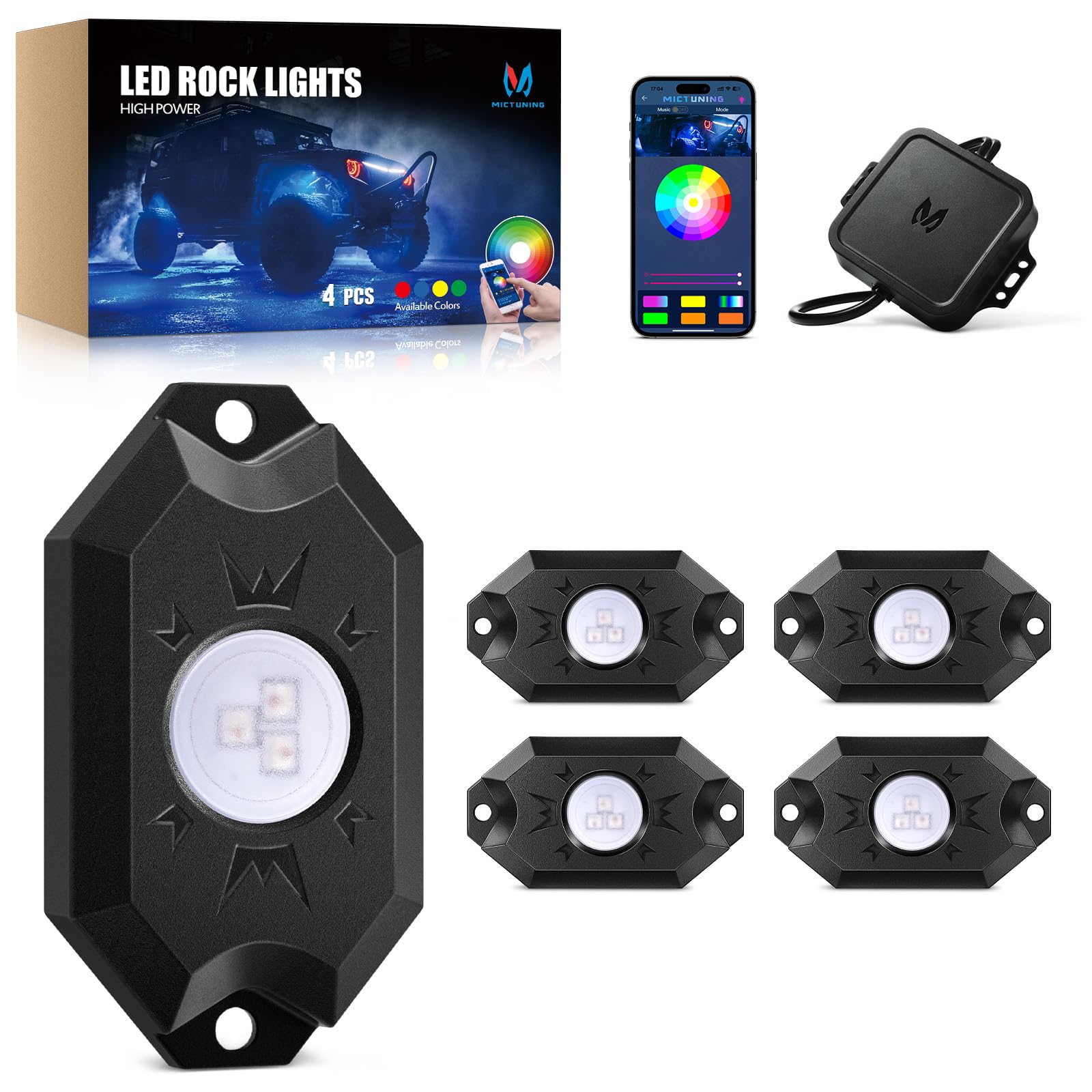
Welcome to your MICTUNING 2nd-Gen CM RGB Rock Lights. This manual provides essential information for the safe and effective installation, operation, and maintenance of your 4-pod waterproof multicolor LED underglow kit. Designed for trucks, pickups, UTVs, SUVs, and ATVs, these lights feature Bluetooth app control and a music mode for customizable lighting effects.
2. Cosa c'è nella scatola
Verificare che tutti i componenti siano presenti prima di iniziare l'installazione:
- 4x LED Rock Lights
- 1x Scatola di controllo
- 1x Wire Connector (4-Pin)
- 4x cuscinetti in gomma
- Fasteners (Screws and Nuts)
- Manuale dell'utente (questo documento)

3. Caratteristiche principali
- True Bright RGB: High-brightness 3-in-1 LED diodes for smooth, uniform color. Frosted lens for 80% light transmittance, ensuring vibrant, natural glow.
- Connettività Bluetooth stabile: Automotive-grade controller chip ensures instant and stable Bluetooth pairing for reliable control.
- Grado di impermeabilità IP68: Die-cast aluminum housings are dustproof, shockproof, and IP68 waterproof, built for durability in harsh conditions and over 50,000 hours of use.
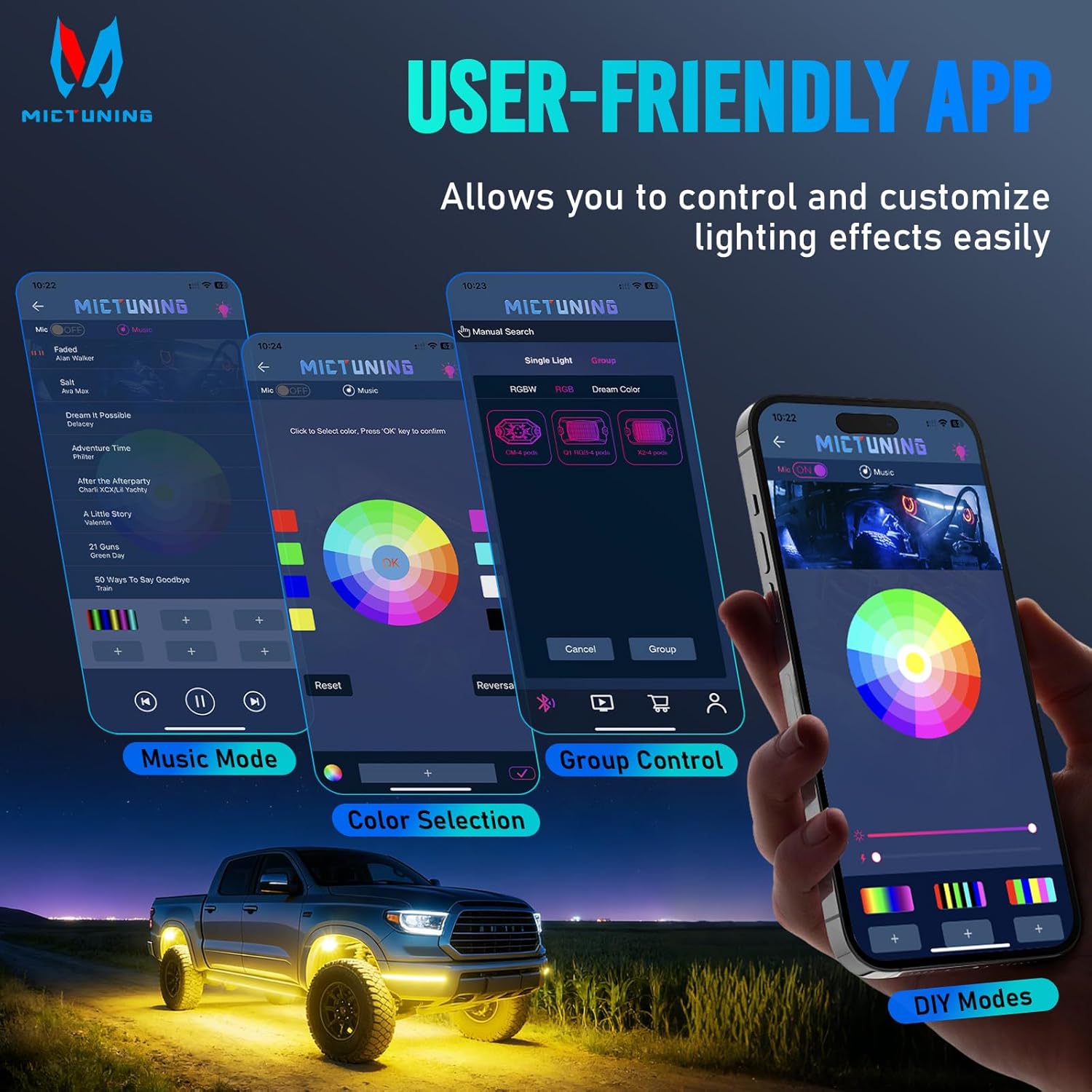
- MagicLink App Control: Control up to 4 sets of MICTUNING lights (X2/CM/Q1 models) simultaneously from one sleek app interface. Customize colors, strobes, and sync to music.
- Installazione semplice: Compact 3.1''x1.8'' rock lights with straightforward wiring for a hassle-free setup process.

4. Configurazione e installazione
Proper installation is crucial for optimal performance and longevity. Always ensure the vehicle's power is disconnected before starting installation.
4.1 Schema elettrico
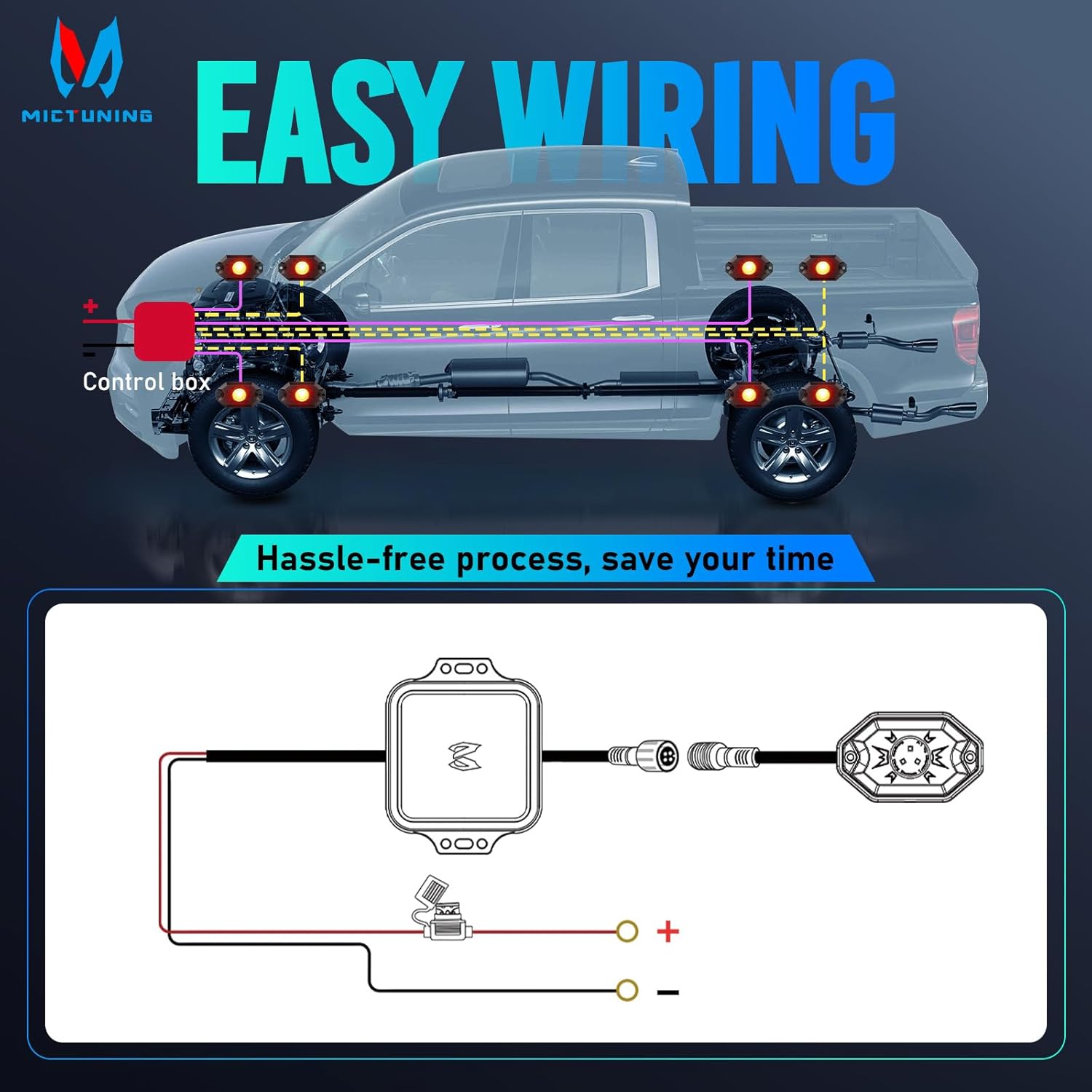
Per i collegamenti elettrici corretti, fare riferimento allo schema seguente:
4.2 Passaggi di installazione
- Posizione di montaggio: Choose suitable locations for each rock light pod, typically under the vehicle, ensuring they are securely fastened and do not interfere with moving parts. The lights are 3.1''x1.8'' in size.
- Secure Pods: Use the provided fasteners and rubber pads to mount each rock light pod. Ensure a tight fit to prevent vibration and water ingress.
- Collegare il cablaggio: Connect the rock light pods to the control box using the 4-pin wire connector. Ensure all connections are secure.
- Collegamento elettrico: Connect the control box to your vehicle's 12V power source. It is recommended to use a fuse for protection, as indicated in the wiring diagram.
- Cavi del percorso: Securely route all cables away from hot engine parts, sharp edges, and moving components to prevent damage. Use cable ties if necessary.
- Download dell'app: Scan the QR code on the user manual or control box to download the "Mictuning" app.
- Accoppiamento Bluetooth: Open the app and connect to the Bluetooth device. Follow the in-app instructions to pair your rock lights.
5. Funzionamento
Your MICTUNING rock lights are controlled via the MagicLink mobile application.
5.1 Funzioni dell'app
- Selezione del colore: Scegli tra 16 milioni di colori utilizzando la ruota dei colori nell'app.
- Regolazione della luminosità: Regola l'intensità della luce in base alle tue preferenze.
- Velocità stroboscopica: Control the speed of strobe effects.
- Modalità Musica: Sync your lights to music for dynamic lighting effects.
- Modalità fai da te: Create and save custom lighting patterns.
- Controllo di gruppo: Control multiple sets of MICTUNING rock lights (X2/CM/Q1 models) simultaneously from a single app.
6. Manutenzione
Regular maintenance ensures the longevity and optimal performance of your rock lights.
- Pulizia regolare: Periodically clean the light pods with a soft cloth and mild soap to remove dirt and debris. Avoid abrasive cleaners.
- Ispezionare il cablaggio: Regularly check all wiring connections for signs of wear, corrosion, or damage. Ensure connections remain tight.
- Integrità del sigillo: Although IP68 rated, inspect the housing and seals for any cracks or damage that could compromise water resistance, especially after off-road use.
- Aggiornamenti software: Check the app store for any available updates to the MICTUNING MagicLink app to ensure optimal performance and access to new features.
7. Risoluzione Dei Problemi
In caso di problemi, consultare la tabella sottostante per i problemi più comuni e le relative soluzioni.
| Problema | Possibile causa | Soluzione |
|---|---|---|
| Le luci non si accendono | Nessun collegamento di alimentazione | Check power supply, fuse, and wiring connections. |
| Le luci non si accendono | Collegamento allentato | Ensure all connectors are securely plugged in. |
| Connessione Bluetooth instabile | Interferenza o distanza | Ensure your phone is within range of the control box. Avoid strong electromagnetic interference. |
| Le luci non rispondono all'app | Problema con l'app o il dispositivo | Restart the app, restart your phone's Bluetooth, or restart the control box by cycling power. |
| Visualizzazione dei colori non coerente | LED o cablaggio difettosi | Inspect individual light pods for damage. Check wiring for shorts or breaks. |
| Le luci tremolano | Alimentazione instabile o connessione allentata | Verify stable 12V power supply. Check all wiring connections for tightness. |
If issues persist, contact MICTUNING customer support for further assistance.
8. Specifiche
| Caratteristica | Dettaglio |
|---|---|
| Marca | ACCENSIONE MICROFONICA |
| Numero di modello | 8542101658 |
| Dimensioni articolo (L x P x A) | 7.87 x 5.12 x 5.71 pollici |
| Peso dell'articolo | 2.64 libbre |
| Colore | Colore RGB |
| Fattore di forma | Baccello |
| Usi consigliati | Vehicle Exterior, Vehicle Interior, Party Lighting, Decorative Lighting |
| Posizione della parte automatica | Interno |
| Materiale | Alluminio |
| Livello di resistenza all'acqua | IP68 impermeabile |
| Numero di pezzi | 4 |
| Tipo di adattamento automobilistico | Vestibilità universale |
| Voltage | 12 Volt |
| Tipo di sorgente luminosa | GUIDATO |
| Caratteristiche speciali | Control 1-4 sets rock light together with one phone, easy app to use, easy to install, many color options, super bright and fantastic light |

9. Garanzia e supporto
Garanzia: This MICTUNING product comes with a two-year warranty from the date of purchase.
Assistenza clienti: If you encounter any issues while using your product, please do not hesitate to contact MICTUNING customer support. Our responsive team is committed to assisting you within 24 hours to resolve your problems.
For further assistance, visit the official MICTUNING websito o fare riferimento alle informazioni di contatto fornite al momento dell'acquisto.


