Tastiera wireless Logitech K270
Manuale d'uso
Introduzione
The Logitech K270 Wireless Keyboard offers a full-size traditional keyboard layout, including a numeric pad, designed for efficient and comfortable typing. It features eight hotkeys for instant access to frequently used applications and websites, enhancing productivity.
This keyboard utilizes a tiny Logitech Unifying receiver that plugs into your USB port, allowing connection of up to five additional compatible Logitech devices. The 2.4 GHz wireless technology ensures a reliable signal distance of up to 33 feet, depending on environmental conditions. Built for durability, the K270 features a spill-resistant design and UV-coated keys.
Contenuto della confezione
- Tastiera wireless Logitech K270
- Ricevitore unificante Logitech
- 2 batterie AAA (preinstallate o incluse)
- Documentazione utente
Impostare
- Inserire le batterie: Se non sono già installate, aprire il vano batterie sul lato inferiore della tastiera e inserire le due batterie AAA, assicurandosi che la polarità sia corretta.
- Collegare il ricevitore Unifying: Plug the tiny Logitech Unifying receiver into an available USB port on your computer.
- Accensione: Turn on the keyboard using the On/Off switch located on the top right side of the keyboard. The keyboard should automatically connect to the receiver.
- Install Logitech Unifying Software (Optional): For advanced customization and to connect additional compatible devices, download and install the Logitech Unifying Software from the official Logitech websito.

Immagine: dall'alto verso il basso view of the Logitech K270 Wireless Keyboard, showing the full layout including the numeric pad and function keys.

Immagine: Angolata view of the Logitech K270 Wireless Keyboard, highlighting its slim profile and key arrangement.
Istruzioni per l'uso
Uso di base della tastiera
The Logitech K270 functions as a standard full-size keyboard. Simply begin typing after successful setup. The 2.4 GHz wireless connection provides a reliable and lag-free experience up to 33 feet (10 meters) from your computer, though actual range may vary based on environmental conditions and computer setup.
Hotkeys and Function Keys
The keyboard features eight dedicated hotkeys located above the function keys (F1-F12) for quick access to common functions:
- Riproduci/Pausa: Controlla la riproduzione multimediale.
- Disattiva audio: Disattiva l'uscita audio.
- Volume basso: Diminuire il volume audio.
- Aumenta volume: Aumentare il volume audio.
- Casa: Apri il tuo predefinito web browser's home page.
- E-mail: Apri il tuo client di posta elettronica predefinito.
- Sospensione PC: Metti il computer in modalità sospensione.
- Calcolatrice: Aprire l'applicazione calcolatrice.
Standard function keys (F1-F12) can be accessed directly or by holding the 'Fn' key, depending on your system's configuration and any Logitech software settings.
Ricevitore unificante Logitech
The included Unifying receiver allows you to connect up to five additional compatible Logitech wireless devices (such as mice or other keyboards) to the same receiver, freeing up USB ports. Use the Logitech Unifying Software to manage and pair additional devices.
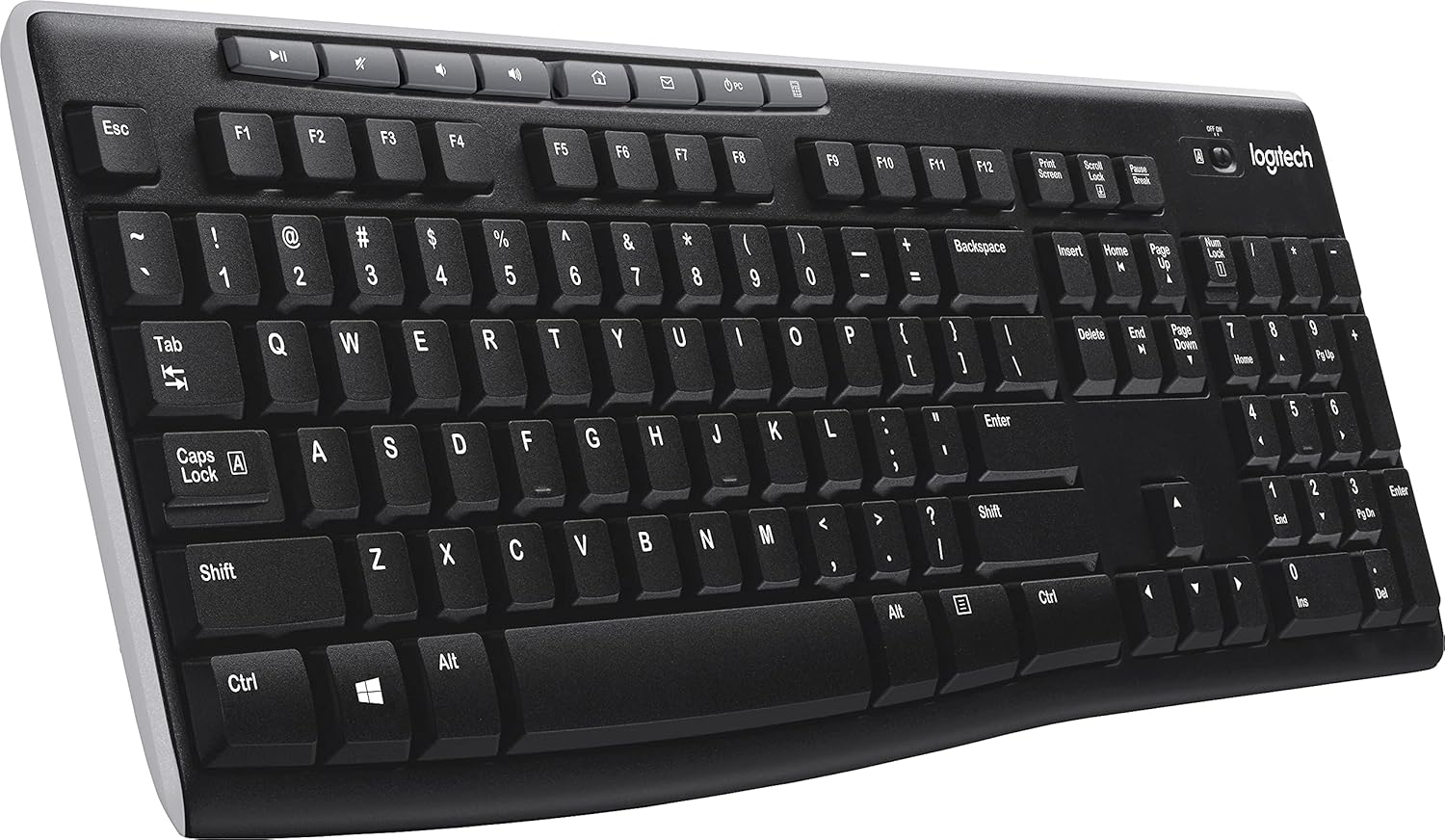
Immagine: Angolata view of the Logitech K270 Wireless Keyboard, showcasing the right side with the numeric keypad and hotkeys.
Manutenzione
The Logitech K270 keyboard is designed with durability in mind, featuring a spill-resistant design and UV-coated keys to prevent fading.
- Pulizia: Per pulire la tastiera, strofinare delicatamente la superficie con un panno morbido eamp cloth. Avoid using harsh chemicals or abrasive cleaners. Ensure the keyboard is powered off before cleaning.
- Resistenza alle fuoriuscite: While spill-resistant, it is not waterproof. In case of a spill, immediately power off the keyboard, disconnect it from the computer, and allow it to dry completely before re-using. Do not submerge the keyboard in liquid.
- Sostituzione della batteria: Replace batteries when the low battery indicator light illuminates or when keyboard performance degrades. Use two AAA alkaline batteries.
Risoluzione dei problemi
| Problema | Soluzione |
|---|---|
| La tastiera non risponde |
|
| Connessione lenta o intermittente |
|
| I tasti di scelta rapida non funzionano |
|
Specifiche
| Marca | Logitech |
| Numero di modello | LOG920003051 |
| Tecnologia di connettività | Wireless (2.4 GHz, USB Unifying Receiver) |
| Descrizione della tastiera | Wireless, Full-size with Numeric Pad |
| Caratteristica speciale | Spill Resistant, UV-Coated Keys |
| Colore | Nero |
| Fonte di alimentazione | Alimentato a batteria (2 x AAA) |
| Compatibilità del sistema operativo | Windows Vista, Windows XP, Mac OS X (and newer versions) |
| Peso dell'articolo | 1.59 libbre (circa 0.72 kg) |
| Dimensioni del prodotto (LxWxH) | 18.1 x 17.2 x 0.8 pollici (circa 46 x 43.7 x 2 cm) |
Garanzia e supporto
Per informazioni dettagliate sulla garanzia, supporto tecnico e risorse aggiuntive, visitare il supporto ufficiale Logitech websito. Lì puoi trovare driver, FAQ e informazioni di contatto per il servizio clienti.
Supporto Logitech Websito: support.logi.com
Please have your product model number (K270 or LOG920003051) and serial number ready when contacting support.


