Introduzione
Thank you for choosing ELEPHAS DLP-Link 3D Glasses. These active shutter glasses are designed to provide a superior 3D visual experience with compatible DLP-Link 3D projectors. Featuring a 144Hz refresh rate and a wide 178° viewing angle, they offer vivid and immersive 3D content. This manual provides essential information for setup, operation, maintenance, and troubleshooting to ensure optimal performance.

Image: Four ELEPHAS DLP-Link 3D glasses, showcasing their sleek design and readiness for use.
Caratteristiche principali:
- Frequenza di aggiornamento 144Hz: Experience smooth and fluid 3D visuals.
- 178° Largo Viewangolo di ing: Enjoy distortion-free viewing da varie posizioni.
- Batteria ricaricabile: Fino a 30 ore di uso continuo con una singola carica.
- Design leggero: Comfortable for extended wearing.
- Funzionamento semplice con un solo pulsante: Easy power control and 3D synchronization.
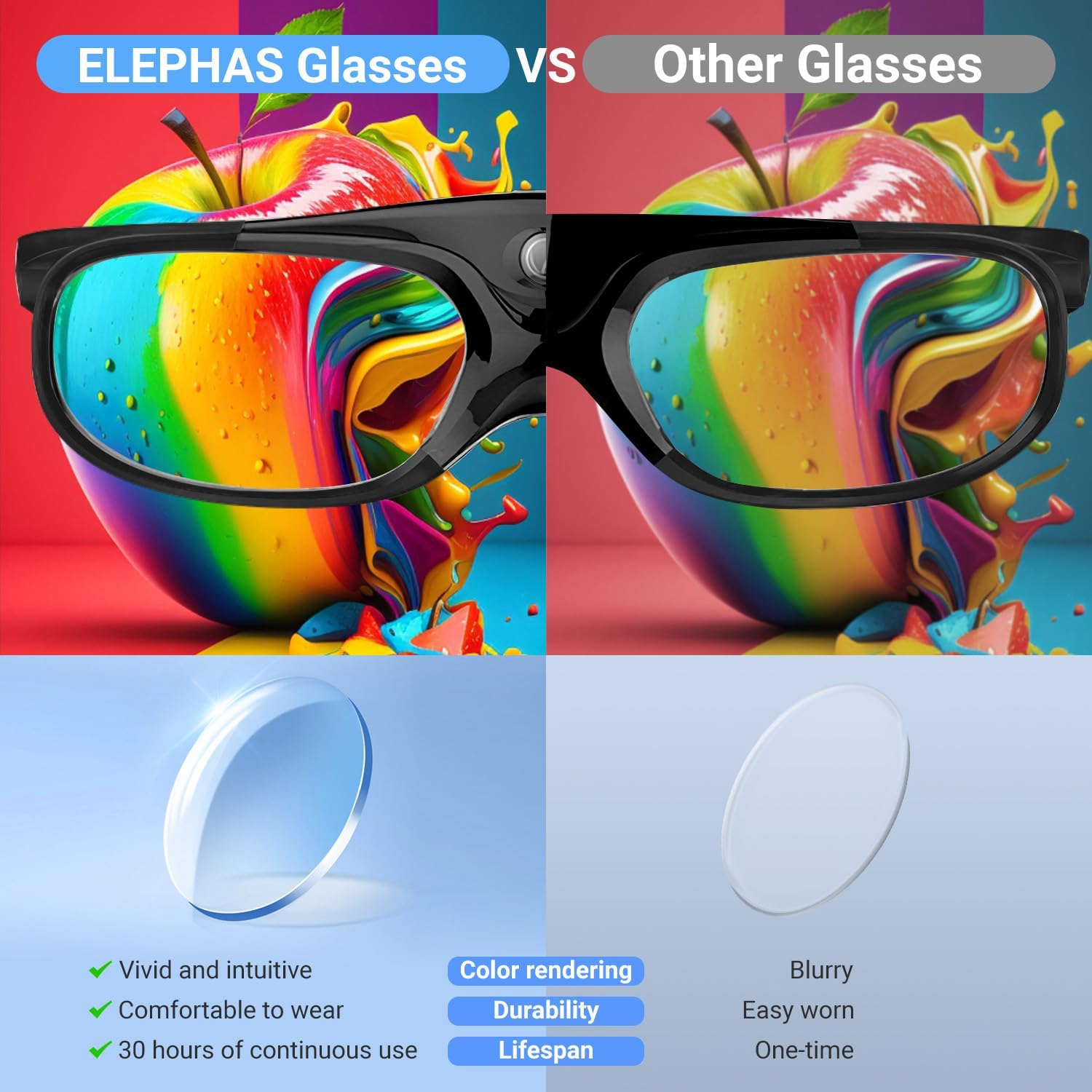
Image: A visual comparison demonstrating the vivid color rendering and superior quality of ELEPHAS glasses compared to generic alternatives.
Contenuto della confezione
Si prega di verificare che tutti gli articoli siano presenti nel pacco:
- ELEPHAS DLP-Link 3D Glasses (Quantity as purchased)
- Cavo di ricarica USB
- Panno per la pulizia
- Borsa per occhiali
- Manuale dell'utente (questo documento)
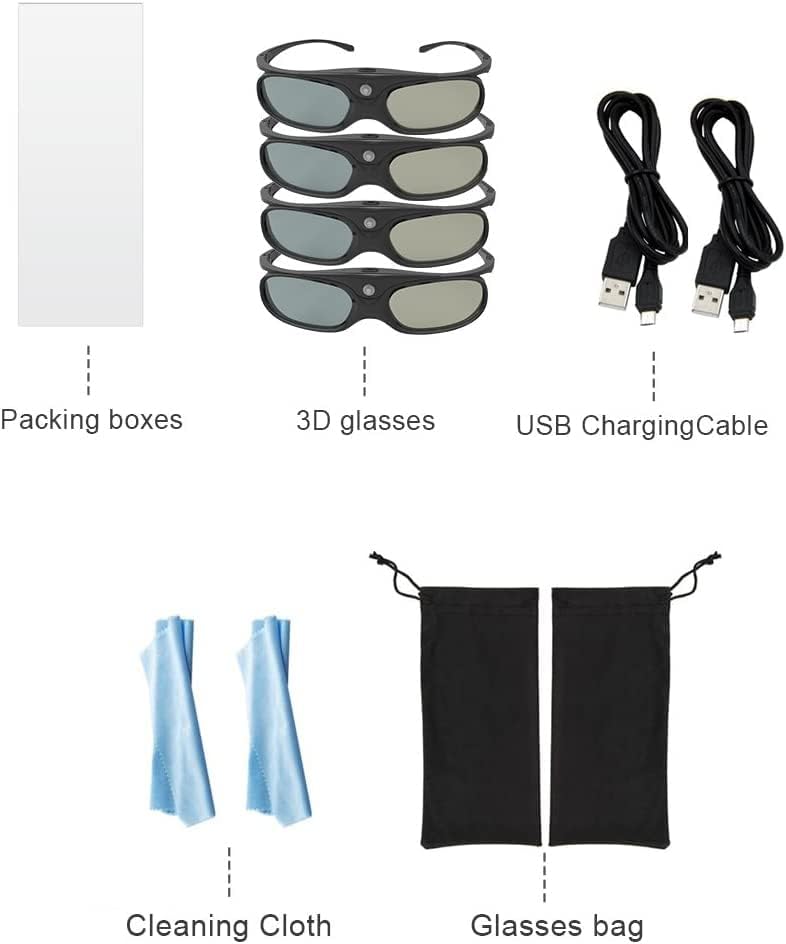
Image: An illustration detailing the contents of the product package, including glasses, charging cables, cleaning cloth, and storage bags.
Impostare
Compatibilità:
These ELEPHAS 3D glasses are designed exclusively for DLP-Link 3D projectors. They are compatible with most DLP-Link 3D projectors from brands such as Acer, ViewSonic, BenQ, Vivitek, Optoma, Panasonic, and Dell. These glasses do not support 3D TVs.

Image: A graphic explicitly stating that the glasses are compatible only with DLP-LINK 3D Projectors, showing examples of compatible projectors.
Carica iniziale:
Before first use, fully charge the glasses. Connect the provided USB charging cable to the charging port on the glasses and to a standard USB power source (e.g., computer USB port, USB wall adapter). The indicator light will show charging status. A full charge typically takes approximately 2 hours.
Istruzioni per l'uso
Power On/Off and Synchronization:
- Attiva: Press and hold the power button located on the top of the glasses for approximately 1-2 seconds until the indicator light flashes.
- Sincronizzare: Ensure your DLP-Link 3D projector is displaying 3D content. The glasses will automatically attempt to synchronize with the projector's 3D signal. If the 3D effect is not optimal, briefly press the power button again to cycle through synchronization modes until the image appears clear and focused.
- Spegnere: Press and hold the power button for approximately 4 seconds until the indicator light turns off. The glasses also feature an auto 5-second standby and 5-minute shut-off function to conserve battery if no signal is detected.

Immagine: Un dettaglio view of the ELEPHAS 3D glasses, highlighting the single control button for power and synchronization, and the sensor receiver.
Indossare gli occhiali:
The glasses are designed to be lightweight and comfortable for extended viewing. They can also be worn over most prescription glasses. Adjust the glasses for a comfortable fit that allows for an unobstructed view dello schermo.

Image: A family enjoying a 3D movie with ELEPHAS glasses, demonstrating the immersive visual experience provided by the 144Hz refresh rate.
Manutenzione
Carica della batteria:
When the battery is low, the indicator light will signal. Connect the glasses to a USB power source using the provided cable. A full charge provides approximately 30 hours of continuous operation. Avoid overcharging the battery.

Image: A graphic detailing the efficient battery performance: 2 hours of charging provides up to 30 hours of continuous use.
Pulizia:
Use the provided cleaning cloth to gently wipe the lenses and frame. Do not use abrasive cleaners, solvents, or alcohol-based solutions, as these can damage the lenses or coating. Keep the glasses free from dust and fingerprints for optimal viewchiarezza.
Magazzinaggio:
When not in use, store the glasses in the provided glasses bag to protect them from scratches and dust. Store in a cool, dry place away from direct sunlight and extreme temperatures.
Risoluzione dei problemi
- Nessun effetto 3D / Immagine sfocata:
- Ensure your projector is set to 3D mode and displaying DLP-Link compatible 3D content.
- Briefly press the power button on the glasses to re-synchronize with the projector. Repeat if necessary until the image is clear.
- Check if the glasses are fully charged.
- Verify that the glasses are compatible with your projector (DLP-Link only).
- Gli occhiali non si accendono:
- Ensure the glasses are fully charged. Connect to a USB power source and allow sufficient charging time.
- Per accendere, tenere premuto il pulsante di accensione per 1-2 secondi.
- Durata breve della batteria:
- Ensure the glasses are fully charged before each use.
- Avoid leaving the glasses on when not in use; the auto shut-off feature helps conserve battery.
Specifiche
| Numero di modello | 4330079450 |
| Dimensioni del prodotto | 3.03 x 7.87 x 11.61 pollici |
| Peso dell'articolo | 15.5 once |
| Frequenza di aggiornamento | 144 Hz |
| Viewangolo di ing | 178° |
| Durata della batteria | Fino a 30 ore di utilizzo continuo |
| Tempo di ricarica | Circa 2 ore |
| Compatibilità | DLP-Link 3D Projectors only |
Supporto
For further assistance or inquiries regarding your ELEPHAS DLP-Link 3D Glasses, please refer to the official ELEPHAS support channels or contact your retailer. Keep your purchase receipt for any warranty claims.


