1. Introduzione
Thank you for choosing the Cellularline BTMOSQUITOK MOTION In-Ear Bluetooth Stereo Earphone. This manual provides essential information for the safe and efficient use of your new earphones. Please read it thoroughly before use and keep it for future reference.
These in-ear Bluetooth earphones feature perfect fit technology, a built-in microphone with an answer button, and remote control, making them ideal for listening to music and managing calls. They also include a simple magnetic closure for convenient portability.
2. Contenuto della confezione
Si prega di verificare che tutti gli articoli siano presenti nel pacco:
- Cellularline BTMOSQUITOK MOTION In-Ear Bluetooth Stereo Earphone
- Cavo di ricarica USB
- 3 sets of earbuds (various sizes)
- Manuale d'uso
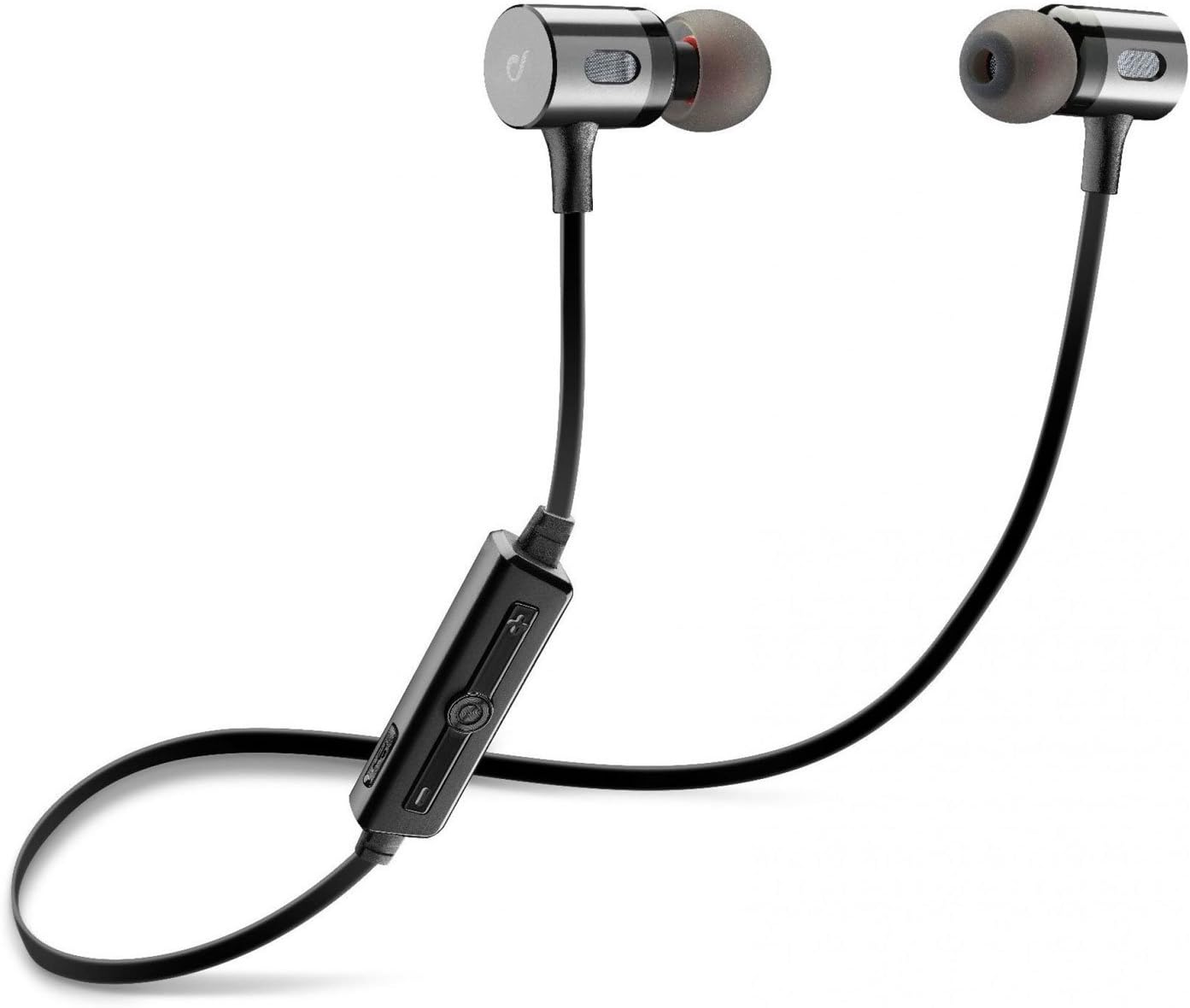
Image: The Cellularline BTMOSQUITOK MOTION In-Ear Bluetooth Stereo Earphone, showing the earbuds, cable, and inline remote.
3. Informazioni sulla sicurezza
- Non esporre gli auricolari a temperature estreme, umidità o liquidi.
- Evitare di far cadere o di sottoporre gli auricolari a forti urti.
- Do not attempt to disassemble or repair the earphones yourself. Refer to qualified service personnel.
- L'esposizione prolungata a suoni forti può causare danni all'udito. Regolare il volume a un livello moderato.
- Tenere fuori dalla portata dei bambini.
4. Configurazione e primo utilizzo
4.1. Ricarica degli auricolari
Before first use, fully charge the earphones. Connect the supplied USB charging cable to the charging port on the inline remote control and the other end to a USB power source (e.g., computer USB port or USB wall adapter).
- A red indicator light will typically show during charging.
- The light will turn blue or off when charging is complete.

Image: Close-up of the inline remote control on the Cellularline BTMOSQUITOK earphones, showing buttons and charging port location.
4.2. Associazione con un dispositivo Bluetooth
- Assicurarsi che gli auricolari siano carichi e spenti.
- Press and hold the multi-function button (usually the center button on the remote) until the indicator light flashes red and blue alternately, indicating pairing mode.
- On your Bluetooth device (smartphone, tablet, etc.), enable Bluetooth and search for new devices.
- Select "BTMOSQUITOK" or similar name from the list of available devices.
- Once paired, the indicator light on the earphones will typically flash blue slowly or turn off, and you may hear a confirmation tone.
Note: If a passcode is required, enter "0000".
5. Istruzioni per l'uso
5.1. Accensione/spegnimento
- Accensione: Tenere premuto il pulsante multifunzione per circa 3 secondi finché la spia blu non lampeggia.
- Spegni: Tenere premuto il pulsante multifunzione per circa 5 secondi finché la spia rossa non lampeggia e poi si spegne.
5.2. Riproduzione di musica
- Riproduci/Pausa: Premi una volta il pulsante multifunzione.
- Traccia successiva: Premere e tenere premuto il pulsante del volume "+".
- Traccia precedente: Premere e tenere premuto il pulsante del volume "-".
- Aumenta volume: Premere brevemente il pulsante del volume "+".
- Volume basso: Premere brevemente il pulsante del volume "-".
5.3. Gestione delle chiamate
- Rispondi/Termina chiamata: Premi una volta il pulsante multifunzione.
- Rifiuta chiamata: Tenere premuto il pulsante multifunzione per circa 2 secondi.
- Ricomponi l'ultimo numero: Premere due volte il pulsante multifunzione.

Image: The magnetic closure feature of the Cellularline BTMOSQUITOK earbuds, allowing them to snap together for secure carrying.
6. Manutenzione e cura
- Pulire regolarmente gli auricolari con un panno morbido e asciutto.
- Non utilizzare detergenti abrasivi o solventi.
- Remove and clean the ear tips periodically to prevent wax buildup.
- Store the earphones in a cool, dry place when not in use. The magnetic closure helps keep them tangle-free.
7. Risoluzione Dei Problemi
| Problema | Possibile causa | Soluzione |
|---|---|---|
| Gli auricolari non si accendono. | Batteria scarica. | Caricare completamente gli auricolari. |
| Impossibile associare il dispositivo. | Auricolari non in modalità di associazione; Bluetooth disattivato sul dispositivo; dispositivo troppo lontano. | Ensure earphones are in pairing mode (flashing red/blue). Turn on Bluetooth on your device. Move device closer to earphones. |
| Nessun suono o volume basso. | Volume too low; earphones not connected; incorrect audio output selected on device. | Increase volume on earphones and device. Re-pair earphones. Check audio output settings on your device. |
| Connessione intermittente. | Interferenza; dispositivo troppo lontano; batteria scarica. | Move away from sources of interference (Wi-Fi routers, other Bluetooth devices). Keep device within range. Charge earphones. |
8. Specifiche
| Nome del modello | BTMOSQUITOK MOTION |
| Marca | Cellularline |
| Tipo | In-Ear Bluetooth Stereo Earphone |
| Colore | Nero |
| Microfono | Built-in with answer button and remote control |
| Tipo di batteria | Ioni di litio (1 richiesto) |
| Dimensioni del prodotto | Dimensioni: 9.2 x 2 x 17.5 cm |
| Peso | 65 grammi |
| Controllo del rumore | Isolamento acustico |
9. Garanzia e supporto
Per informazioni sulla garanzia e supporto tecnico, fare riferimento alla scheda di garanzia inclusa con il prodotto o visitare il sito ufficiale Cellularline websito. Conservare la prova d'acquisto per eventuali reclami in garanzia.
Manufacturer: Cellularline


