1. Introduzione
This manual provides instructions for the proper setup, operation, maintenance, and troubleshooting of your Onn ONA11HO089 Soft-Touch USB Keyboard. Please read this manual thoroughly before using the product to ensure optimal performance and longevity.
The Onn ONA11HO089 is a full-sized, black USB keyboard designed for comfortable and efficient typing across various compatible devices.
2. Impostazione
Setting up your Onn ONA11HO089 keyboard is a simple plug-and-play process. No additional drivers are typically required for most operating systems.
- Disimballare la tastiera: Estrarre con cautela la tastiera dalla confezione.
- Individuare una porta USB: Identify an available USB-A port on your computer, laptop, gaming console, or tablet.
- Collegare il cavo USB: Insert the USB connector of the keyboard cable into the chosen USB port.
- Riconoscimento del sistema: Il sistema operativo dovrebbe rilevare e installare automaticamente i driver necessari per la tastiera. Questo processo potrebbe richiedere alcuni istanti.
- Prova la tastiera: Open a text editor or any application that accepts text input and type to confirm the keyboard is functioning correctly.
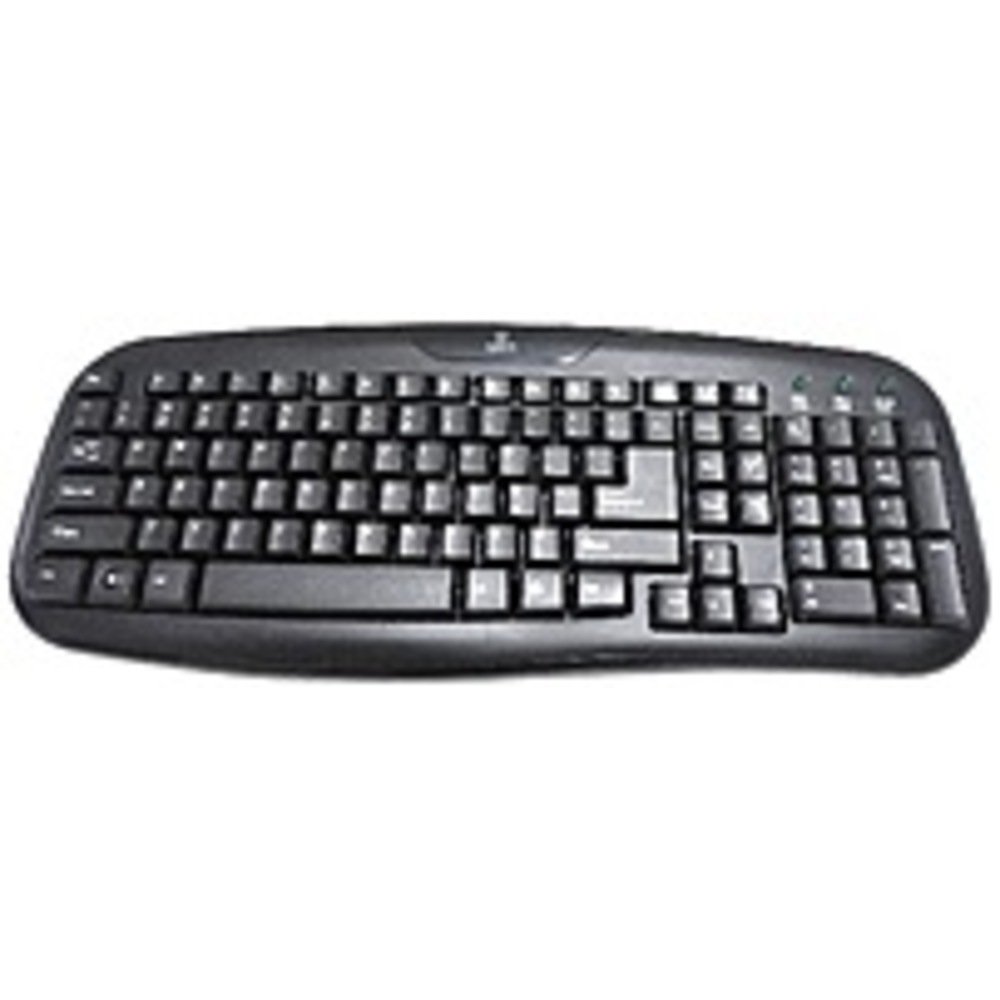
Figure 2.1: The Onn ONA11HO089 USB Keyboard. Connect the USB cable to an available port on your device.
3. Utilizzo della tastiera
The Onn ONA11HO089 keyboard offers a standard layout for intuitive typing. Its soft-touch keys are designed for comfortable and responsive input.
- Digitazione di base: Use the alphanumeric keys for standard text input. The keyboard features a full QWERTY layout, including a numeric keypad for data entry.
- Tasti funzione: The F1-F12 keys provide various functions, often used in combination with the Fn key on laptops, though this keyboard is a standalone unit and these keys typically perform their standard functions directly.
- Chiavi speciali: Utilize keys like Ctrl, Alternativa, Spostare, e il Windows/Command key for shortcuts and system commands.
- Soft-Touch Experience: The tactile switches provide a comfortable typing experience, reducing fatigue during extended use.
- Compatibilità: This keyboard is compatible with various devices including PCs, laptops, gaming consoles, and tablets that support USB keyboard input.
Figure 3.1: The key layout of the Onn ONA11HO089 keyboard, showing the standard QWERTY arrangement and numeric keypad.
4. Manutenzione
Proper maintenance can extend the life of your keyboard and ensure consistent performance.
- Pulizia:
- Scollegare la tastiera dal dispositivo prima di pulirla.
- Utilizzare un panno morbido e privo di lanugine leggermente dampcon acqua o una soluzione detergente delicata per pulire la superficie dei tasti e casing.
- Per rimuovere polvere e detriti tra i tasti, utilizzare aria compressa.
- Evitare l'uso di prodotti chimici aggressivi, detergenti abrasivi o umidità eccessiva, poiché potrebbero danneggiare la tastiera.
- Keycap Wear: Over time and with heavy use, the lettering on the keycaps may show signs of wear. This is a common characteristic of printed keycaps. Gentle use and regular cleaning can help minimize this, but it is not indicative of a functional defect.
- Magazzinaggio: Quando non viene utilizzata, conservare la tastiera in un ambiente pulito e asciutto, lontano da temperature estreme e dalla luce solare diretta.
5. Risoluzione Dei Problemi
If you encounter issues with your Onn ONA11HO089 keyboard, refer to the following common troubleshooting steps:
| Problema | Possibile causa | Soluzione |
|---|---|---|
| La tastiera non risponde. |
|
|
| Alcuni tasti non funzionano. |
|
|
| L'input da tastiera è ritardato o irregolare. |
|
|
6. Specifiche
Below are the technical specifications for the Onn ONA11HO089 Soft-Touch USB Keyboard:
- Modello: ONA11HO089
- Marca: Onn
- Tecnologia di connettività: USB
- Descrizione della tastiera: Ergonomic
- Tipo di interruttore: Tattile
- Colore: Nero
- Fonte di energia: USB alimentato
- Dispositivi compatibili: Console di gioco, laptop, PC, tablet
- Dimensioni del prodotto: 18 x 1.25 x 7 pollici (circa 45.7 x 3.2 x 17.8 cm)
- Peso dell'articolo: 1.38 libbre (circa 0.63 kg)
- Data prima disponibilità: 5 gennaio 2017
7. Garanzia e supporto
For warranty information regarding your Onn ONA11HO089 Soft-Touch USB Keyboard, please refer to the documentation included with your purchase or visit the official Onn websito. I termini e le condizioni della garanzia possono variare in base alla regione e al rivenditore.
If you require technical support or have questions not covered in this manual, please contact Onn customer service through their official websito o le informazioni di contatto fornite con il prodotto.


