Introduzione
This manual provides detailed instructions for the Rapoo V510 Backlit Mechanical Gaming Keyboard. It covers setup, operation, maintenance, and troubleshooting to ensure you get the best experience from your device. The Rapoo V510 is designed for gamers, featuring durable mechanical key switches, anti-ghosting capabilities, and a spill-resistant design.
Impostare
Contenuto della confezione
- Rapoo V510 Mechanical Gaming Keyboard
- Guida rapida
Requisiti di sistema
- Operating System: Windows 98SE/ME/2000/XP/Vista/Win7/Win8/Win10/MAC OS
- Porta USB disponibile
Collegamento della tastiera
- Unpack the Rapoo V510 keyboard from its packaging.
- Individua una porta USB disponibile sul tuo computer.
- Collegare il connettore USB della tastiera alla porta USB.
- Il sistema operativo dovrebbe rilevare e installare automaticamente i driver necessari. In genere, non è richiesta l'installazione di software aggiuntivo per le funzionalità di base.
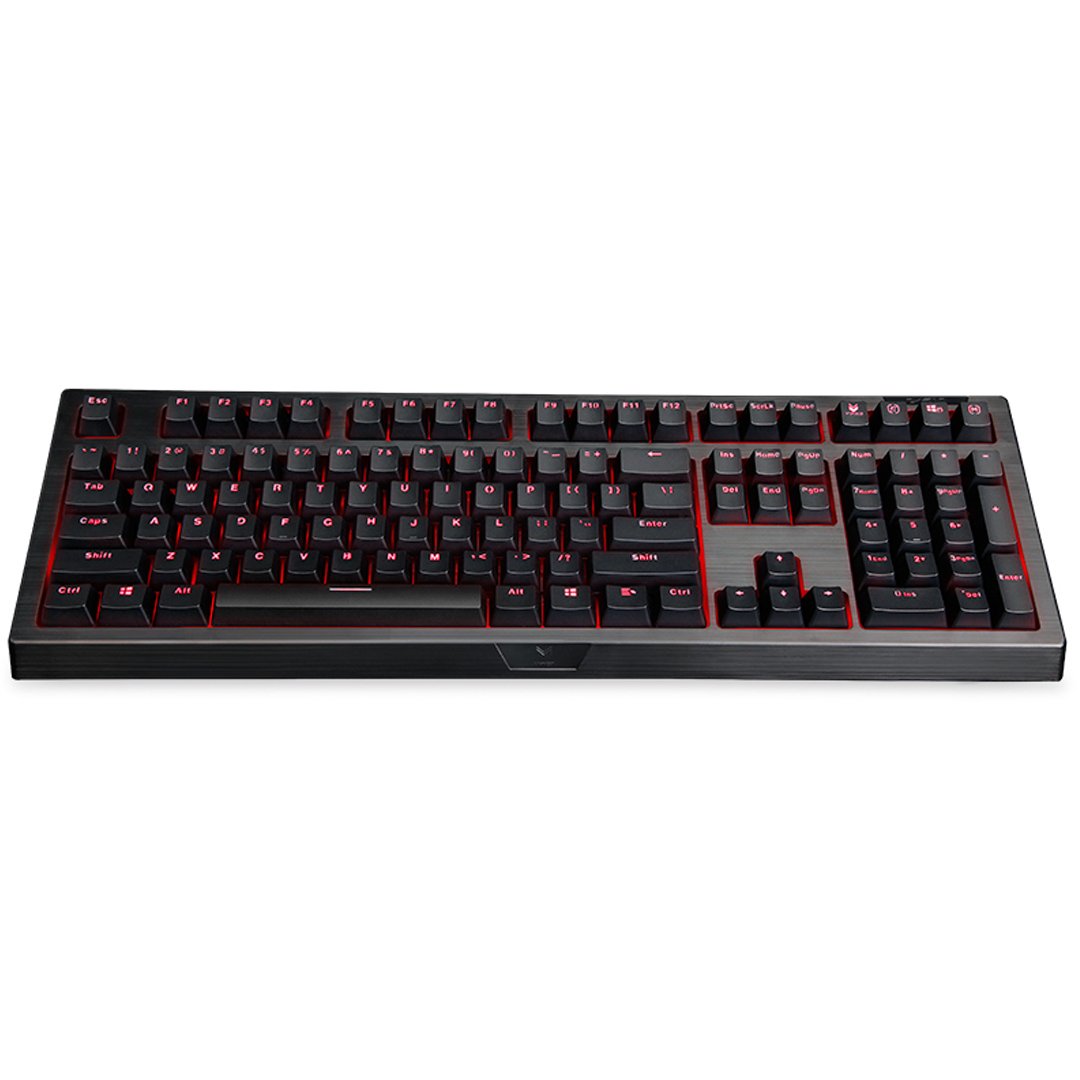
Immagine: dall'alto verso il basso view of the Rapoo V510 keyboard, showcasing its full layout with red backlighting.
Utilizzo della tastiera
Caratteristiche principali
- Full Mechanical Keys: Experience high-speed response and tactile feedback with every keystroke.
- Interruttori durevoli: Mechanical key switches are designed for a long lifespan, rated up to 60 million operations per key.
- Conflict-Free Design (Anti-Ghosting): Press multiple keys simultaneously without signal failure. This ensures every command is registered accurately, which is crucial for gaming.
- Gaming-Optimized Layout: The keyboard features a special key layout without a Windows key on the left side, preventing accidental interruptions during gameplay.
- Retroilluminazione: The keyboard includes backlighting for enhanced visibility in various lighting conditions.

Immagine: un primo piano view highlighting the mechanical key switches of the Rapoo V510 keyboard.

Image: The Rapoo V510 keyboard with an icon indicating its conflict-free design, allowing multiple simultaneous key presses.

Image: The Rapoo V510 keyboard with certain keys highlighted, indicating its design for gamers.
Manutenzione
Pulizia della tastiera
Per mantenere prestazioni e aspetto ottimali, si consiglia una pulizia regolare.
- Scollegare la tastiera dal computer prima di pulirla.
- Utilizzare un panno morbido e privo di lanugine leggermente dampPulire i tasti e la superficie con acqua o una soluzione detergente delicata.
- Evitare l'uso di prodotti chimici aggressivi, detergenti abrasivi o solventi.
- Per rimuovere polvere e detriti tra i tasti, utilizzare aria compressa.
Design resistente agli schizzi
The Rapoo V510 features a spill-resistant design to protect against accidental liquid spills. In case of a spill:
- Scollegare immediatamente la tastiera dal computer.
- Invert the keyboard to drain any liquid.
- Wipe the surface thoroughly with a dry, clean cloth.
- Allow the keyboard to air dry completely before reconnecting it to your computer.

Image: The Rapoo V510 keyboard with an icon indicating its spill-resistant design.

Immagine: un primo piano view of the Rapoo V510 key switches with water droplets, illustrating the keyboard's spill-resistant capabilities.
Risoluzione dei problemi
La tastiera non risponde
- Assicurarsi che il cavo USB sia collegato saldamente sia alla tastiera sia alla porta USB del computer.
- Prova a collegare la tastiera a una porta USB diversa del computer.
- Riavvia il computer per aggiornare la connessione USB.
- Prova la tastiera su un altro computer per determinare se il problema riguarda la tastiera o il computer originale.
Tasti non registrati o ghosting
- While the V510 has an anti-ghosting design, ensure no debris is lodged under the keycaps.
- Pulire la tastiera come descritto nella sezione Manutenzione.
- If specific keys are consistently failing, contact customer support for assistance.
Specifiche
| Marca | Rapoo |
| Numero di modello | V510 |
| Colore | Nero |
| Tecnologia di connettività | Cablato |
| Descrizione della tastiera | Gioco, meccanico |
| Caratteristica speciale | Backlit, Spill-resistant, Anti-ghosting |
| Dimensioni articolo (LxPxA) | 36.5 x 13.5 x 4.2 centimetri |
| Peso dell'articolo | 940 grammi |
| Key Switch Life | Fino a 60 milioni di operazioni |
| Dispositivi compatibili | Computer portatile, PC desktop |
| Supporto del sistema operativo | Windows 98SE/ME/2000/XP/Vista/Win7/Win8/Win10/MAC OS |
Informazioni sulla garanzia
The Rapoo V510 Backlit Mechanical Gaming Keyboard comes with a Garanzia di 3 anno dalla data di acquisto. La presente garanzia copre i difetti di fabbricazione e garantisce prestazioni affidabili in condizioni di utilizzo normali. Si prega di conservare la prova d'acquisto per eventuali reclami in garanzia.

Image: A badge indicating a 3-year warranty for Rapoo products, along with customer support contact details.
Assistenza clienti
For technical assistance, warranty claims, or any other inquiries regarding your Rapoo V510 keyboard, please contact our customer support team:
- Telefono: +91-84678-77770
- E-mail: response.india@rapoo.com


