1. Prodotto finitoview
The Cecotec Conga Excellence 990 is a versatile 4-in-1 robot vacuum cleaner designed to sweep, vacuum, mop, and wipe floors. It features intelligent navigation, programmable cleaning schedules, and multiple cleaning settings to ensure thorough cleaning of your home.

Figura 1.1: in alto view of the Conga Excellence 990 Robot Vacuum Cleaner, showcasing its sleek gray design and central power button.
2. Istruzioni di sicurezza
Leggere attentamente tutte le istruzioni di sicurezza prima di utilizzare l'apparecchio. Conservare il presente manuale per riferimento futuro.
- Do not use the robot vacuum cleaner on wet surfaces or to clean up liquids.
- Ensure all loose cables, rugs, and small objects are cleared from the floor before operation to prevent entanglement.
- Tenere bambini e animali domestici lontani dal robot durante il funzionamento.
- Non utilizzare il robot se danneggiato o malfunzionante. Contattare l'assistenza clienti.
- Use only the original charging station and power adapter provided with the device.
- Do not block the robot's air vents or exhaust.
- The robot is equipped with anti-drop sensors. However, exercise caution near stairs or elevated surfaces.
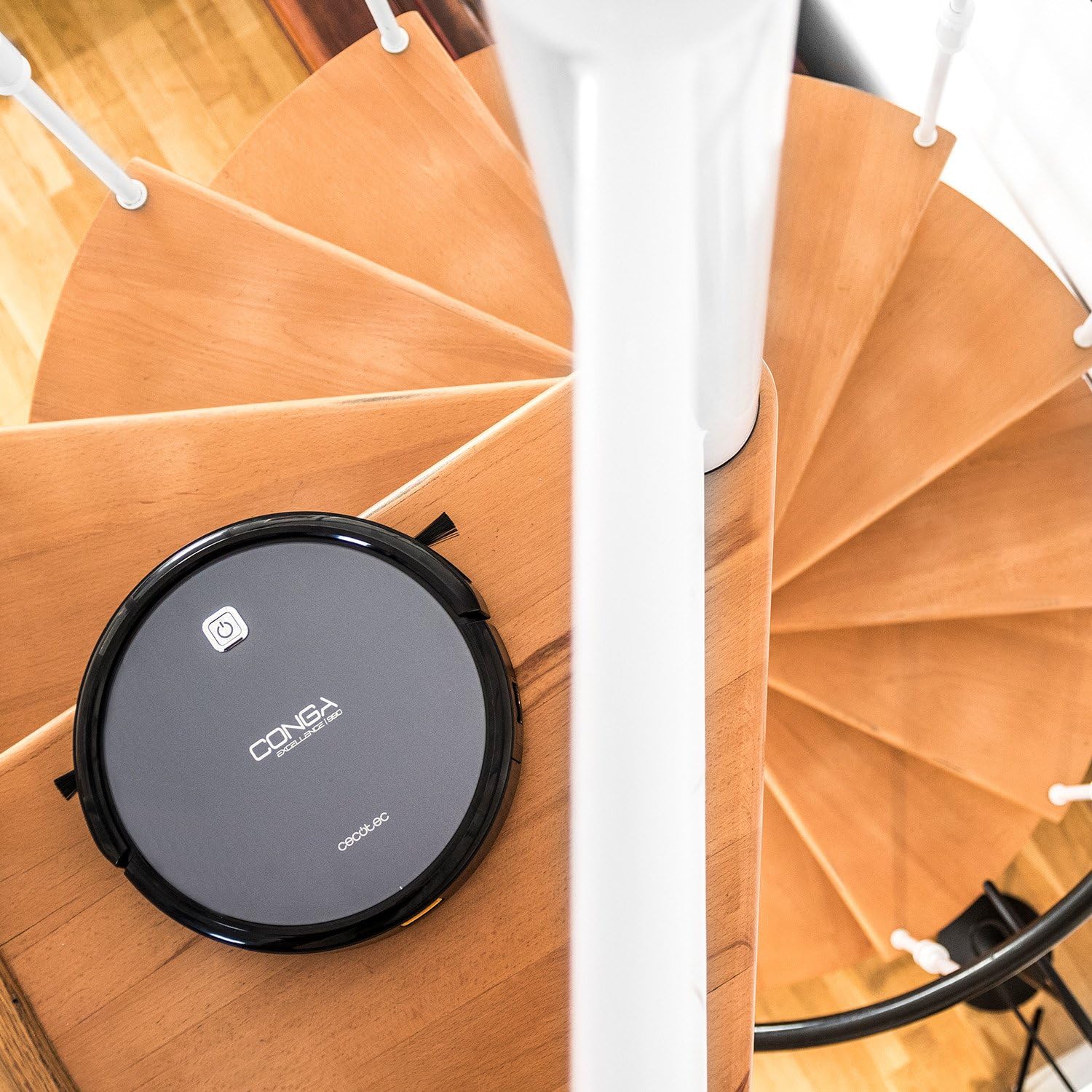
Figure 2.1: The robot vacuum positioned near a spiral staircase, demonstrating its ability to navigate edges while highlighting the importance of anti-drop sensor functionality.
3 Caratteristiche
The Conga Excellence 990 offers a range of features for efficient home cleaning:
- Funzionalità 4 in 1: Sweeps, vacuums, mops, and wipes simultaneously.
- Navigazione intelligente: Calculates optimal routes for comprehensive cleaning, stopping at surface boundaries.
- Programmabile: Schedule cleaning for up to 24 hours a day.
- 5 Cleaning Settings: Adaptable modes for various cleaning needs.
- Filtro HEPA: Captures allergens and fine dust particles.
- Funzionamento silenzioso: Progettato per ridurre al minimo il rumore durante l'uso.
- Aspirazione potente: Ensures effective dirt and debris removal.
- Ricarica automatica: Returns to the charging station when battery is low.

Figure 3.1: The robot vacuum demonstrating its cleaning capability by approaching spilled nuts and dried fruit on a carpet, highlighting its powerful suction.
4. Impostazione
4.1 Disimballaggio
Rimuovere con attenzione tutti i componenti dall'imballaggio. Assicurarsi che tutti i pezzi elencati nella lista di imballaggio siano presenti.
4.2 Posizionamento della stazione di ricarica
Place the charging station against a wall in an open, uncluttered area. Ensure there is at least 1 meter (3 feet) of clear space on either side and 2 meters (6 feet) in front of the station. Plug the power adapter into the charging station and then into a wall outlet.
4.3 Carica iniziale
Place the robot onto the charging station, ensuring the charging contacts align. The robot will begin charging automatically. For first use, charge the robot for at least 4-5 hours until fully charged.

Figure 4.1: The robot vacuum automatically navigating back to its charging station, indicated by a white path on the floor.
5. Funzionamento del robot aspirapolvere
5.1 Avvio di un ciclo di pulizia
Press the power button on the robot or the "Clean" button on the remote control to start a cleaning cycle. The robot will automatically select a cleaning mode based on its intelligent navigation.
5.2 Utilizzo del telecomando
The remote control allows you to manually control the robot, select cleaning modes, set schedules, and send the robot back to its charging station.

Figure 5.1: A hand holding the remote control for the robot vacuum, showing its various buttons for control and programming.
5.3 Programming Cleaning Schedules
Refer to the remote control section in the full manual for detailed instructions on setting daily or weekly cleaning schedules. The robot can be programmed to clean at specific times, even when you are not home.

Figure 5.2: The robot vacuum cleaning a living room carpet, demonstrating its quiet operation as two dogs and a person relax nearby.

Figure 5.3: The robot vacuum cleaning a carpet, with a visual representation of its intelligent cleaning path, ensuring thorough coverage.
6. Modalità di pulizia
The Conga Excellence 990 offers 5 distinct cleaning settings to suit various needs:
- Modalità automatica: Il robot naviga e pulisce in modo intelligente l'intera area accessibile.
- Modalità bordo: Il robot pulisce lungo le pareti e i bordi dei mobili.
- Modalità spot: For concentrated cleaning of a specific dirty area. The robot cleans in a spiral pattern.
- Single Room Mode: Cleans a single room thoroughly before stopping.
- Modalità massima: Aumenta la potenza di aspirazione per una pulizia più profonda su tappeti o aree molto sporche.
6.1 Mopping and Wiping Function
To use the mopping function, attach the microfiber mop cushion to the water tank and fill the tank with clean water. The robot will spray and wipe the floor as it cleans. This function is ideal for hard floors.
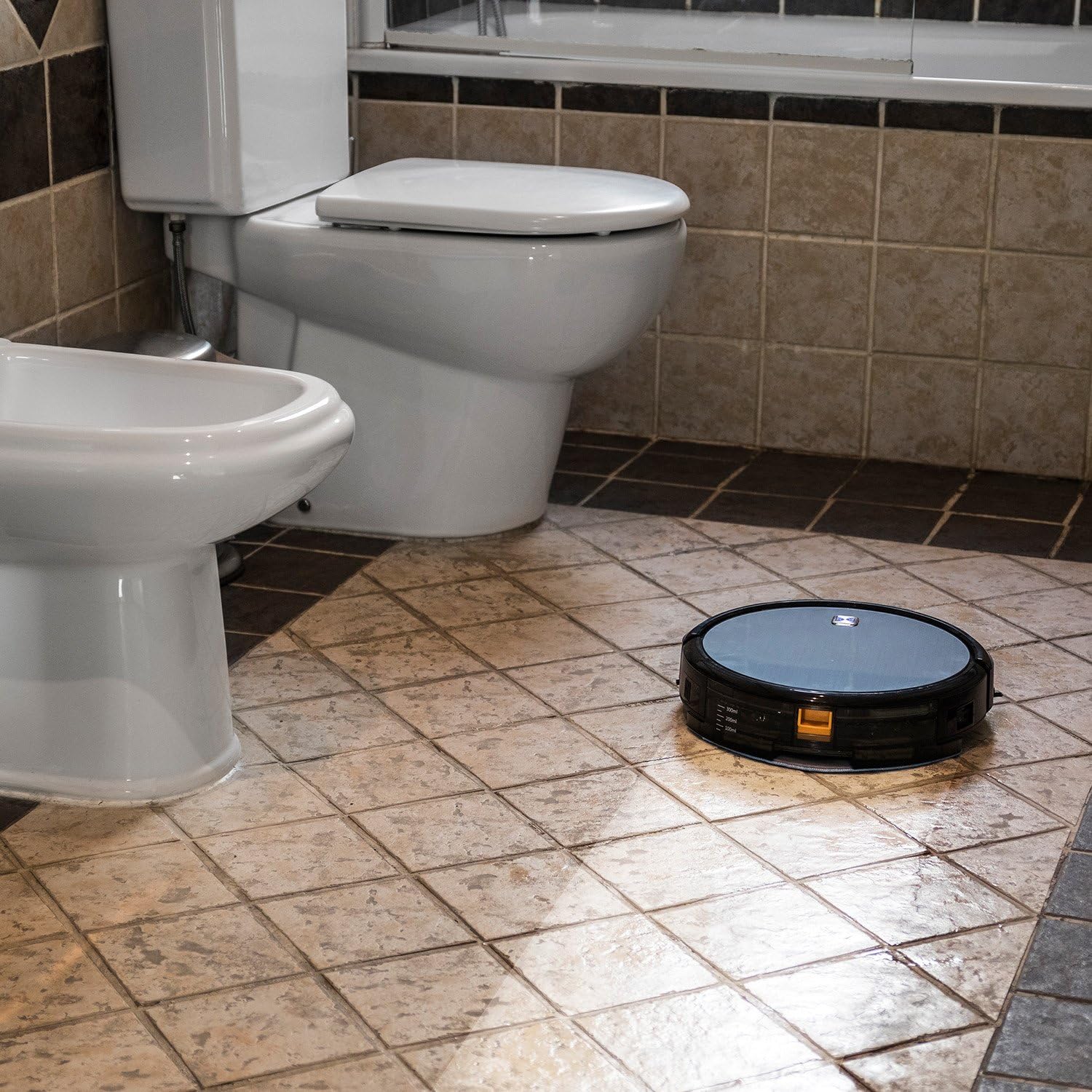
Figure 6.1: The robot vacuum mopping a tiled bathroom floor, demonstrating its wet cleaning capability.
7. Manutenzione
Una manutenzione regolare garantisce prestazioni ottimali e prolunga la durata del tuo robot aspirapolvere.
7.1 Svuotamento del cestino
The dustbin should be emptied after each cleaning cycle or when full. Press the release button to remove the dustbin, open it, and discard the collected debris.
7.2 Pulizia dei filtri
The HEPA filter and primary filter should be cleaned regularly. Tap the HEPA filter to remove dust; do not wash it with water. The primary filter can be rinsed with water and air-dried completely before reinstallation.
7.3 Spazzole per la pulizia
Periodically remove and clean the main brush and side brushes. Use the cleaning tool provided to cut and remove any hair or debris tangled around the brushes.
7.4 Pulizia dei sensori e dei contatti di ricarica
Wipe the anti-drop sensors, wall sensors, and charging contacts on both the robot and the charging station with a clean, dry cloth to ensure proper function.
8. Risoluzione Dei Problemi
If your Conga Excellence 990 encounters an issue, refer to the following common problems and solutions:
| Problema | Possibile causa | Soluzione |
|---|---|---|
| Il robot non si accende. | Batteria scarica; interruttore di alimentazione spento. | Caricare il robot; assicurarsi che l'interruttore di alimentazione sia acceso. |
| Il robot non si carica. | Charging contacts dirty; charging station not powered. | Clean charging contacts; check power connection to station. |
| Il robot si blocca spesso. | Obstacles (cables, rugs); uneven surfaces. | Clear obstacles; use virtual wall if available. |
| Scarsa efficienza di pulizia. | Full dustbin; dirty filters/brushes. | Empty dustbin; clean/replace filters and brushes. |
| Robot does not return to charging station. | Charging station blocked; robot too far. | Ensure clear path to station; manually place robot closer. |
9. Specifiche
| Caratteristica | Dettaglio |
|---|---|
| Marca | Cecotec |
| Nome del modello | Conga Excellence 990 |
| Numero di modello | 05050 |
| Dimensioni del prodotto | 9.06 cm L x 5.43 cm P x 11.81 cm A |
| Peso dell'articolo | 3.52 libbre |
| Colore | Grigio |
| Tipo di filtro | Filtro HEPA |
| Durata della batteria | 1.5 ore |
| Capacità (contenitore della polvere) | 3 litri |
| Metodo di controllo | Remoto |
| Componenti inclusi | Battery, Remote Control, mop cushion |
10. Garanzia e supporto
The Cecotec Conga Excellence 990 comes with a standard manufacturer's warranty. Please refer to the warranty card included in your product packaging for specific terms and conditions.
Per supporto tecnico, pezzi di ricambio o reclami in garanzia, contattare il servizio clienti Cecotec tramite il loro sito ufficiale. website or the contact information provided in your product documentation. Keep your purchase receipt as proof of purchase.
Durata della disponibilità dei pezzi di ricambio nell'UE: 10 anni.


