Introduzione
Grazie per l'acquistoasing the ipega PG-9087S Wireless Game Controller. This device is designed to enhance your mobile gaming experience on Android and iOS smartphones and tablets. Please read this manual carefully before use to ensure proper operation and to maximize the lifespan of your controller.
Informazioni sulla sicurezza
- Non esporre il controller a temperature estreme, umidità o luce solare diretta.
- Evitare di far cadere o di sottoporre il controller a forti urti.
- Do not attempt to disassemble or modify the controller. This will void the warranty and may cause damage.
- Tenere il controller lontano dalla portata dei bambini e degli animali domestici.
- Utilizzare solo il cavo di ricarica fornito o consigliato.
Contenuto della confezione
- ipega PG-9087S Wireless Game Controller
- Cavo di ricarica USB
- Manuale dell'utente (questo documento)
Prodotto finitoview

Figure 1: Controller Layout. This image displays the ipega PG-9087S controller with its various buttons and components labeled, including the Left 3D joystick, D-Pad, TURBO button, battery/mode indicators, Home Button, R1/R2, ABXY Action buttons, Right 3D joystick, START, and SELECT buttons.

Figura 2: Caratteristiche principali. This image highlights specific design elements: a textured rocker for improved grip, LED red button lights for visibility, scrub and non-slip trigger construction for precise control, and a classic cross key design for the D-Pad.
Caratteristiche principali:
- Connettività Bluetooth 4.0: Ensures stable and high-speed transmission.
- Braccio estensibile: Accommodates devices with a maximum extending size of 6.2 inches (70-158mm) and a thickness of up to 9mm.
- Design ergonomico: Provides comfort for extended gaming sessions.
- High Sensitivity Buttons: Designed for quick and accurate responses.
- Custom Function/Button Mapping: Allows users to customize button functions according to personal preferences for various games.
- Supporto multipiattaforma: Compatible with Android 6.0 and above, and iOS devices.
Impostare
1. Ricarica del controller
Before first use, fully charge the controller. Connect the provided USB charging cable to the controller's charging port and to a USB power source (e.g., computer, USB wall adapter). The battery charging indicators (1, 2, 3, 4) will illuminate to show charging status and battery level.
2. Accensione/Spegnimento

Figure 3: Power Switch and Connection Methods. This image shows the physical on/off switch located at the bottom of the controller and provides visual instructions for Android and iOS direct connection methods.
- Per accendere: Locate the power switch (labeled 'switch:on/off' in Figure 3) on the bottom of the controller and slide it to the 'ON' position.
- Per spegnere: Spostare l'interruttore di alimentazione in posizione "OFF".
3. Accoppiamento Bluetooth
The PG-9087S supports direct connection without needing to download a separate application.
- Per dispositivi iOS: Con il controller spento, tieni premuto il tasto Y button + HOME button contemporaneamente per 2 secondi finché la spia luminosa non lampeggia rapidamente.
- Per dispositivi Android: Con il controller spento, tieni premuto il tasto Pulsante A + pulsante HOME contemporaneamente per 2 secondi finché la spia luminosa non lampeggia rapidamente.
Once the indicator light flashes, enable Bluetooth on your mobile device and search for "PG-9087S". Select it to pair. The indicator light will become solid once successfully connected.
4. Installazione del dispositivo
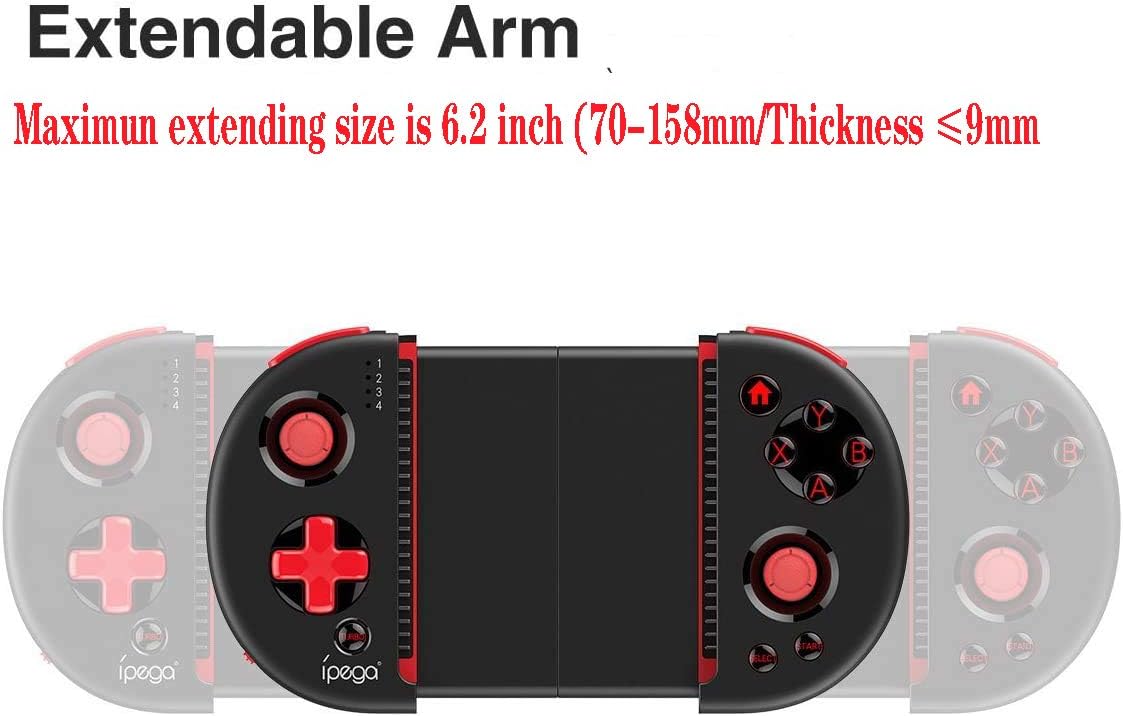
Figure 4: Extendable Arm. This image illustrates the extendable arm feature of the controller, showing its maximum extension size of 6.2 inches (70-158mm) and a maximum device thickness of 9mm.
Gently extend the arms of the controller to fit your smartphone or tablet. Ensure your device is securely seated within the extendable arm. The arm supports devices up to 6.2 inches (158mm) in length and 9mm in thickness.
Istruzioni per l'uso
1. Controlli di base
Refer to Figure 1 for the layout of the buttons and joysticks. The controller features:
- Joystick 3D sinistro/destro: Per movimenti precisi e controllo della telecamera.
- D-Pad (tastiera direzionale): Per input direzionali.
- ABXY Action Buttons: Pulsanti standard per le azioni di gioco.
- Trigger L1/L2/R1/R2: Shoulder buttons and triggers for various in-game actions.
- Pulsanti START/SELECT: For in-game menu navigation and selections.
- Tasto CASA: Returns to the device's home screen or controller menu.
- Pulsante TURBO: Activates rapid-fire functionality for assigned buttons.
2. Button Mapping and Customization
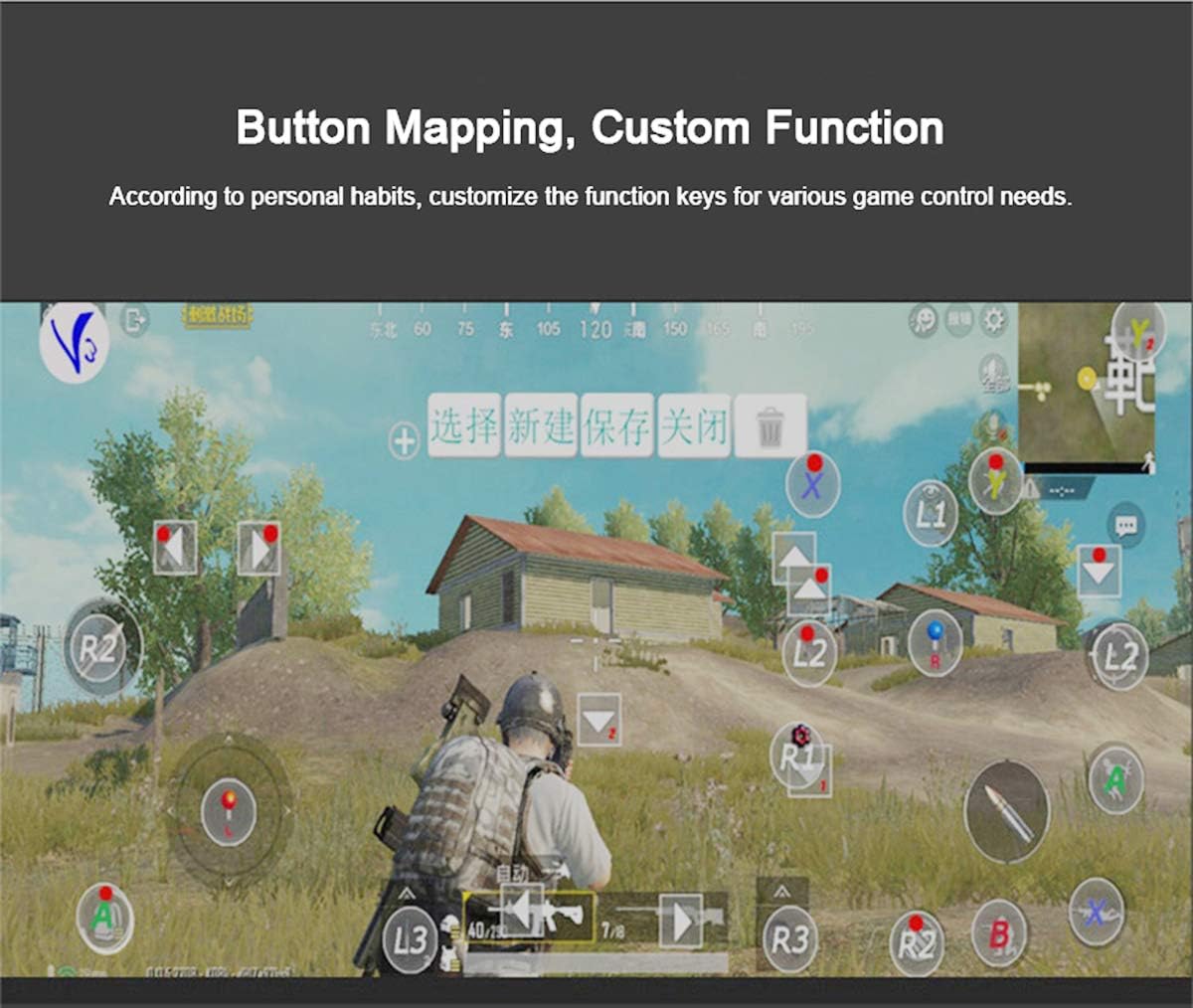
Figure 5: Button Mapping Interface. This image demonstrates the concept of button mapping within a game, allowing users to customize the function keys to suit their individual gaming preferences and needs.
The PG-9087S supports custom function key mapping. This feature allows you to assign specific in-game actions to the controller's buttons according to your personal habits. The method for customizing button functions typically depends on the game or emulator you are using. Refer to the specific game's settings or the emulator's configuration options for detailed instructions on how to remap controls.
3. Screen Orientation Support
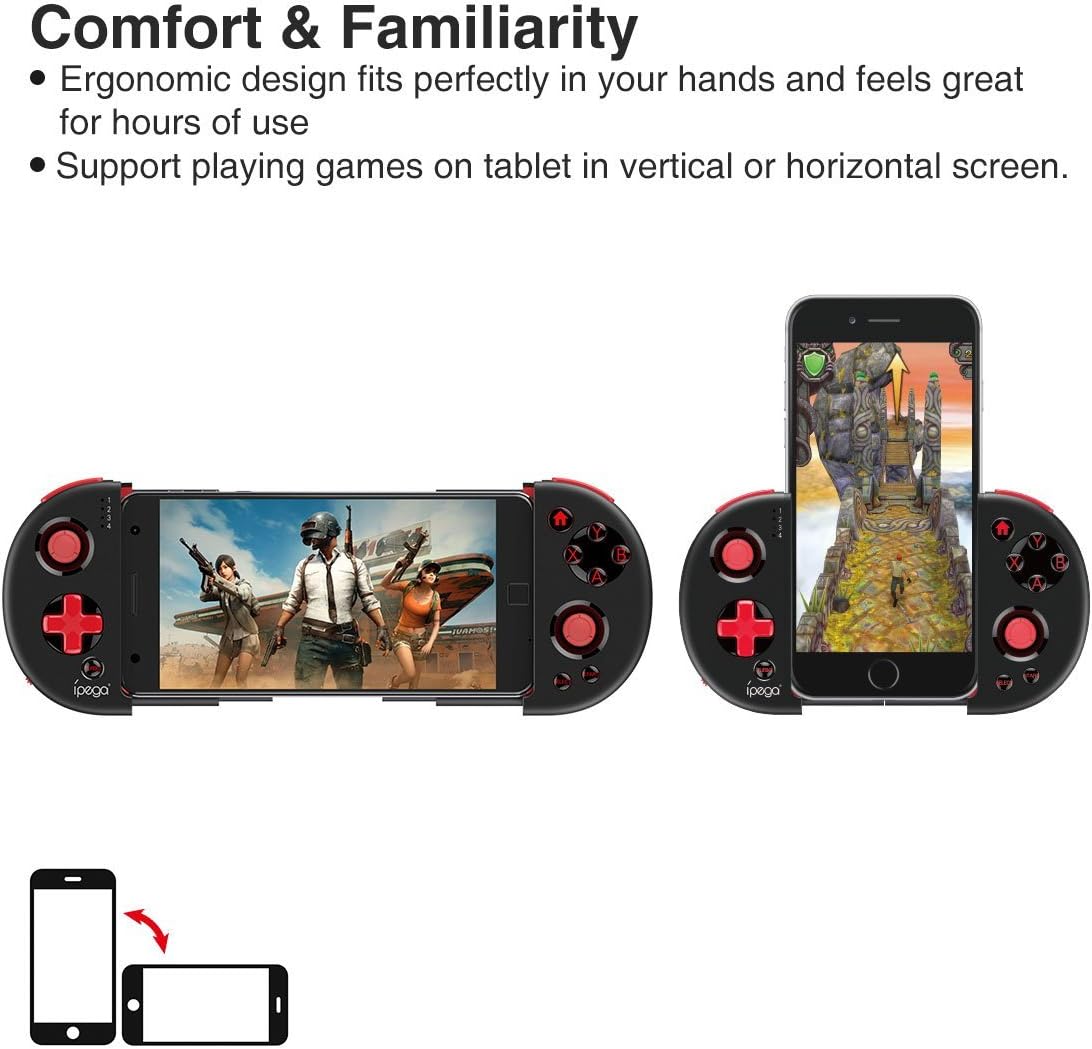
Figure 6: Orientation Support. This image illustrates the controller's ability to support gaming on tablets or smartphones in both vertical (portrait) and horizontal (landscape) screen orientations.
The controller supports playing games on your tablet or smartphone in both vertical (portrait) and horizontal (landscape) screen orientations, providing flexibility for various game types.
Manutenzione
- Pulizia: Use a soft, dry cloth to clean the controller. Do not use harsh chemicals or abrasive cleaners.
- Magazzinaggio: Store the controller in a cool, dry place away from direct sunlight when not in use.
- Cura della batteria: Per prolungare la durata della batteria, evitare di scaricarla completamente frequentemente. Caricare regolarmente il controller, anche se non lo si utilizza costantemente.
Risoluzione dei problemi
- Il controller non si accende: Ensure the battery is charged. Connect the controller to a power source using the USB cable.
- Controller does not pair with device:
- Ensure the controller is in pairing mode (indicator light flashing rapidly).
- Disattiva e riattiva il Bluetooth del tuo dispositivo.
- Dimentica il dispositivo nelle impostazioni Bluetooth e prova ad associarlo di nuovo.
- Ensure you are using the correct pairing combination (Y+HOME for iOS, A+HOME for Android).
- I pulsanti non rispondono o sono lenti:
- Ensure the controller is fully charged. Low battery can affect performance.
- Avvicinati al tuo dispositivo per garantire una connessione Bluetooth forte.
- Riavvia sia il controller che il dispositivo mobile.
- Check the game's settings to ensure controller input is enabled and correctly configured.
- Device does not fit in the extendable arm: Check the dimensions of your device. The arm supports devices up to 6.2 inches (158mm) in length and 9mm in thickness. Remove any bulky cases from your device.
Specifiche
| Modello | PG-9087S |
| Marca | iPEGA |
| Tecnologia di connettività | Bluetooth 4.0, USB (for charging) |
| Tipo di controllore | Gamepad, Joystick |
| Dispositivi compatibili | Android (6.0 and above), iOS |
| Batteria | 1 batteria agli ioni di litio (necessaria) |
| Extendable Arm Max Size | 6.2 pollici (158 mm) |
| Extendable Arm Max Thickness | 9mm |
| Peso dell'articolo | 6.9 once |
| Colore | Nero |
| Dimensioni del pacco | 6.8 x 5.15 x 1.6 pollici |
Garanzia e supporto
Warranty information for the ipega PG-9087S Wireless Game Controller is typically provided with your purchase or can be found on the manufacturer's official websito. Conservare la prova d'acquisto per eventuali reclami in garanzia.
For technical support or further assistance, please refer to the contact information provided by your retailer or visit the official ipega support channels.


