1. Introduzione
This manual provides detailed instructions for the setup, operation, maintenance, and troubleshooting of your Fanvil X3G Enterprise IP Phone. Please read this manual thoroughly before using the device to ensure proper functionality and to prevent damage.
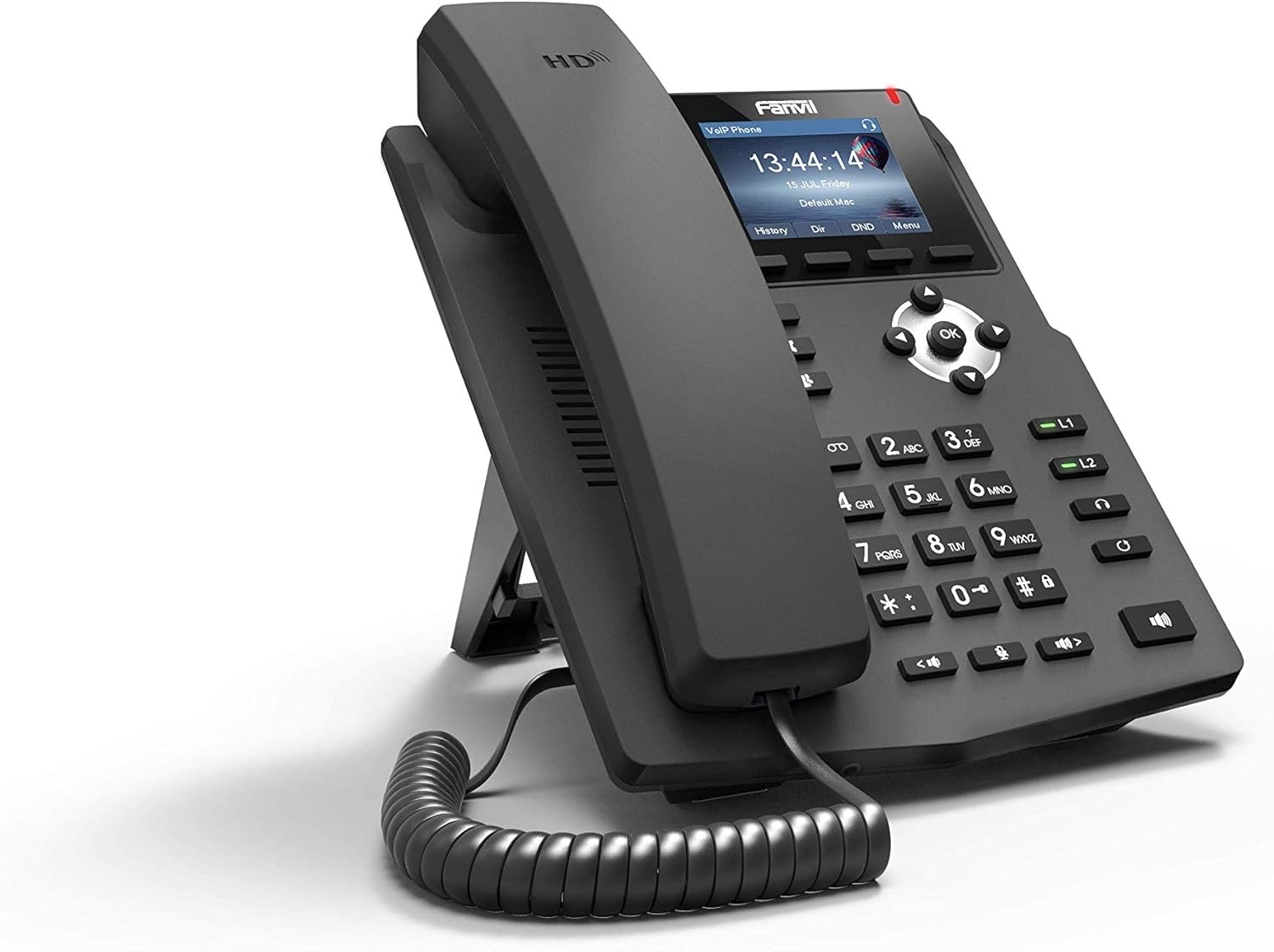
Immagine 1.1: Angolato anteriore view of the Fanvil X3G Enterprise IP Phone.
2. Contenuto della confezione
Verificare che tutti gli articoli siano presenti nel pacco:
- Fanvil X3G IP Phone Unit
- Cornetta
- Cavo del microtelefono
- Cavo Ethernet
- In piedi
- Guida all'installazione rapida (questo documento)
3. Impostazione
3.1 Assemblaggio del telefono
- Attach the stand to the back of the phone unit. The stand allows for desktop placement at an optimal viewing angle or can be configured for wall-mount installation.
- Connect the coiled handset cord to the handset and the designated handset port on the phone unit.
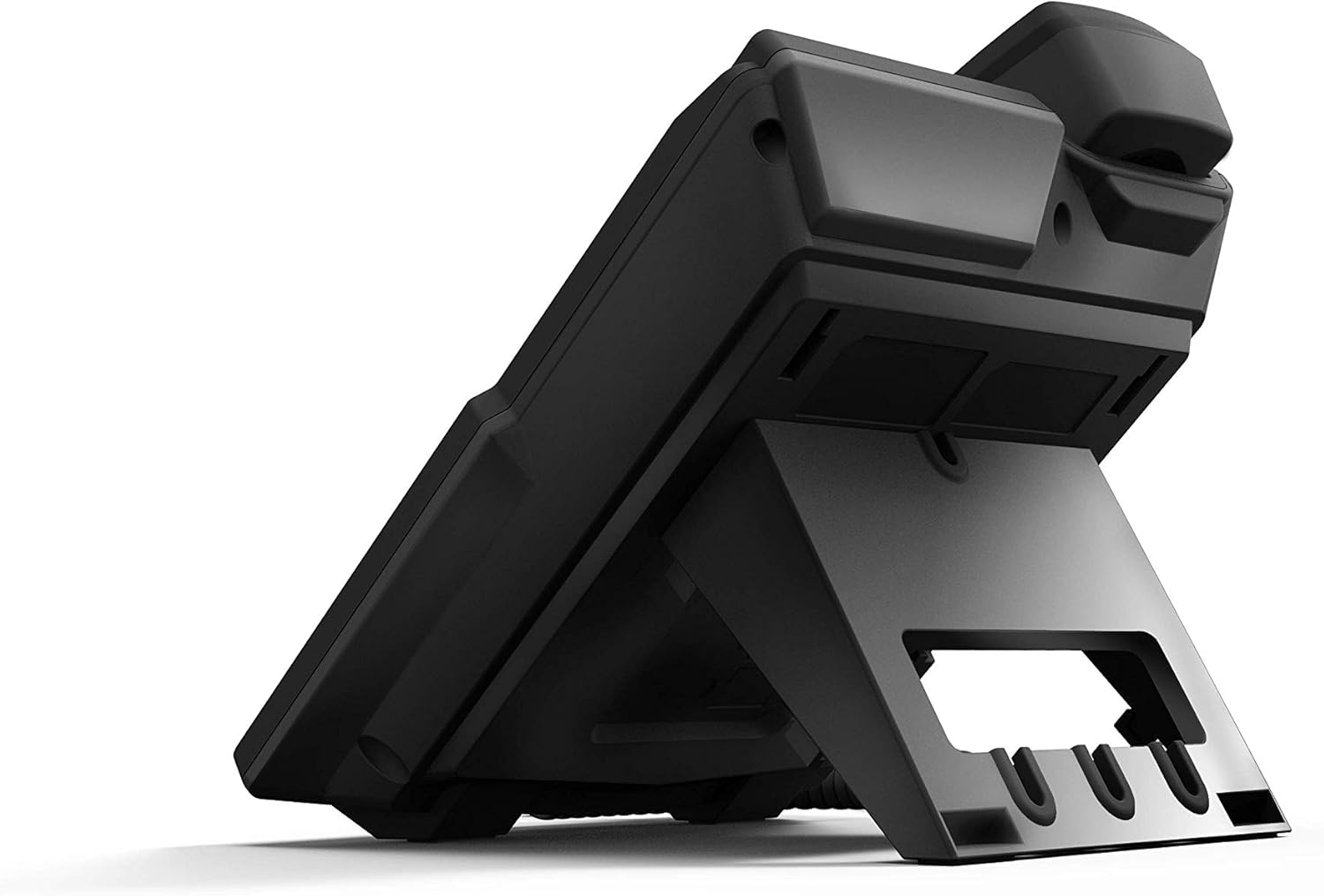
Immagine 3.1: posteriore view of the Fanvil X3G IP Phone with stand and connection ports.
3.2 Collegamento del telefono
- Connessione di rete: Connect one end of the Ethernet cable to the LAN port on the phone and the other end to a network switch or router. If your network supports Power over Ethernet (PoE), the phone will power on automatically.
- Collegamento di alimentazione (se non si utilizza PoE): If PoE is not available, connect a compatible power adapter (not included) to the power port on the phone and then to an electrical outlet.
- Collegamento cuffie (facoltativo): For hands-free operation, connect a compatible headset to the headset port. The phone supports EHS (Electronic Hook Switch) for Plantronics headsets.
The phone will initiate its boot sequence upon receiving power. The display will show the Fanvil logo and then proceed to load the operating system.
4. Istruzioni per l'uso
4.1 Funzioni di chiamata di base

Immagine 4.1: anteriore view of the Fanvil X3G IP Phone, highlighting the display and keypad.
- Effettuare una chiamata:
- Pick up the handset, press the speakerphone button, or press the Headset button.
- Comporre il numero desiderato utilizzando la tastiera.
- Premere il tasto Comporre tasto funzione o il # chiave.
- Risposta a una chiamata:
- Pick up the handset, press the speakerphone button, or press the Headset button.
- In alternativa, premere il tasto Risposta tasto soft.
- Terminare una chiamata:
- Hang up the handset, press the speakerphone button again, or press the Headset button again.
- In alternativa, premere il tasto Termina chiamata tasto soft.
4.2 Funzioni di chiamata
- Voce HD: The Fanvil X3G supports HD Voice for superior audio clarity during calls.
- Vivavoce: Premere il tasto Oratore button to toggle speakerphone mode.
- Modalità auricolare: Premere il tasto Cuffia pulsante per utilizzare un auricolare connesso.
- Disattiva audio: Premere il tasto Muto pulsante per disattivare l'audio del microfono durante una chiamata. Premere di nuovo per riattivarlo.
- Regolazione del volume: Utilizzare il Volume buttons to adjust the handset, speaker, or headset volume during a call, or the ringer volume when idle.
- 2 linee SIP: The phone supports two independent SIP lines, allowing you to manage multiple calls simultaneously. Use the line keys (L1, L2) to switch between lines.
- Teleconferenza a 3:
- Stabilire una chiamata con il primo interlocutore.
- Premere il tasto Conf soft key. The first party is put on hold.
- Dial the second party's number and press Comporre.
- Una volta connesso alla seconda parte, premere il tasto Conf premere nuovamente il tasto funzione per unire tutte e tre le parti in una chiamata in conferenza.
5. Manutenzione
Proper maintenance ensures the longevity and optimal performance of your Fanvil X3G IP Phone.
- Pulizia: Utilizzare un panno morbido e asciutto per pulire la superficie del telefono. Per i segni ostinati, leggermente dampImmergere il panno in acqua. Evitare l'uso di prodotti chimici aggressivi, detergenti abrasivi o solventi, poiché potrebbero danneggiare la finitura.
- Ambiente: Conservare il telefono in un ambiente asciutto, lontano dalla luce solare diretta, da calore eccessivo e dall'umidità.
- cavi: Ensure all cables are securely connected and not strained or kinked.
6. Risoluzione Dei Problemi
If you encounter issues with your Fanvil X3G IP Phone, refer to the following common troubleshooting steps:
- No Power/Phone Does Not Turn On:
- Check if the Ethernet cable is securely connected to the LAN port and the network switch/router.
- If not using PoE, ensure the power adapter (if applicable) is correctly connected to the phone and a working electrical outlet.
- Verify that the network switch/router is powered on and functioning.
- Nessun segnale di linea:
- Ensure the phone is properly registered with your VoIP service provider. Check the display for registration status.
- Verificare la connettività di rete.
- Restart the phone by disconnecting and reconnecting the power/Ethernet cable.
- Poor Call Quality (Echo, Static):
- Controlla la stabilità e la larghezza di banda della tua connessione di rete.
- Assicurarsi che il cavo del ricevitore sia collegato saldamente.
- If using a headset, try using the handset to determine if the issue is headset-related.
- Impossibile effettuare/ricevere chiamate:
- Confirm that the phone is registered with your SIP server.
- Check network settings and ensure the phone has an IP address.
- Contact your VoIP service provider or network administrator for assistance with SIP registration or network configuration.
7. Specifiche
Technical specifications for the Fanvil X3G Enterprise IP Phone:
| Caratteristica | Dettaglio |
|---|---|
| Marca | Fanvil |
| Numero di modello | H3 PHONE (also known as X3G) |
| Dimensioni del prodotto | 1 x 1 x 1 pollici (2.54 x 2.54 x 2.54 cm) |
| Peso dell'articolo | 1.95 libbre (0.88 kg) |
| ASIN | B06VX2V8B2 |
| Tipo di telefono | filo |
| Fonte di alimentazione | Elettrico cablato (compatibile con PoE) |
| Tipo di combinatore | Tastiera singola |
| Tipo di sistema di risposta | Digitale |
| Capacità di teleconferenza | 3 vie |
| Identificazione del chiamante | NO |
| Codice UPC | 756676089350 |
| Linee SIP | 2 |
| Voce ad alta definizione | SÌ |
| Supporto per cuffie | EHS support for Plantronics headsets |
| Opzioni di installazione | Desktop / Wall-mount |
8. Garanzia e supporto
For warranty information, please refer to the documentation provided at the time of purchase or contact your reseller. For technical support, please reach out to your service provider or the Fanvil customer support team through their official websito.


