Introduzione
Thank you for choosing the Wicked Audio Omen Wireless Bluetooth Earbuds. These earbuds are designed to provide a high-fidelity audio experience with the convenience of wireless connectivity. This manual will guide you through the setup, operation, and maintenance of your new earbuds to ensure optimal performance and longevity.
Informazioni sulla sicurezza
- Do not expose the earbuds to extreme temperatures, moisture, or corrosive materials.
- Evitare di far cadere gli auricolari o di sottoporli a forti urti.
- Do not attempt to disassemble or modify the earbuds, as this will void the warranty and may cause damage.
- Clean the earbuds with a soft, dry cloth. Do not use harsh chemicals or abrasive cleaners.
- L'ascolto prolungato ad alto volume può causare danni all'udito. Regolare il volume a un livello sicuro.
Cosa c'è nella scatola
Si prega di controllare il contenuto della confezione per assicurarsi che siano presenti tutti gli articoli:
- Wicked Audio Omen Wireless Earbuds
- Three (3) sizes of ear cushions (Small, Medium, Large)
- Cavo di ricarica micro USB
- Clip di abbigliamento
- Libretto di istruzioni (questo manuale)

Immagine: Frontale view of the Wicked Audio Omen Wireless Earbuds retail packaging, showing the earbuds, control module, and branding.
Impostare
1. Ricarica degli auricolari
Before first use, fully charge your Omen earbuds. A full charge takes approximately 2 hours and provides up to 3.5 hours of playback time.
- Locate the Micro USB charging port on the control module of the earbuds.
- Connect the Micro USB charging cable to the port.
- Collegare l'altra estremità del cavo USB a una fonte di alimentazione USB compatibile (ad esempio, una porta USB del computer, un adattatore da parete USB).
- The LED indicator light will illuminate during charging and turn off when charging is complete.
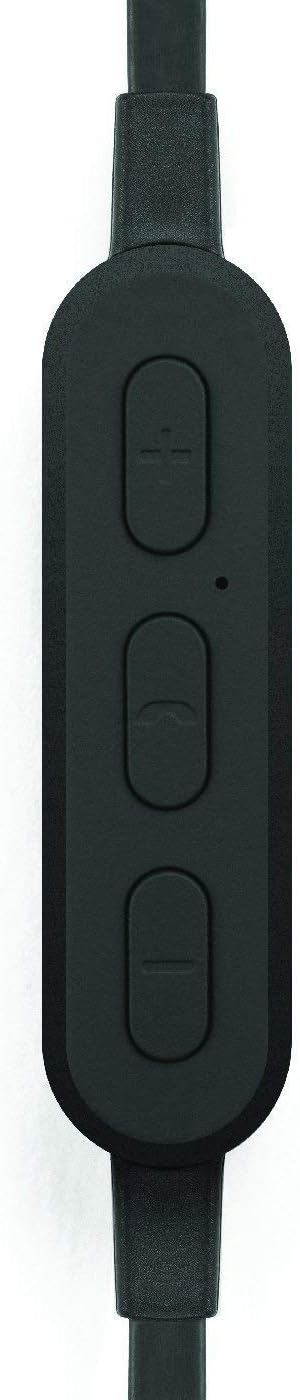
Immagine: un primo piano view of the earbud's inline control module, showing the volume buttons, multi-function button, and microphone opening.
2. Associazione con un dispositivo Bluetooth
The Omen earbuds can be paired with any Bluetooth-enabled device.
- Assicurati che gli auricolari siano carichi e spenti.
- Press and hold the multi-function button (center button on the control module) for approximately 5-7 seconds until the LED indicator light flashes red and blue, indicating pairing mode.
- Sul tuo dispositivo Bluetooth (smartphone, tablet, computer), vai alle impostazioni Bluetooth e abilita il Bluetooth.
- Cercare available devices. You should see "Wicked Audio Omen" or a similar name appear in the list.
- Select "Wicked Audio Omen" to connect. Once successfully paired, the LED indicator will flash blue slowly, and you may hear an audible confirmation.
- Se viene richiesto un codice di accesso, immettere "0000".
Una volta accesi, gli auricolari tenteranno automaticamente di riconnettersi all'ultimo dispositivo associato.
Istruzioni per l'uso
Accensione/spegnimento
- Accensione: Tenere premuto il pulsante multifunzione per 3 secondi. Il LED lampeggerà in blu.
- Spegni: Tenere premuto il pulsante multifunzione per 3 secondi. Il LED lampeggerà in rosso e poi si spegnerà.
Riproduzione musicale
- Riproduci/Pausa: Premi una volta il pulsante multifunzione.
- Traccia successiva: Press and hold the '+' (volume up) button for 2 seconds.
- Traccia precedente: Press and hold the '-' (volume down) button for 2 seconds.
- Aumenta volume: Premere brevemente il pulsante '+'.
- Volume basso: Premere brevemente il pulsante '-'.
Gestione delle chiamate
- Rispondi/Termina chiamata: Premi una volta il pulsante multifunzione.
- Rifiuta chiamata: Tieni premuto il pulsante multifunzione per 2 secondi.
- Ricomponi l'ultimo numero: Premere due volte il pulsante multifunzione.

Image: A person wearing the Wicked Audio Omen Earbuds, demonstrating their in-ear fit and flat cord design.
Manutenzione
Una cura adeguata prolungherà la durata dei tuoi auricolari.
- Pulizia: Regularly clean the ear tips and earbud surfaces with a soft, dry, lint-free cloth. Do not use liquids or sprays directly on the earbuds.
- Magazzinaggio: When not in use, store the earbuds in a cool, dry place, away from direct sunlight and extreme temperatures.
- Suggerimenti per le orecchie: The ear tips can be removed and gently washed with mild soap and water. Ensure they are completely dry before reattaching them to the earbuds.
Risoluzione dei problemi
| Problema | Possibile causa | Soluzione |
|---|---|---|
| Gli auricolari non si accendono. | Batteria scarica. | Caricare completamente gli auricolari. |
| Impossibile associare il dispositivo. | Auricolari non in modalità di associazione; Bluetooth disattivato sul dispositivo; dispositivo troppo lontano. | Ensure earbuds are in pairing mode (flashing red/blue). Turn on Bluetooth on your device. Move device closer to earbuds (within 32ft/10m). |
| Nessun suono o volume basso. | Volume troppo basso; auricolari non collegati; uscita audio errata. | Increase volume on both earbuds and connected device. Reconnect earbuds. Check audio output settings on your device. |
| Il suono entra ed esce. | Interference; device too far; obstacles. | Move closer to the connected device. Avoid physical obstructions between earbuds and device. Reduce other wireless interference. |
Specifiche
| Caratteristica | Dettaglio |
|---|---|
| Nome del modello | WI-BT1751 |
| Autista | Neodimio da 10 mm |
| Sensibilità | 99 dB |
| Risposta in frequenza | Frequenza |
| Impedenza | 16 Ohm |
| Durata della batteria | Fino a 3.5 ore |
| Tempo di carica | Circa 2 ore |
| Portata Bluetooth | Fino a 32 piedi (10 metri) |
| Connettività | Bluetooth |
| Porta di ricarica | Micro USB |
| Peso dell'articolo | 1.6 once |
| Codice UPC | 712949011138 |
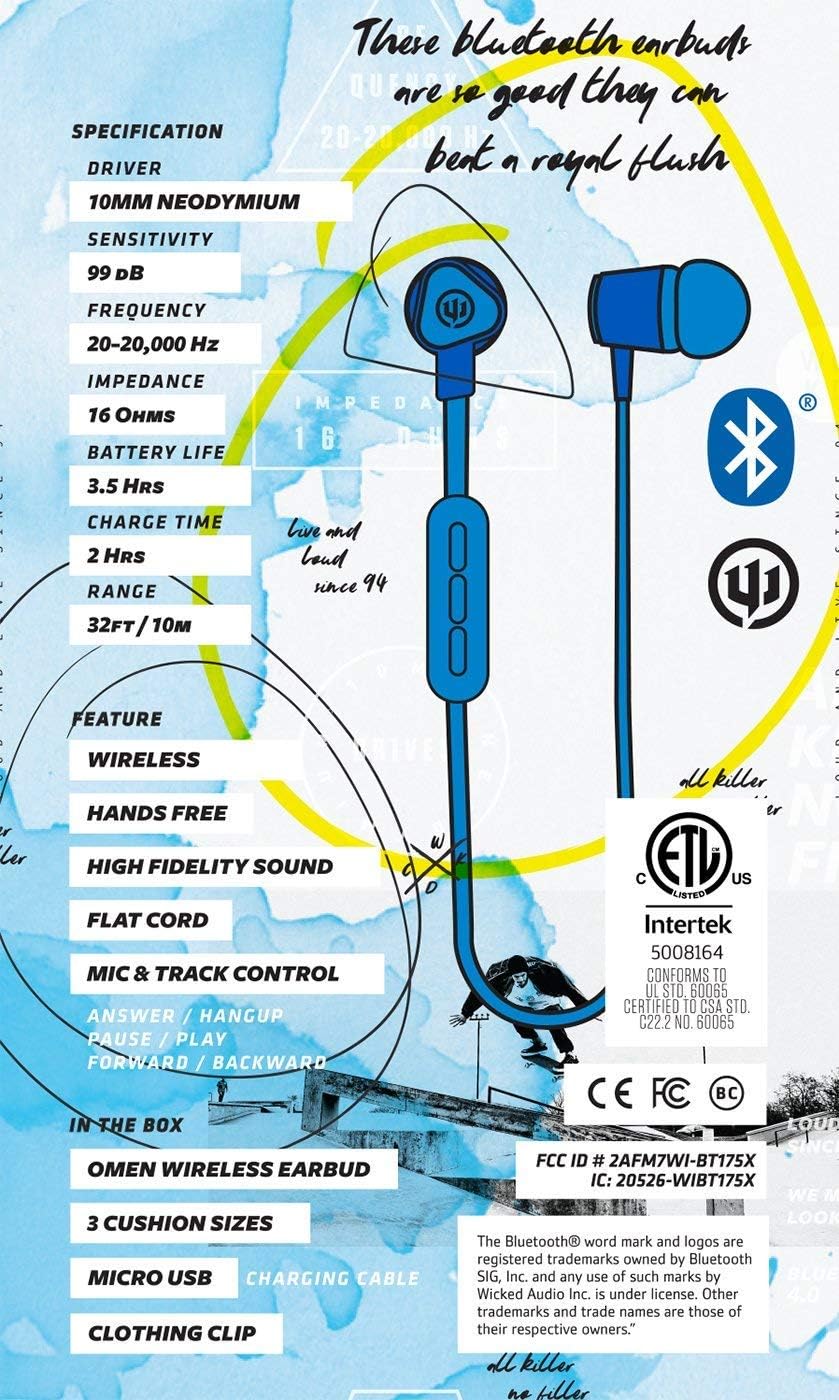
Image: A graphic detailing the specifications and features of the Wicked Audio Omen Earbuds, including driver size, sensitivity, frequency, impedance, battery life, charge time, and range.
Garanzia e supporto
Your Wicked Audio Omen Wireless Bluetooth Earbuds come with a Garanzia limitata di un anno.
To obtain warranty service, please retain your purchase receipt. For more detailed information regarding warranty terms and conditions, or for technical support, please visit the official Wicked Audio websito:
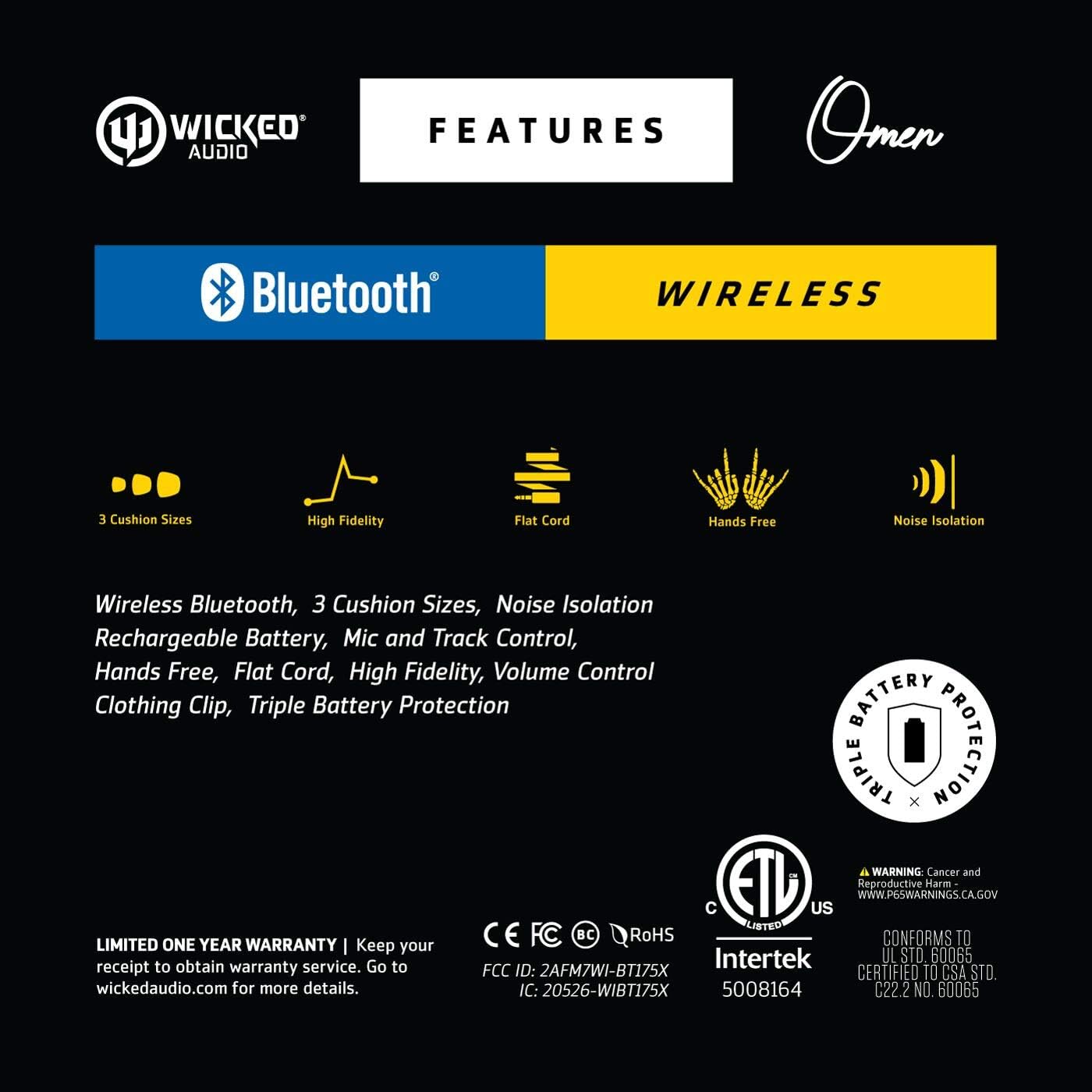
Image: A graphic highlighting key features such as 3 cushion sizes, high fidelity, flat cord, hands-free, and noise isolation, along with warranty information.

Image: A graphic explaining Wicked Audio's Triple Battery Protection, detailing built-in battery management, integrated circuit protection against over-voltage/charge, and heat testing.


