Introduzione
This manual provides instructions for the proper use and care of your Helios 77M-4 50mm F1.8 vintage lens. Designed for Sony E-mount cameras, this manual focus lens offers a classic photographic experience with its distinct optical characteristics. Please read this manual thoroughly before using the lens to ensure optimal performance and longevity.
Componenti dell'obiettivo
Familiarize yourself with the main components of your Helios 77M-4 lens.
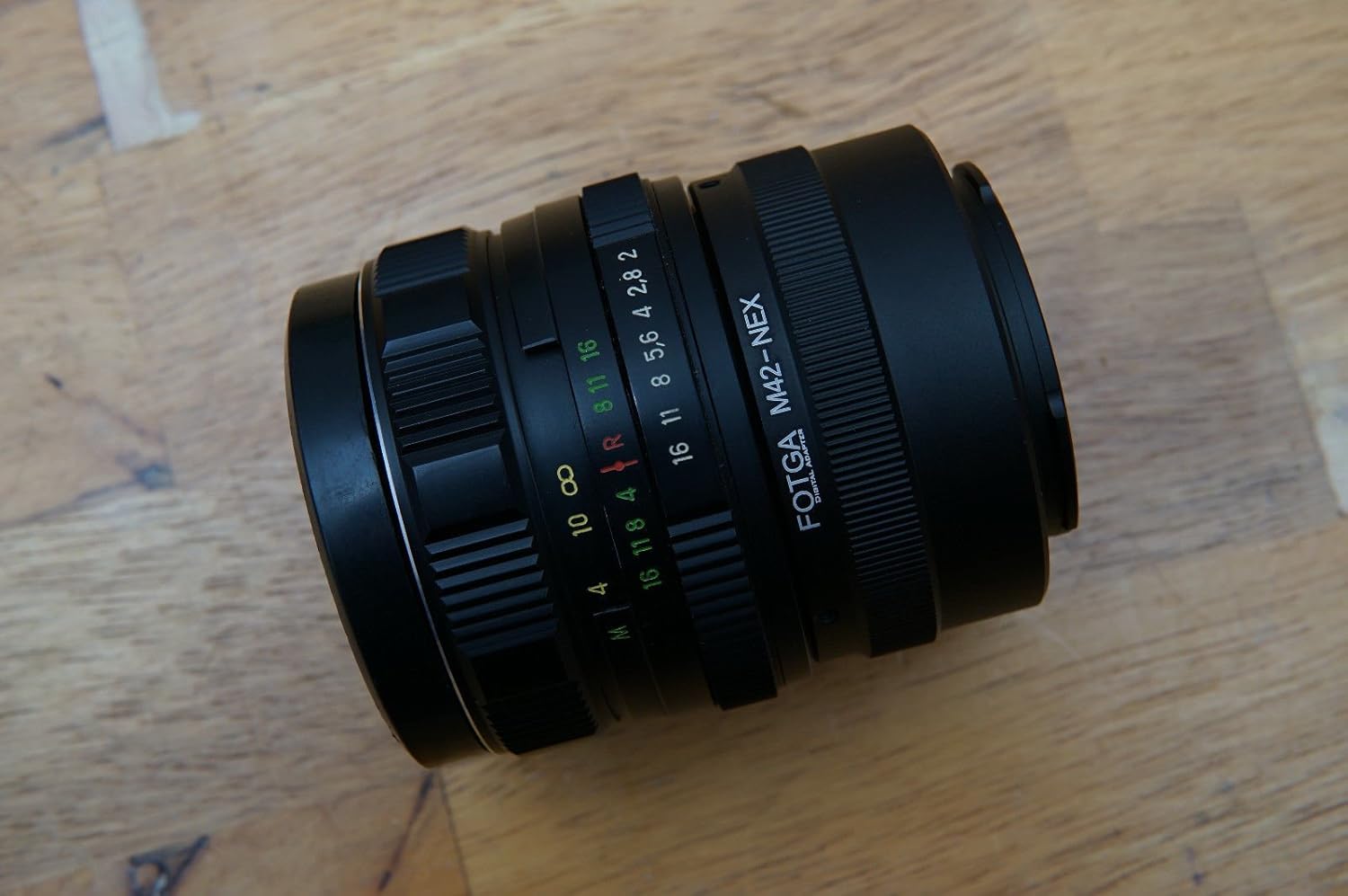
Image: The Helios 77M-4 50mm F1.8 lens, displaying its manual focus ring, aperture ring, and depth of field scale. This view highlights the robust construction and clear markings essential for manual operation.
- Anello di messa a fuoco: Used to adjust the focus manually.
- Anello di apertura: Used to set the desired aperture (f-stop).
- Scala della profondità di campo: Provides an indication of the depth of field at various apertures.
- Anello di montaggio: Collega l'obiettivo al corpo della fotocamera.
Impostare
Montaggio dell'obiettivo
- Assicurati che la fotocamera sia spenta.
- Remove the rear lens cap from the Helios 77M-4 lens and the body cap from your Sony E-mount camera.
- Align the white index mark on the lens barrel with the corresponding white index mark on the camera body.
- Inserire l'obiettivo nel supporto della fotocamera e ruotarlo in senso orario finché non scatta in posizione. Non forzare l'obiettivo.
- Once mounted, remove the front lens cap.

Image: The Helios 77M-4 lens securely attached to a Sony E-mount camera body. This illustrates the correct mounting position, ready for use.
Impostazioni della fotocamera
Since this is a manual lens, you will need to adjust your camera settings:
- Imposta la fotocamera su Manuale (M) or Aperture Priority (A) modalità.
- Abilitare "Release without lens" or "Shoot without lens" in your camera's menu, as the camera will not detect an electronic connection to the lens.
- Consider using "Focus Peaking" E "Magnified View" features on your camera for easier manual focusing. Refer to your camera's manual for specific instructions on these features.
Utilizzo dell'obiettivo
Regolazione dell'apertura
The aperture is controlled directly on the lens using the aperture ring. Rotate the ring to select your desired f-stop. A wider aperture (smaller f-number like F1.8) allows more light and creates a shallower depth of field, ideal for portraits. A narrower aperture (larger f-number) allows less light and creates a deeper depth of field, suitable for landscapes.
Messa a fuoco manuale
To focus, rotate the focus ring on the lens barrel until your subject appears sharp in the viewfinder or on the LCD screen. Utilize your camera's focus peaking and magnification features for precise focusing, especially at wider apertures.
- Picco di messa a fuoco: Highlights in-focus areas with a colored outline.
- Ingrandito View: Zooms in on a portion of the image for critical focus assessment.
Manutenzione
Pulizia della lente
- Use a soft, lint-free microfiber cloth specifically designed for optical surfaces to clean the front and rear elements.
- Per le macchie più ostinate, applicare una piccola quantità di soluzione detergente per lenti sul panno, non direttamente sulla lente.
- Per evitare graffi, utilizzare una spazzola a soffietto per rimuovere le particelle di polvere prima di pulire.
- Non utilizzare mai materiali abrasivi o prodotti chimici aggressivi.
Magazzinaggio
- Quando l'obiettivo non è in uso, applicare sempre i tappi anteriore e posteriore.
- Conservare le lenti in un luogo fresco e asciutto, lontano dalla luce solare diretta e da temperature estreme.
- If storing for extended periods, consider using a dehumidifying agent to prevent fungus growth.
Risoluzione dei problemi
| Problema | Possibile causa | Soluzione |
|---|---|---|
| Camera does not recognize lens / Cannot take photos | Manual lens, no electronic contacts. | Enable "Release without lens" or "Shoot without lens" in camera settings. |
| Le immagini sono sfocate | Messa a fuoco errata o movimento della fotocamera. | Ensure proper manual focus using focus peaking/magnification. Use a faster shutter speed or tripod to prevent camera shake. |
| Images are too dark/bright | Incorrect exposure settings (aperture, shutter speed, ISO). | Adjust aperture on the lens. Adjust shutter speed and ISO on the camera to achieve desired exposure. |
| Dust or smudges on images | Elementi dell'obiettivo sporchi. | Clean lens elements carefully using a blower brush and microfiber cloth. |
Specifiche
| Caratteristica | Dettaglio |
|---|---|
| Modello | Helios 77M-4 |
| Lunghezza focale | 50 millimetri |
| Apertura massima | F1.8 |
| Tipo di lente | Obiettivo primario standard |
| Supporti compatibili | Sony E-Mount (NEX, A7 series, 6500, a6300, a6000, a5100, a5000, a3000) |
| Tipo di messa a fuoco | Messa a fuoco manuale |
| Produttore | 77M-4 (as per product data) |
Garanzia e supporto
This product is a vintage lens. Specific warranty information may vary depending on the seller and purchase conditions. Please refer to your purchase documentation for details regarding any applicable warranty.
For technical support or inquiries, please contact the retailer or the original manufacturer if contact information is available. As a vintage item, direct manufacturer support may be limited.


