1. Prodotto finitoview
The GATEMAN Shine Digital Glass Lock is an advanced security solution designed for glass doors. It features a modern, thin design with a Magic Mirror keypad for enhanced security and ease of use. This manual provides essential information for the proper installation, operation, and maintenance of your digital lock.

Figura 1: Fronte view of the GATEMAN Shine Digital Glass Lock.
Caratteristiche principali:
- Magic Mirror Keypad: Keypad numbers appear only when touched, enhancing security by concealing the keypad when not in use.
- Modalità principale: Provides advanced management capabilities for professional and high-security environments.
- Manopola di sicurezza: Requires simultaneous pressing of two buttons to turn the knob, preventing unauthorized access.
- Allarme alta temperatura: Detects high temperatures (e.g., during a fire) and triggers an alarm, automatically releasing the lock for emergency exit.
- Allarme batteria scarica: Notifies the user when batteries are low, ensuring timely replacement.
- Alimentazione di emergenza: Allows temporary power supply in case of complete battery depletion.
- Clip Type Bracket: Facilitates easy installation on glass doors with a thickness of 9-13mm using strong double-sided tape.
2. componenti
Prima dell'installazione, verificare che tutti i componenti siano presenti nella confezione.
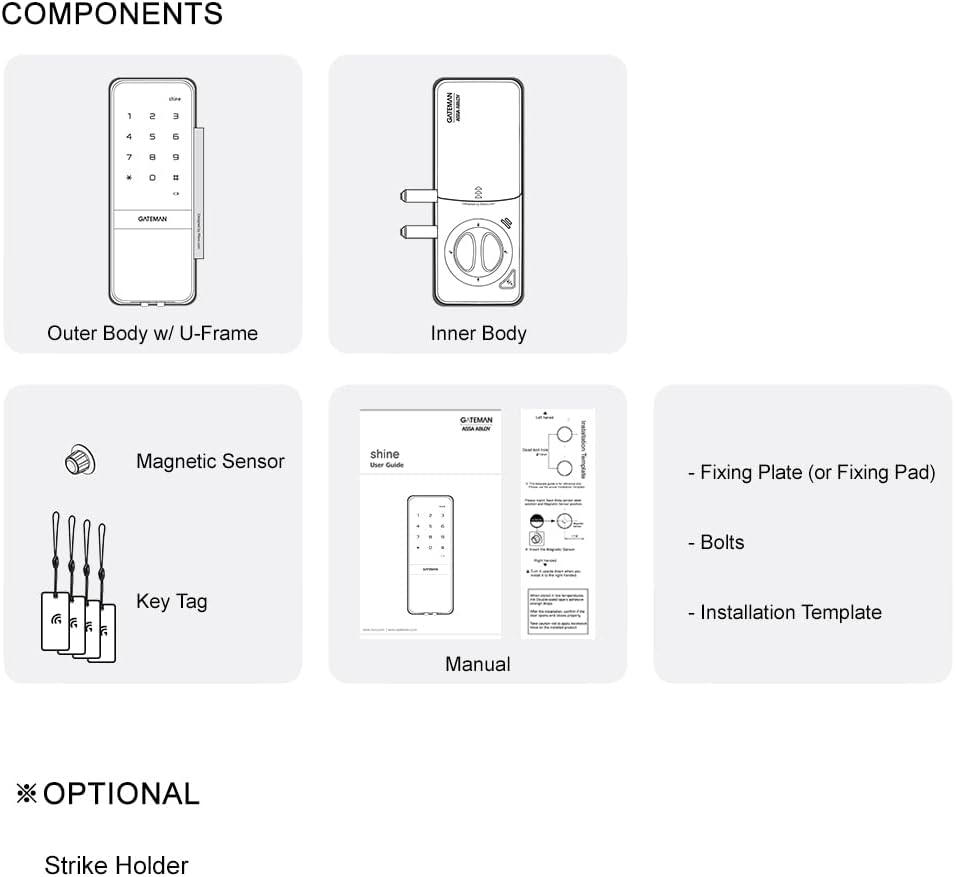
Figure 2: Included components for the GATEMAN Shine Digital Glass Lock.
- Outer Body with U-Frame
- corpo interno
- Sensore magnetico
- Chiave Tags (typically 40 max memory)
- Manuale d'uso
- Fixing Plate (or Fixing Pad)
- Bulloni
- Modello di installazione
- Opzionale: Strike Holder (not included with this model)
3. Configurazione e installazione
The GATEMAN Shine Digital Glass Lock is designed for easy installation on glass doors. It utilizes a clip-type bracket system with strong double-sided tape. For detailed, step-by-step installation instructions, please refer to the dedicated installation template and the full user manual provided in the product packaging.
Considerazioni sull'installazione:
- Glass Door Thickness: Compatible with glass doors between 9mm and 13mm thick.
- Tipo di porta: Designed for glass doors. Ensure the door frame or adjacent wall allows for proper deadbolt engagement if applicable.
- Bracket System: The clip-type bracket with strong double-sided tape simplifies mounting.
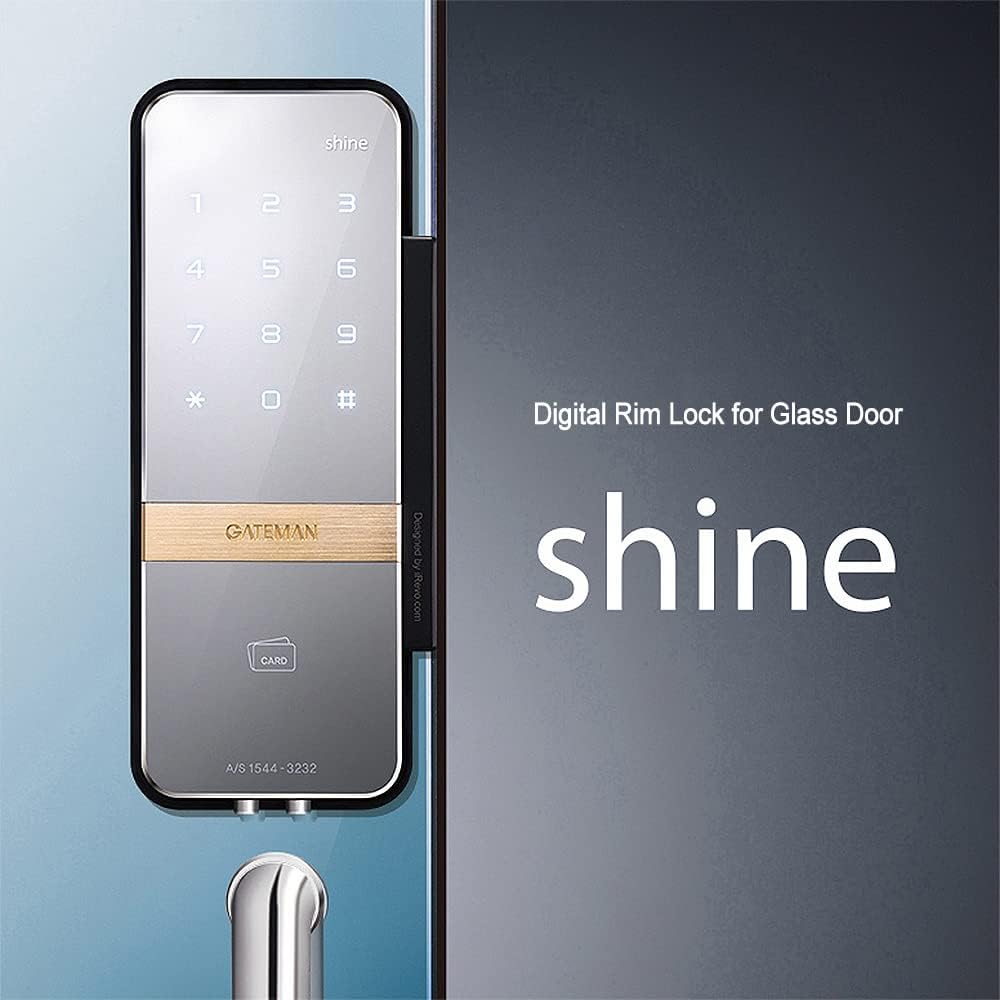
Figure 3: GATEMAN Shine Digital Glass Lock mounted on a glass door.

Figure 4: Detail of the clip-type bracket and the lock's slim profile.
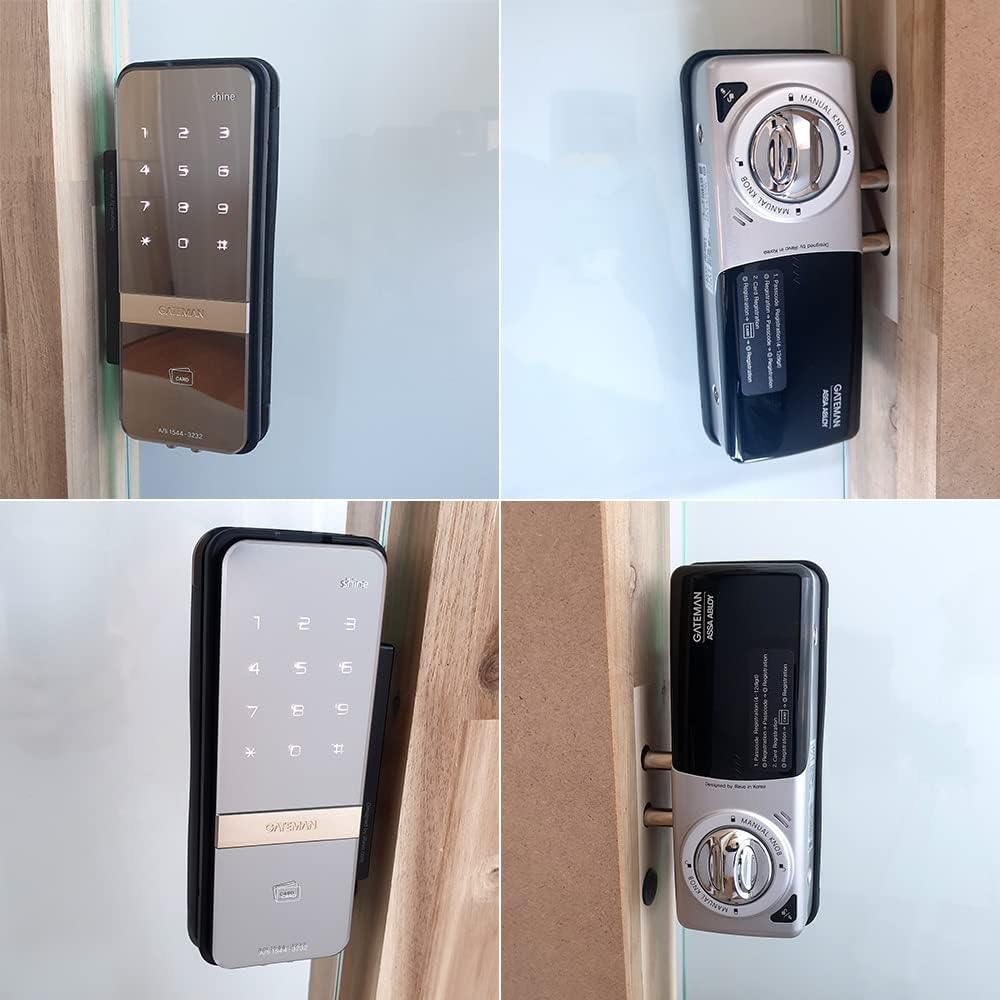
Figura 5: Multiplo views of the lock installed on a glass door, showing both exterior and interior units.
4. Istruzioni per l'uso
4.1. Keypad Operation (Magic Mirror)
To activate the keypad, simply touch the surface of the outer body. The numbers will illuminate, allowing you to enter your PIN code. The reflective surface also allows you to check your surroundings for enhanced security before entering your code.

Figure 6: Interaction with the Magic Mirror keypad.
4.2. PIN Code Management
The lock supports various PIN types for flexible access control:
- Master PIN: One master PIN for administrative functions and programming.
- PIN utente: One user PIN for daily access.
- Onetime PIN: One temporary PIN for single-use access.
Refer to the full user manual for instructions on how to set, change, and delete these PIN codes.
4.3. Chiave Tag Utilizzo
The lock supports up to 40 key tags for convenient, keyless entry. To use a key tag, simply present it to the designated card reader area on the outer body of the lock. Instructions for registering and deleting key tags are in the comprehensive manual.
4.4. Safe Thumb-turn
For enhanced security, the interior thumb-turn knob requires simultaneous pressing of two buttons located on the knob itself before it can be turned. This design prevents unauthorized manipulation from the inside.
4.5. Forced Lock
The forced lock feature allows you to secure the door from either the inside or outside, preventing entry or exit even with a valid PIN or key tag. Consult the full manual for activation and deactivation procedures.
5. Manutenzione
5.1. Sostituzione della batteria
The GATEMAN Shine lock requires four (4) AA alkaline batteries. When the low battery alarm sounds, replace all four batteries promptly. The alarm will typically provide ample warning before the batteries are completely depleted. Refer to the manual for the battery compartment location and replacement steps.
5.2. Pulizia
Clean the lock's exterior surfaces with a soft, dry cloth. Avoid using abrasive cleaners, solvents, or chemical sprays, as these can damage the finish or electronic components.
6. Risoluzione Dei Problemi
6.1. Allarme alta temperatura
In the event of a fire, the lock's internal sensor will detect high temperatures. An alarm will sound, and the lock will automatically release to facilitate emergency evacuation. If this alarm triggers without a fire, contact customer support.
6.2. Alimentazione di emergenza
If the batteries are completely drained and you cannot operate the lock, an emergency power supply feature is available. Connect a 9V battery to the designated terminals on the outer body to temporarily power the lock and gain access. Replace the internal AA batteries immediately after gaining entry.
6.3. Questioni generali
- La tastiera non risponde: Ensure the batteries are not depleted. Try touching the keypad firmly to activate the Magic Mirror function.
- Blocco non innestato/disinserito: Check for any obstructions in the door frame or latch mechanism. Verify that the door is properly aligned.
- PIN dimenticato: Refer to the full user manual for instructions on resetting or recovering access codes, or contact customer support.
7. Specifiche
| Caratteristica | Dettaglio |
|---|---|
| Marca | PORTIERE |
| Nome del modello | SHINE-2WAY |
| Tipo di blocco | Tastiera |
| Materiale | Glass (for installation) |
| Dimensioni (L x P x A) | 10 x 4 x 8 pollici |
| Peso dell'articolo | 3 libbre |
| Caratteristiche speciali | Alarm (High Temperature, Low Battery) |
| Metodo di controllo | Tocco |
| Batterie | 4 batterie AA (alcaline, non incluse) |
| Produttore | iRevo |
8. Garanzia e supporto
For information regarding product warranty, please refer to the warranty card included with your purchase or visit the official GATEMAN website. For technical support, troubleshooting assistance beyond this manual, or to inquire about service, please contact GATEMAN customer service directly. Contact details can typically be found on the product packaging or the manufacturer's websito.


