Prodotto finitoview
This manual provides instructions for the Delock USB 2.0 A-B Cable, model 83687. This cable is designed for connecting devices with a USB Type-A port to devices with a USB Type-B port, facilitating data transfer.
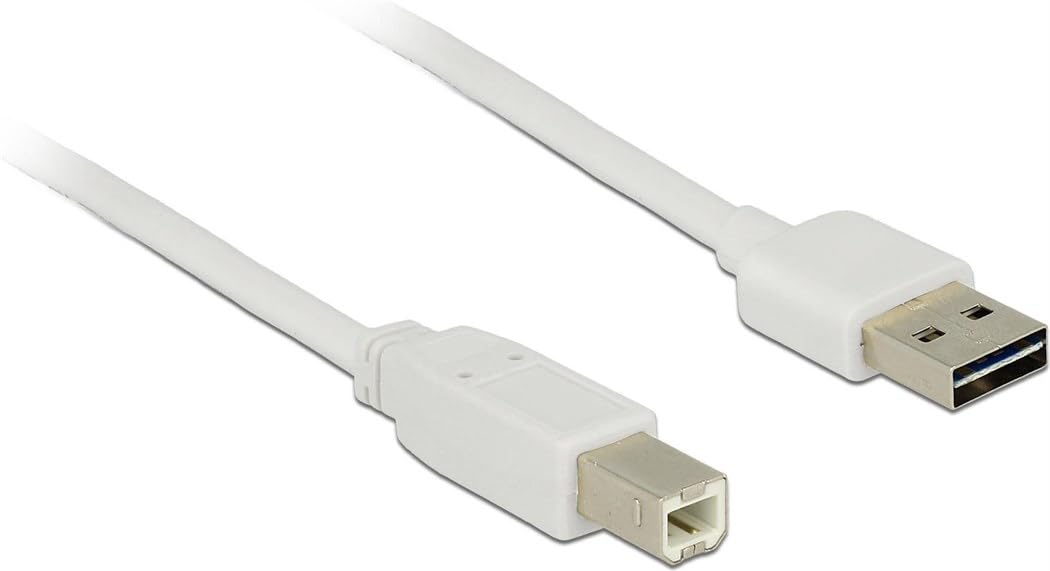
Image: The Delock USB 2.0 A-B Cable, featuring a white cable and gold-plated connectors. The USB Type-A connector is visible on the right, and the USB Type-B connector is on the left.
Impostare
The Delock USB 2.0 A-B Cable is designed for simple plug-and-play operation. Follow these steps to connect your devices:
- Identificare le porte: Locate the USB Type-A port on your host device (e.g., computer, laptop) and the USB Type-B port on your peripheral device (e.g., printer, scanner, external hard drive).
- Connect USB Type-A: Insert the USB Type-A connector of the cable into the corresponding USB Type-A port on your host device. Ensure it is fully seated.
- Connect USB Type-B: Insert the USB Type-B connector of the cable into the corresponding USB Type-B port on your peripheral device. Ensure it is fully seated.
- Verifica connessione: Once both ends are connected, your operating system should automatically detect the peripheral device. If necessary, install any required drivers for your peripheral device as per its manufacturer's instructions.
This cable is compatible with devices such as laptops and personal computers.
Istruzioni per l'uso
Once the cable is properly connected, it facilitates data transfer between the connected devices. The cable supports USB 2.0 specifications, allowing for data transfer rates of up to 480 Mbit/s.
- Ensure both connected devices are powered on for proper communication.
- Initiate data transfer operations (e.g., printing, scanning, file transfer) through the software or operating system interface of your host device.
- For optimal performance, avoid disconnecting the cable during active data transfer.
Manutenzione
To ensure the longevity and optimal performance of your Delock USB 2.0 A-B Cable, follow these maintenance guidelines:
- Magazzinaggio: Conservare il cavo in un luogo fresco e asciutto, al riparo dalla luce solare diretta e da temperature estreme. Evitare di arrotolare o piegare eccessivamente il cavo, soprattutto in prossimità dei connettori, per evitare danni interni.
- Pulizia: Se il cavo o i connettori si sporcano, pulirli delicatamente con un panno morbido, asciutto e privo di lanugine. Non utilizzare detergenti liquidi o materiali abrasivi.
- Gestione: Always grasp the connector housing when plugging or unplugging the cable, rather than pulling on the cable itself. This prevents strain on the cable's internal wires and connections.
- Protezione: Keep the cable away from sharp objects, heavy furniture, or areas where it might be stepped on or pinched, as this can damage the insulation and internal conductors.
Risoluzione dei problemi
If you encounter issues with your Delock USB 2.0 A-B Cable, consider the following troubleshooting steps:
| Problema | Possibile causa/soluzione |
|---|---|
| Dispositivo non riconosciuto |
|
| Trasferimento dati lento |
|
| Connessione intermittente |
|
Specifiche
| Caratteristica | Dettaglio |
|---|---|
| Marca | Sbloccare |
| Numero di modello | 83687 |
| Tipo di cavo | Cavo USB 2.0 AB |
| Lunghezza del cavo | 2 metri (6.56 piedi) |
| Connettore 1 | USB di tipo A maschio |
| Connettore 2 | USB Type-B Male |
| Versione USB | 2.0 |
| Velocità di trasferimento dati (massima) | 480 Mbit/s |
| Contatti | Placcato oro |
| Colore | Bianco |
| Dispositivi compatibili | Laptop, Personal Computer, and other devices with USB A and B ports |
| Caratteristica speciale | Trasferimento dati |
Garanzia e supporto
For information regarding warranty coverage and technical support for your Delock USB 2.0 A-B Cable, please refer to the official Delock websito o contattare direttamente il servizio clienti. I termini di garanzia specifici possono variare a seconda della regione e del rivenditore.
Manufacturer: DeLOCK
Data di prima disponibilità: 29 agosto 2017


