Introduzione
This manual provides detailed instructions for the Casio G-Shock GAS-100-1ACR Analog-Digital Watch. Please read this manual carefully to ensure proper use and to fully utilize all features of your watch. Keep this manual for future reference.

Figura 1: Casio G-Shock GAS-100-1ACR Watch. This image displays the front view of the watch, highlighting its analog and digital displays, buttons, and overall design.
Impostare
Prima di utilizzare l'orologio, eseguire i seguenti passaggi di configurazione iniziale:
1. Carica iniziale
Your watch is equipped with Tough Solar Power, which converts light into energy. Ensure the watch is exposed to light regularly to maintain a sufficient charge. A power reserve indicator is available to monitor the charge level.
- Place the watch in a location where it can receive direct light, such as near a window.
- Avoid covering the watch face, as this is where the solar panel is located.
- A full charge can take several hours depending on light intensity.
2. Impostazione di ora e data
The watch features both analog hands and digital displays. Time and date settings are typically synchronized, but may require manual adjustment.
- Premere il tasto MODALITÀ button to navigate through the different modes until you reach the Timekeeping Mode.
- Premere e tenere premuto il tasto REGOLARE button until the city code starts to flash, indicating the setting mode.
- Utilizzare il INOLTRARE E INVERSIONE pulsanti per selezionare il codice della tua città di residenza.
- Premere MODALITÀ to cycle through other settings such as DST (Daylight Saving Time), 12/24-hour format, seconds, hour, minute, year, month, and day.
- Utilizzo INOLTRARE E INVERSIONE to change the values for each setting.
- Premere REGOLARE to exit the setting mode. The analog hands will automatically adjust to the digital time.
3. Configurazione dell'ora mondiale
The watch supports 31 time zones (48 cities + Coordinated Universal Time).
- In Timekeeping Mode, press MODALITÀ to enter World Time Mode.
- Utilizzare il INOLTRARE E INVERSIONE buttons to scroll through different city codes to view i loro tempi attuali.
- To swap your Home City Time with World Time, refer to the detailed instructions in the full Casio module manual (available online).
4. Illumination Settings
The watch features a Double LED Light (Super Illuminator) for both the face and digital display.
- Manual Illumination: Press the dedicated light button (usually located at the 6 o'clock position) to illuminate the display.
- Auto LED Light: This feature automatically illuminates the display when you tilt your wrist towards your face in dim lighting conditions. This can be enabled or disabled in the settings.
- Durata dell'illuminazione: You can select between 1.5 or 3 seconds for the illumination duration in the settings.
Utilizzo dell'orologio
Understand the various modes and functions of your G-Shock watch.
1. Modalità di navigazione
Utilizzare il MODALITÀ button to cycle through the primary functions:
- Modalità di indicazione dell'ora: Visualizza l'ora corrente, la data e il giorno della settimana.
- Modalità ora mondiale: Shows current time in various cities around the globe.
- Modalità cronometro: Misura il tempo trascorso.
- Modalità conto alla rovescia: Conto alla rovescia a partire da un tempo preimpostato.
- Modalità sveglia: Set and activate daily alarms and an hourlsegnale orario.
2. Funzione cronometro
The watch includes a 1/100-second stopwatch.
- Passare alla modalità cronometro utilizzando MODALITÀ pulsante.
- Premere il tasto INOLTRARE pulsante per avviare il cronometro.
- Premere INOLTRARE di nuovo per mettere in pausa/riprendere.
- Premere il tasto REGOLARE button to reset the stopwatch to zero while it is paused.
3. Funzione di allarme
Imposta fino a 5 sveglie giornaliere e un hourlsegnale orario.
- Passare alla modalità Allarme utilizzando MODALITÀ pulsante.
- Utilizzo INOLTRARE or INVERSIONE to select an alarm (AL1 to AL5) or the hourlsegnale orario (SIG).
- Premere e tenere premuto REGOLARE per accedere alla modalità di impostazione della sveglia.
- Utilizzo MODALITÀ per passare dalle impostazioni delle ore a quelle dei minuti e INOLTRARE/INVERSIONE per modificare i valori.
- Premere REGOLARE per confermare e uscire.
- Per attivare un allarme o la svegliaurlper attivare/disattivare il segnale orario, selezionarlo e premere INOLTRARE.
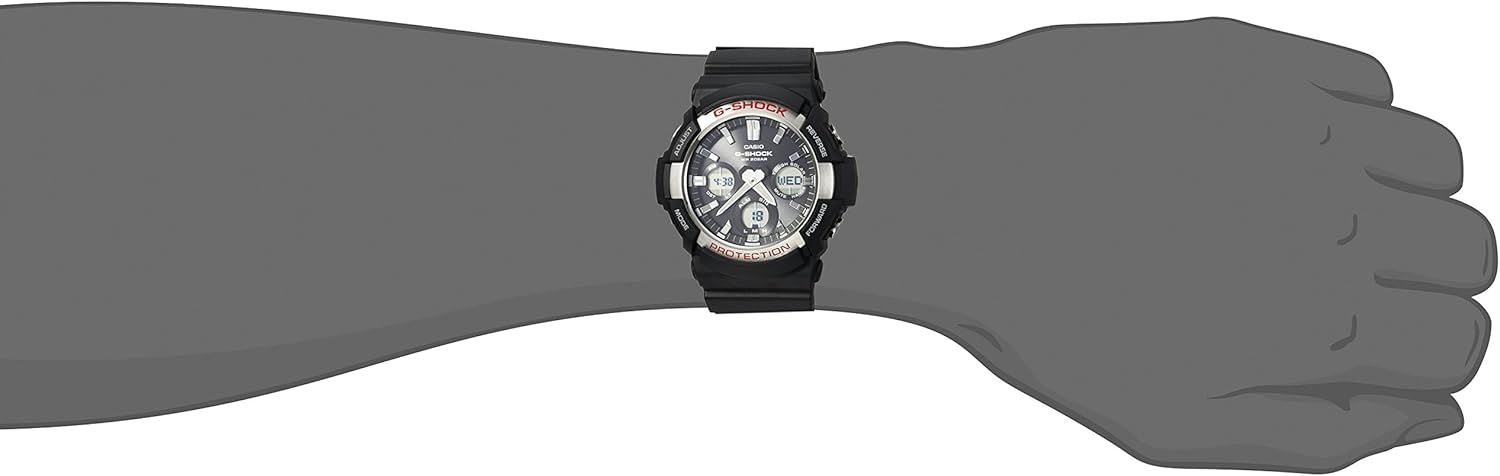
Figura 2: Casio G-Shock GAS-100-1ACR Watch worn on a wrist. This image demonstrates the watch's size and fit on a typical user's arm.
Manutenzione
Proper care ensures the longevity and performance of your Casio G-Shock watch.
1. Ricarica
As a Tough Solar watch, regular exposure to light is crucial for maintaining its power. The watch uses a rechargeable Lithium Metal battery.
- Avoid prolonged storage in dark places.
- If the power reserve indicator shows a low charge, expose the watch to bright light for several hours.
- The watch has a power saving function that automatically enters a sleep state when left in the dark to conserve power.
2. Resistenza all'acqua
The GAS-100-1ACR is 200M water resistant, suitable for swimming and diving.
- Non azionare i pulsanti mentre l'orologio è immerso nell'acqua.
- Dopo l'esposizione all'acqua salata, sciacquare l'orologio con acqua dolce e asciugarlo.
- Evitare di esporre l'orologio ad acqua calda o vapore, poiché ciò potrebbe danneggiare le guarnizioni.
3. Pulizia
Regular cleaning helps maintain the watch's appearance.
- Wipe the resin band and stainless steel case with a soft, dry cloth.
- For stubborn dirt, use a mild soap solution and a soft brush, then rinse thoroughly and dry.
- Evitare l'uso di prodotti chimici aggressivi o detergenti abrasivi.
Risoluzione dei problemi
Problemi comuni e relative soluzioni.
| Problema | Possibile causa | Soluzione |
|---|---|---|
| Watch display is blank or hands are not moving. | Batteria scarica. | Expose the watch face to bright light for several hours to charge the solar battery. Check the power reserve indicator. |
| L'ora non è corretta. | Incorrect home city setting, DST setting, or manual adjustment error. | Refer to the "Setting Time and Date" section to re-adjust time, date, and DST settings. Ensure your home city is correctly selected. |
| Illumination activates unexpectedly when wrist is tilted. | Auto LED Light feature is enabled. | This is a normal function. If undesired, disable the Auto LED Light feature in the watch settings. |
| Buttons are unresponsive or difficult to press. | Dirt or debris around buttons, or watch is submerged. | Clean around the buttons. Do not operate buttons underwater. If the issue persists, contact Casio support. |
Specifiche
- Numero modello: GAS-100-1ACR
- Dimensioni della cassa: Approximately 48mm (diameter) x 17mm (thickness)
- Crystal Diameter: Circa 32 mm
- Peso: 2.72 once (circa 77 grammi)
- Materiale della cassa/lunetta: Resina / Acciaio inossidabile
- Materiale del cinturino: Resina
- Resistenza all'acqua: 200 metri (20 BAR)
- Fonte di energia: Tough Solar (Solar Powered, rechargeable Lithium Metal battery)
- Display: Analogico-Digitale
- Resistenza agli urti: SÌ
- Illuminazione: Double LED Light (Super Illuminator) for face and digital display, Full Auto LED Light, selectable illumination duration (1.5s/3s), afterglow.
- Ora mondiale: 31 time zones (48 cities + UTC), daylight saving on/off.
- Cronometro: 1/100-second, measuring capacity: 59'59.99'', measuring modes: elapsed time, split time, 1st-2nd place times.
- Conto alla rovescia: Measuring unit: 1 second, countdown range: 1 minute to 100 minutes (1-minute increments).
- Allarmi: 5 sveglie giornaliere, hourlsegnale orario.
- Calendario: Full auto-calendar (to year 2099).
- Altre caratteristiche: 12/24-hour format, button operation tone on/off, battery level indicator, power saving function.
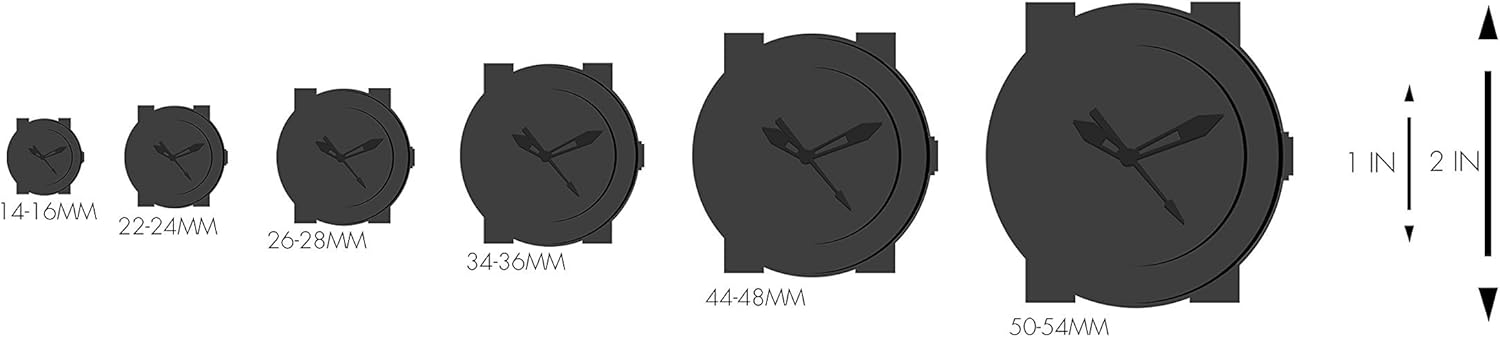
Figura 3: Watch size comparison chart. This graphic illustrates various watch case diameters in millimeters, providing a visual reference for the GAS-100-1ACR's size relative to other watches.
Garanzia e supporto
Informazioni sulla garanzia
Warranty coverage for your Casio G-Shock watch is typically provided at the time of purchase. Please refer to the warranty card or documentation included with your product for specific terms, conditions, and duration. For warranty claims or service, retain your proof of purchase.
Assistenza clienti
For further assistance, technical support, or inquiries not covered in this manual, please contact Casio customer service directly. You can find contact information and additional resources on the official Casio websito.
- Casio ufficiale Websito: www.casio.com
- Fare riferimento al website for regional support contacts and service centers.

Figura 4: G-Shock product packaging box. This image shows the exterior of the watch's retail packaging, typically containing the watch, manual, and warranty information.


