Introduzione
Thank you for choosing the Macally USB Wired Keyboard. This compact and versatile keyboard is designed to enhance your productivity on both Mac and Windows PC systems. Featuring 78 scissor switch keys and 13 shortcut keys, it offers a comfortable and efficient typing experience. This manual provides detailed instructions for setup, operation, maintenance, and troubleshooting to ensure optimal performance of your new keyboard.

Image: The Macally USB Wired Keyboard, showcasingrazie al suo design compatto e alla finitura bianca.
Caratteristiche principali
- Versatile Compact Design: Boosts productivity and saves desk space, ideal for both home and office environments.
- Easy Plug and Play Setup: Simple USB connection for immediate use with Mac and Windows PCs.
- Compatibilità Mac e Windows: Seamless operation across different operating systems.
- 13 One-Touch Shortcut Keys: Dedicated keys for Mac functions (cut/copy/paste/iTunes) and multimedia hotkeys for Windows.
- Tasti dell'interruttore a forbice: Provides a responsive, tactile, and quiet typing experience.
- Angolo di digitazione integrato: Subtle angle for improved comfort during extended use.
Guida all'installazione
1. Disimballaggio
Carefully remove the keyboard from its packaging. Ensure all components, including the keyboard and user guide, are present.
2. Collegamento della tastiera
- Locate an available USB-A port on your Mac or Windows PC.
- Plug the USB connector of the Macally keyboard into the USB-A port.
- For Mac users with only USB-C ports, a USB-C to USB-A adapter (not included) will be required.

Image: The Macally USB Wired Keyboard with its USB-A cable, illustrating the simple wired connection for Mac and PC.
3. Driver Installation (Automatic)
The Macally USB Wired Keyboard is plug-and-play. Your operating system (Mac OS or Windows) will automatically detect the keyboard and install the necessary drivers. No manual driver installation is required.
Istruzioni per l'uso
Digitazione di base
Once connected, the keyboard is ready for immediate use. Simply begin typing as you would with any standard keyboard.
Utilizzo dei tasti di scelta rapida
The keyboard features 13 dedicated shortcut keys for enhanced productivity. These keys are located on the top row of the keyboard (F1-F12 and an additional key).
| Chiave | Function (Mac) |
|---|---|
| F1 | Diminuire la luminosità |
| F2 | Aumentare la luminosità |
| F3 | Controllo missione |
| F4 | rampa di lancio |
| F5 | Keyboard Backlight Decrease (if applicable) |
| F6 | Keyboard Backlight Increase (if applicable) |
| F7 | Previous Track (Media) |
| F8 | Play/Pause (Media) |
| F9 | Next Track (Media) |
| F10 | Disattiva volume |
| F11 | Diminuire il volume |
| F12 | Aumentare il volume |
| Eject Key | Power Off / Eject (depending on system configuration) |
For Windows PC users, these keys function as standard multimedia hotkeys (e.g., play/pause, volume control).
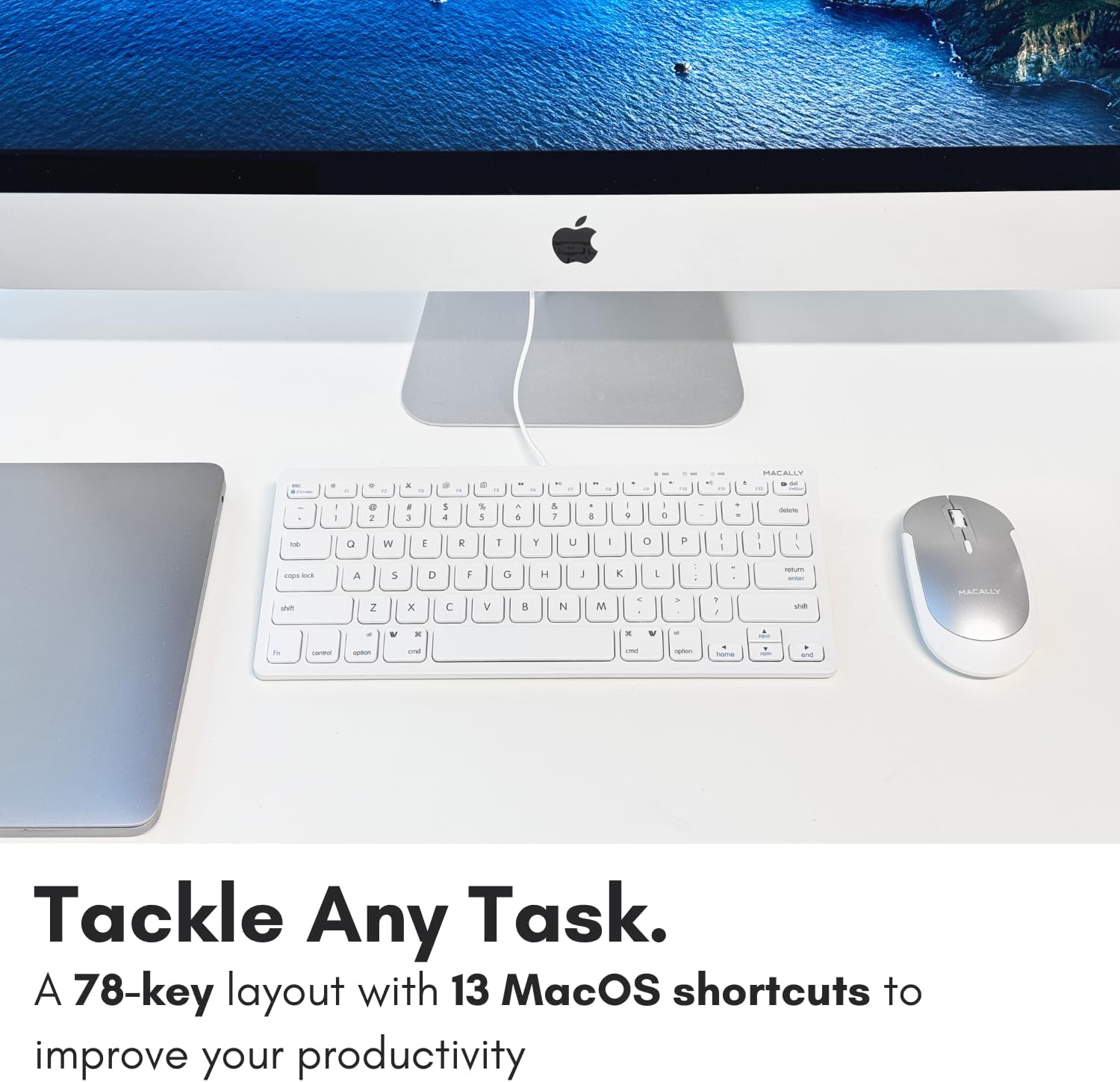
Immagine: un primo piano view of the Macally keyboard, highlighting the 13 shortcut keys designed for efficiency.
Manutenzione
Pulizia della tastiera
- Scollegare la tastiera dal computer prima di pulirla.
- Utilizzare un panno morbido e privo di lanugine leggermente damplucidato con acqua o una soluzione detergente delicata.
- Evitare l'eccessiva umidità e non spruzzare detergenti direttamente sulla tastiera.
- Per rimuovere polvere e detriti tra i tasti, utilizzare aria compressa.
Magazzinaggio
Quando non viene utilizzata per lunghi periodi, conservare la tastiera in un luogo fresco e asciutto, lontano dalla luce solare diretta e da temperature estreme.
Risoluzione dei problemi
| Problema | Soluzione |
|---|---|
| La tastiera non risponde |
|
| I tasti non vengono digitati correttamente o sono bloccati |
|
| Shortcut keys not working on Mac |
|
Specifiche
| Caratteristica | Dettaglio |
|---|---|
| Numero di modello | SLIMKEYC |
| Connettività | USB Wired (USB-A) |
| Numero di chiavi | 78 |
| Tasti di scelta rapida | 13 (Mac functions / Windows multimedia) |
| Tipo di chiave | Interruttore a forbice |
| Compatibilità | Mac OS, Windows OS, Linux, Chrome OS |
| Dimensioni (LxWxH) | 11.2 x 4.7 x 0.2 pollici |
| Peso | 10.4 once |
| Lunghezza del cavo | Circa 4.7 piedi |
Garanzia e supporto
Macally stands behind its products. The Macally USB Wired Keyboard comes with up to a Garanzia di 2 anno E LIFETIME tech support.
For technical assistance, warranty claims, or further inquiries, please visit the official Macally websito o contattare direttamente il servizio clienti.
Puoi trovare maggiori informazioni e risorse di supporto su: www.macally.com
Video del prodotto
Compact USB Wired Keyboard for Mac and PC
Video: An official product video from Jukegear (Seller) demonstrating the compact design and wired connectivity of the Macally USB keyboard for both Mac and PC systems. This video highlights the ease of use and compatibility.


