1. Introduzione
Thank you for choosing the Xiaomi Mi Bluetooth Speaker 2. This portable Bluetooth speaker is designed to deliver high-definition sound quality with a compact and elegant design. This manual provides essential information for setting up, operating, and maintaining your speaker.
2. Informazioni sulla sicurezza
- Non esporre l'altoparlante a temperature estreme, alla luce solare diretta o a elevata umidità.
- Evitare di far cadere o di sottoporre l'altoparlante a forti urti.
- Non smontare, riparare o modificare l'altoparlante autonomamente. Se necessario, contattare personale di assistenza qualificato.
- Tenere l'altoparlante lontano da acqua e altri liquidi. Questo prodotto non è impermeabile.
- Utilizzare solo il cavo di ricarica e l'adattatore di alimentazione specificati.
- Dispose of batteries according to local regulations. Do not expose batteries to excessive heat.
3. Contenuto della confezione
Si prega di controllare il contenuto della confezione dopo averla disimballata:
- Xiaomi Mi Bluetooth Speaker 2
- Manuale d'uso
- Note: Charging cable is not included and must be provided by the user (Micro USB).
4. Prodotto finitoview
The Xiaomi Mi Bluetooth Speaker 2 features a minimalist design with a silver frosted aluminum alloy casing. Its compact size makes it highly portable and easy to carry.
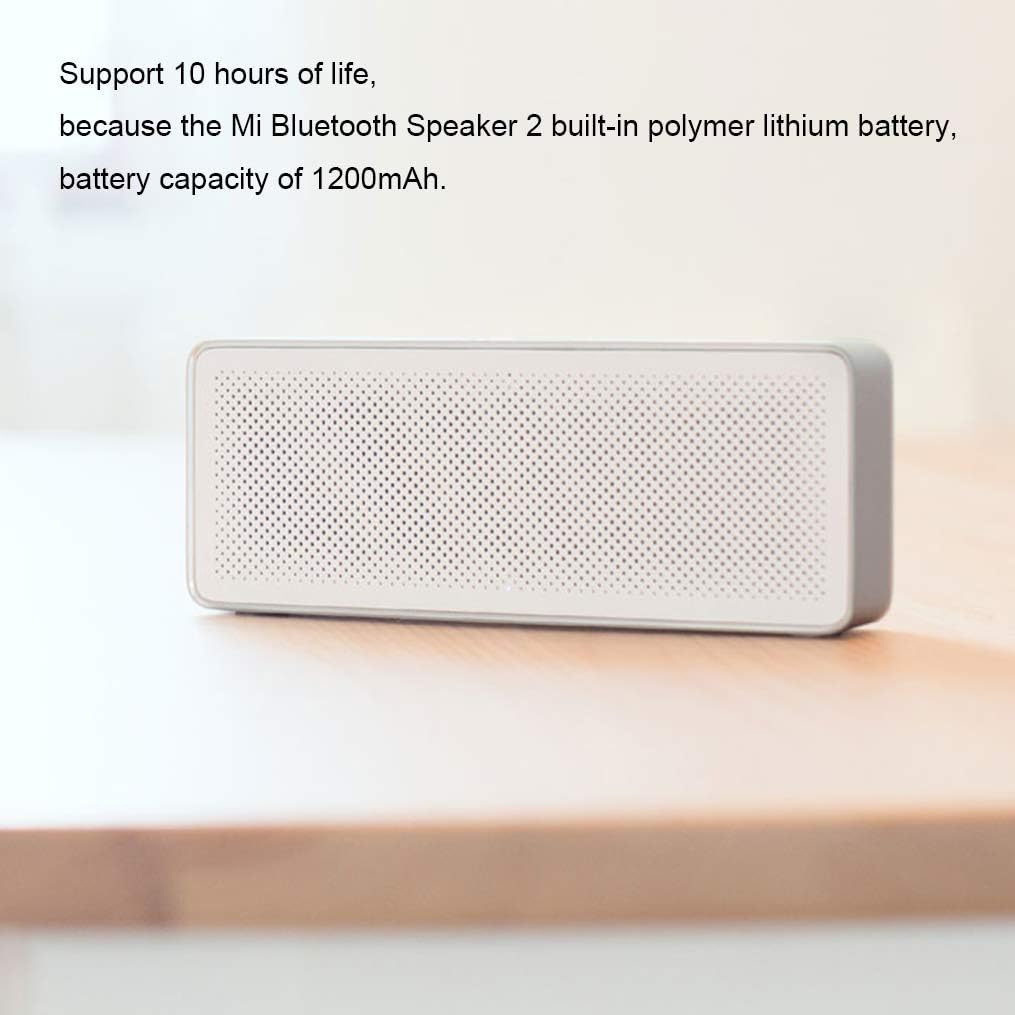
Figura 4.1: Davanti view of the Xiaomi Mi Bluetooth Speaker 2, showcasing its minimalist design and speaker grille. The silver frosted aluminum alloy box integrates seamlessly into various environments.

Figura 4.2: The compact and lightweight design allows the speaker to be easily carried in a backpack or held with one hand, emphasizing its portability.
Sound Unit Design
The speaker incorporates a dual sound unit design with two sounding units and a passive radiator, contributing to its classic acoustic performance in a small form factor.

Figura 4.3: Interno view illustrating the dual sound units and passive radiator for enhanced audio output.
Controlli e porte
The speaker features intuitive controls on the top surface and essential ports on the rear.

Figura 4.4: Superiore view showing the power/play/pause button and volume controls. The speaker also includes built-in microphones for call functions.

Figura 4.5: Posteriore view displaying the Micro USB charging port and the AUX input port.
5. Impostazione
5.1 Ricarica dell'altoparlante
Before first use, fully charge the speaker. The speaker has a built-in 1200mAh polymer lithium battery, providing approximately 10 hours of playback on a full charge. A full charge typically takes about 3 hours.
- Connect a Micro USB cable (not included) to the charging port on the rear of the speaker.
- Collegare l'altra estremità del cavo USB a un adattatore di alimentazione USB compatibile (ad esempio, 5 V/1 A) o alla porta USB di un computer.
- La spia di carica si illuminerà. Si spegnerà o cambierà colore una volta completata la carica.

Figura 5.1: The speaker's battery provides up to 10 hours of playback from its 1200mAh capacity.
5.2 Accensione/spegnimento
- To power on: Press and hold the power button (usually the central button) for a few seconds until you hear an audible prompt or see an indicator light.
- To power off: Press and hold the power button again for a few seconds until the speaker powers down.
5.3 Associazione Bluetooth
The Xiaomi Mi Bluetooth Speaker 2 supports Bluetooth 4.2 for stable wireless connections.
- Ensure the speaker is powered on and in pairing mode. The Bluetooth indicator light will typically flash rapidly. If not, press and hold the power button for a few seconds to enter pairing mode.
- Sul tuo dispositivo (smartphone, tablet, laptop), attiva il Bluetooth e cerca i dispositivi disponibili.
- Select "Mi Bluetooth Speaker 2" or a similar name from the list of found devices.
- Once paired, the speaker will emit a confirmation sound, and the Bluetooth indicator light will stop flashing and remain solid.
- Una volta acceso, l'altoparlante tenterà automaticamente di riconnettersi all'ultimo dispositivo associato.
5.4 Collegamento AUX
You can also connect audio devices directly using an AUX cable (3.5mm audio cable, not included).
- Connect one end of the 3.5mm audio cable to the AUX input port on the speaker (refer to Figure 4.5).
- Collega l'altra estremità del cavo al jack delle cuffie o all'uscita audio del tuo dispositivo.
- The speaker will automatically switch to AUX mode or you may need to press the power button briefly to cycle modes.
6. Funzionamento dell'altoparlante
6.1 Riproduzione dell'audio
- Una volta effettuato il collegamento tramite Bluetooth o AUX, inizia a riprodurre l'audio dal tuo dispositivo sorgente.
- Press the power button once to play or pause audio.
6.2 Controllo del volume
- Premere il pulsante "+" per aumentare il volume.
- Premere il pulsante "-" per diminuire il volume.
- You can also adjust the volume directly from your connected device.
6.3 Chiamate in vivavoce
The speaker features a built-in microphone, allowing you to answer calls when connected via Bluetooth to your smartphone.
Figura 6.1: The speaker's top controls include a button for managing phone calls, indicated by the phone icon.
- When a call comes in, the music will pause. Press the power button once to answer the call.
- To end a call, press the power button once again.
- Per rifiutare una chiamata in arrivo, tieni premuto il pulsante di accensione per alcuni secondi.
7. Manutenzione
- Pulizia: Use a soft, dry cloth to wipe the speaker's surface. Do not use abrasive cleaners, alcohol, or other chemical solvents.
- Magazzinaggio: When not in use for extended periods, store the speaker in a cool, dry place. Avoid extreme temperatures and direct sunlight.
- Cura della batteria: Per prolungare la durata della batteria, evitare di scaricarla completamente frequentemente. Caricare regolarmente l'altoparlante, anche se non in uso, per preservare la salute della batteria.
8. Risoluzione Dei Problemi
| Problema | Possibile soluzione |
|---|---|
| L'altoparlante non si accende. | Ensure the battery is charged. Connect the speaker to a power source using a Micro USB cable. |
| Impossibile effettuare l'associazione tramite Bluetooth. |
|
| Nessun suono o volume basso. |
|
| Distorsione del suono. |
|
9. Specifiche

Figura 9.1: Detailed dimensions of the Xiaomi Mi Bluetooth Speaker 2: 154.5mm (length) x 60mm (width) x 25.5mm (height).
| Caratteristica | Dettaglio |
|---|---|
| Numero di modello | XMYX03YM |
| Tipo di altoparlante | Portatile |
| Tecnologia di connettività | Bluetooth, USB (per la ricarica) |
| Tecnologia di comunicazione wireless | Bluetooth 4.2 |
| Portata massima | 10 metri (33 piedi) |
| Modalità di uscita audio | Stereo |
| Potenza massima in uscita dell'altoparlante | 5 Watt |
| Impedenza | 3 Ohm |
| Metodo di controllo | Tocco (pulsanti) |
| Fonte di alimentazione | Alimentato a batteria |
| Tipo di batteria | 1 batteria ai polimeri di litio |
| Capacità della batteria | 1200 mAh |
| Tempo di ricarica | Circa 3 ore |
| Dimensioni del prodotto (P x L x A) | 2.36" x 6.08" x 1" (60 mm x 154.5 mm x 25.5 mm) |
| Peso dell'articolo | 155 grammi (5.5 once) |
| È impermeabile | NO |
| Componenti inclusi | Speaker, User Manual |
10. Informazioni sulla garanzia
The Xiaomi Mi Bluetooth Speaker 2 comes with a limited warranty. Please refer to the warranty card included in your product packaging or visit the official Xiaomi webVisita il sito per i termini e le condizioni di garanzia dettagliati specifici per la tua regione. Conserva la ricevuta d'acquisto come prova d'acquisto per eventuali reclami in garanzia.
Tipo di garanzia: limitata
11. Supporto
For further assistance, technical support, or customer service inquiries, please visit the official Xiaomi support websito o contattare il servizio clienti della propria zona.
Xiaomi ufficiale Websito: www.mi.com


