Introduzione
This manual provides essential information for the safe and efficient operation of your Skyworth E-Series 40E2 40-inch 1080P LED TV. Please read it thoroughly before use and retain it for future reference. This television features a 1080P LED display, 60 Hz refresh rate, and DTS Dolby Audio Sound for an enhanced viewesperienza di acquisizione.
Informazioni sulla sicurezza
Per evitare danni e garantire un funzionamento sicuro, osservare le seguenti precauzioni di sicurezza:
- Fonte di energia: Collegare il televisore solo a una presa di corrente CA da 100-240 V, 50/60 Hz.
- Ventilazione: Assicurare un'adeguata ventilazione attorno al televisore. Non ostruire le aperture di ventilazione.
- Acqua e umidità: Non esporre il televisore a pioggia o umidità. Non posizionare oggetti contenenti liquidi, come vasi, sul televisore.
- Pulizia: Scollegare il televisore prima di pulirlo. Utilizzare un panno morbido e asciutto. Non utilizzare detergenti liquidi o spray.
- Posizionamento: Posizionare il televisore su una superficie stabile e piana. Evitare la luce solare diretta, fonti di calore e temperature estreme.
- Manutenzione: Non tentare di riparare questo prodotto da soli. Affidare tutte le operazioni di manutenzione a personale di assistenza qualificato.
Cosa c'è nella scatola
Verificare che tutti i componenti siano presenti al momento del disimballaggio:
- Skyworth E-Series 40E2 40-inch LED TV
- Telecomando (richiede 2 batterie AAA, non incluse)
- Cavo di alimentazione
- TV Stand Bases (2 pieces)
- Viti per il montaggio del supporto
- Manuale dell'utente (questo documento)
Impostare
1. Disimballaggio
Carefully remove the TV and all accessories from the packaging. Place the TV screen-down on a soft, clean, and flat surface to prevent scratches during stand assembly.
2. Montaggio dello stand
To attach the stand bases:
- Align each stand base with the corresponding mounting holes on the bottom of the TV.
- Insert the provided screws into the holes and tighten them securely with a screwdriver.
- Ensure both stand bases are firmly attached and the TV is stable before placing it upright.

Immagine: Frontale view of the Skyworth 40E2 TV with its two stand bases attached, displaying a hockey game.
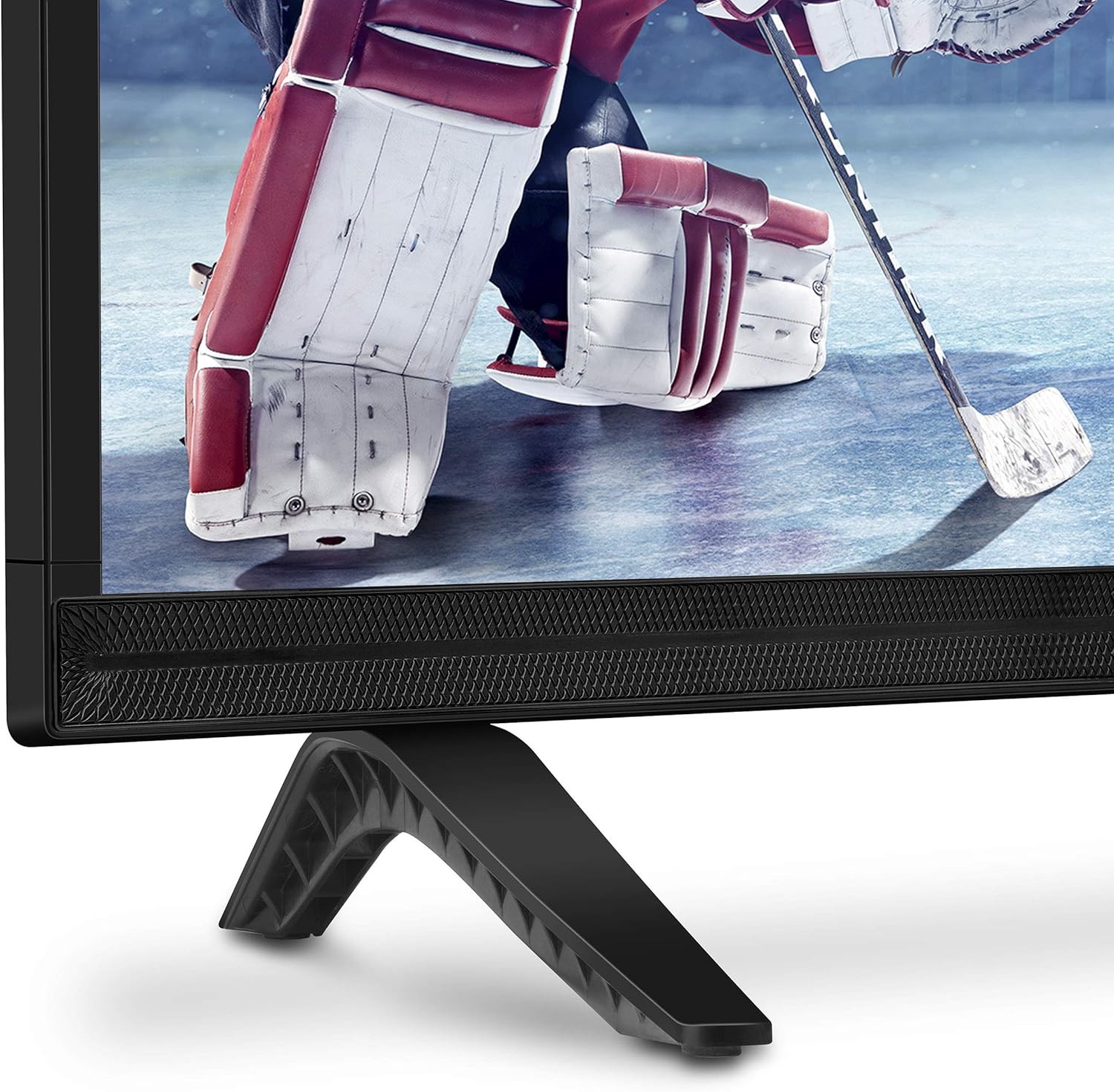
Immagine: Primo piano view of the bottom right corner of the Skyworth 40E2 TV, showing the textured speaker grille and one of the black stand bases.
3. Montaggio a parete (opzionale)
If you choose to wall mount your TV, ensure you use a VESA-compatible wall mount (sold separately). It is crucial to verify that the wall mounting plate does not obstruct the power port or any other connection ports on the back of the TV. Professional installation is recommended for wall mounting.
4. Collegamento dei dispositivi
Connect your external devices (e.g., cable box, Blu-ray player, gaming console) to the appropriate ports on the back of the TV. The Skyworth 40E2 features HDMI and USB connectivity.

Immagine: Posteriore view of the Skyworth 40E2 TV, showing the various input ports including HDMI and USB on the left side, and the power input on the right.
5. Collegamento dell'alimentazione
Collegare il cavo di alimentazione all'ingresso di alimentazione del televisore, quindi collegare l'altra estremità a una presa a muro.
6. Accensione iniziale
Press the Power button on the remote control or on the TV. Follow the on-screen instructions for the initial setup, which typically includes language selection, channel scanning, and network configuration (if applicable).
Operativo
Funzioni del telecomando
Familiarizzare con i pulsanti del telecomando:
- Energia: Accende o spegne la TV.
- Ingresso: Seleziona la sorgente di ingresso (HDMI 1, HDMI 2, USB, ecc.).
- Volume +/-: Regola il livello del suono.
- Canale +/-: Cambia canale TV.
- Menu: Accede al menu principale per le impostazioni.
- Pulsanti di navigazione (su/giù/sinistra/destra): Consente di navigare tra le opzioni del menu.
- OK/Inserisci: Conferma le selezioni.
- Uscita/Indietro: Ritorna alla schermata precedente o esce dal menu.
Impostazioni immagine
Access the Picture menu to adjust settings for optimal viewin:
- Modalità Immagine: Select from preset modes like Standard, Dynamic, Movie, or User.
- Luminosità: Regola la luminosità o l'oscurità complessiva dell'immagine.
- Contrasto: Controlla la differenza tra aree chiare e scure.
- Colore: Regola l'intensità dei colori.
- Nitidezza: Mette in risalto i bordi degli oggetti nell'immagine.
- Proporzioni: Changes the screen display format (e.g., 16:9, 4:3).
Impostazioni audio
Access the Sound menu to customize audio output:
- Modalità audio: Choose from preset modes like Standard, Music, Movie, or User.
- Equalizzatore: Regola manualmente le frequenze audio.
- DTS Dolby Audio: Enable or disable advanced audio processing for enhanced sound quality.
- Bilancia: Regola il bilanciamento del volume tra gli altoparlanti sinistro e destro.
Connettività
The TV supports various connections:
- HDMI: Collega dispositivi ad alta definizione come lettori Blu-ray, console di gioco o decoder.
- USB: Riproduci contenuti multimediali files (photos, music, videos) from a USB storage device.
Manutenzione
Proper care ensures the longevity of your TV:
- Pulizia dello schermo: Pulire delicatamente lo schermo con un panno morbido, asciutto e privo di lanugine. Per i segni ostinati, strofinare leggermenteampimmergi il panno con acqua (non spruzzare direttamente sullo schermo).
- Pulizia dell'armadietto: Pulisci il mobile TV con un panno morbido e asciutto. Evita di utilizzare detergenti abrasivi o solventi.
- Spolverare: Spolverare regolarmente le aperture di ventilazione per evitare il surriscaldamento.
- Cavo di alimentazione: Controllare periodicamente il cavo di alimentazione per verificare la presenza di eventuali danni. In caso contrario, sostituirlo immediatamente.
Risoluzione dei problemi
In caso di problemi, fare riferimento ai seguenti problemi comuni e alle relative soluzioni:
| Problema | Possibile causa/soluzione |
|---|---|
| Nessun potere | Assicurarsi che il cavo di alimentazione sia collegato saldamente sia al televisore che a una presa elettrica funzionante. Verificare che la presa sia alimentata. |
| Nessuna immagine, ma l'audio è presente | Controlla la sorgente di ingresso. Assicurati che il dispositivo collegato sia acceso e funzioni correttamente. Prova un altro cavo HDMI. |
| Nessun suono, ma l'immagine è presente | Check the volume level. Ensure the TV is not muted. Verify audio settings in the menu. Try a different HDMI cable. |
| Il telecomando non funziona | Check and replace the batteries (2 AAA). Ensure there are no obstructions between the remote and the TV's IR sensor. |
| Qualità dell'immagine scadente | Adjust picture settings (Brightness, Contrast, Sharpness). Ensure the input source is providing a high-quality signal. |
Specifiche
| Caratteristica | Dettaglio |
|---|---|
| Marca | Valore del cielo |
| Numero di modello | 40E2 |
| Dimensioni dello schermo | 40 pollici |
| Tecnologia di visualizzazione | GUIDATO |
| Risoluzione | 1080p (Full HD) |
| Frequenza di aggiornamento | Frequenza 60 Hz |
| Proporzioni | 16:9 |
| Tecnologia audio | DTS Dolby Audio Sound |
| Tecnologia di connettività | HDMI, USB |
| Dimensioni del prodotto (con supporto) | 35.7 x 8.8 x 22.9 pollici (L x P x A) |
| Peso dell'articolo (con supporto) | 14.5 libbre |
| Batterie per telecomando | 2 batterie AAA (non incluse) |
Garanzia e supporto
For warranty information, please refer to the warranty card included with your product at the time of purchase. For technical assistance, product registration, or to download the latest software updates, please visit the official Skyworth website or contact their customer support services. Keep your purchase receipt as proof of purchase for warranty claims.


